I Reviewed The 9 Best AI Research Assistant Tools For Academic Research


This article goes through the 9 best AI research assistants to help you with, but not limited to:
Let’s dive right in.
Best for academic research

SciSpace
Perfect for: Researchers and students analyzing academic papers
Pricing: From $20/month
AI research assistant that analyzes academic papers. Upload PDFs for explanations of complex methods and findings, plus academic writing tools.
Best for academic writing

Paperpal
Perfect for: Researchers needing flawless academic writing
Pricing: $25 per month
AI academic writing assistant trained on 250+ million research papers. Provides real-time editing suggestions, verified citations, and academic templates.
Best for conversational data analysis

Julius AI
Perfect for: Researchers building repeatable analysis workflows
Pricing: $20 per month
Conversational AI that analyzes databases, spreadsheets, and PDFs in plain English. Build reproducible Notebooks without coding.
What are the best AI research assistants?
How we picked
Wait — what’s killing your research time?
Most researchers waste 60% of their time on the wrong problems. Pick what’s actually slowing you down and I’ll show you the tool that fixes it.
No thanks, I like wasting timeYour literature reviews shouldn’t take months
Most researchers spend weeks reading papers they don’t need. SciSpace shows you what matters in minutes.
Drop in 50 papers. Ask it specific questions. It pulls the exact findings, methods, and limitations you need. No more reading 40 pages to find one stat.
Your exclusive discounts: DHRUVIR40Copied! for 40% off yearly or DHRUVIR20Copied! for 20% off monthly. That’s $144 saved annually.
Academic writing that doesn’t suck
Writing academic papers is hard enough. You don’t need to fight with grammar and citations too.
Paperpal was trained on 250+ million published papers. It knows academic tone. It knows every citation format. It spots the errors that make professors cringe.
Your exclusive discount: DZ30Copied! saves you 30% on your first payment. That’s over $40 back in your pocket.
Stop forgetting what you learn
Your brain connects ideas automatically. Your notes don’t.
Recall builds a knowledge graph from everything you save. When you read about neural networks today, it reminds you about that quantum computing article from last month. The connections your brain tries to make but forgets.
Save with Recall10Copied! for 10% off any plan. Makes it just $9/month or $75.60/year instead of $84.
Talk to your data like a human
You shouldn’t need a statistics PhD to analyze research data.
Julius AI turns spreadsheets into conversations. Ask it questions in plain English. It runs the tests, builds the charts, explains the results. No coding, no fighting with Excel formulas.
Your exclusive discount: DHRUVIRCopied! for 10% off your first payment on any paid plan.
#1 – SciSpace
Best AI research assistant for researchers and students who need AI assistance to read, analyze, and write academic papers
Pros
Cons
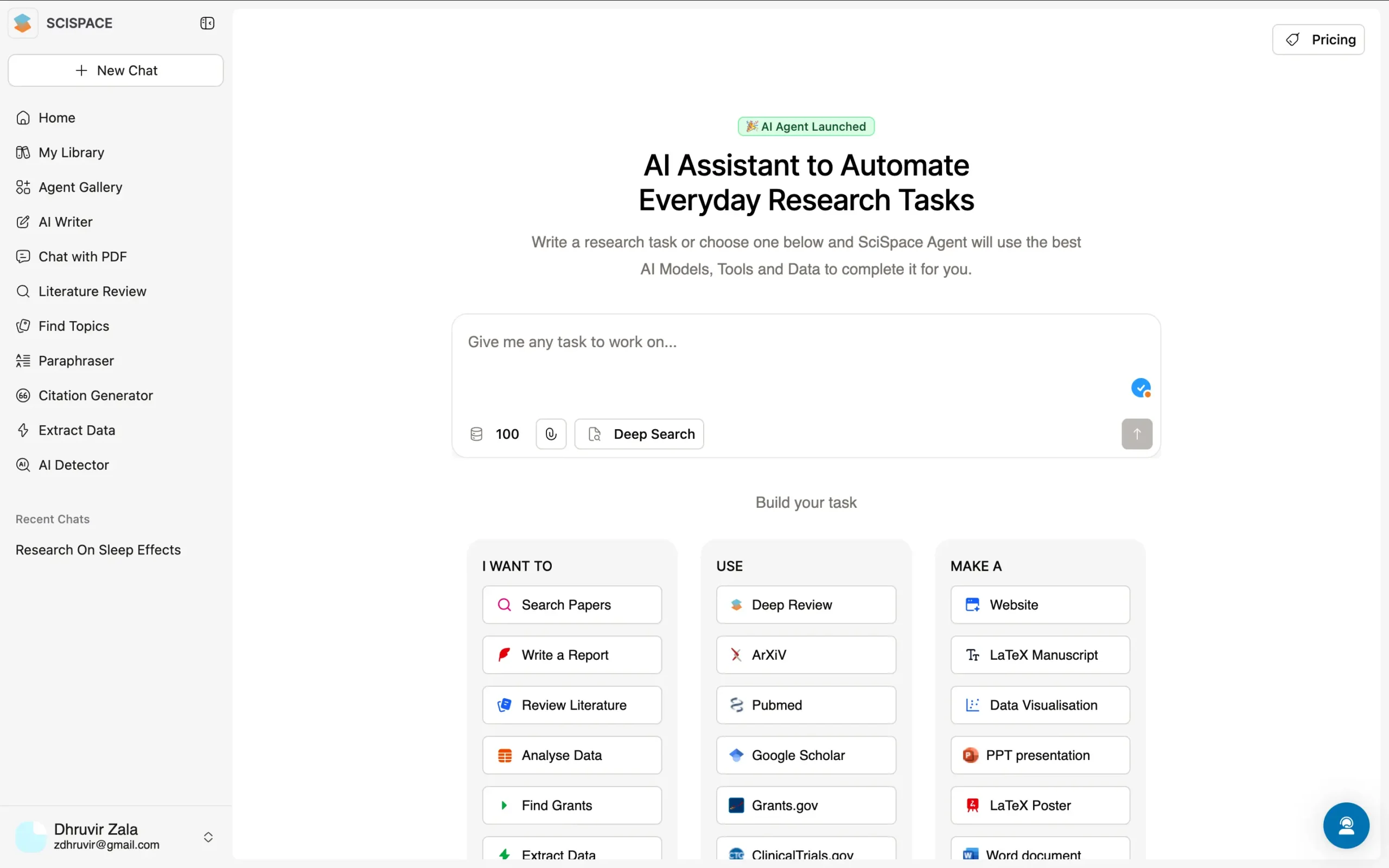
SciSpace is an AI research app that helps researchers and students read, understand, and write academic papers.
Here's what makes it worth your time:
You don't even need to sign up to start using it. Open SciSpace, type your research question, and start discovering papers. That's it.
The core of SciSpace is two simple parts:
- Library
- and Notebooks.
The library is your PDF workspace. Drop your research papers here, and SciSpace's AI reads them for you.
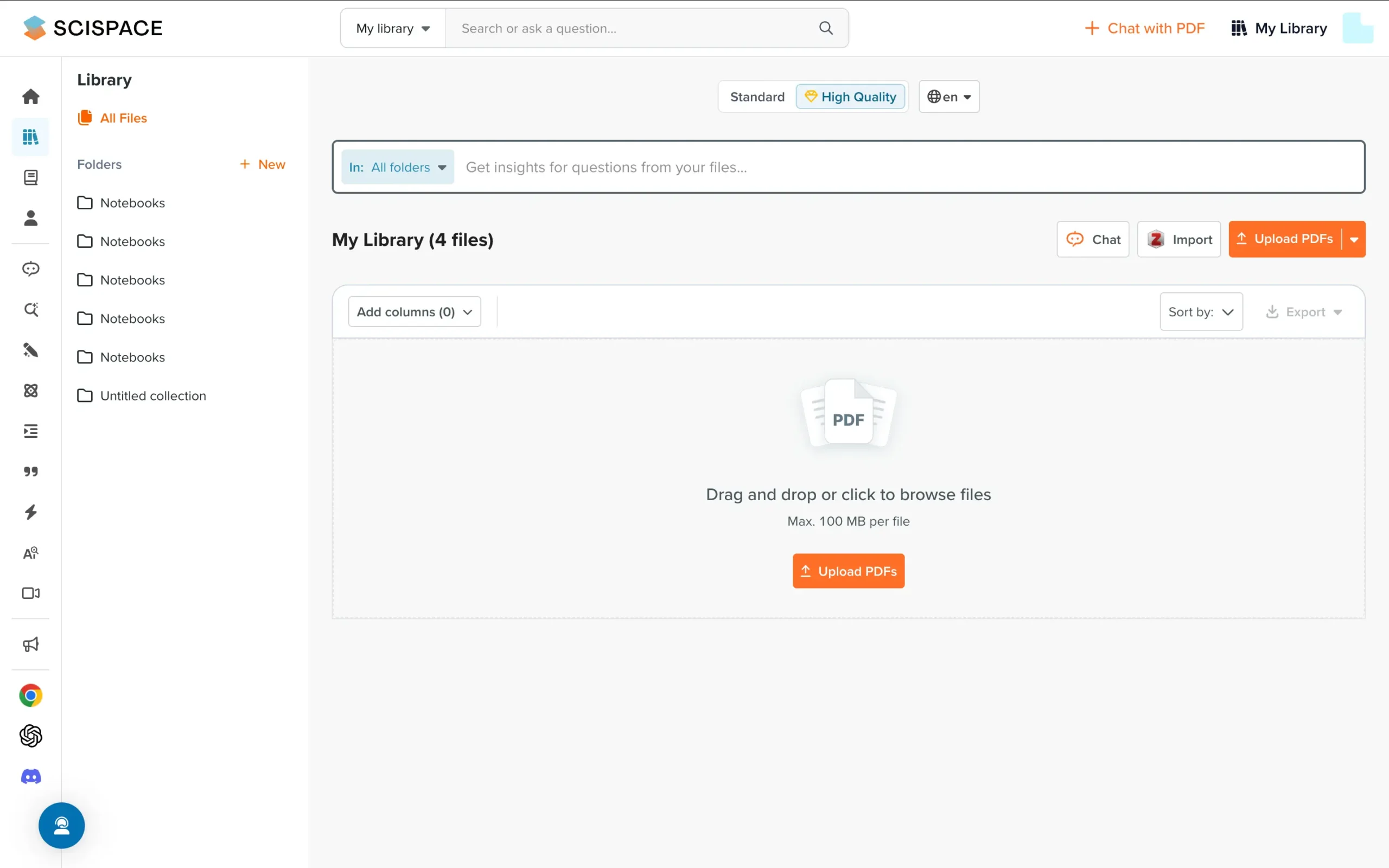
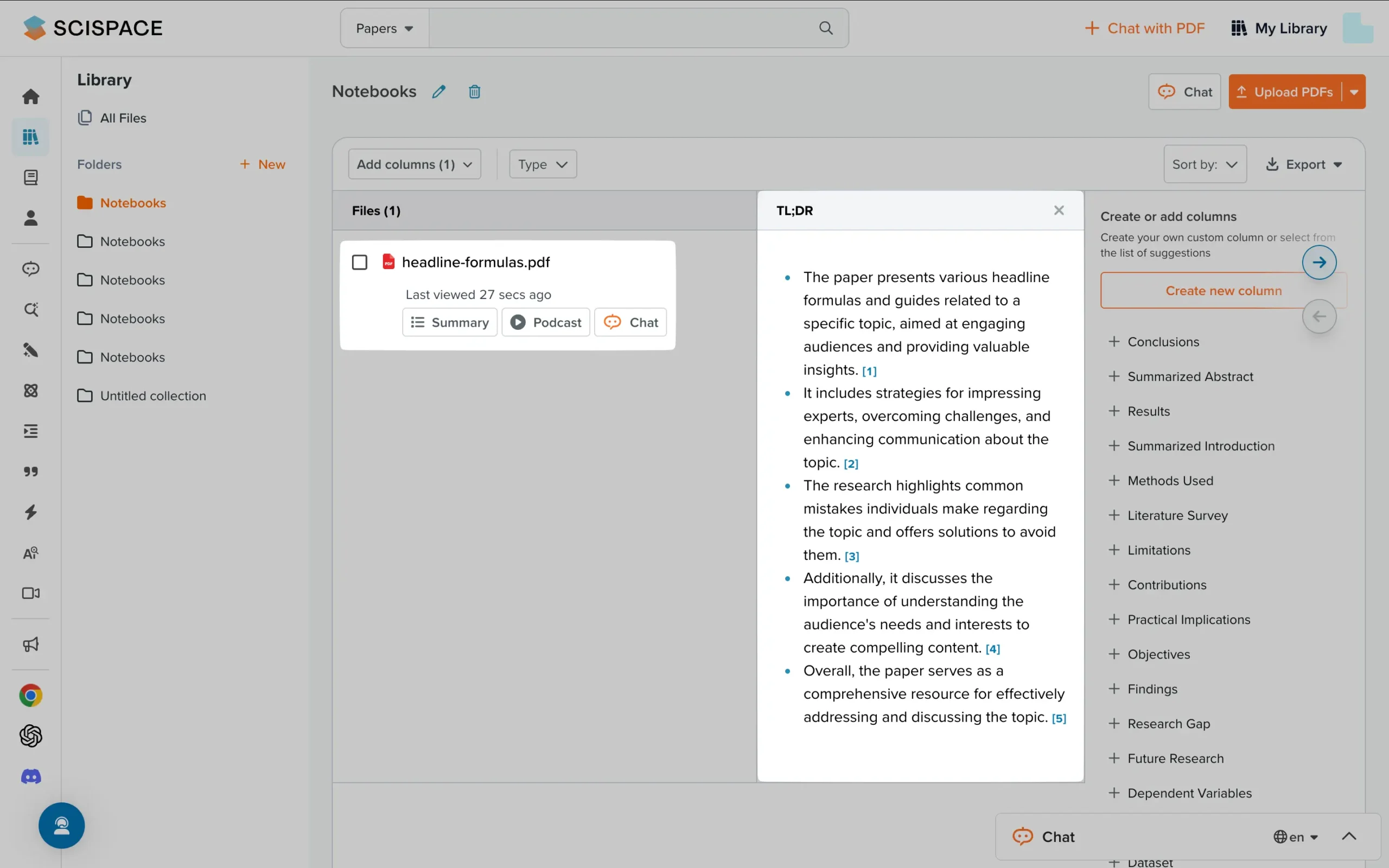
It pulls out key findings, identifies research methods, and spots limitations—the exact things you'd normally spend hours hunting for.
Want something explained?
Ask the built-in chat.
It reads your PDFs and answers questions about specific methods, results, or concepts you don't understand.
You can choose between quick answers (for basic concepts) or deep technical explanations (for complex methods and findings).
Notebooks are where you write.
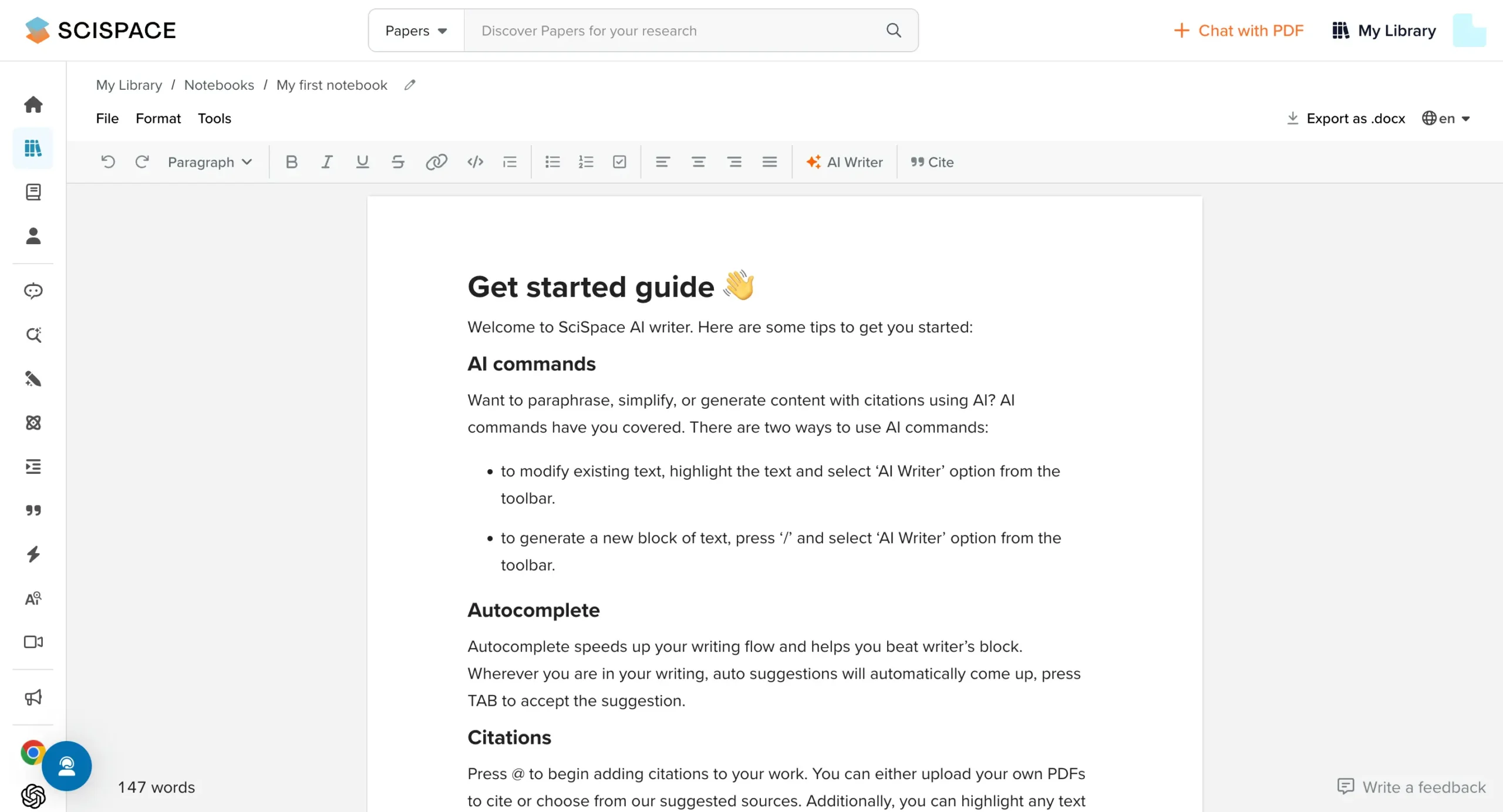
Start typing and press '/' — you'll see all your writing tools.
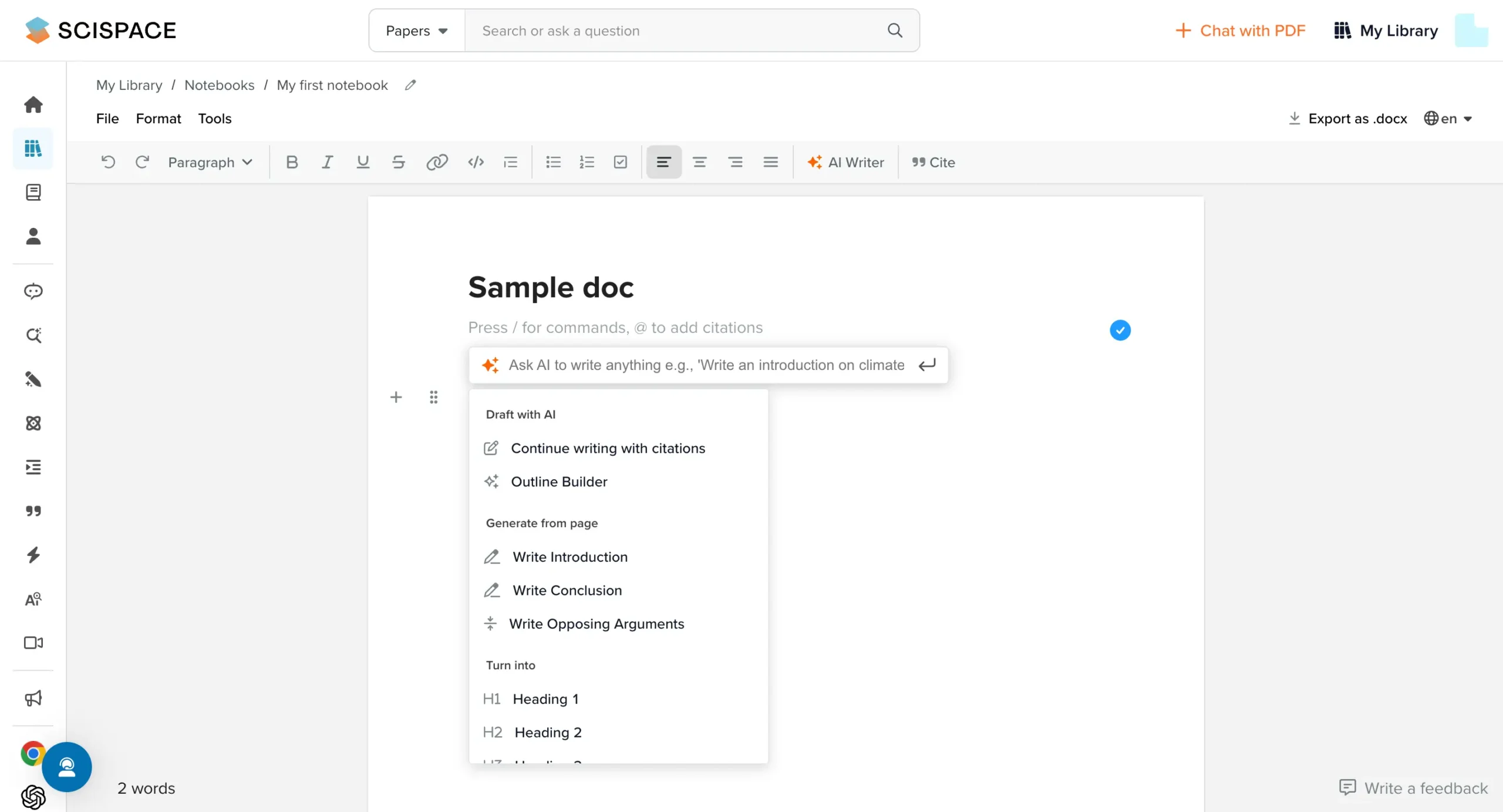
The AI helps when you're stuck, suggesting relevant content as you write. Hit 'tab' and it predicts your next sentence. But you're always in control—use the suggestions or ignore them.
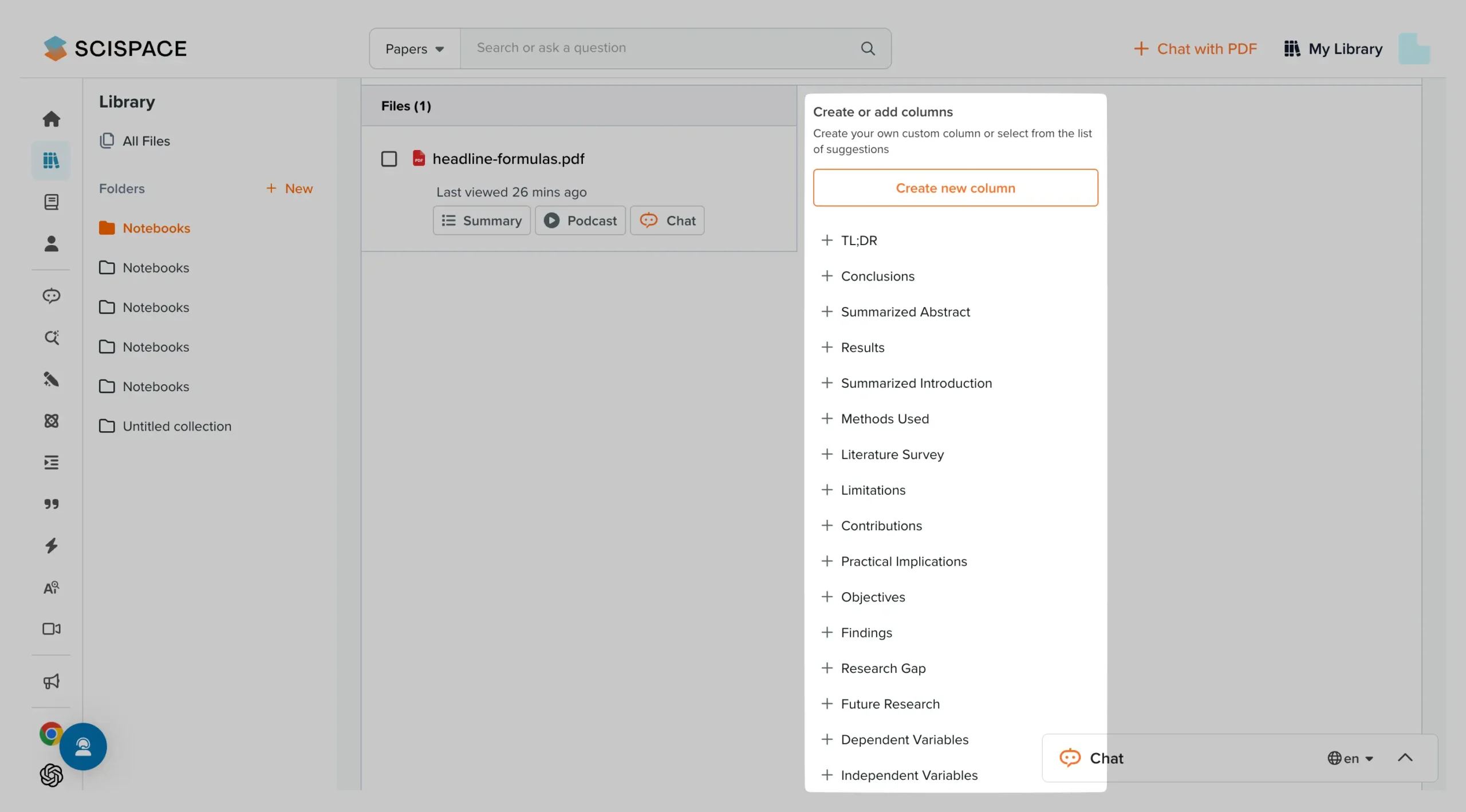
The real breakthrough is how SciSpace handles PDFs. Upload one and you can:
These columns are genuinely useful.
They automatically organize each paper's key information side by side, so you can quickly compare methods or findings across multiple papers.
For writing, SciSpace includes practical tools that solve real problems:
The Chrome extension lets you apply these tools to any webpage you're reading.
Everything in SciSpace focuses on one goal:
Making research easier to understand and write about.
Try the PDF tools first. Upload a paper you're struggling with and ask it to explain the methods section. That's the fastest way to see if SciSpace can help with your research.
Pricing

SciSpace offers two simple plans.
The Free plan gives you access to their citation generator, basic paper search, standard AI responses, and limited PDF uploads.
The Premium plan costs $30 per month if you pay monthly, or $12 per month if you pay annually.
The annual plan saves you 60% compared to monthly billing.
Premium unlocks everything: unlimited PDF uploads, high-quality AI responses, advanced columns feature, PDF-to-audio conversion, PDF-to-video conversion, all AI writing tools, and the Chrome extension.
Currently, SciSpace is offering special discounts to my readers.
Use code DHRUVIR40 to get 40% off the annual plan, bringing it down to just $7.20 per month (billed annually).
For monthly billing, use code DHRUVIR20 to get 20% off, reducing the cost to $24 per month.
Use code DHRUVIR40 to get 40% off on SciSpace’s annual plan.
Use code DHRUVIR20 to get 20% off on SciSpace’s monthly plan.
Further reading: Read about all the best SciSpace alternatives.
#2 – Paperpal
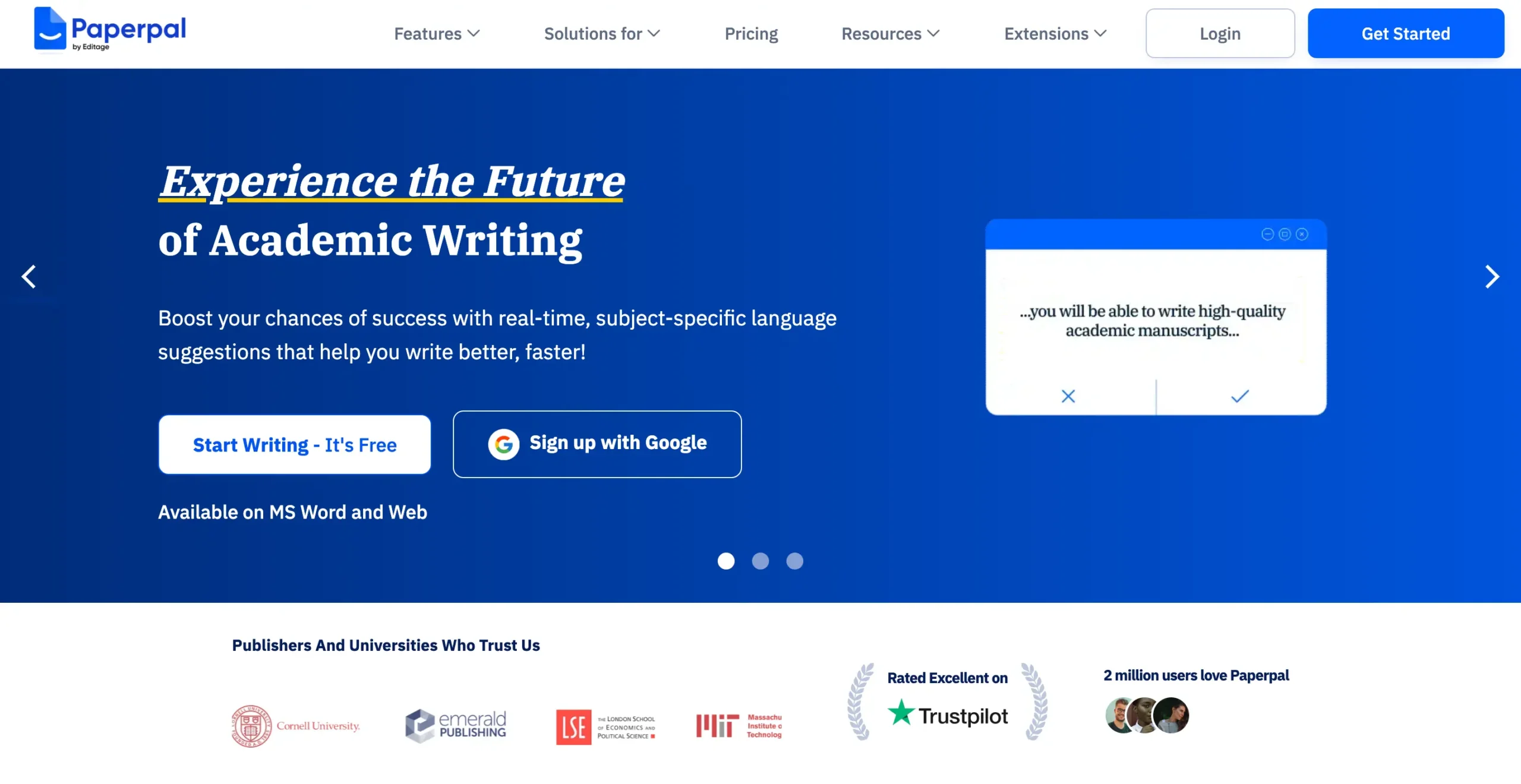
Best AI research assistant for comprehensive AI-powered academic writing, editing, and submission readiness
Pros
Cons
Paperpal is the best AI research assistant when it comes to academic writing. Period.
I have yet to come across a better full-fledged alternative when I talk about writing phenomenal research papers, manuscripts, and essays with AI assistance. You get grammar checking, plagiarism detection, and more—all without leaving a single app.
Sure, there are alternatives like Quillbot that do one or maybe a few things well.
But if you use anything other than Paperpal for AI academic writing, I wager you'll need multiple software tools to fulfill all your needs.
Paperpal offers features that go beyond the scope of this article, so let's focus on what helps with “AI research” for your academic needs.
Once you sign up and complete onboarding, you'll land on this clean interface—Paperpal's dashboard.

It has a collapsible left sidebar that makes the interface even cleaner.
From here, you have multiple ways to get started, depending on your goal.
I'll use the web version for simplicity, but if you use Google Docs, Microsoft Word, or Overleaf for academic writing, know that Paperpal offers add-ins for each platform.
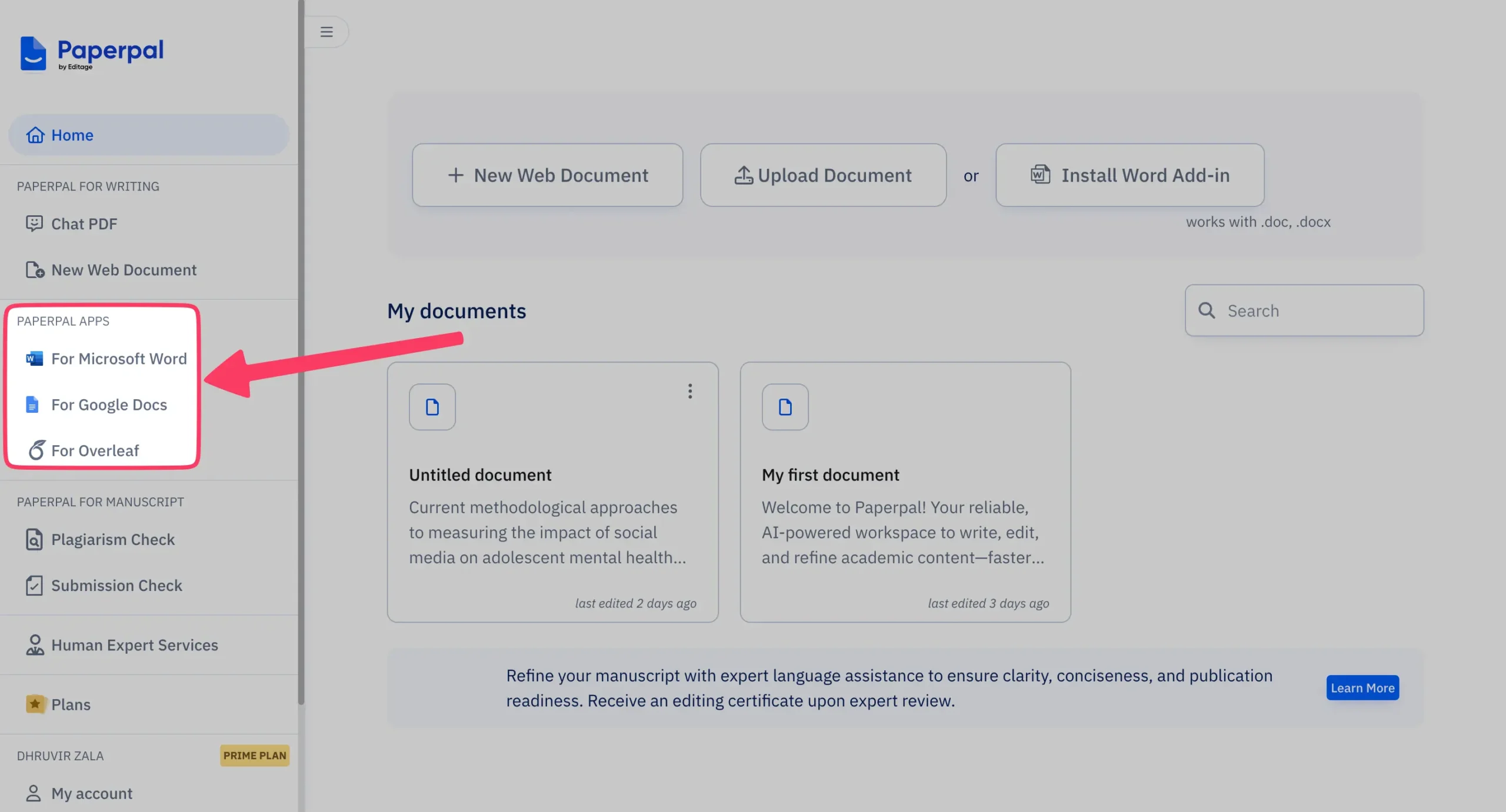
I'll start with a blank document by clicking “New Web Document.”
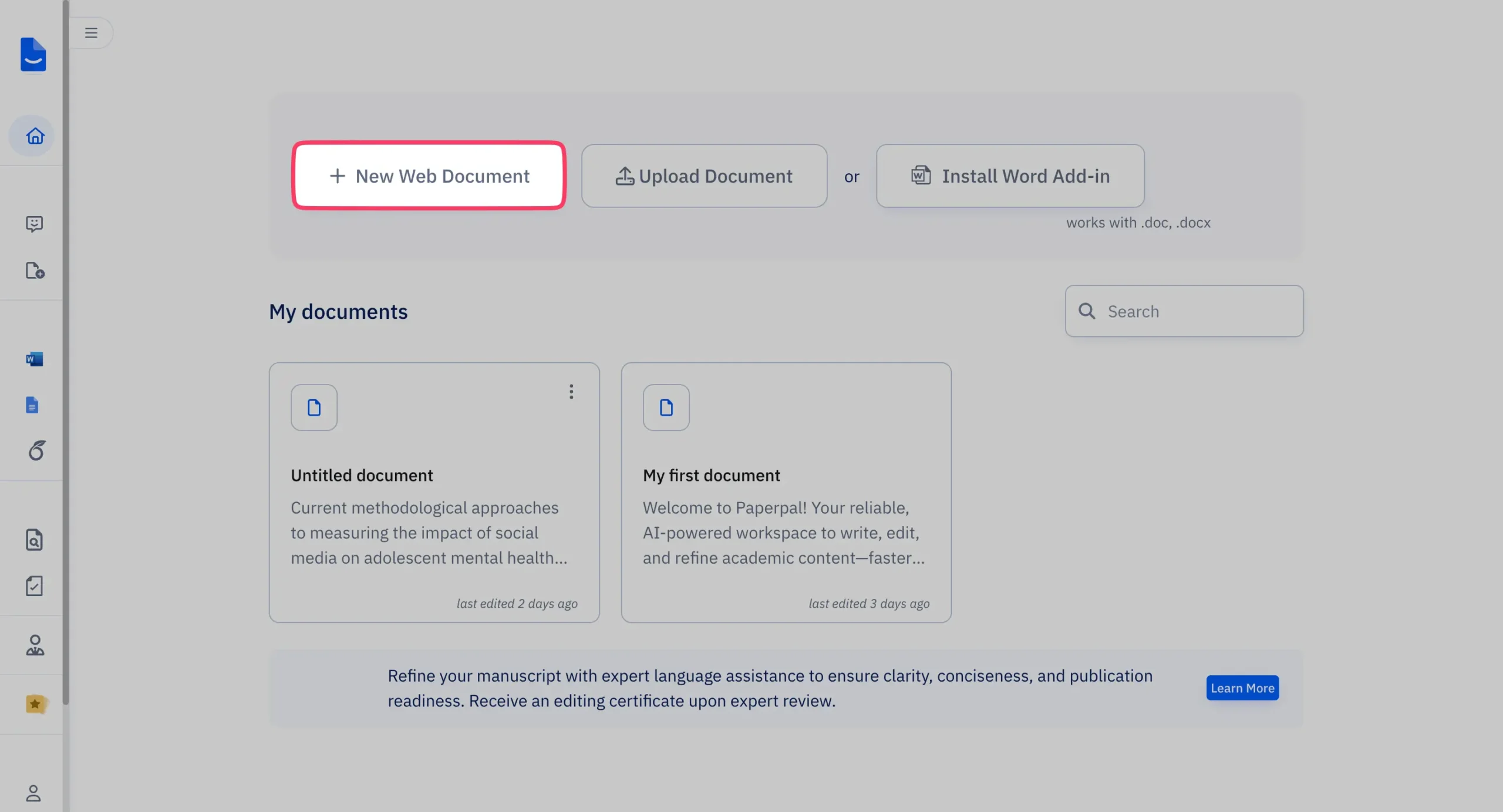
Once you do that, you'll see an editor that looks like this:

This is where all the magic happens inside Paperpal. In other words, if you want great things to happen in your academic life, this is where you'll spend most of your day.
You'll see a blank document in the middle panel with the left sidebar (collapsible) showing the usual navigation we covered earlier. The right sidebar (collapsible) displays all the Paperpal features you can access directly from this editor page.
Here's what you get:
What we're interested in is the 'Research | Cite' feature.
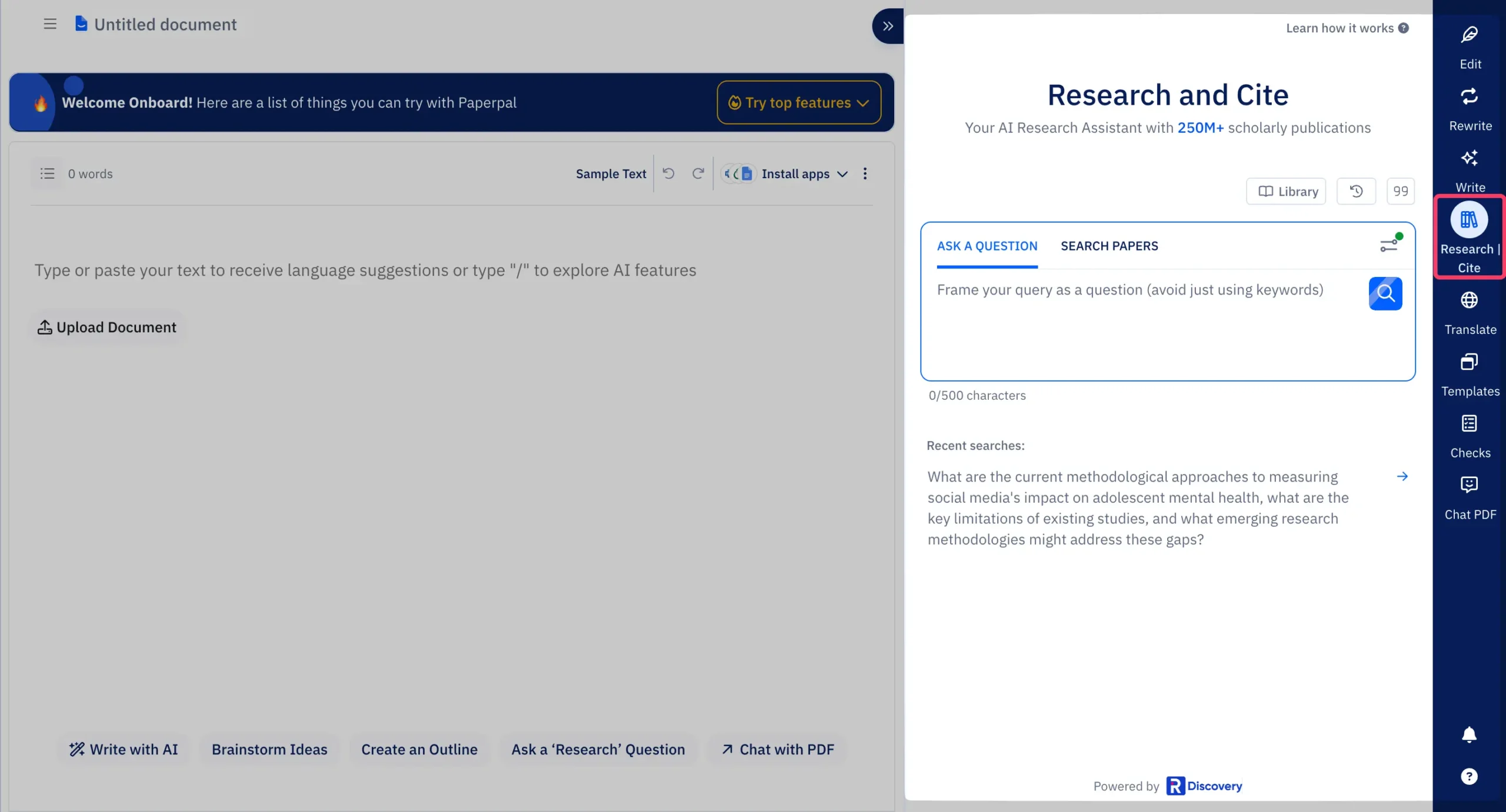
Here, you can ask Paperpal any research-related question. Within seconds, you get a detailed answer along with countless relevant references (that you can directly cite or chat with).
You can even insert the complete AI output into your text container with just a click of the 'Insert' button.
Here's an example of output I received when I gave it this question:
“What are the current methodological approaches to measuring social media's impact on adolescent mental health, what are the key limitations of existing studies, and what emerging research methodologies might address these gaps?”
This is what I really like about Paperpal, you know.
The seamless integration means you don't have to make unnecessary efforts anywhere. The 'research' and 'writing' parts blend together so naturally that it all feels efficient to use.
Additionally, you can search for research papers using input parameters like keywords, title, or DOI.
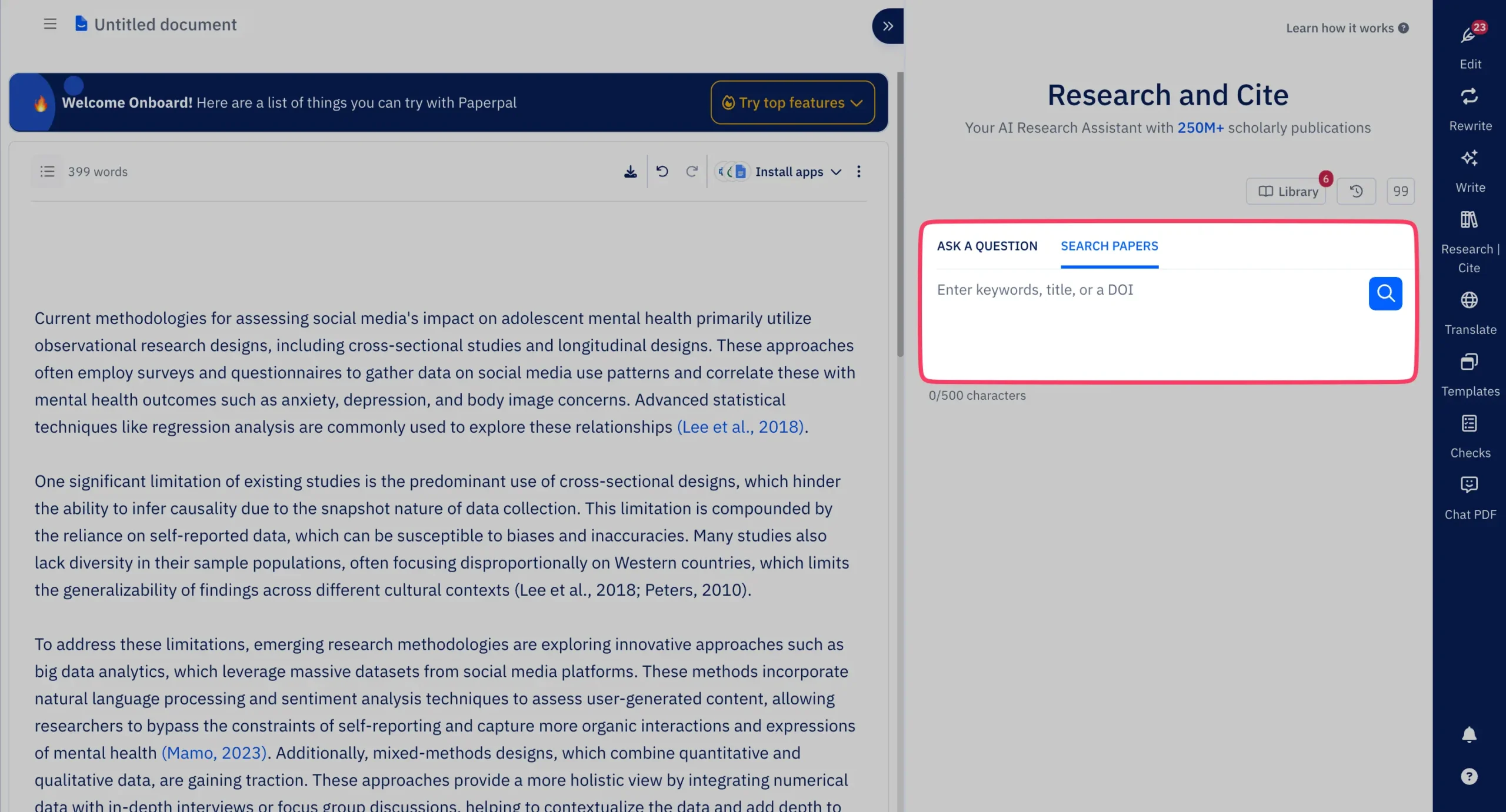
What's more, you can change the default citation style that Paperpal chooses in its outputs by selecting from over 10,000 citation options.
Impressive!
The text container works like a normal editor where you can write anything. But as soon as you press '/', it turns into an AI-powered copilot where you can tell Paperpal AI to help you write literally anything, directly inside the text editor.

If you're feeling reluctant to start from scratch, Paperpal's templates come to the rescue.

Finally, there's a Chat PDF feature which, unlike Zendy, actually works.

It's simple to use, really. Upload any PDF and extract insights quickly. The AI scans your document, allowing you to ask questions and receive accurate responses.
I forgot to mention one thing.
Paperpal even works like Grammarly. Once you've written something, head over to the 'Edit' feature from the right sidebar.
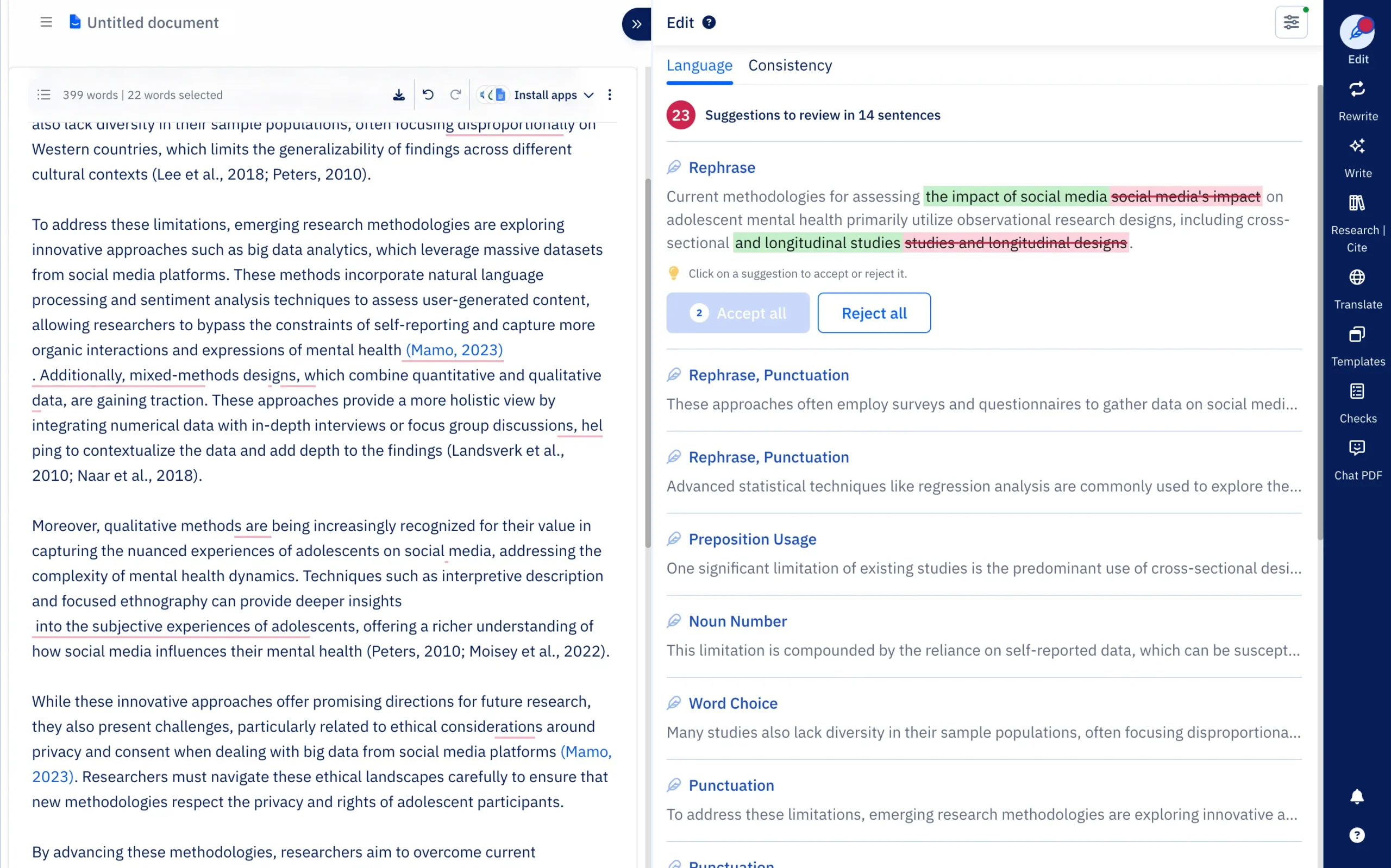
Here, you can accept or reject language suggestions to improve your text quality. Suggestions appear once you start writing or open a document.
You can even fix inconsistencies in your draft—word forms, date formats, figure labels, US-UK spellings, etc.
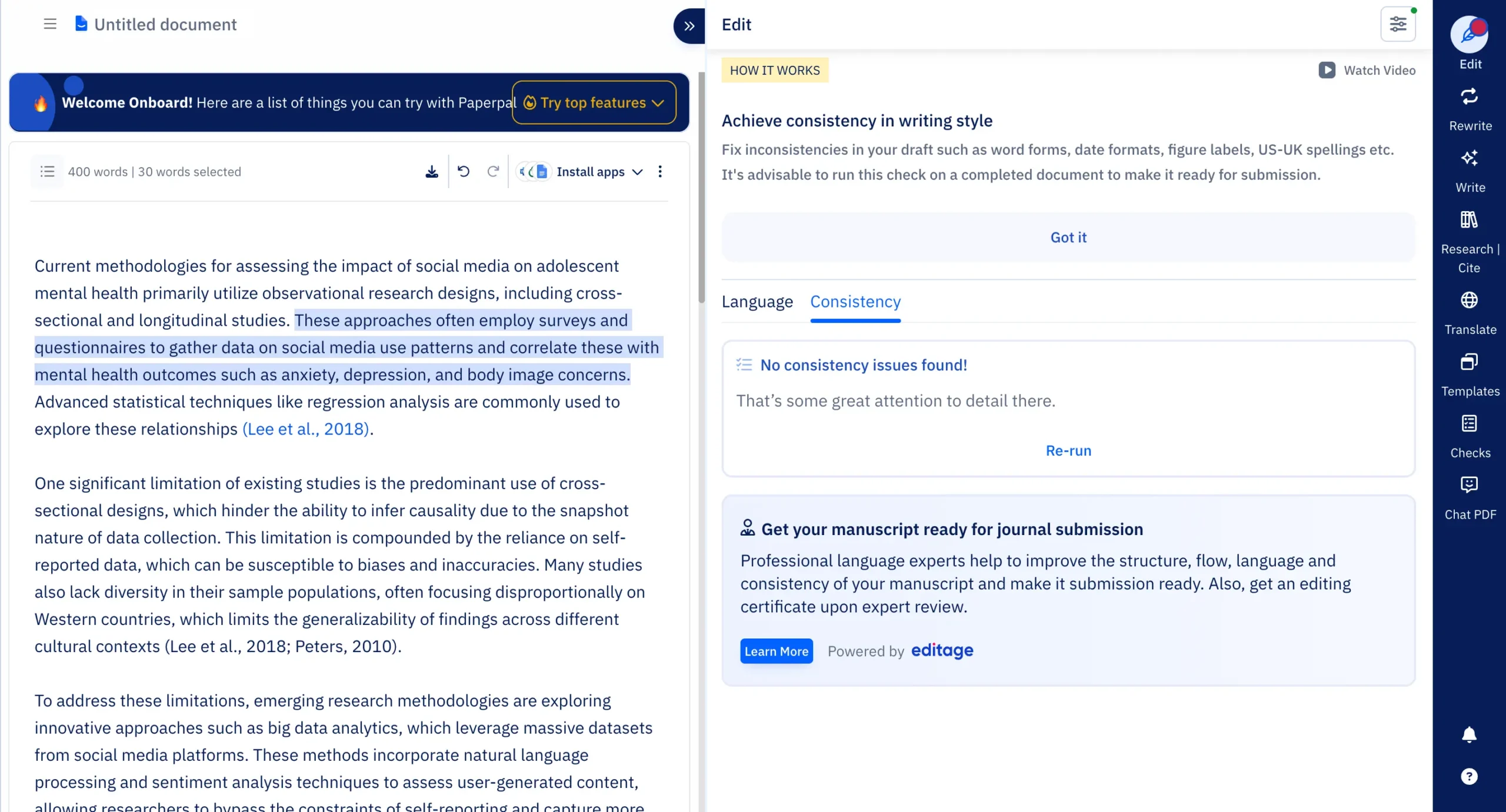
NOTE: It's advisable to run this check on a completed document to make it submission-ready.
At this point, I don't think anything even comes close to Paperpal for AI academic writing needs.
Pricing

monthly pricing 
quarterly pricing 
annual pricing
Paperpal strips pricing to its essence: free or unlimited.
Free Plan: Two hundred language corrections monthly, five daily AI uses, twenty-five translation attempts.
Prime Plan: Three payment options: $25 monthly, $55 quarterly, $139 annually. The annual plan saves 54% compared to monthly billing.
Prime removes all restrictions. Unlimited language corrections, unrestricted AI features, 10,000 words monthly plagiarism scans.
Exclusive Discount: My readers get 30% off their first payment. Use code DZ30 at checkout.
The discount applies once only. After the first payment, you pay regular rates. Still worth it.
Claim your 30% discount here and use code DZ30 at checkout.
Use code DZ30 for a flat 30% discount. Learn more
Further reading: Read my complete Paperpal review.
#3 – Julius AI
Best AI research assistant for turning complex data analysis into natural conversations
Pros
Cons
Julius AI used to be good at one thing: letting you chat with your data files. Upload a CSV, ask questions in plain English, get charts back.
That was useful, but limited.
Now?
Julius AI has become something much bigger. It's turned into a full data science platform that happens to speak your language.
Here's what changed, and why it matters.
The biggest addition is Notebooks. Think of them as your personal recipe book for data analysis.

When you're doing research, you often need to repeat the same analysis on different datasets. Monthly sales reports. Customer segmentation. Literature reviews from multiple papers.
Before Notebooks, you'd have to start from scratch each time. Ask the same questions again. Hope Julius remembers what you wanted.
Notebooks solve this by breaking your analysis into reusable steps called “cells.”
There are four types:
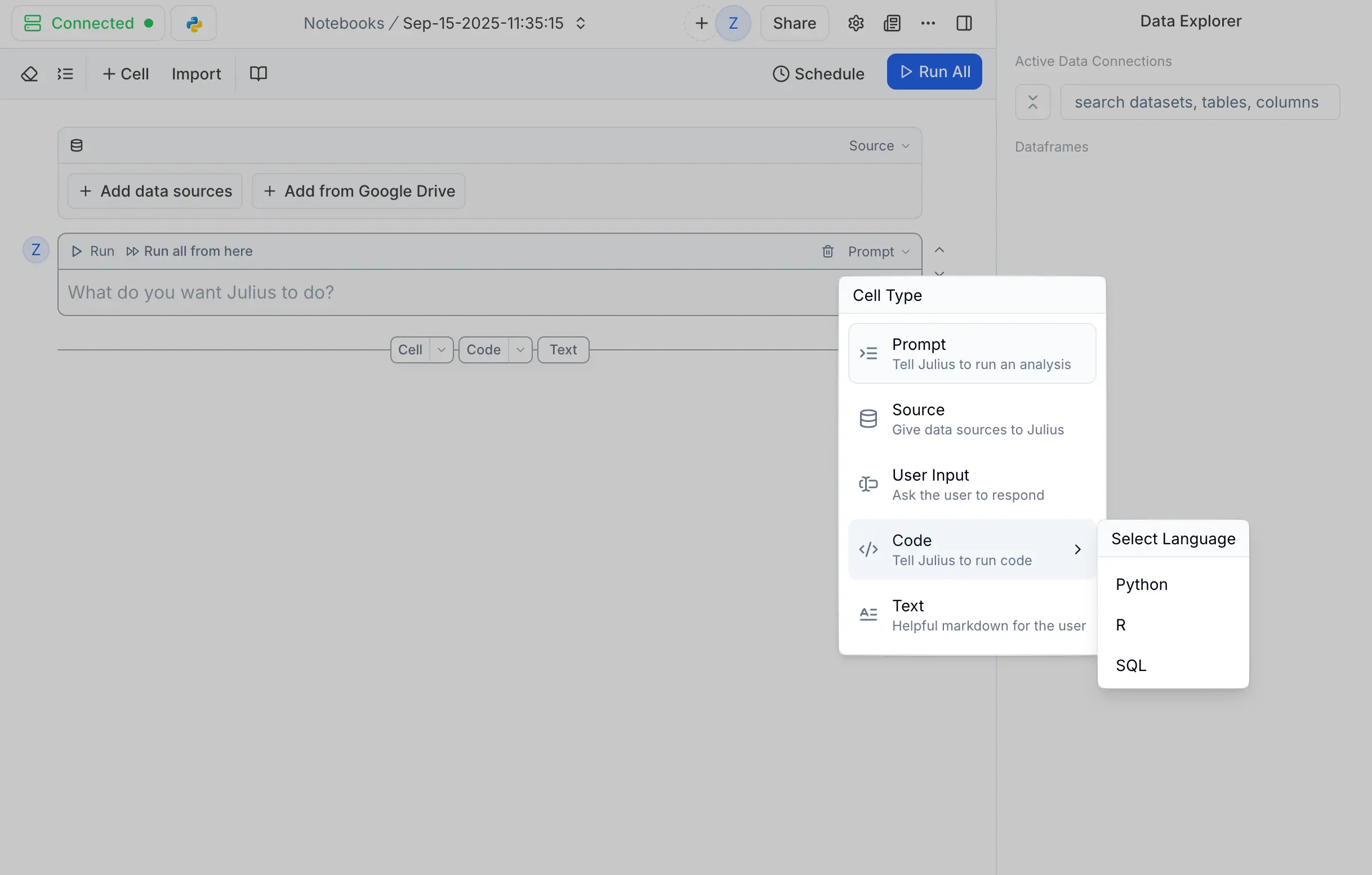
The magic happens when you hit “Run All.” Your entire analysis executes automatically (no matter how long), from data loading to final visualization.
What makes this even more powerful is that Julius comes with templates (like we just saw) that actually solve real problems. Most template libraries are useless. They solve problems nobody has.
Julius AI's templates are different. They're built by people who actually do research.
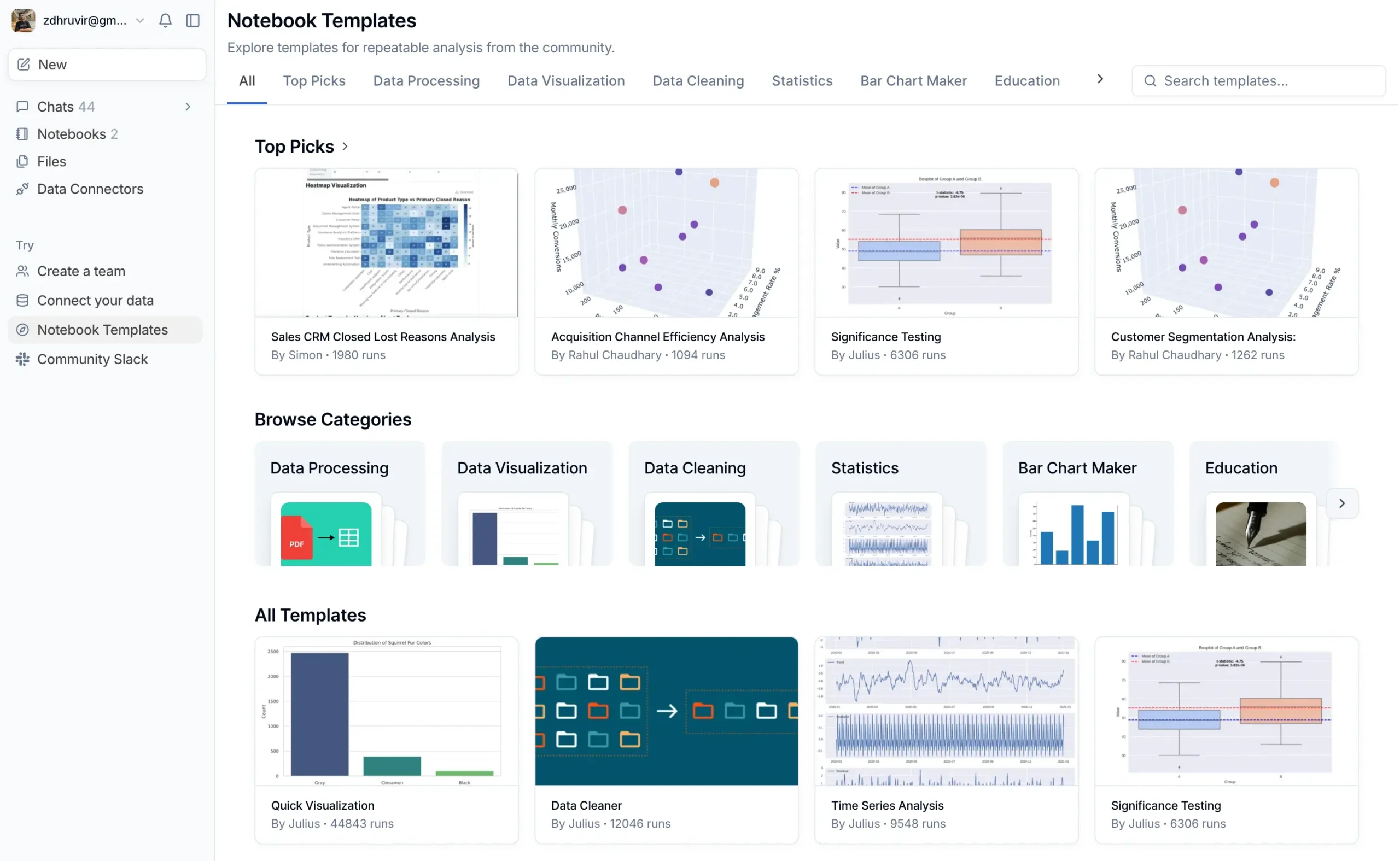
Want to analyze customer segmentation?
There's a template that walks you through RFM analysis, clustering, and visualization. It even asks you smart questions about your specific business context.
Need to run significance testing?
The template guides you through choosing the right statistical test based on your data type and research questions.
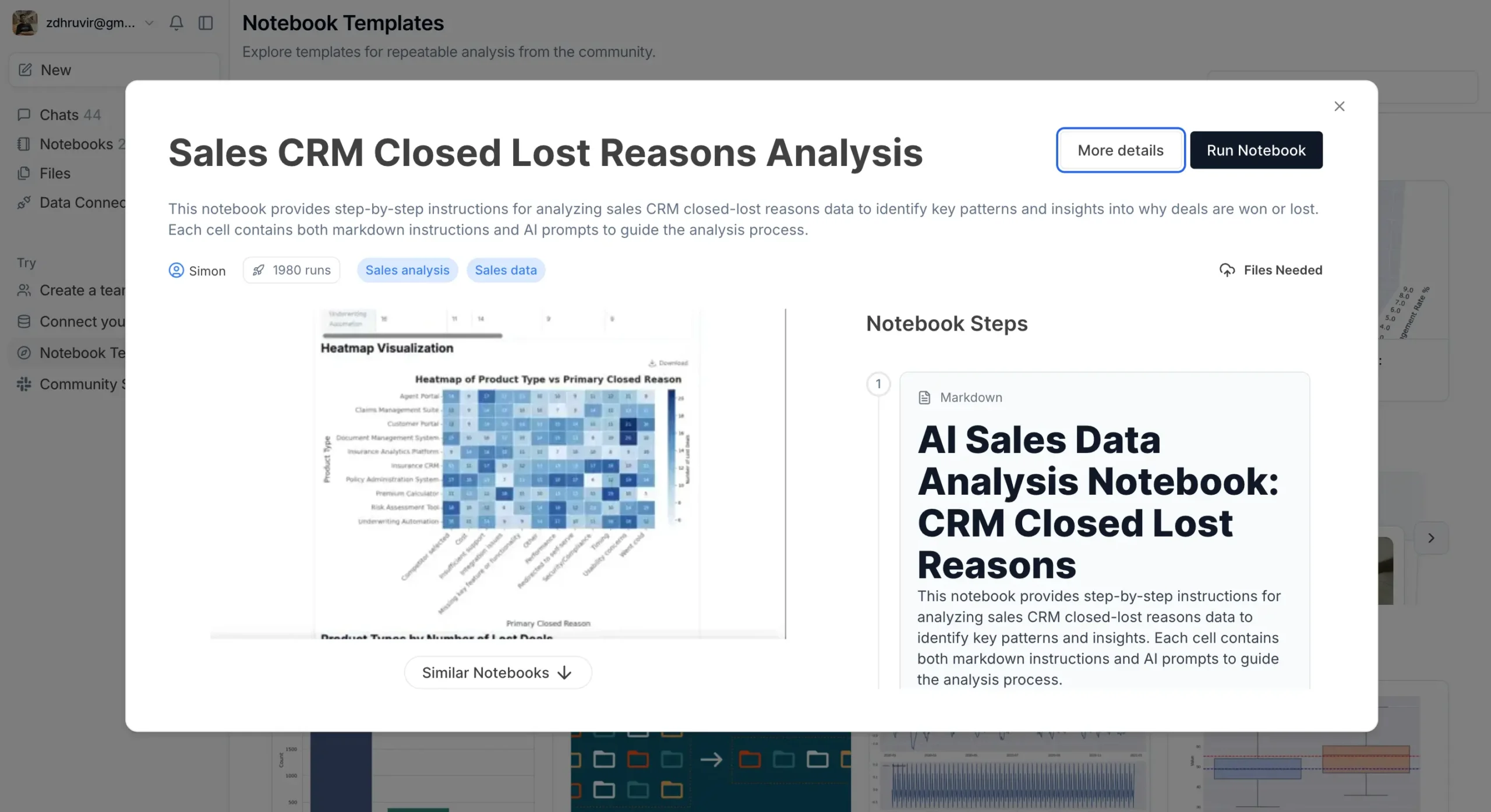
These aren't just code dumps. Each template includes:
You can also save your own workflows as templates. Build it once, use it forever.
But here's where Julius AI gets really serious: Data Connectors.
Instead of downloading CSV files from your database, cleaning them, and uploading them to Julius, you can now connect directly to your data sources.
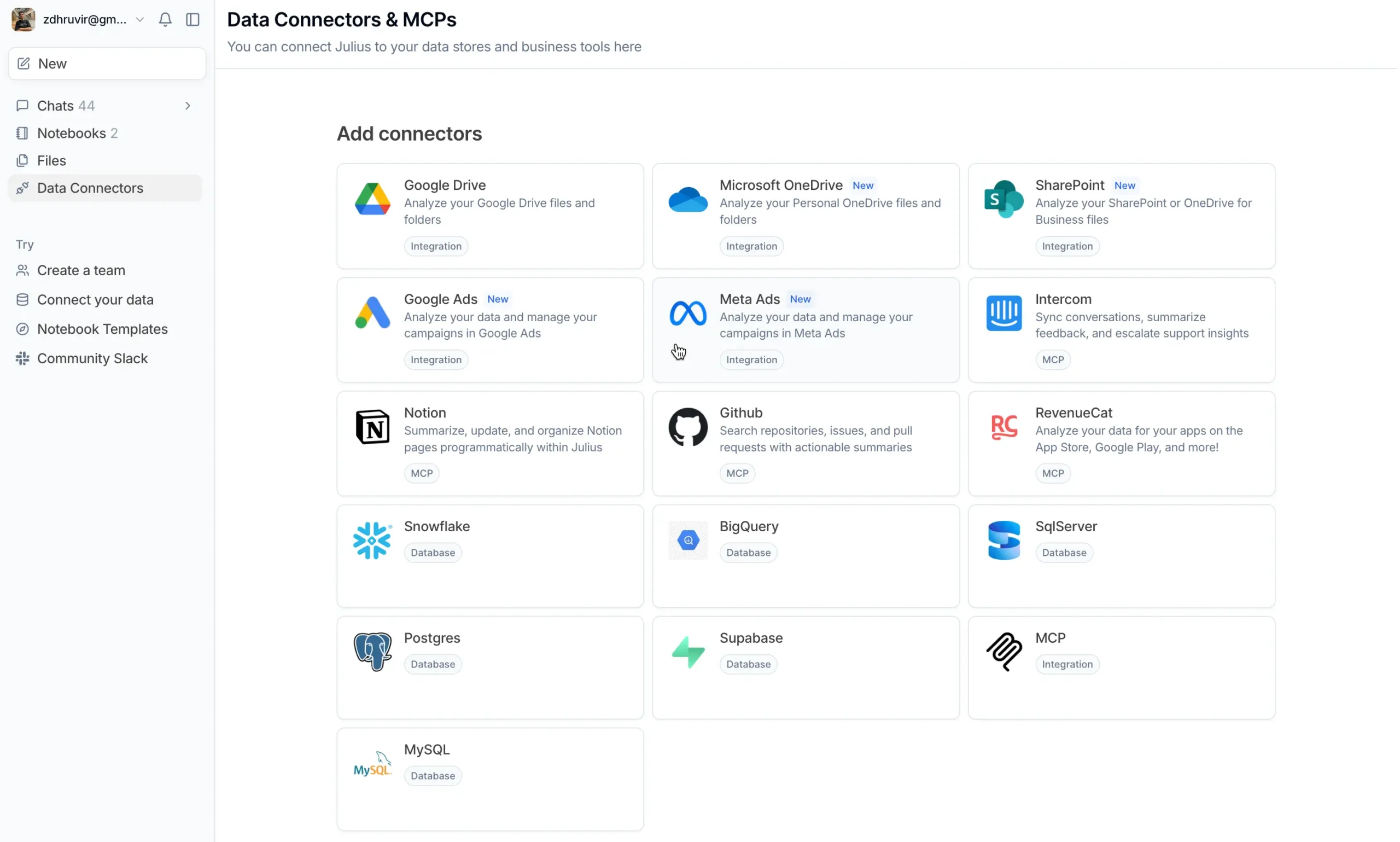
PostgreSQL, BigQuery, Snowflake—Julius talks to them all.
Why does this matter?
Three reasons:
Setting up connections is straightforward. Enter your database credentials, and Julius handles the rest.
The real power shows when you combine this with Notebooks. You can build analysis workflows that automatically pull fresh data and generate updated reports.
This brings up an important question: when Julius creates a chart or runs an analysis, what data is it actually using?
That's where Data Explorer comes in.
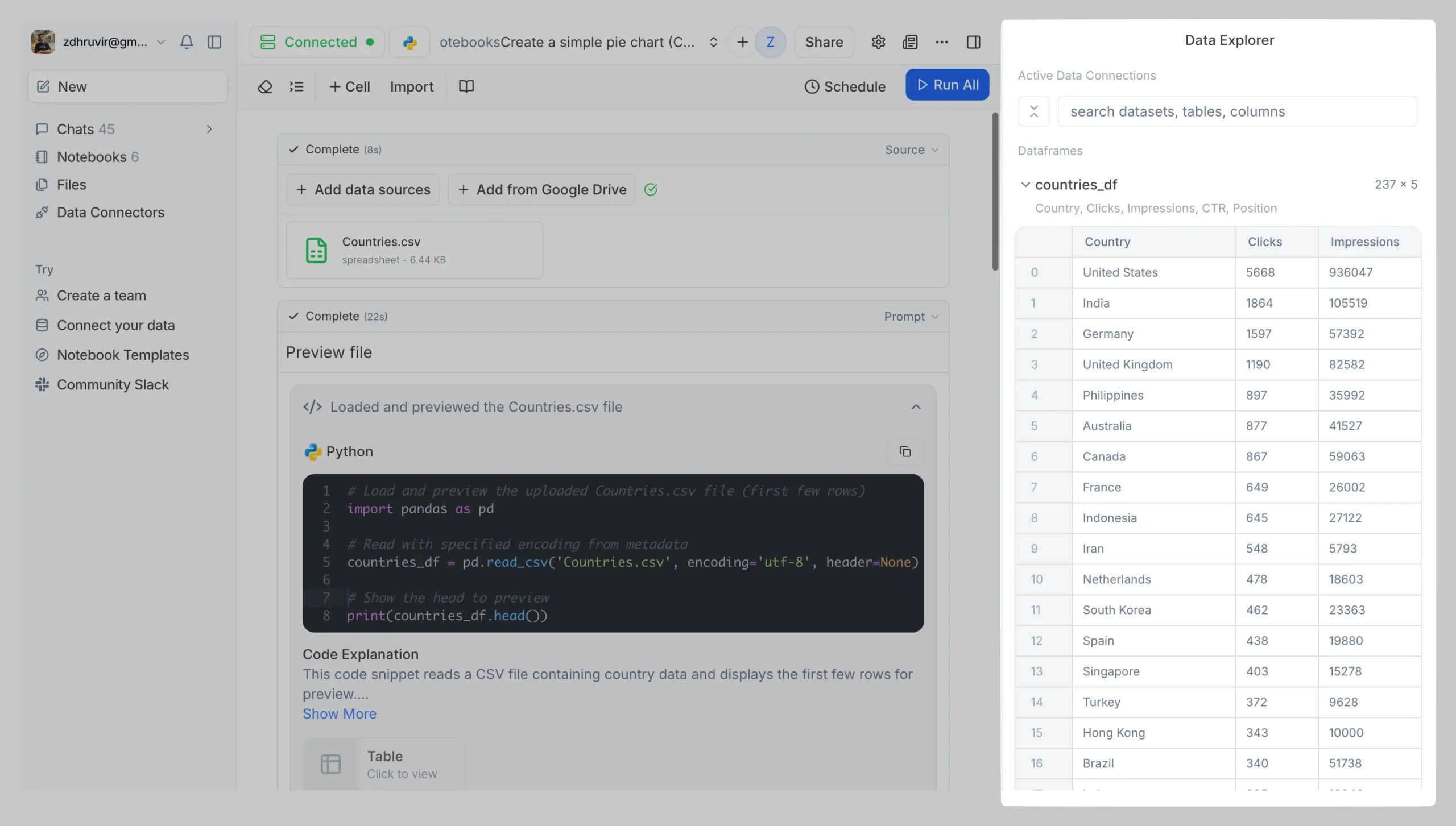
Every dataset Julius works with appears in a clean table view. You can:
This transparency matters for research. You need to know exactly what's being analyzed.
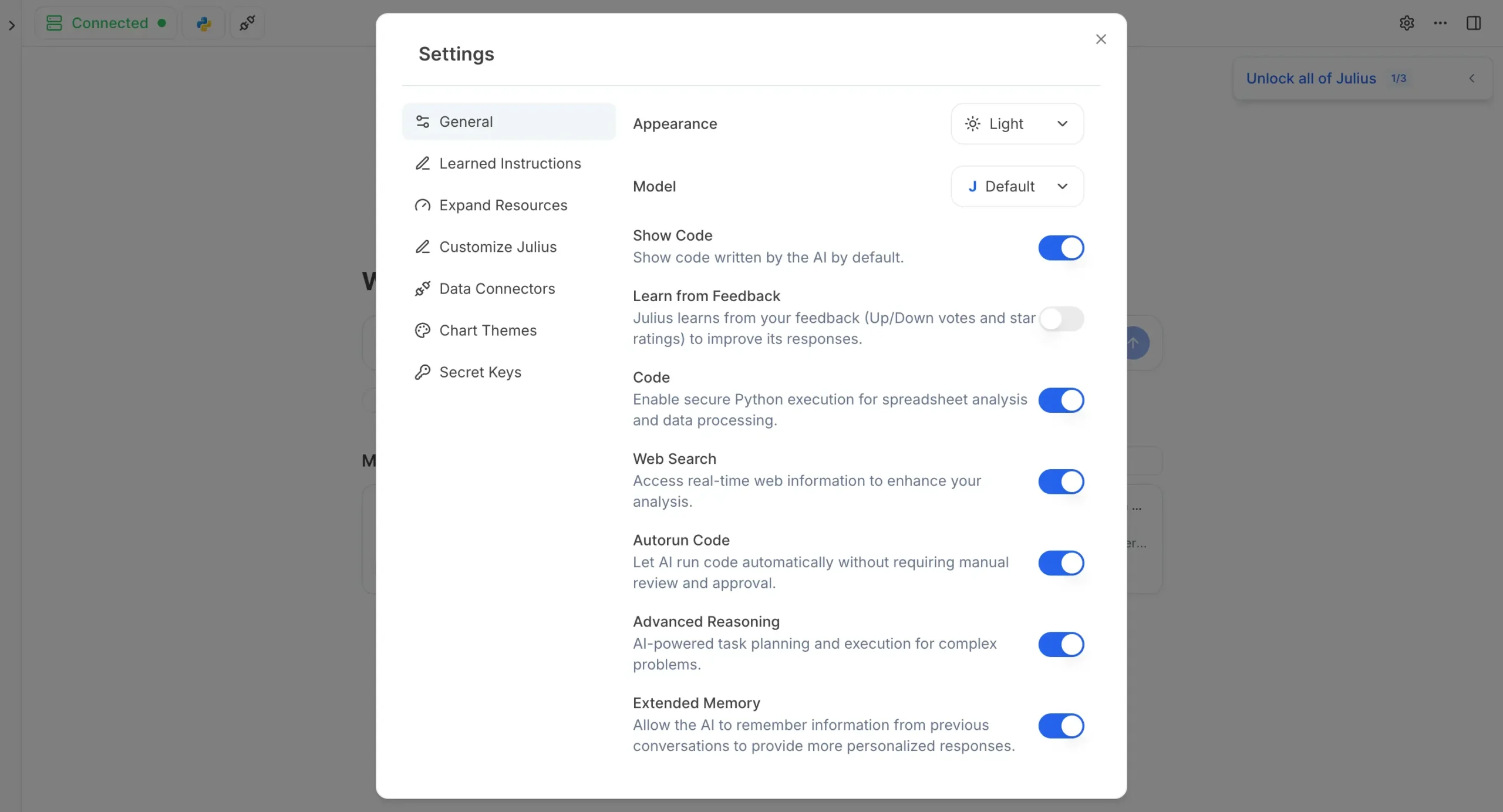
All of this is powered by a completely redesigned interface. Julius completely restructured how you interact with it.
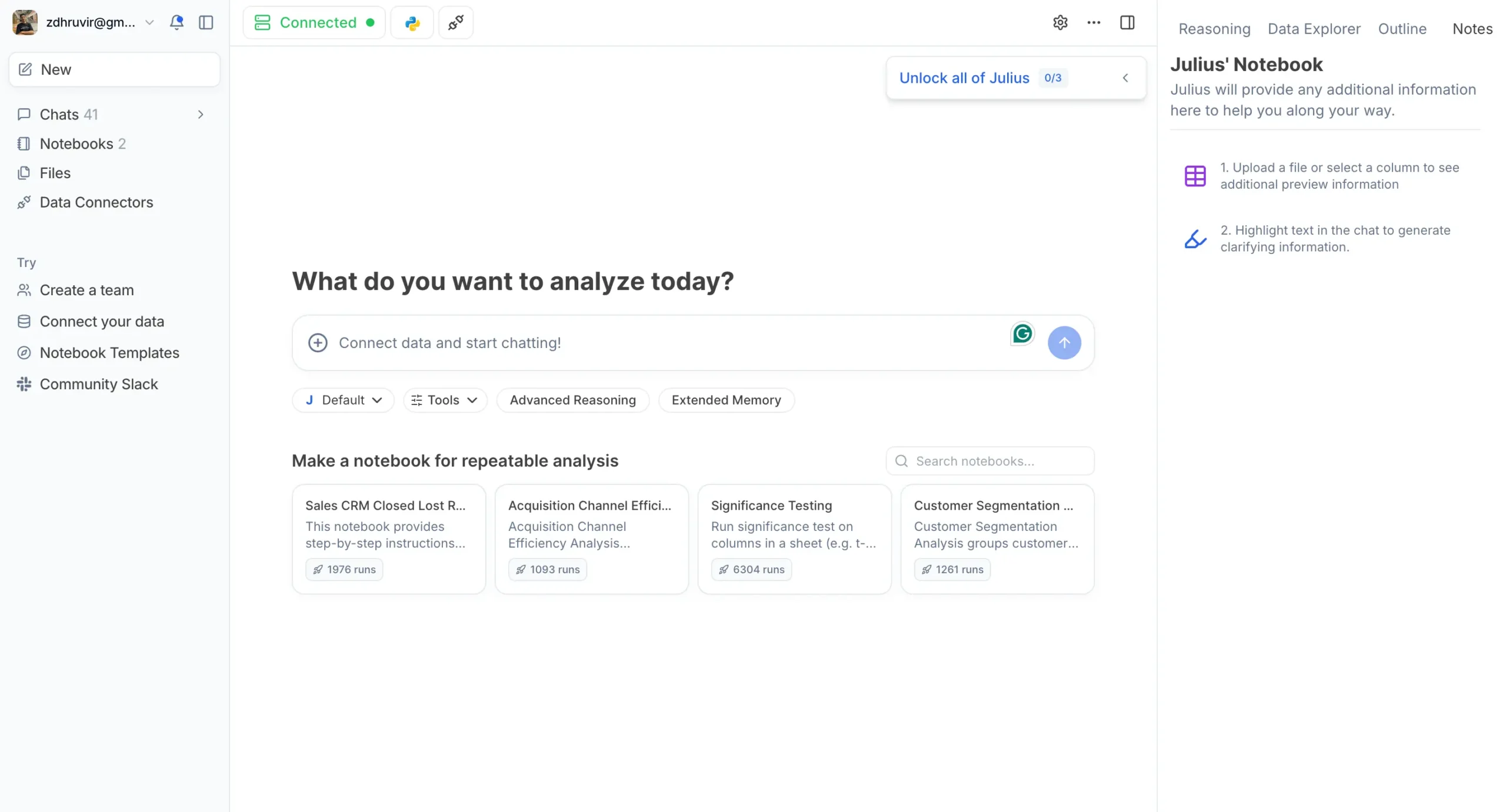
You can now choose which AI model handles your requests. GPT-4 for general analysis, Claude for detailed reasoning, o3 for the most complex problems.
Advanced Reasoning mode makes Julius think through multistep problems more carefully. Extended Memory helps it remember context from previous conversations.
Pricing
Julius completely restructured their pricing around the new capabilities.
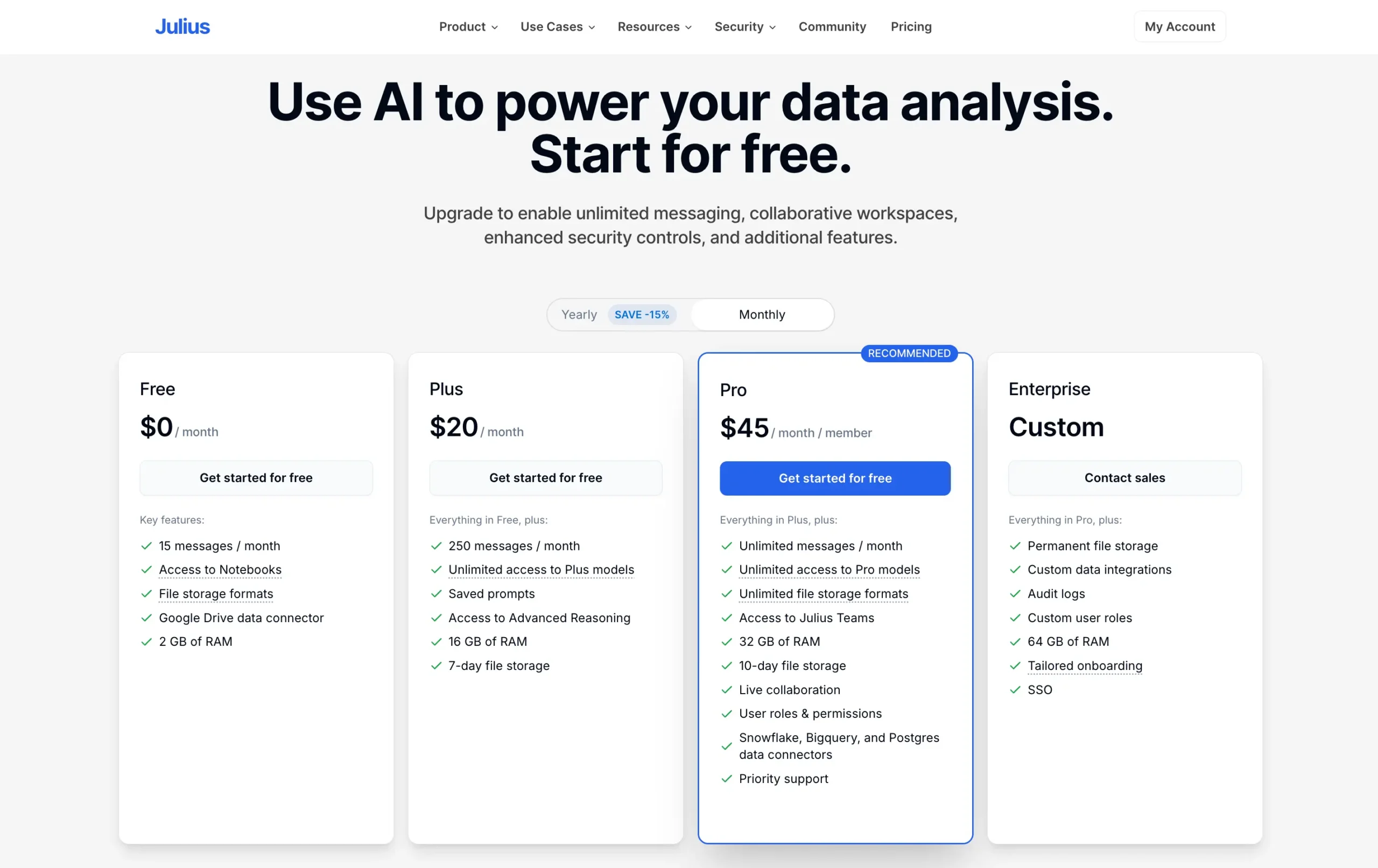
The Pro plan (the one I am using for this article) is where Julius becomes truly powerful. Unlimited usage plus direct database connections transform how you work with data.
Use the coupon code DHRUVIR at checkout to get a 10% discount on your first payment for any Julius AI paid plan. Learn more.
Read my complete Julius AI review.
#4 — AnswerThis
Best AI research assistant for generating comprehensive, citation-backed literature reviews with granular source control

Pros
Cons
AnswerThis does something I wish existed when I was in grad school: it generates complete literature reviews with line-by-line citations in about two minutes. Not summaries. Actual literature reviews.
Most AI research assistants help you find papers or chat with PDFs.
AnswerThis starts from the opposite end—you ask a research question, and it gives you a full review backed by dozens of citations. Then you can drill into those sources.

When you log in, you land on the literature review generator.
Two modes:
- Full Review
- and Quick Q/A.
Full Review is for when you need a detailed literature review on a topic. Quick Q/A gives you a focused answer to a specific question.
I'll walk through the Full Review feature specifically because that's where AnswerThis really shines.
Say I want to understand the state of artificial intelligence in 2025. I type that as my question. But before hitting search, there's something important: the filters.
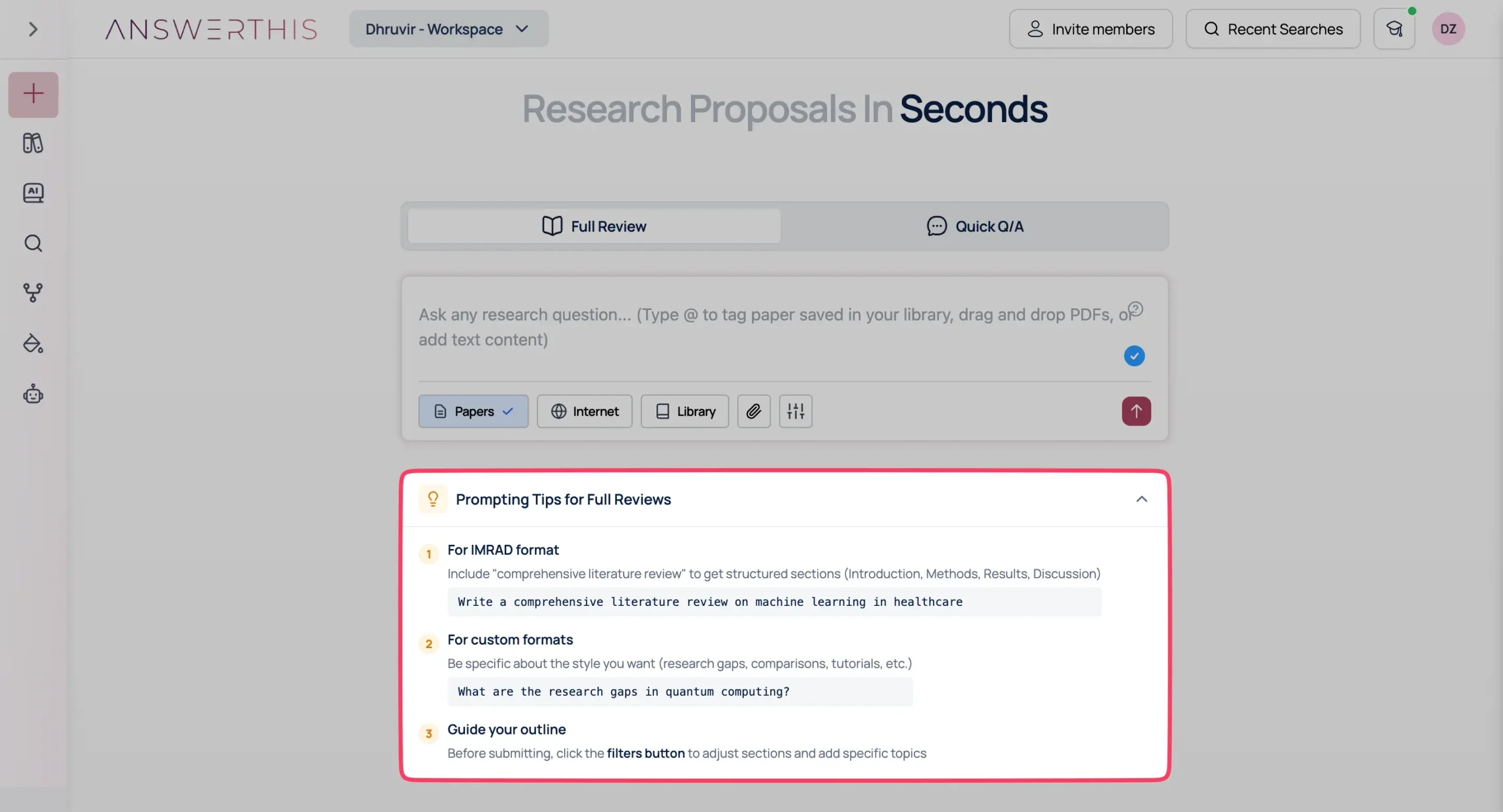
AnswerThis gives you prompting tips—templates that help you phrase questions better.
This actually matters.
“AI in 2025” gives different results than “Write a comprehensive literature review on the technological advancements and challenges of artificial intelligence in 2025.”
Now, here's where it gets serious: the Research Paper Filter.

You can set minimum citation counts.
You can filter by journal quality—Q1, Q2, Q3, Q4, or all. You can specify publication types: journal articles, review articles, conference papers, preprints, and books.
You can choose which databases to search: Semantic Scholar, OpenAlex, PubMed, and arXiv. You can even limit web sources to .gov and .edu sites only.
This level of control is unusual. Most tools give you what they give you. AnswerThis lets you decide exactly what counts as a valid source before the AI starts writing.
I set my filters: Q1 journals only, minimum 5 citations, published after 2023. I select Papers and Internet as sources. Hit search. The progress bar appears. My query took about two minutes.

When it finishes, you see two things: the literature review on the left, the source table on the right.
My question returned 2,282 words with 28 citations.
Every claim in the review links to a specific paper. Click any citation, and you see the full source details or jump directly to the original paper.
The review itself is surprisingly good.
It's not perfect—you'll want to edit it—but it's structured like a real literature review. Introduction. Main sections organized by theme. Proper academic tone. In-line citations that actually support the claims.
But the dynamic table is what makes this more than a fancy ChatGPT wrapper.
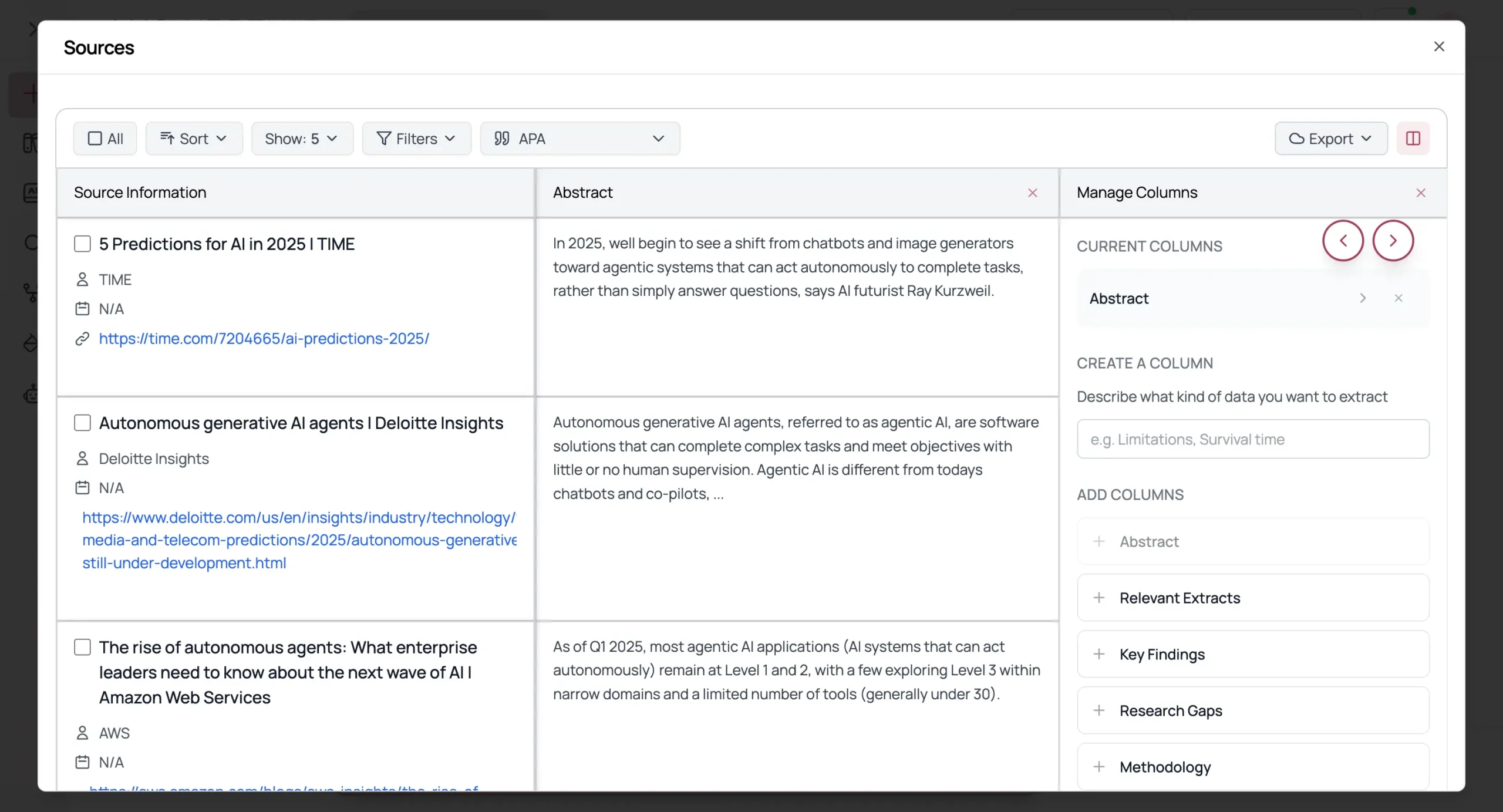
By default, you see citation information and abstracts.
But click “Manage Columns” and you can add AI-powered columns: Relevant Extracts, Key Findings, Research Gaps, Methodology, Limitations, Future Work.
These aren't just metadata.
AnswerThis reads each paper and extracts the specific information for each column. So you can see the methodology of all 28 papers side by side. Or compare limitations across papers. Or identify research gaps.
This is what SciSpace and Elicit pioneered with their table views. AnswerThis does it well.
You can export everything—CSV, BibTeX, Zotero, Mendeley.
You can change citation styles instantly (AnswerThis supports 2,681 formats).
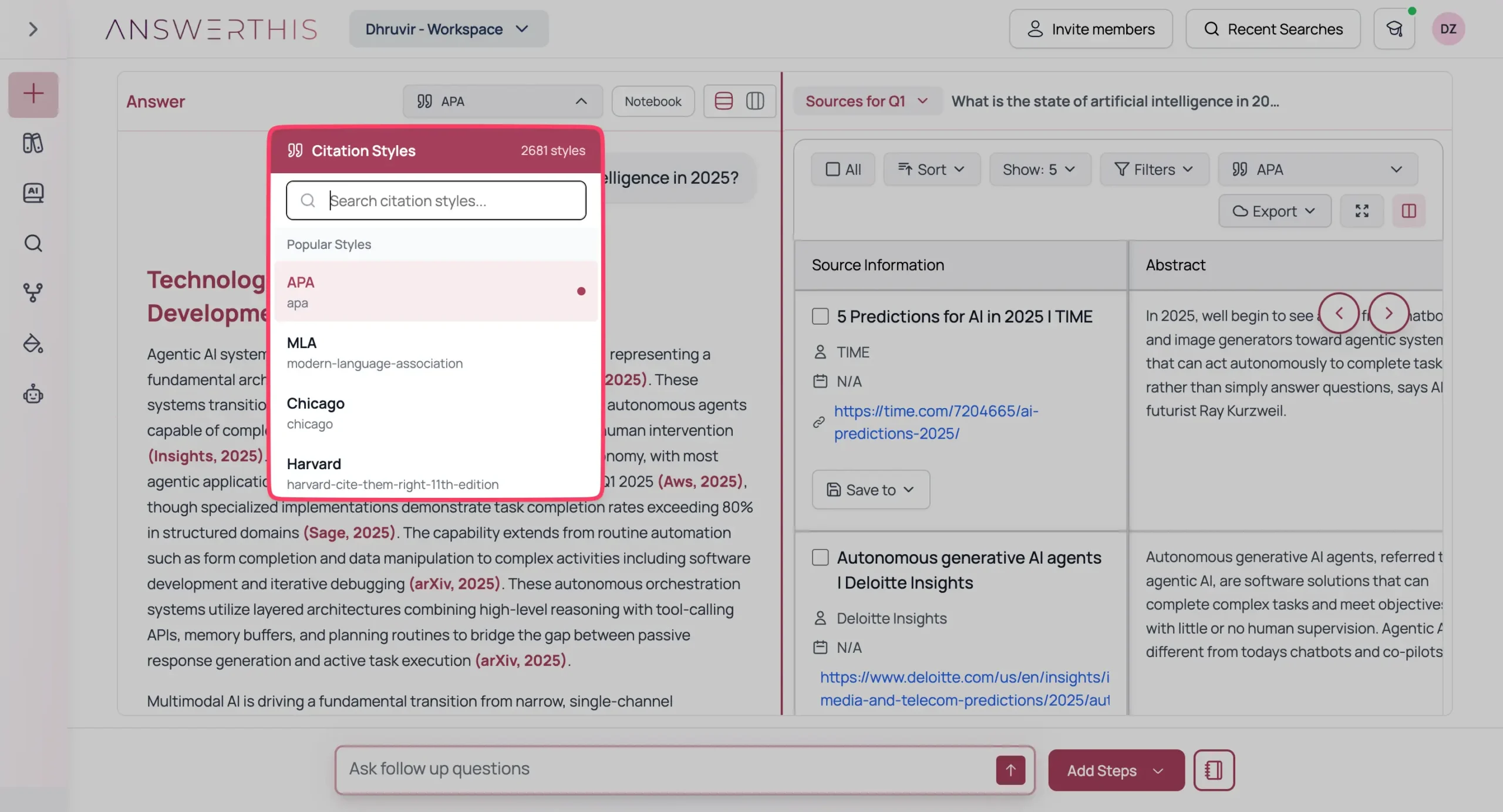
You can ask follow-up questions in the review itself, and the AI updates the text with new sources.
Beyond the literature review generator, AnswerThis has a library where all your projects live. You can upload PDFs, import from Zotero and Mendeley, and organize everything into projects.

There's also a dedicated AI writer with a clean editor and sidebar tools for citations, plagiarism checking, and paraphrasing—everything comes with proper citations, just like the main review feature.

The Citation Map feature surprised me.
You search by paper title or DOI, set one paper as the “origin,” and see how it connects to other papers in a graph view.
The visualization shows citation relationships—big nodes are highly cited papers, lines show citations between them.
You can click any node, make it the new origin, and regenerate the map. I haven't seen this in other research tools. It's genuinely helpful for understanding how a field developed.

AnswerThis recently added a diagram generator that I didn't expect to use but actually found useful.
You describe what diagram you want, select the type (flowchart, mind map, state diagram, etc), and it generates it.
I tested it with “The state of AI in 2025” and got a detailed mind map with branches for different AI domains. You can export as an image or describe changes and regenerate.
No other academic AI tool I've tested has this.

They also added specialized agents for specific tasks: AI Essay Writer, Research Gap Finder, AI Paraphraser Tool, and Empathy Tool for peer reviews.
The core features are solid, though collaboration features feel incomplete—you can invite team members and share papers, but there's no real-time co-editing.
It's clearly built for individual researchers right now.
Pricing
AnswerThis offers a Free plan with 5 credits per month, basic paper summaries, citation format changes across 2,000+ styles, search across 250+ million papers, and bibliometric analysis.

Premium costs $35/month or $21/month billed annually. This unlocks unlimited searches, line-by-line citations, export tools, Mendeley/Zotero integration, AI writer, citation maps, diagram generator, and team collaboration features.
Exclusive Offer: Use my link to sign up and get an automatic 10% discount on any paid plan. It brings the monthly Premium to $31.50 and the annual to $226.80 (instead of $252).
#5 – Recall
Best AI research assistant for building a personalized, interconnected knowledge base
Pros
Cons
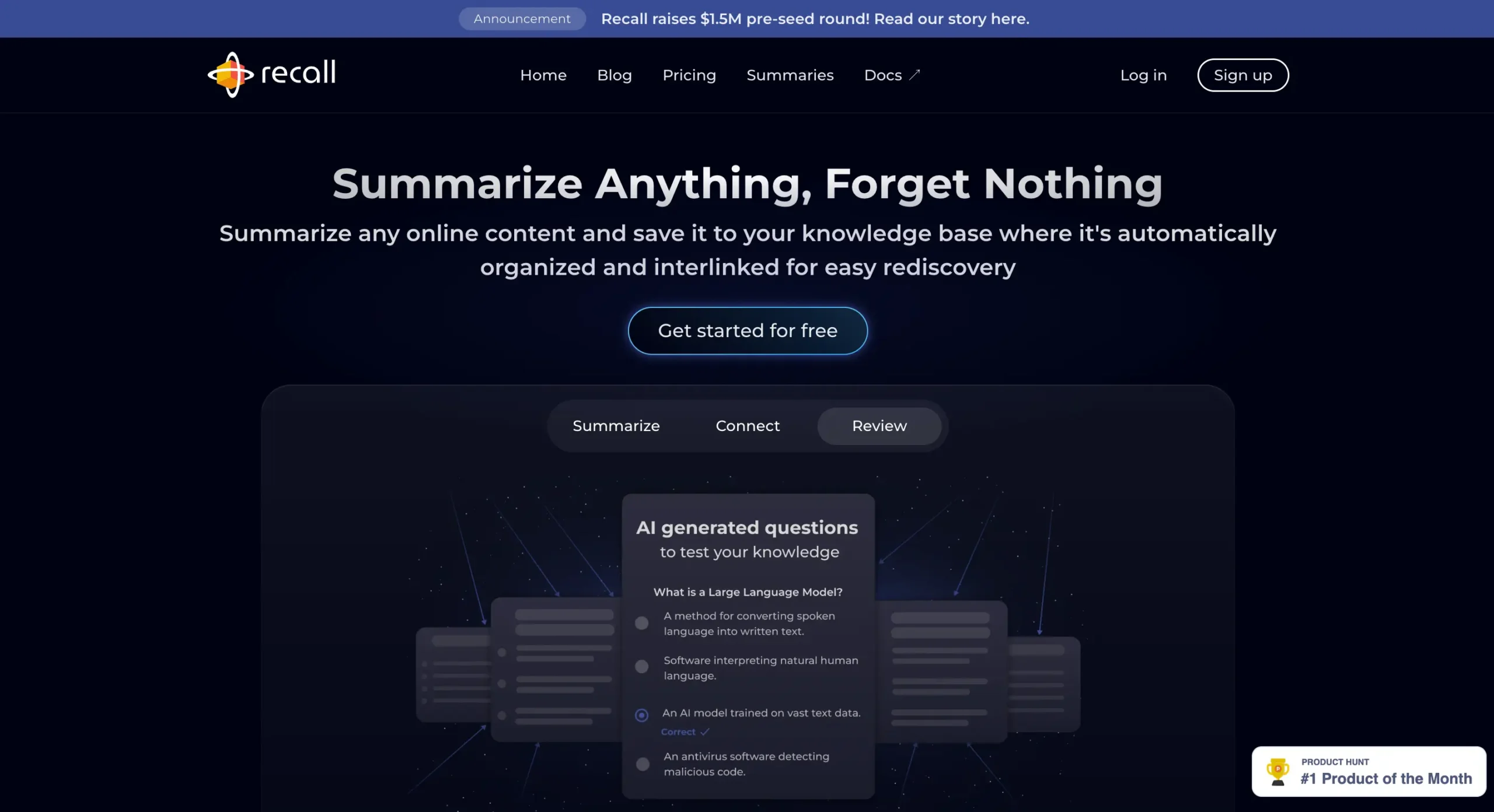
Recall transforms scattered web content into an interconnected knowledge base that grows smarter with every piece of information you save.
You read an article about quantum computing today. Next week, you watch a video about artificial intelligence. Three months later, you're reading about neural networks.
Your brain knows these topics connect somehow, but the connections stay fuzzy.
Recall solves this by doing what your brain tries to do naturally—it builds connections between everything you save.
When you save that quantum computing article, it automatically extracts key concepts. When you save content about AI later, it spots the overlapping ideas and links them.
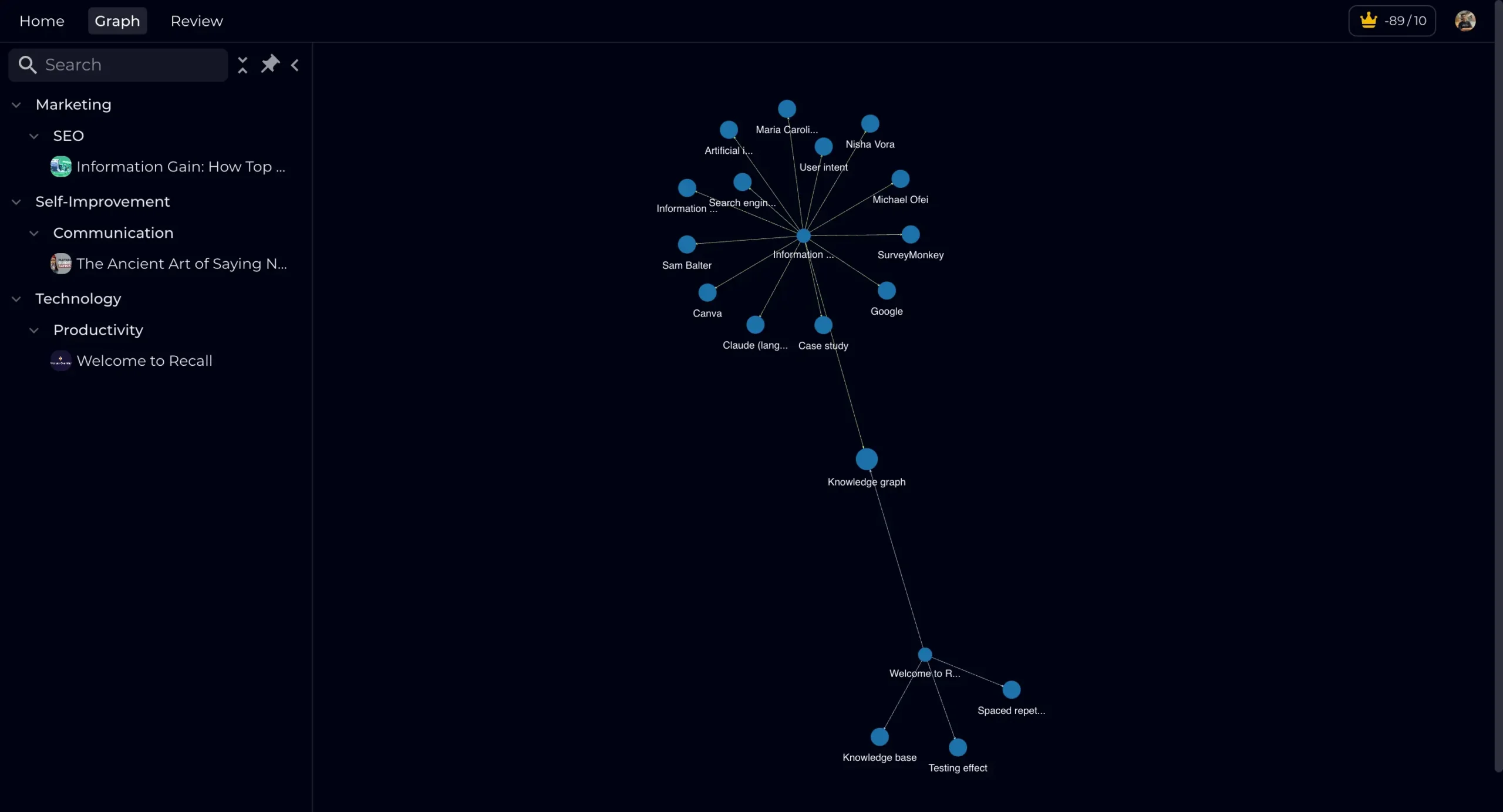
Every time you click Recall's browser extension on a webpage, three things happen:
- It generates a concise summary of the key points.
- It identifies the core concepts and adds them to your knowledge graph.
- It shows you related content you've previously saved that you might have forgotten about.
This creates a compounding effect. Each new piece of content you save adds context to everything you saved before. Your knowledge base literally gets smarter over time.
But saving information isn't enough if you forget it all. Recall tackles this head-on with built-in spaced repetition.
It generates questions from your saved content and prompts you to recall key points just before you're likely to forget them.
The real test of any research tool is whether you use it six months later. Most end up abandoned because they create more work than they save.
Recall sidesteps this by handling the heavy lifting—summarizing, connecting, and reminding—-automatically.
Let me put this in perspective:
While SciSpace excels at technical paper analysis and Elicit masters literature discovery, Recall optimizes for long-term knowledge retention and unexpected insight discovery.
Pricing
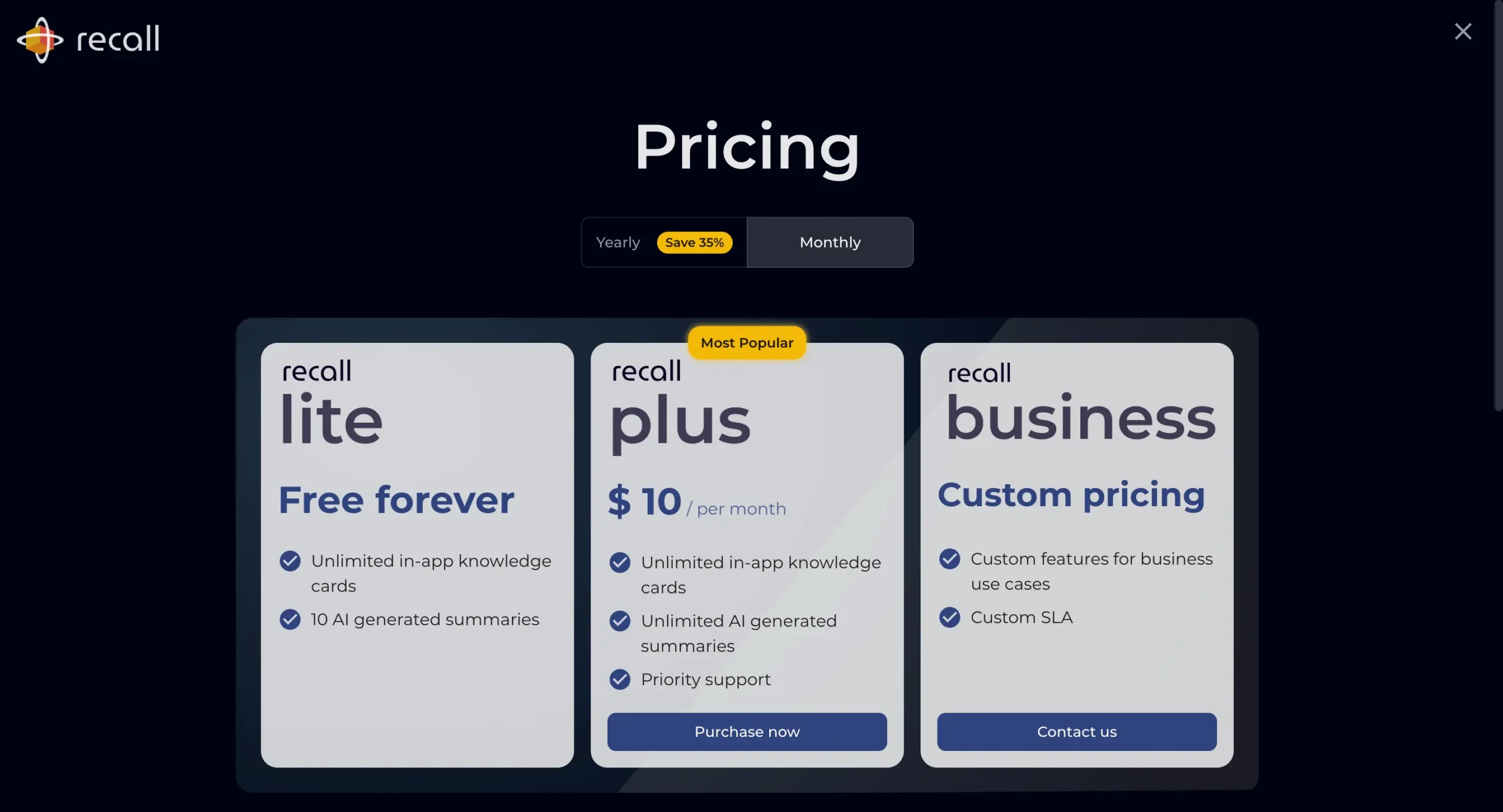
Recall offers a free tier that never expires. You get unlimited manual knowledge cards and 10 AI-generated summaries.
The Premium plan runs $10 monthly, or $7 per month with annual billing.
This unlocks unlimited AI summaries, advanced spaced repetition, and priority support.
Use coupon code Recall10 at checkout to get a flat 10% off on any Recall paid plan. This brings the monthly plan down to $9 and the annual plan to $75.60 (instead of $84) per year.
#6 – Zendy
Best AI research assistant for affordable access to scholarly research with integrated AI-powered analysis and summarization tools
Pros
Cons
Zendy is an AI-powered research library that provides affordable access to scholarly research and literature worldwide.
I discovered Zendy when Robert Kardan, the company's founder, commented on this article, saying:

Thanks for the post! Have you tried Zendy AI tools? It includes ZAIA, a domain-specific LLM based on licensed content.
Kamran Robert Kardan
Co-Founder and Managing Director at Zendy
Whenever someone introduces me to a tool that could benefit my readers, I make a point to try it out. After testing Zendy, I'm convinced it deserves a spot among the best AI tools for academic research.
While Zendy's core function is providing access to scholarly research across disciplines, it offers several standout features worth exploring.
The recommendation engine is particularly useful. Upon logging in, you're prompted to “update your interests” by selecting up to 5 topics.
Once you do, Zendy presents “top-rated articles” in those areas through an intuitive carousel view.
Selecting any paper opens it in Zendy's robust PDF viewer.
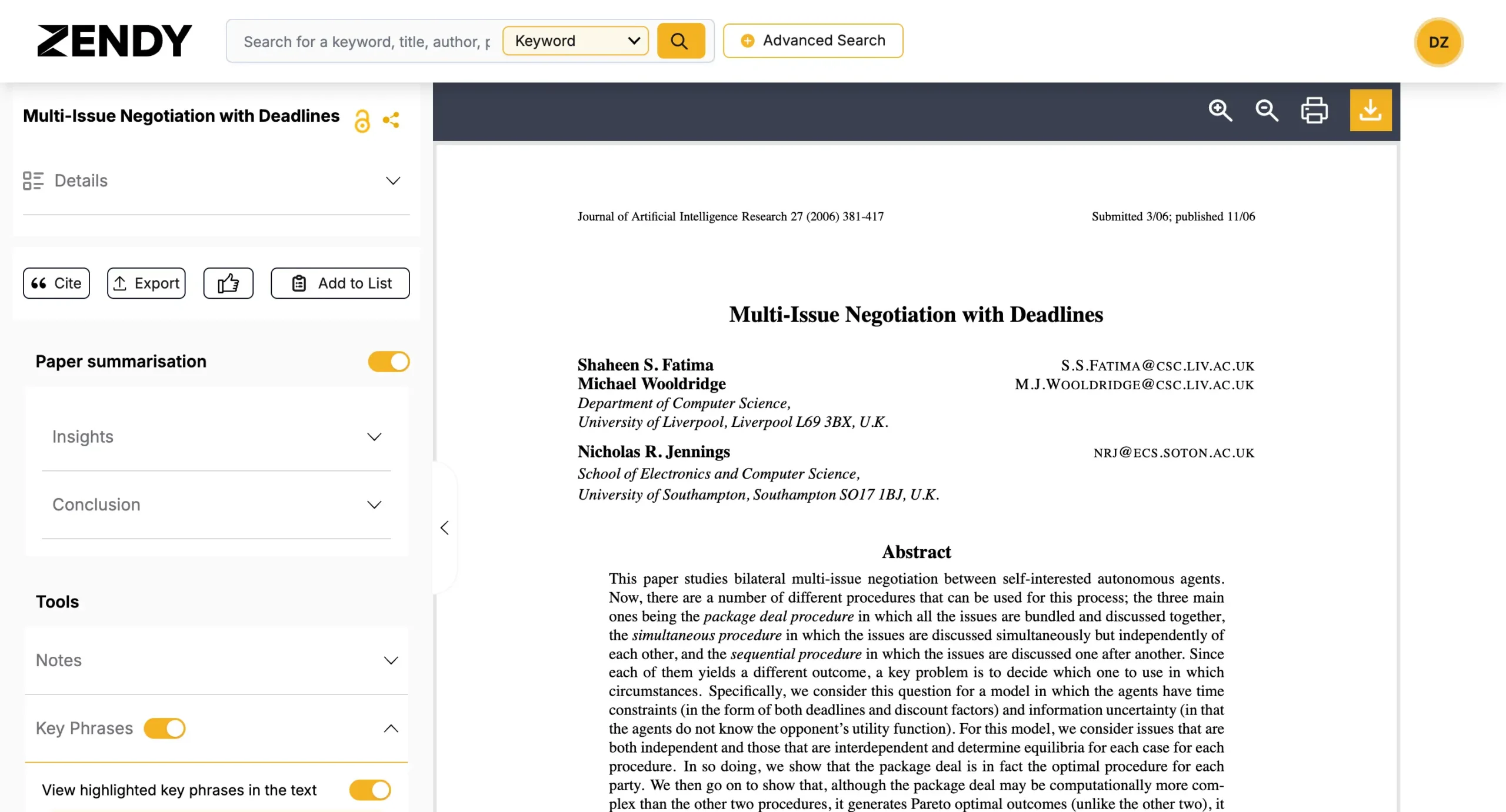
The PDF viewer itself is impressively functional. You can download research papers with a single click.
A collapsible left sidebar provides access to all essential information:
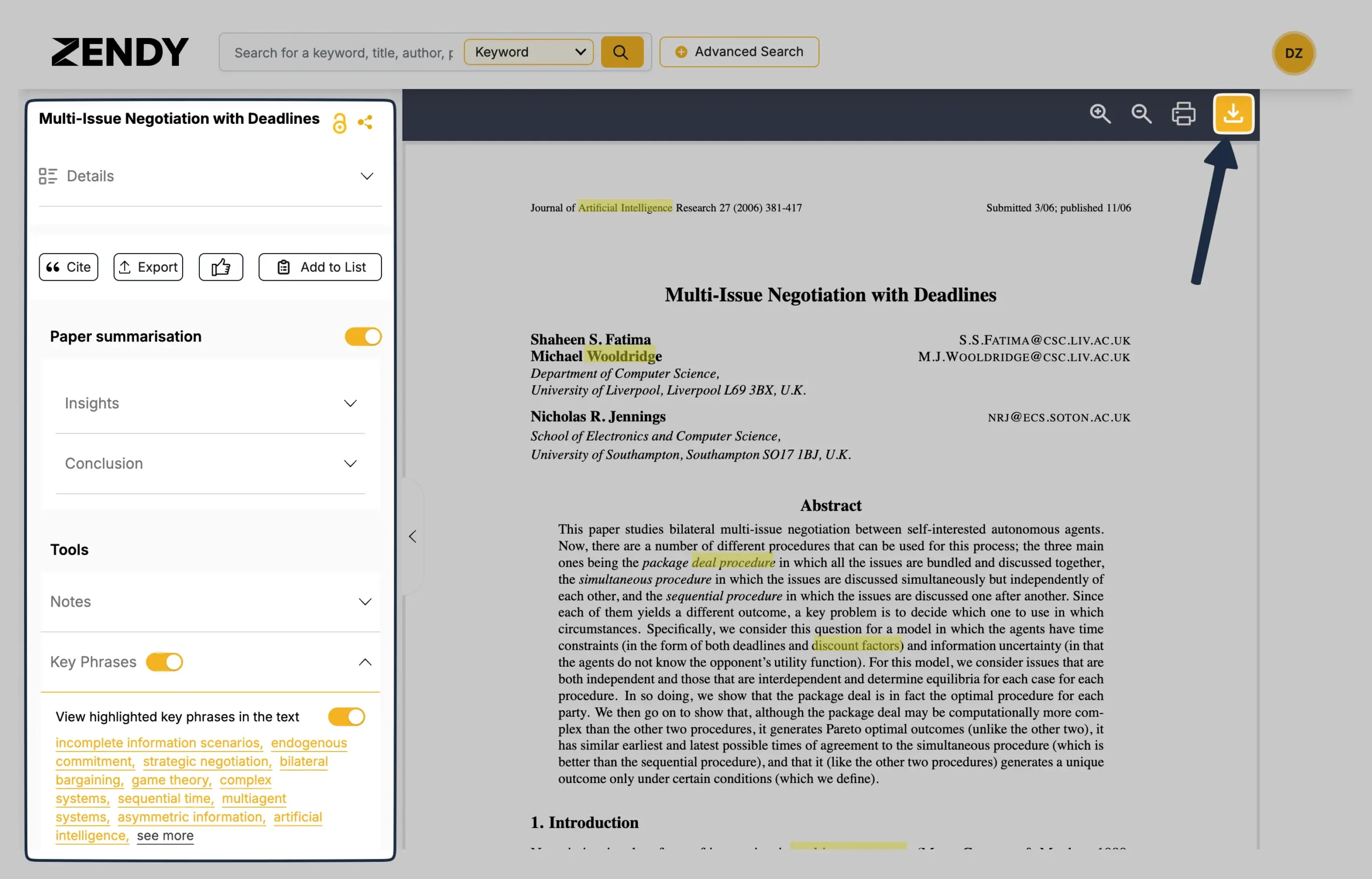
This includes comprehensive paper details: authors, publication information, languages, resource type, SCImago Journal Rank, H-Index, eISSN, pISSN, DOI, and covered subjects.
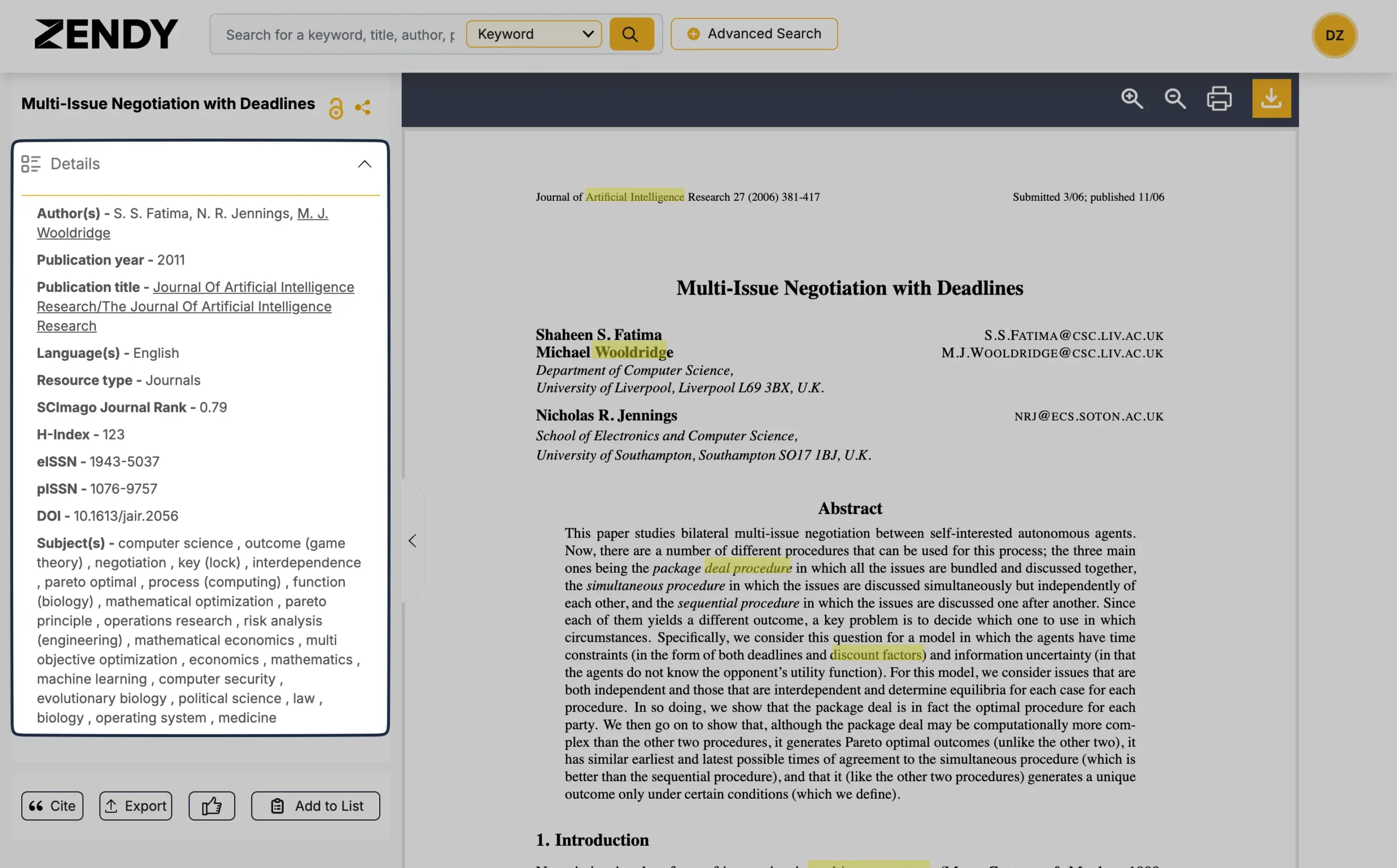
Citation generation is straightforward, supporting multiple formats:
Below the citation options, you'll find the paper summarization feature.
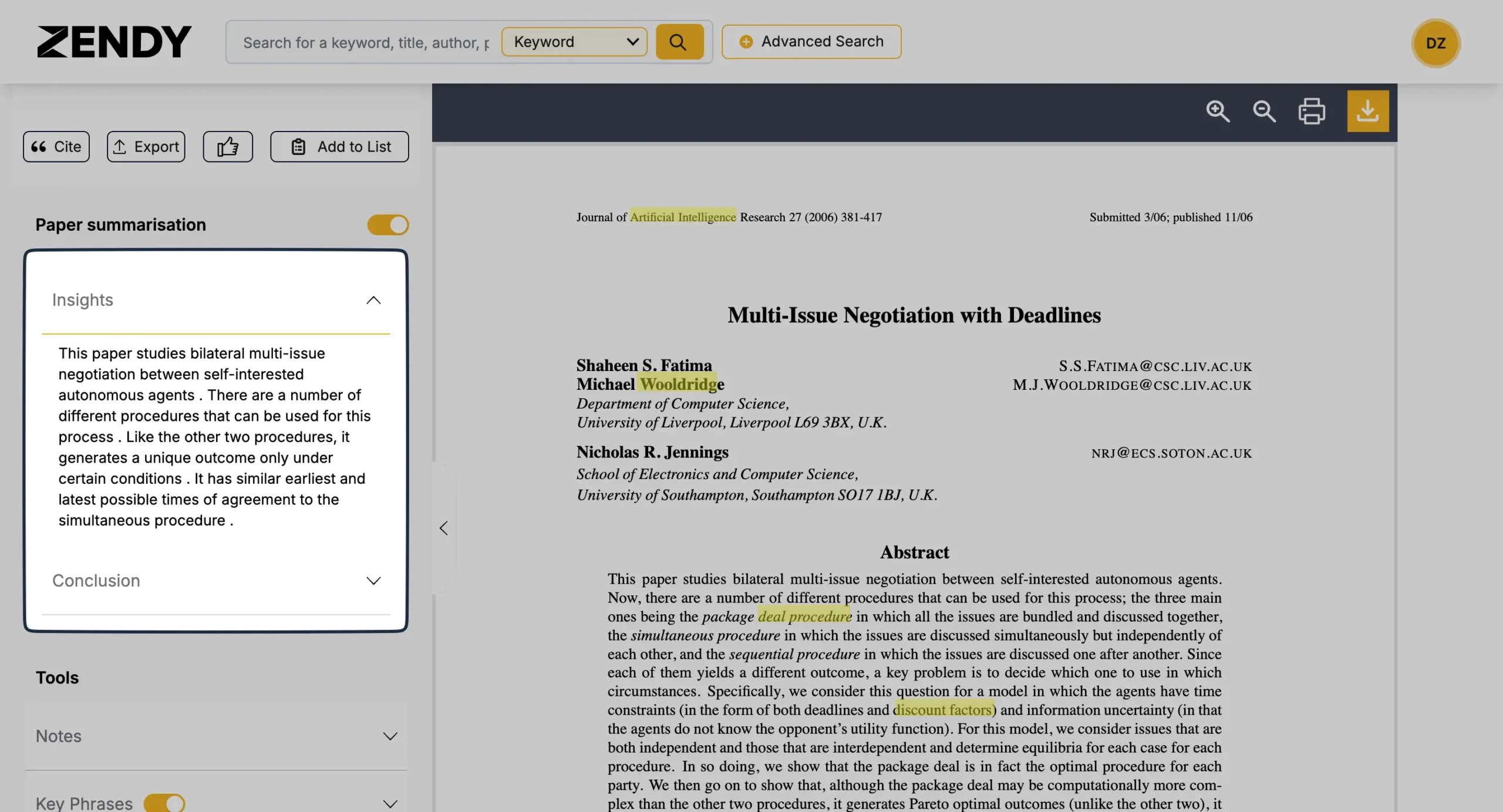
The Tools section rounds out the features, offering note-taking capabilities and highlighted key phrases throughout the paper.
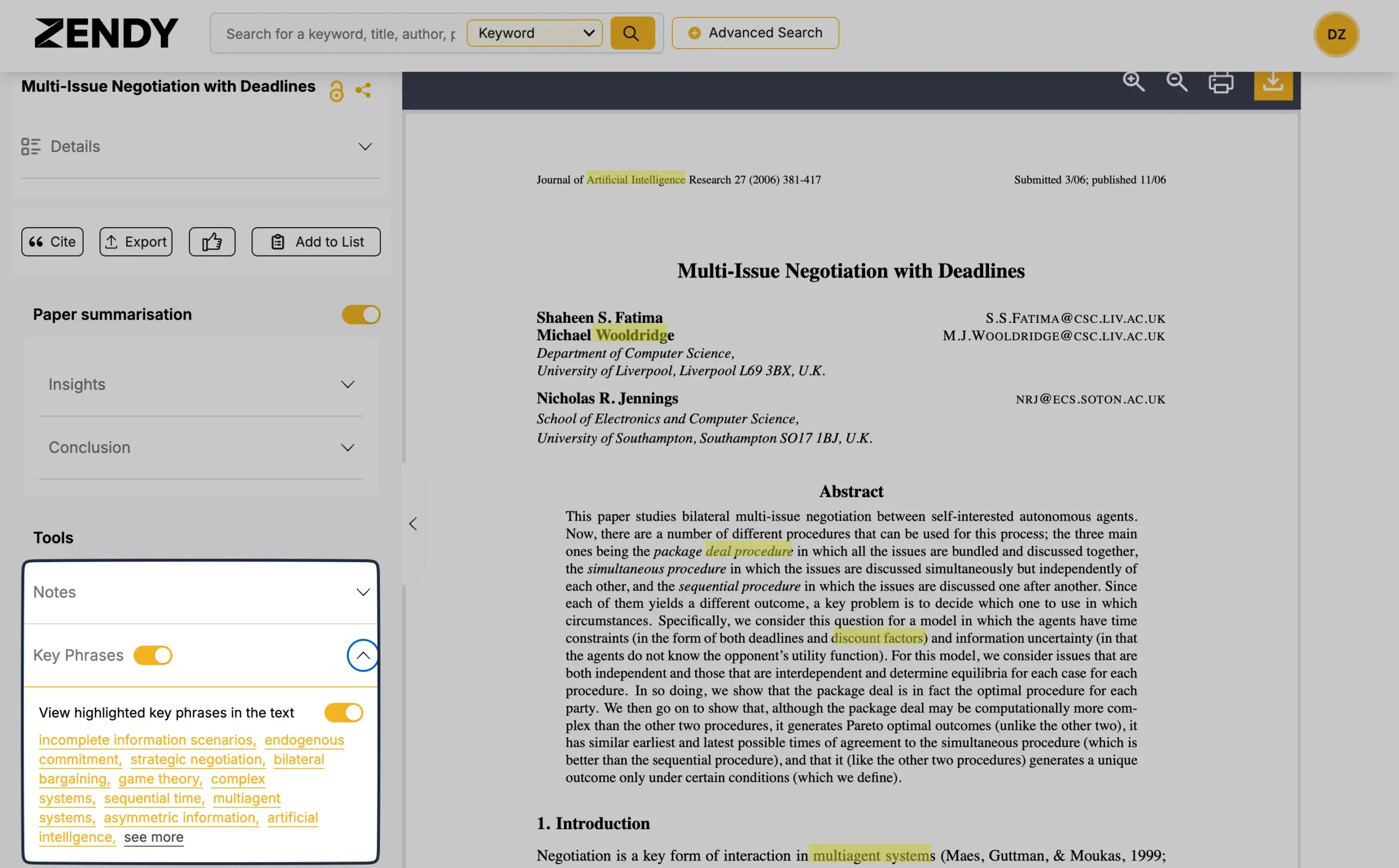
While Zendy currently lacks the full-featured academic note-taking capabilities of some competitors, it distinguishes itself through ZAIA, its AI research assistant.
ZAIA analyzes millions of research papers to provide referenced, credible answers to any research-related questions.
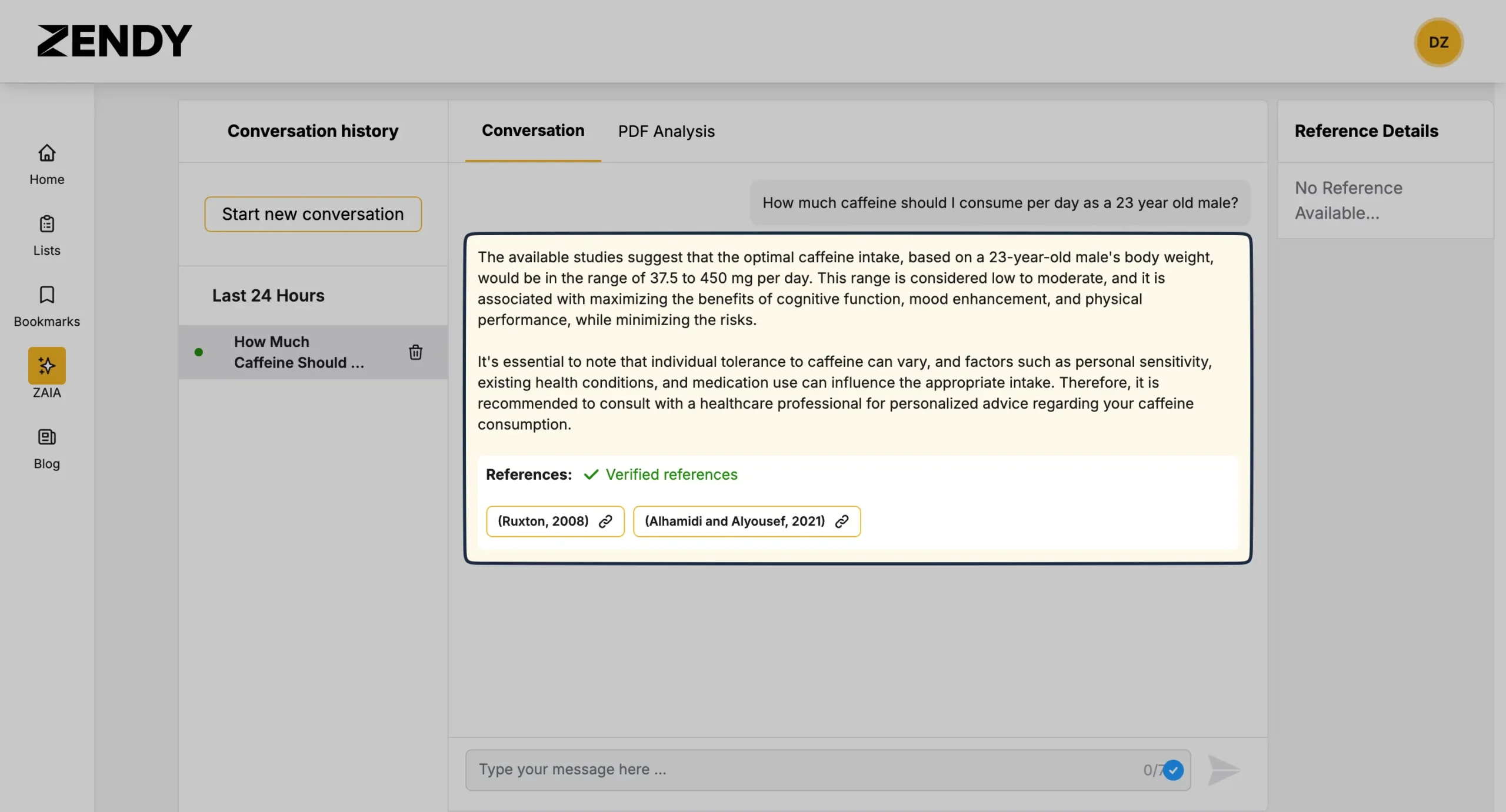
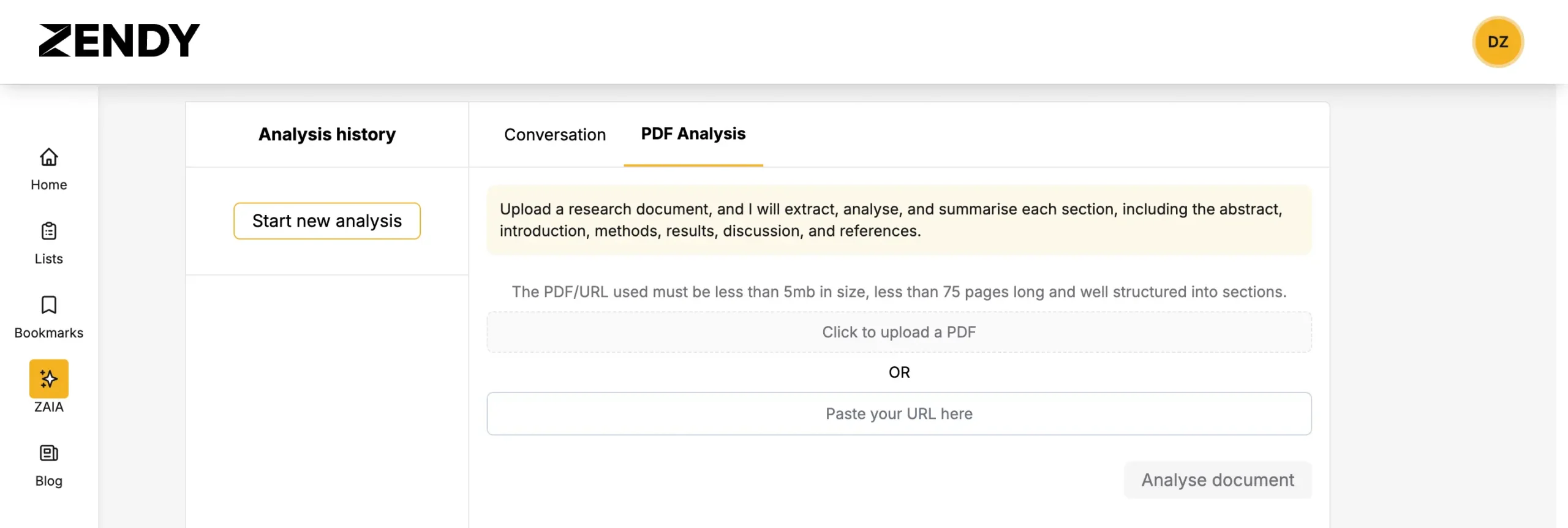
It also includes a PDF Analysis feature that can process uploaded research documents.
ZAIA extracts, analyzes, and summarizes each section, including the abstract, introduction, methods, results, discussion, and references.
Note: Documents must be under 5 MB, less than 75 pages, and have clear section structure.
Zendy excels through simplicity.
While it may not be the most visually polished or feature-rich platform in the market, it delivers its core functionality effectively without unnecessary complexity.
That focused approach is precisely why I recommend it.
Pricing
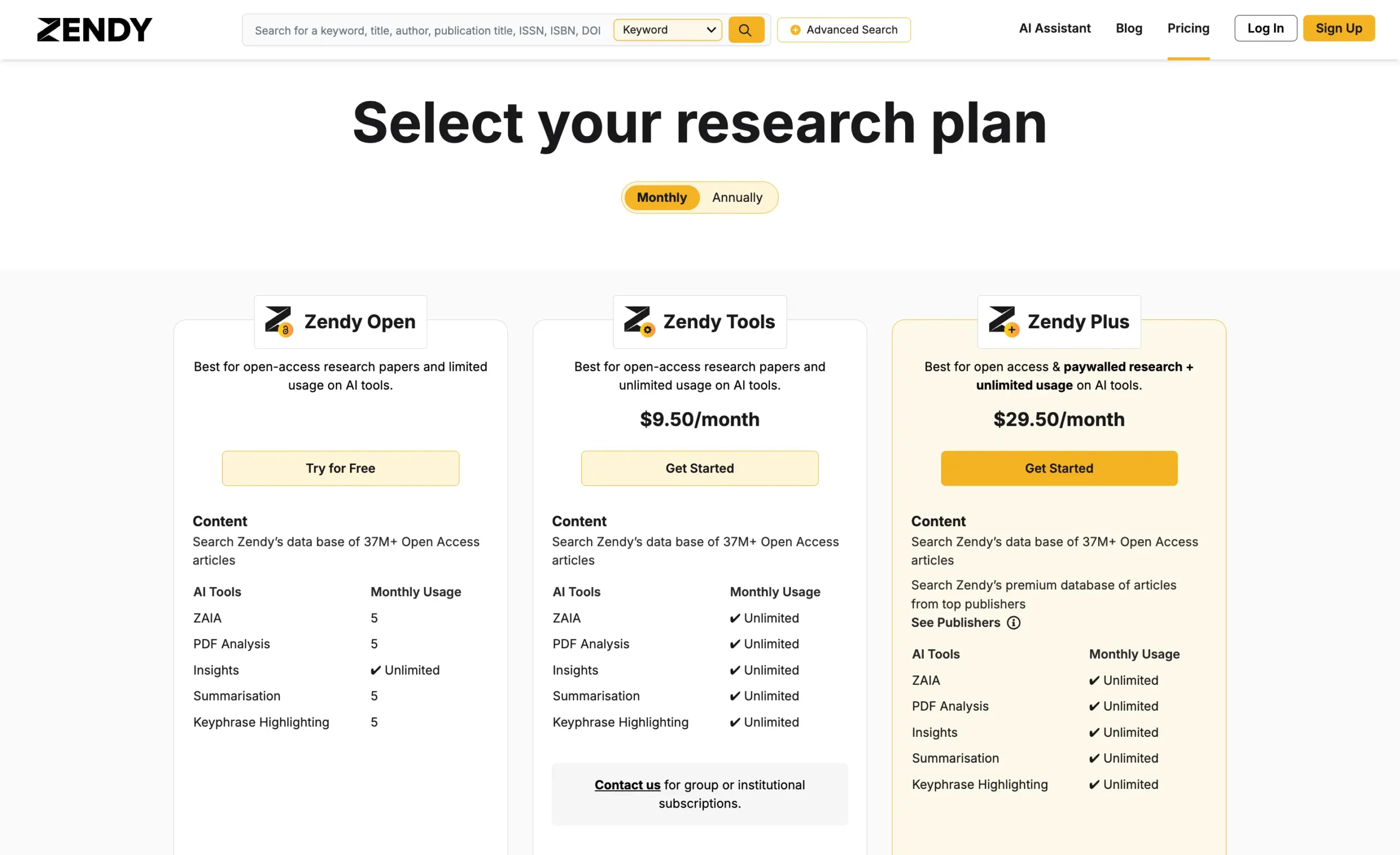
Zendy Open is the free plan, giving access to 37M+ open-access articles. You get 5 monthly uses each of ZAIA queries, PDF analysis, summarization, and keyphrase highlights, plus unlimited insights.
The $9.50 monthly Zendy Tools plan ($79.80/year) keeps the open-access articles but removes all AI tool limits. Every feature - ZAIA, PDF analysis, insights, summarization, highlighting—becomes unlimited.
Zendy Plus costs $29.50 monthly ($247.80/year) and adds premium publisher content on top of unlimited AI features.
You get both the 37M+ open-access articles and paywalled research from major publishers.
For teams and institutions, custom group subscriptions are available through direct contact.
#7 – Elicit
Best AI research assistant for finding relevant papers even with imperfect keyword matches
Pros
Cons
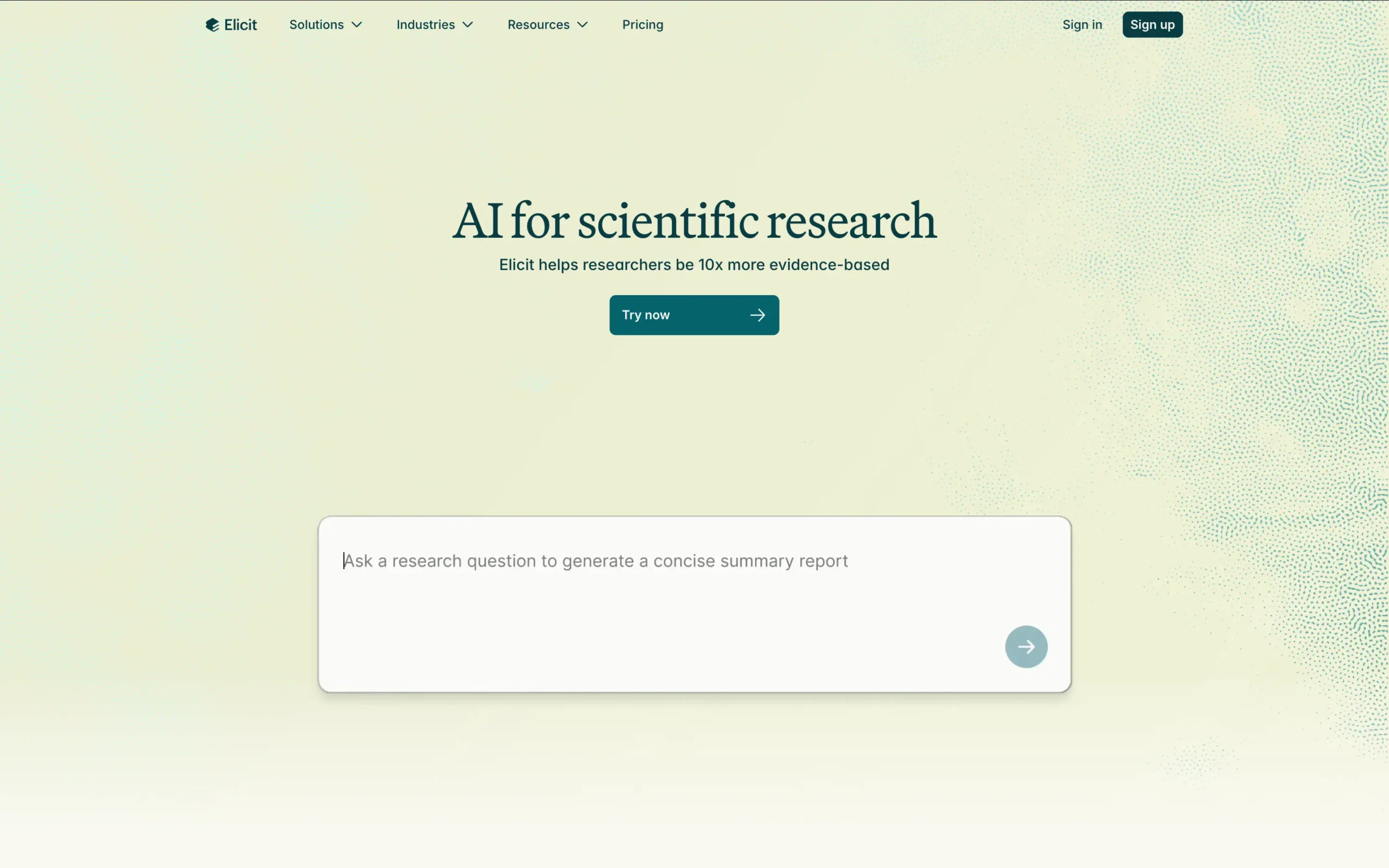
Elicit is a research assistant that utilizes language models like GPT-3 to automate parts of researchers' workflows.
Its cornerstone feature is the Literature Review.
When you ask a question, Elicit presents relevant papers and provides summaries of key information about those papers in an easy-to-use table.
Elicit can find relevant papers even if they don't directly match the keywords used in the query (thank you, NLP).
They do it by employing semantic similarity to identify papers related to your question, even if they use different terminology.
For example, it can return papers about “fitness” when the query only mentions “aerobic exercise.”
Elicit is free to use on the web as well as a desktop app.
Pricing
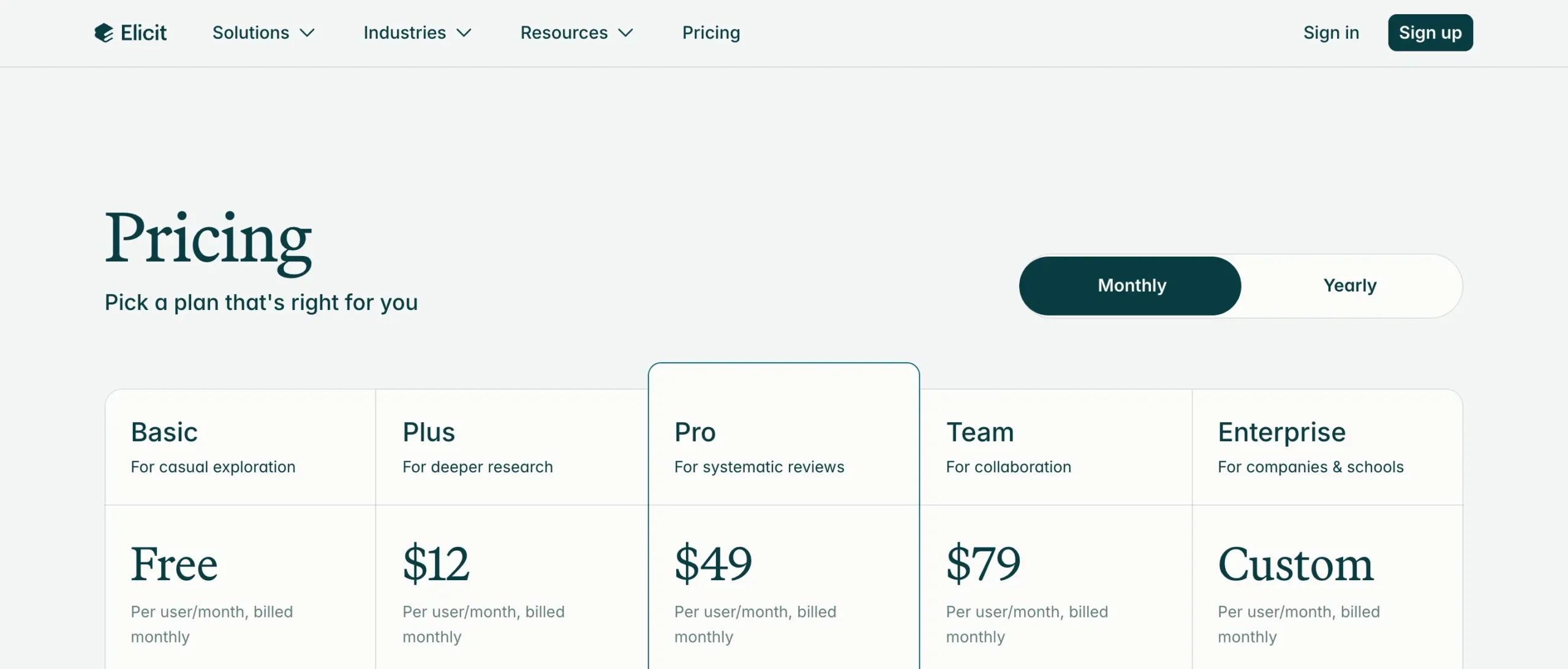
Elicit has a forever free plan with the paid plan starting at $12 per month ($10/month, if billed yearly).
#8 – Paperguide
Best AI research assistant for auto-analyzing PDFs and having AI conversations about research
Pros
Cons
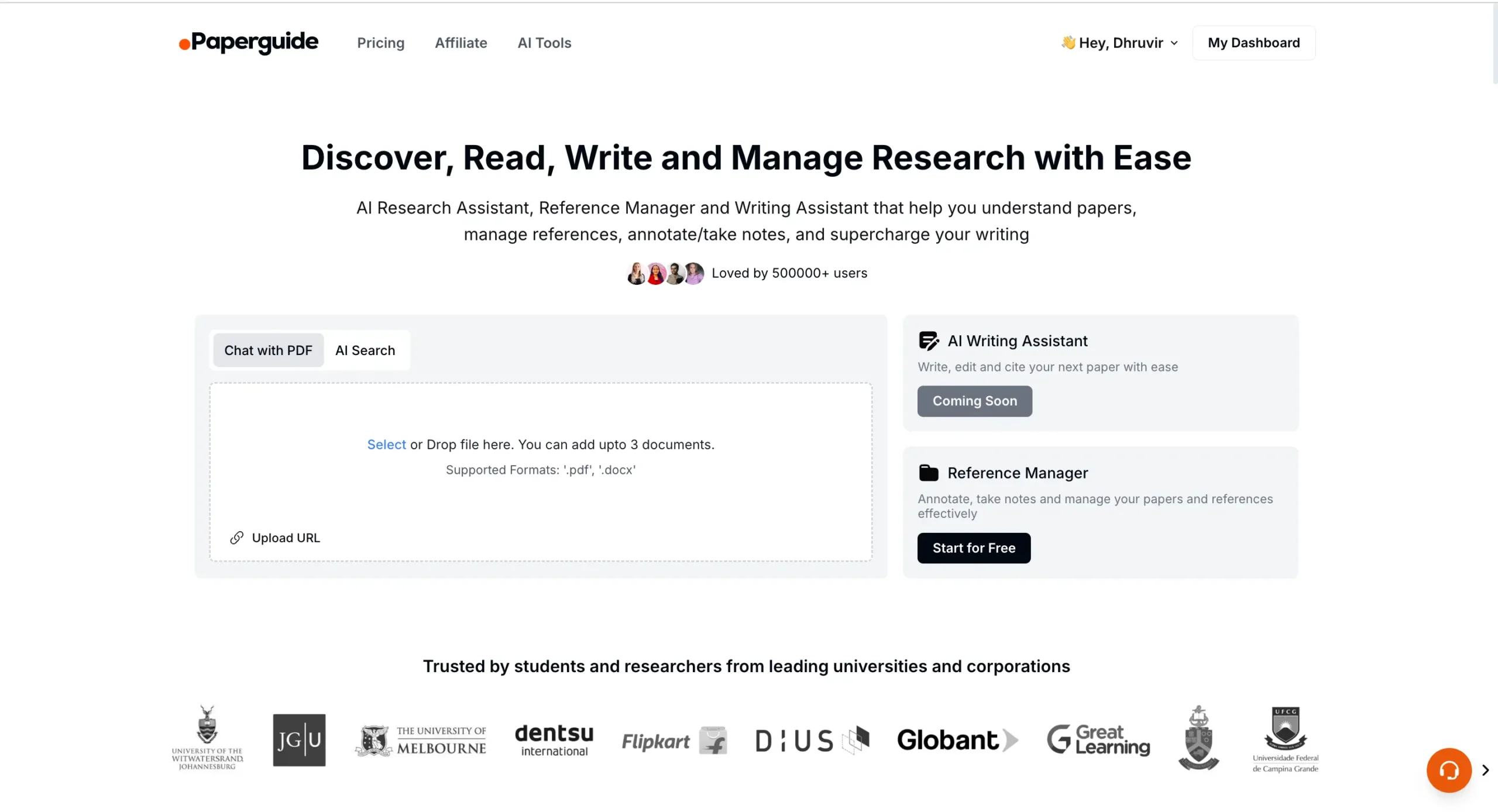
Paperguide is an AI-powered research assistant that combines reference management, document analysis, and writing support.
It all starts with you uploading a document or a file. Paperguide enables you to upload up to 3 documents simultaneously.
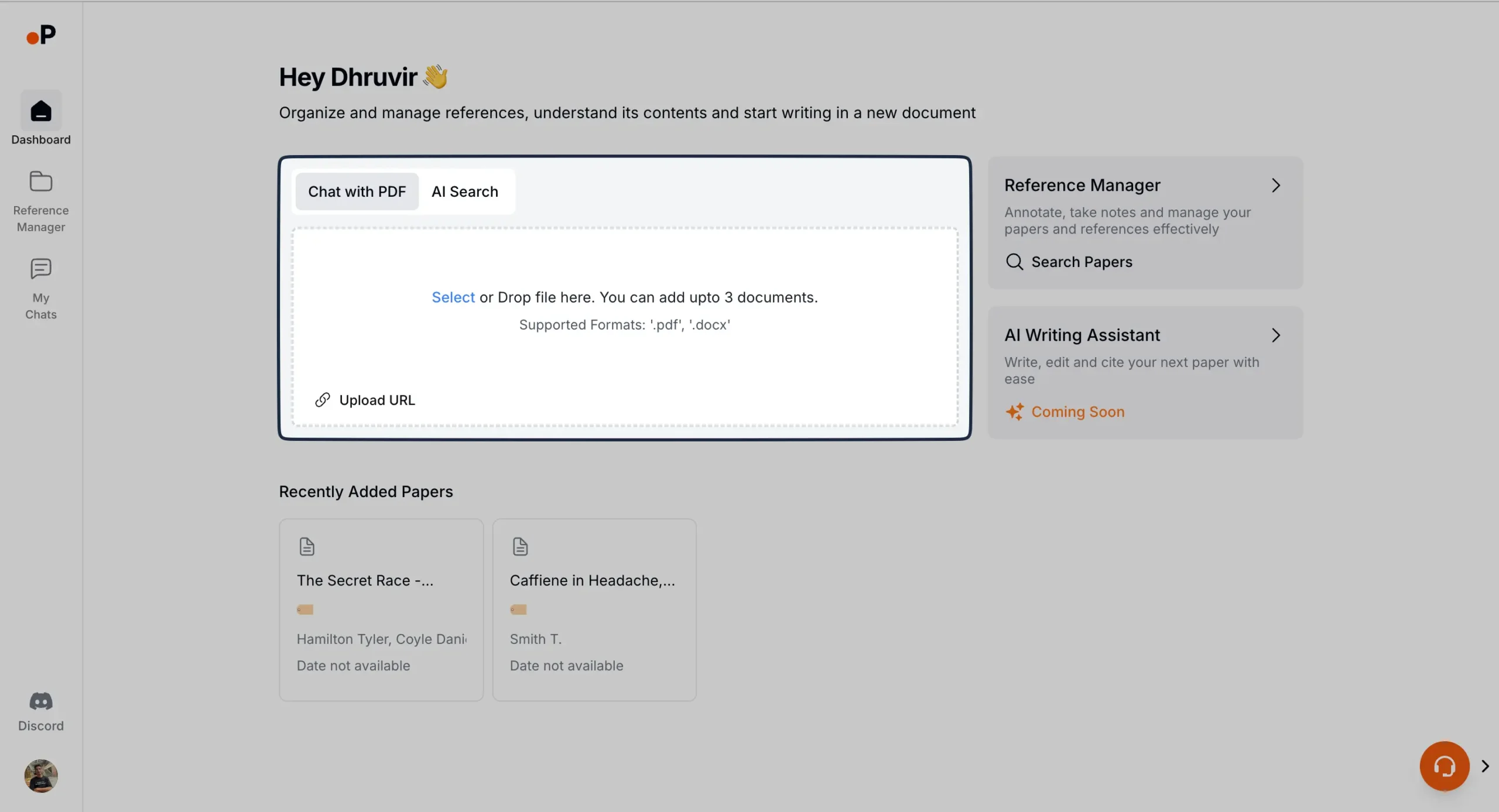
You can upload it in the following formats:
For instance, I upload a short YouTube video explaining how to preserve eye health.
Within seconds, Paperguide provides me with a video viewer that consists of the video and transcript.
On the right, Paperguide gives me some relevant questions to ask about this video. I also get an option to ask a custom question.
I can have back-and-forth conversations with the chat assistant until I understand what the video or a research paper is trying to say. Great way to make learning fun and retentive.
SIDENOTE: You can even share your chats with others with a quick shareable link.
Moving on, we have an AI Search feature.
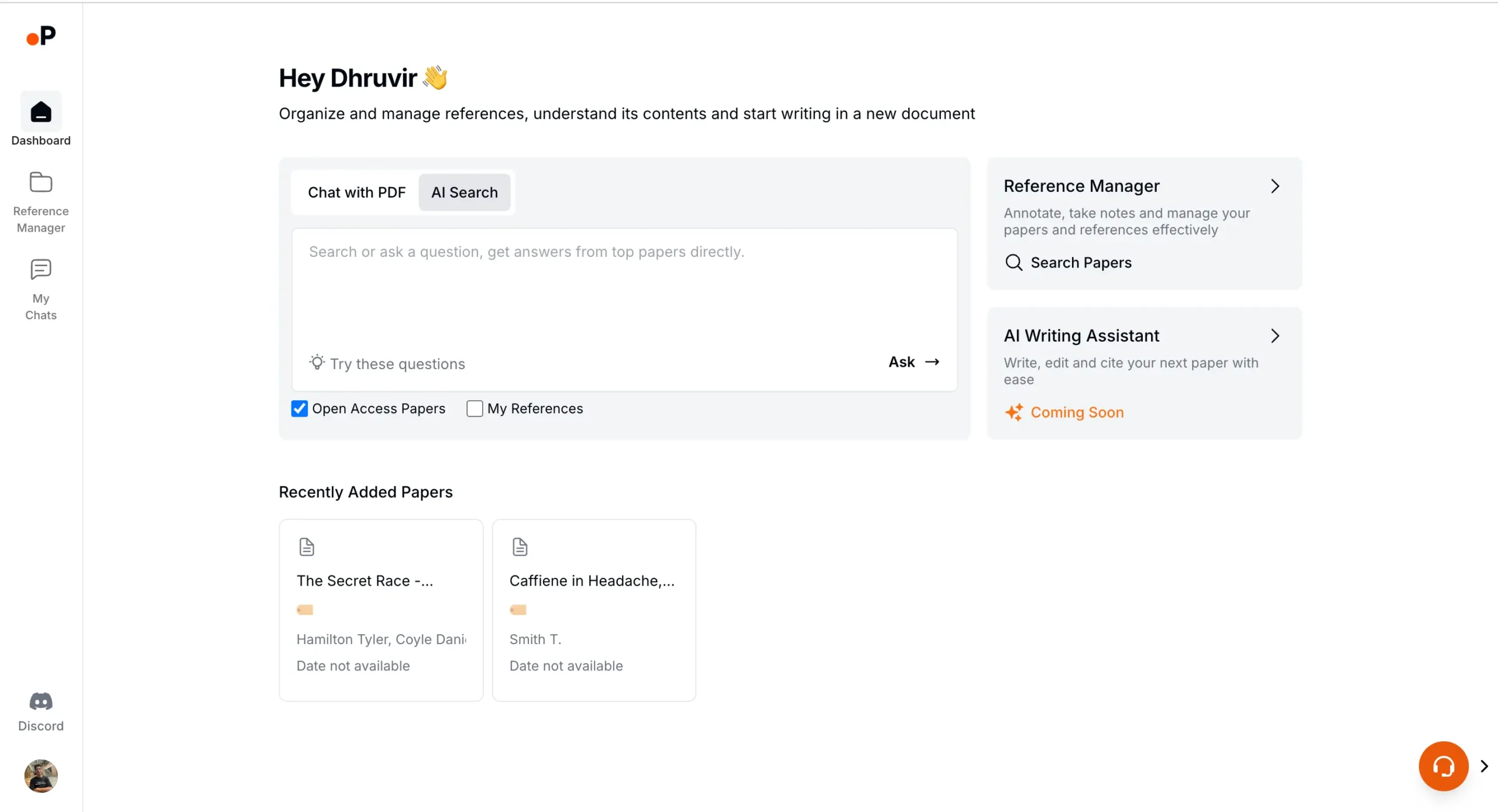
It allows you to get literature reviews and answers to any academic query that you might have.
Ask a question and get answers backed by the data from the top research papers.
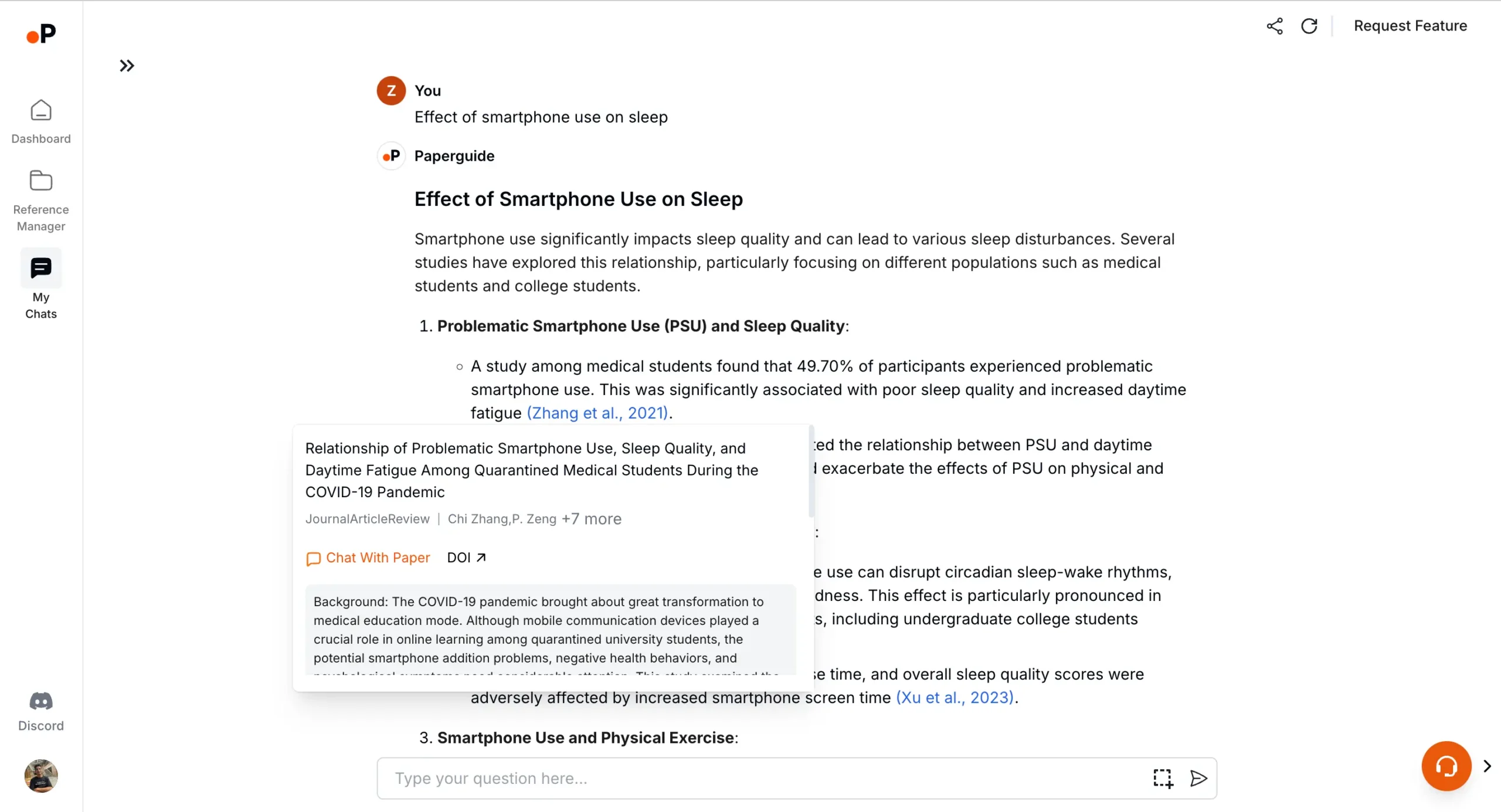
You can even choose to include your saved references.
Speaking of which, Paperguide's Reference Manager is phenomenal. Somehow, they managed to make it minimal along with super functional.
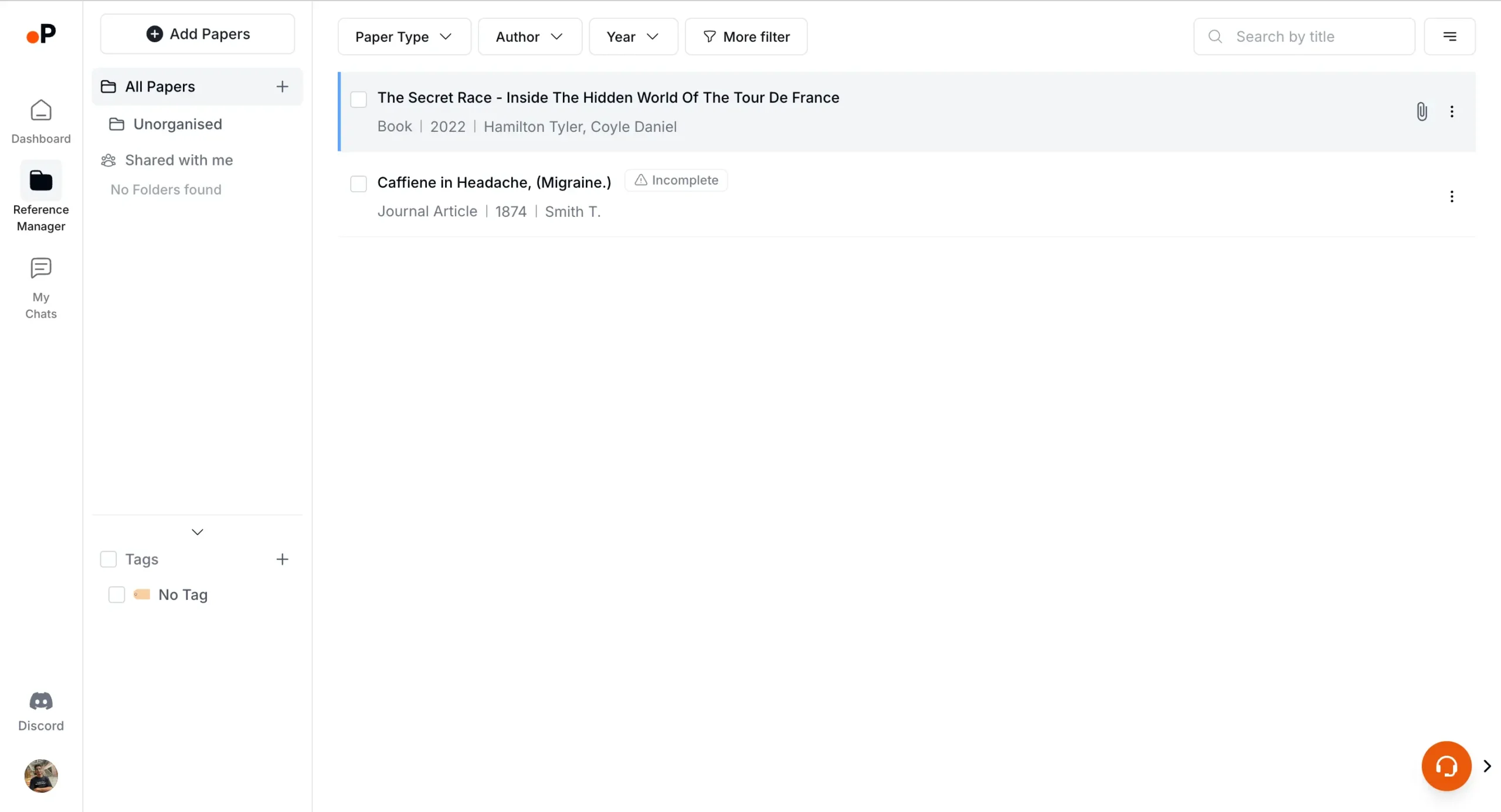
It enables you to upload research papers directly via a URL, file upload, online paper search, and even via manual upload. There is also an option to upload a paper by adding BibTex or RIS.
The search papers online feature is particularly powerful.
Enter any keyword, question, or name of the paper you are looking for, and Paperguide searches for it across the web.
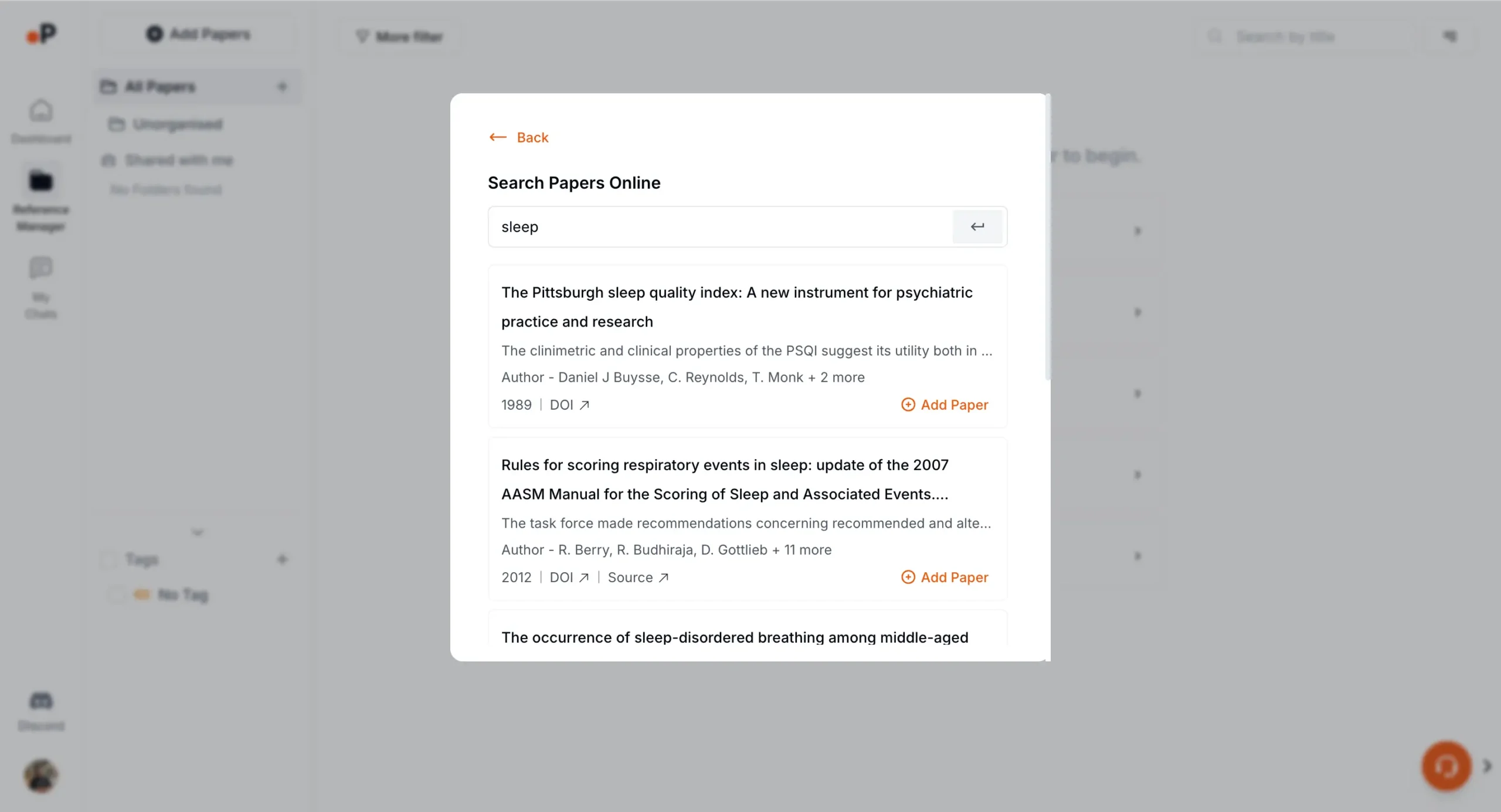
Once you add a paper to Paperguide's reference manager, click on it to unfold details like Bibliography, AI Summary, Notes, Doc, and Info.
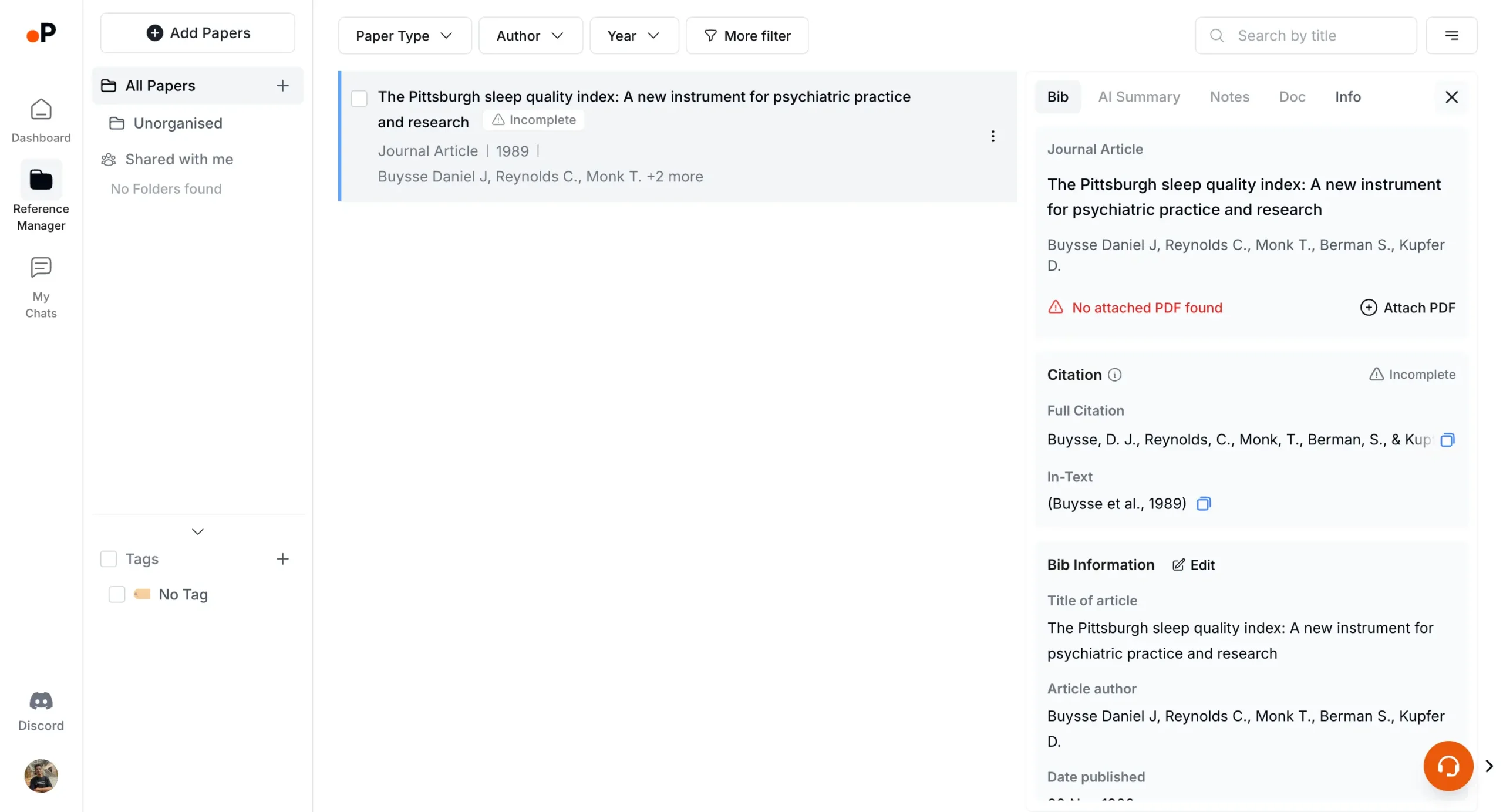
Inside Doc, click on View PDF and you will land on Paperguide's note-taking interface. You can annotate, highlight, draw, and take notes all with the integration of the AI chat feature.
Super powerful!
Overall, Paperguide is one of the best AI academic research assistants out there. And when it comes to simplicity, it is simply unrivaled.
Pricing

Paperguide's pricing is refreshingly simple.
Three tiers:
- Free
- Starter ($12/month) or ($9 per month on yearly billing)
- and Advanced ($20/month) or ($16 per month on yearly billing).
The Free plan is surprisingly robust. 10 AI generations daily, 500 MB storage, and access to core features like the AI Research Assistant.
Starter unlocks the floodgates with unlimited AI generations and 10 GB storage. It's where serious researchers will likely land.
Advanced at $20 per month is for data hoarders, offering unlimited storage.
All plans include the usual suspects: reference management, AI summaries, and chat features. An AI Writer is coming soon to all tiers, which could be a game-changer.
Use the coupon code DHRUVIR10 at checkout to get a 10% discount on your first payment for the Paperguide's paid plan.
#9 – Semantic Scholar
Best AI research assistant for AI-powered paper recommendations and influence tracking

Pros
Cons
Semantic Scholar is a simplistic yet powerful AI-driven search engine to analyze research papers, extract crucial information, and generate relevant recommendations.
It offers access to a vast database containing over 207 million papers from all fields of science.
It's very easy to use, and you can utilize its search functionality to find relevant research papers.
The search can be filtered using parameters such as journals and conferences, authors, publication types, and date ranges.
Even better? Semantic Scholar is open source and free to use.
Whether you are a student, academic researcher, or professional in any field, Semantic Scholar can be a valuable asset for your research endeavors.
Pricing
Semantic Scholar is free to use.
Disclosure: Our content is reader-supported. If you click on certain links we may make a commission.

Meet your guide
Dhruvir Zala
I help businesses and professionals stop wasting money on the wrong software. Most software reviews are just marketing in disguise. So I started writing the reviews I wish I had: thoroughly tested, brutally honest, and focused on what matters.