Akiflow vs Sunsama: Which daily planner is best? [2026]
Some links on this page are affiliate links. If you buy something, I get a small cut, at no extra cost to you. I only recommend tools I’d genuinely tell a friend to use. Learn more.
I tested both Akiflow and Sunsama back to back. I connected every relevant tool I use, ran the planning rituals daily, and tracked time on real tasks I was working on.
Both promise to fix the scattered workflow problem by pulling everything into one screen.
But they solve it in completely opposite ways.
This comparison breaks down exactly which tool matches your workflow style, whether you want automation and speed, or structure and boundaries.
By the end, you’ll know which one to try first.
Akiflow vs Sunsama at a glance
Pick Akiflow if you’re juggling 5+ tools and losing 30 minutes every morning figuring out what to do. Akiflow saves time through AI automation, keyboard shortcuts, and 20+ integrations.
Try Akiflow free for 7 days | Read my complete Akiflow review.
Pick Sunsama if you’re working until 8 PM because you can’t tell when you’re done. Sunsama forces you through a 10-minute planning ritual that shows when your plan won’t fit your day.
Try Sunsama free for 30 days | Read my complete Sunsama review.
Both pull scattered tasks into one screen. Akiflow optimizes for speed. Sunsama optimizes for boundaries. If you don’t have the consolidation problem or the overwork problem, stick with what you have.
Akiflow vs Sunsama: Top feature comparison
Both tools do the same basic job. They pull your scattered tasks into one place and help you schedule when you’ll work on them.
But they make different choices about everything else.
The sections below break down each difference. Some matter more than others. By the end, you’ll know which tool matches how you actually work.
1. Task consolidation & integrations
Here’s the real problem: your work doesn’t live in one place.
Tasks sit in Todoist. Action items hide in Slack threads. Your boss assigns things in Asana. Emails need follow-up. GitHub issues pile up.
Every morning, you open six different apps just to figure out what you’re supposed to do today.
Both Akiflow and Sunsama solve this by pulling everything into one screen. But they solve it in completely different ways.
Akiflow wants to connect to everything.
It has native integrations for about 20 tools—Todoist, Asana, Notion, Trello, Jira, Linear, ClickUp, Gmail, Outlook, Slack, GitHub, and more.
Then it connects to Zapier and IFTTT, which adds roughly 8,800 more apps.
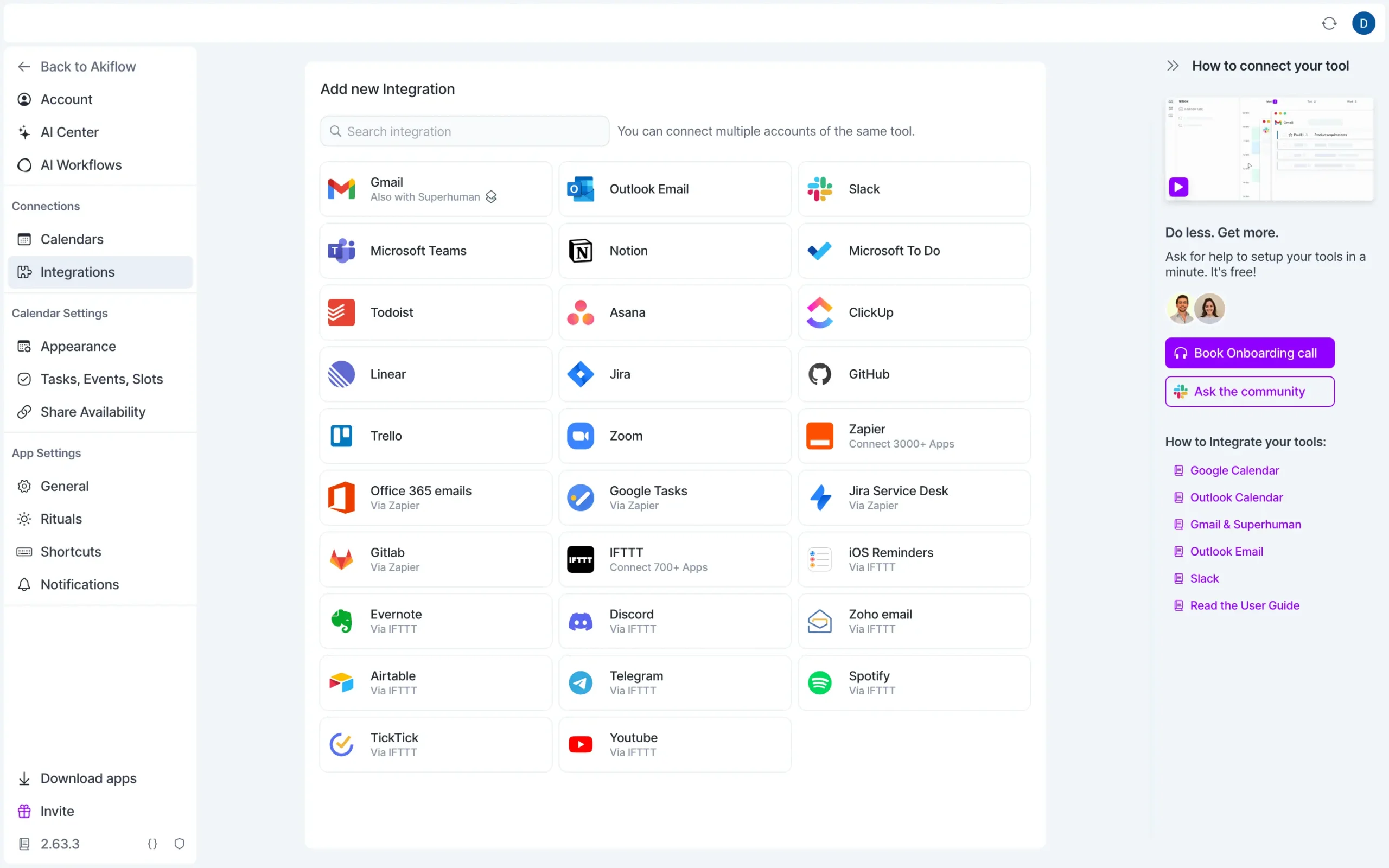
Everything flows into what Akiflow calls the Universal Inbox.
Star an email in Gmail? It shows up in Akiflow. Get mentioned in Slack? Task created. Someone assigned you a GitHub issue? There it is. The auto-sync is aggressive.
This matters if you’re managing high volume. If you’re getting 50+ incoming tasks per day from different sources, you need that level of automation.
Sunsama takes the opposite approach. It has 16 integrations—enough to cover the basics most people use. Asana, Todoist, Notion, Jira, Gmail, Slack, and the usual suspects.
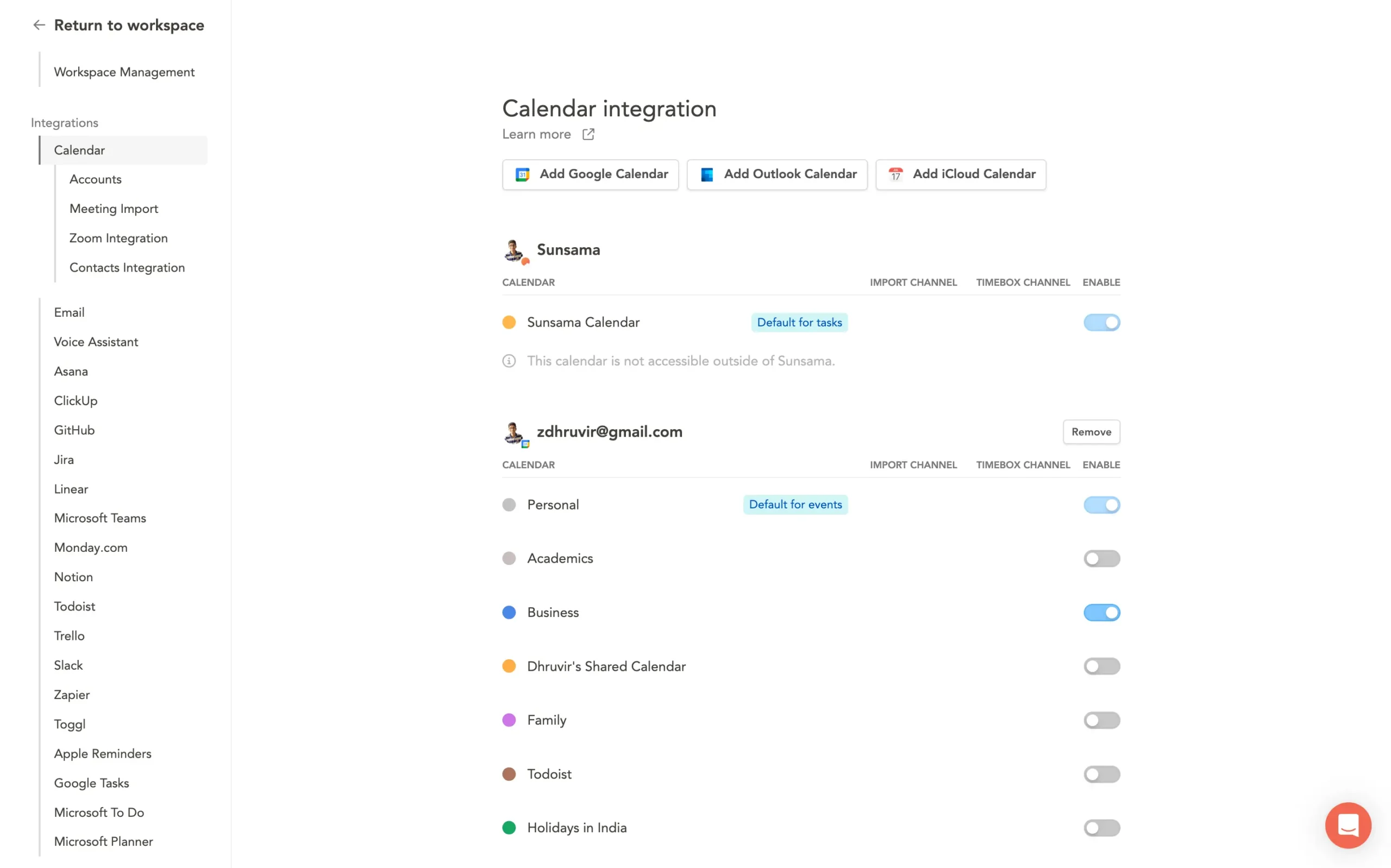
But here’s the key difference: Sunsama doesn’t auto-import everything.
During morning planning, you manually pull in what matters. You look at your Asana backlog and choose which tasks to work on today. You browse your inbox inside Sunsama and decide which emails become tasks.
Everything else stays where it is.
The whole system assumes that auto-importing everything would flood you with noise. So it makes you choose.
This creates different philosophies.
Akiflow wants to be your single source of truth—connect everything, work entirely in Akiflow, and let changes sync everywhere.
Sunsama wants to be your planning layer—keep your tasks wherever they live, just use Sunsama to decide what you’re doing today.
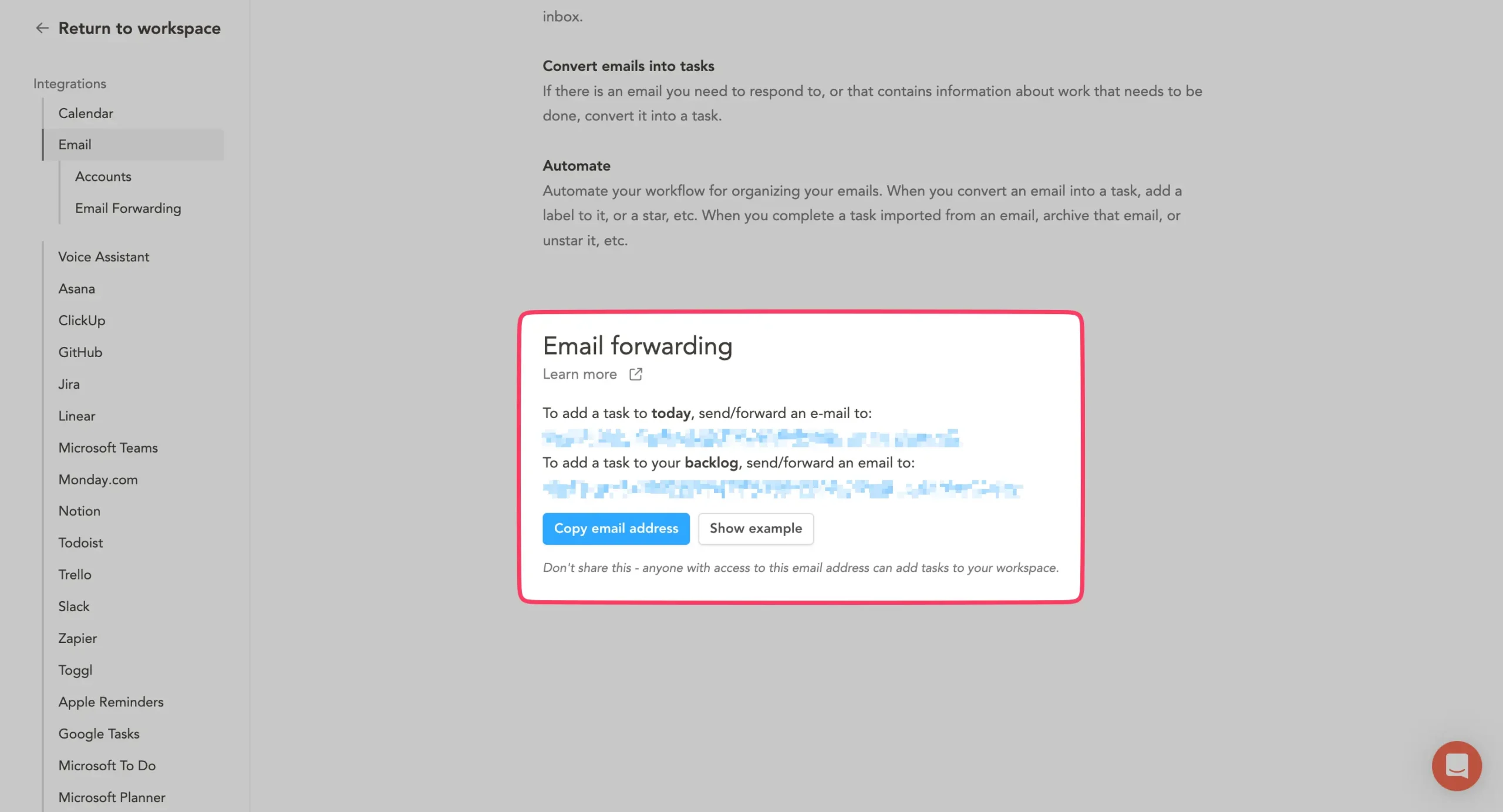
Both tools have email forwarding as well.
Send anything to a unique address, and it becomes a task.
Both integrate with Slack and Teams. But Sunsama can post your daily plan/shutdown summary directly to Slack, which is useful for teams that do standups.
The Zapier/IFTTT advantage sounds huge, but mostly it isn’t.
In theory, Akiflow can connect to thousands more apps. In practice, most people use the same core tools. For 90% of users, Sunsama’s 16 integrations cover everything they need.
The extra connections matter for edge cases—unusual tools, custom workflows, niche software your industry uses.
So which approach works better?
If you’re managing 100+ tasks across multiple projects and dealing with dozens of incoming items daily, Akiflow’s aggressive auto-sync makes sense. You want things flowing in automatically so you can triage fast.
If you’re managing a reasonable workload—maybe 20–30 tasks per day across 2-3 tools—and you want to stay intentional about commitments, Sunsama’s manual selection prevents overload.
The real question isn’t “which has more integrations?” It’s “do you want everything auto-imported, or do you want to choose what matters each day?”
2. Daily planning experience
Both tools help you plan your day. But the experience feels completely different.
Akiflow treats planning as an optional structure. Sunsama treats it as a non-negotiable discipline. That’s the core difference.
Click “Daily Planning” in Akiflow, and everything happens on one screen. Your inbox sits on the left. Three columns in the middle—Today, This Week, This Month. Calendar timeline on the right.
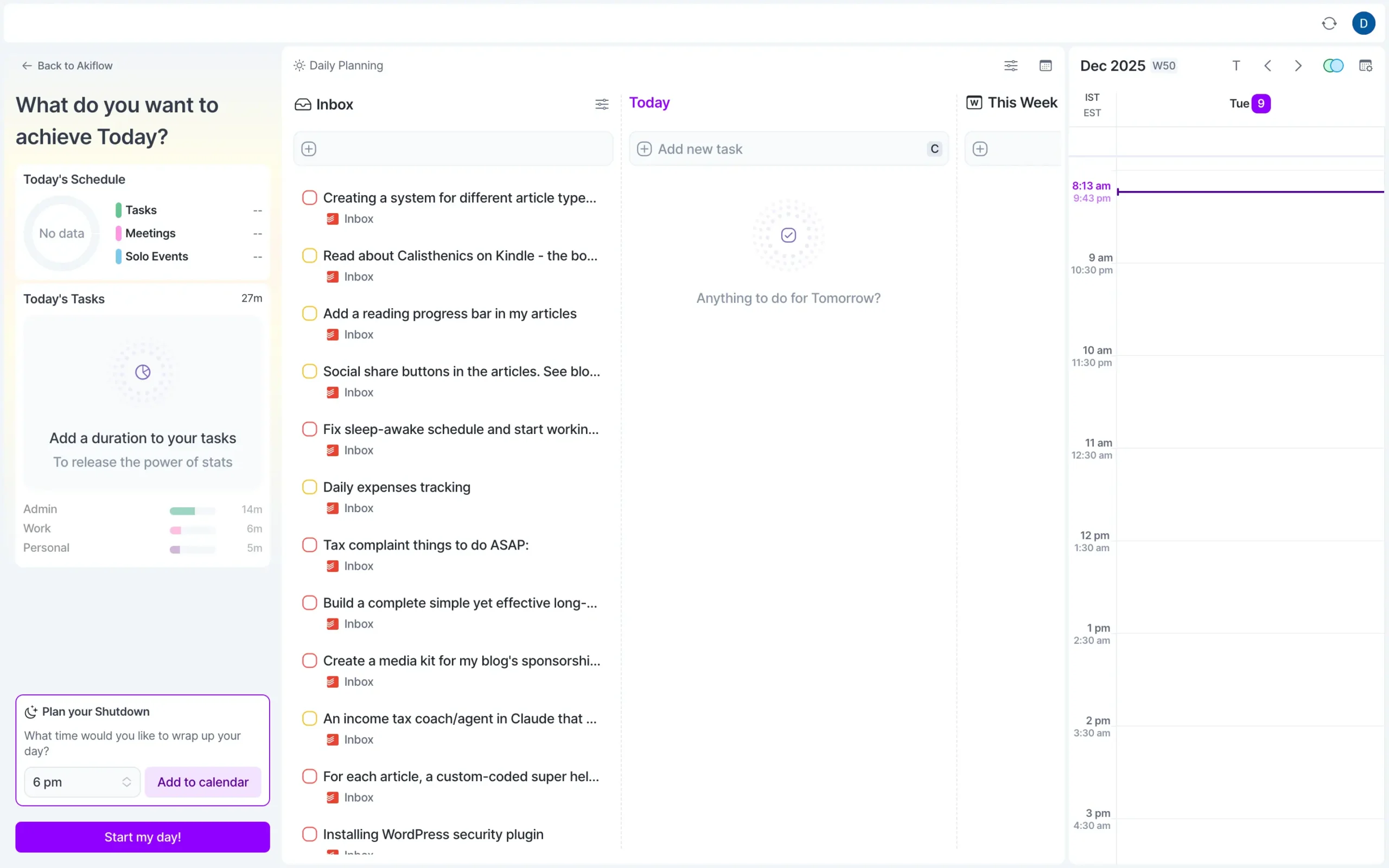
You drag tasks from the inbox to columns. Add time estimates. Drag them onto your calendar. A sidebar shows stats—a pie chart of your schedule, time by project, and meeting totals.
The whole thing takes five minutes or less.
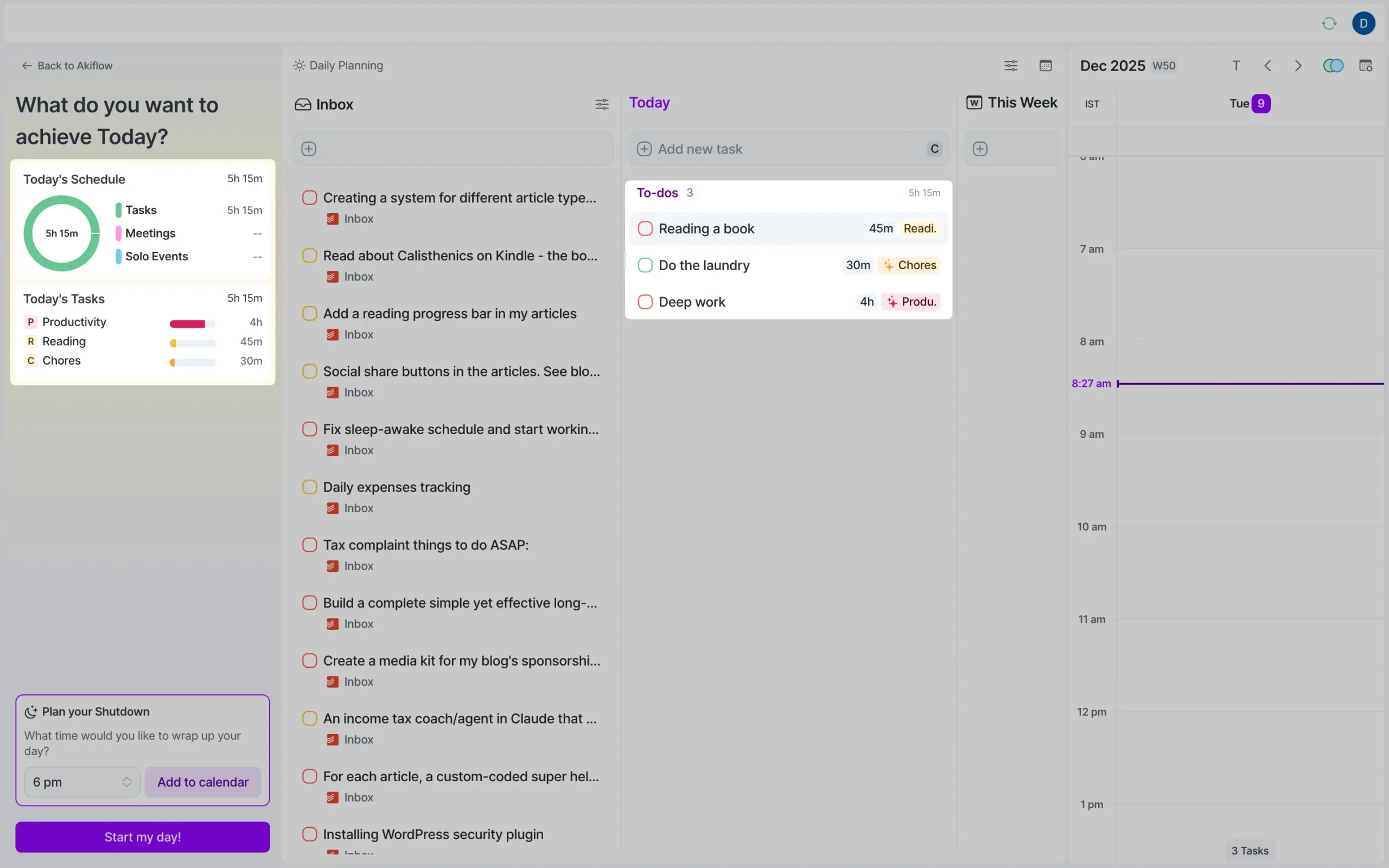
Click “Start my day” when you’re done. Or skip the ritual entirely. Akiflow doesn’t care.
Sunsama won’t let you skip. When you open it in the morning, the planning ritual launches automatically.
First screen: When do you want to stop working? Pick a time. Everything else builds on this.
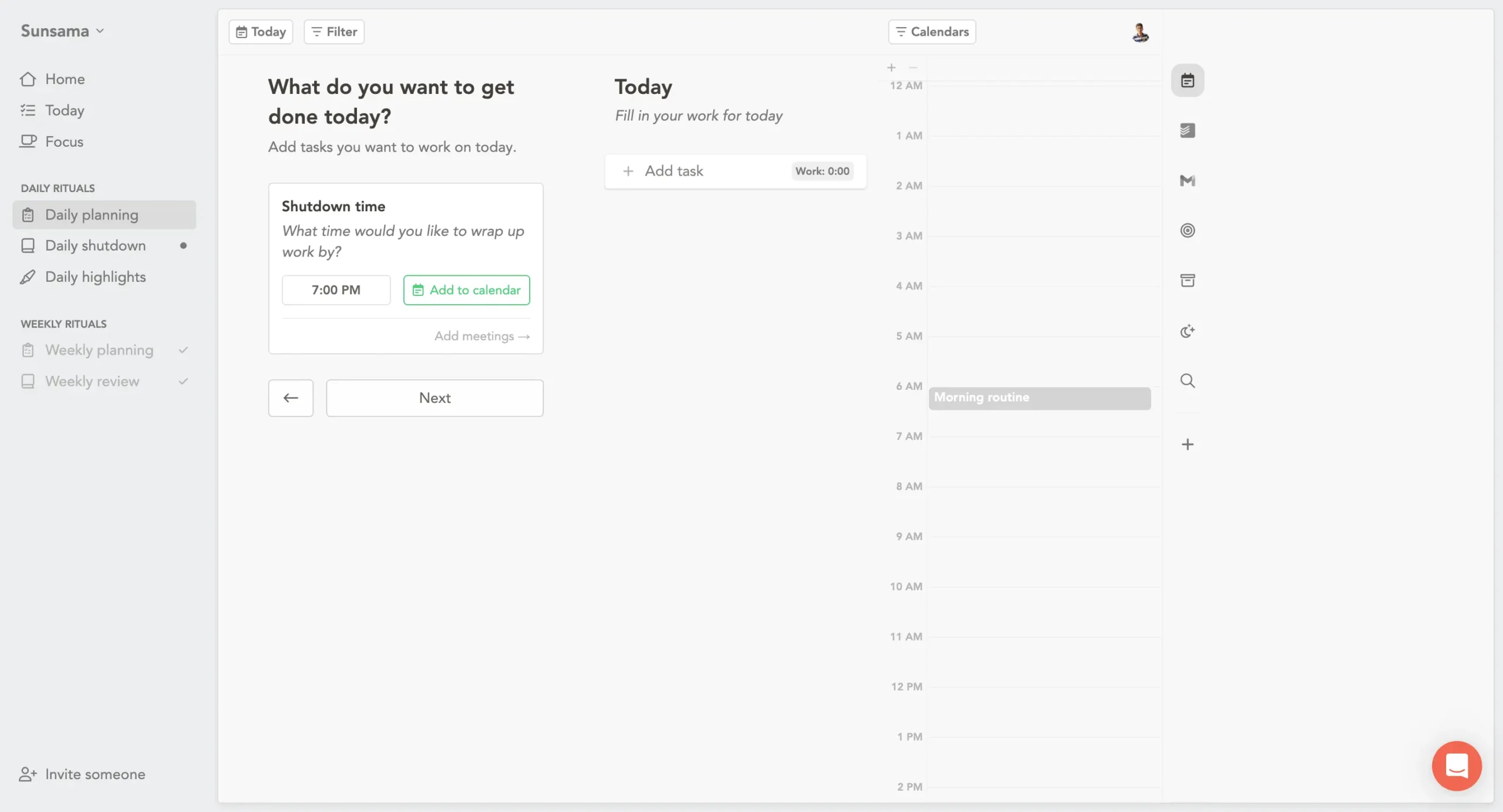
Second screen: add tasks. You see panels for each tool you’ve connected—Asana, Todoist, Gmail. You manually select which tasks matter today. For each one, you estimate how long it’ll take.
As you add tasks, Sunsama shows a running total at the top. “You’ve planned 7 hours 45 minutes of work. Your available time is 6 hours 30 minutes.”
Right there, before you start, it tells you the math doesn’t work.
Most people have never seen this. They just keep adding things to their list and wonder why they’re always behind.
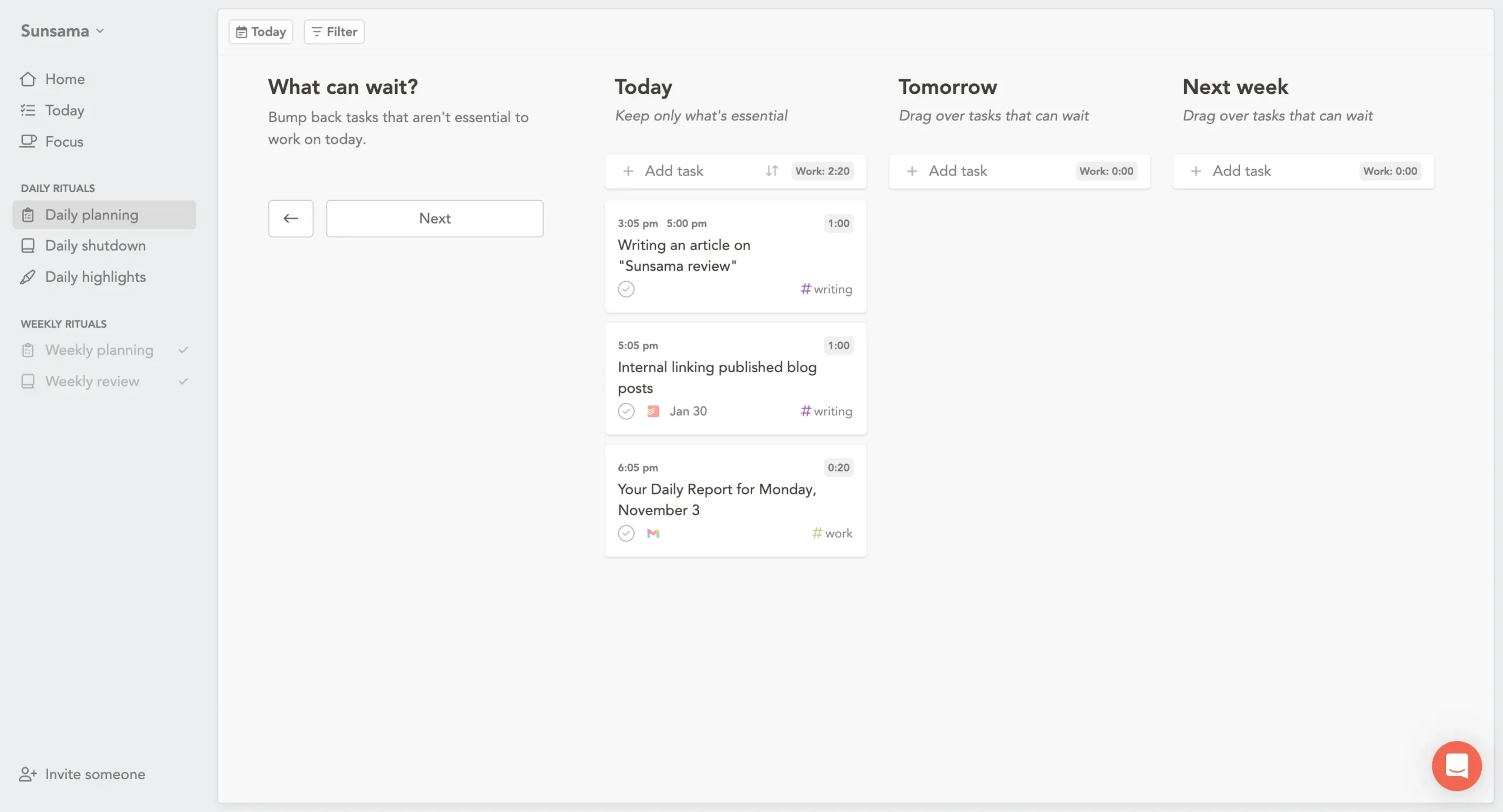
Third screen: “What can wait?” Three columns—Today, Tomorrow, Next week. Drag the non-urgent stuff out. The goal isn’t to do everything. The goal is to do what matters today.
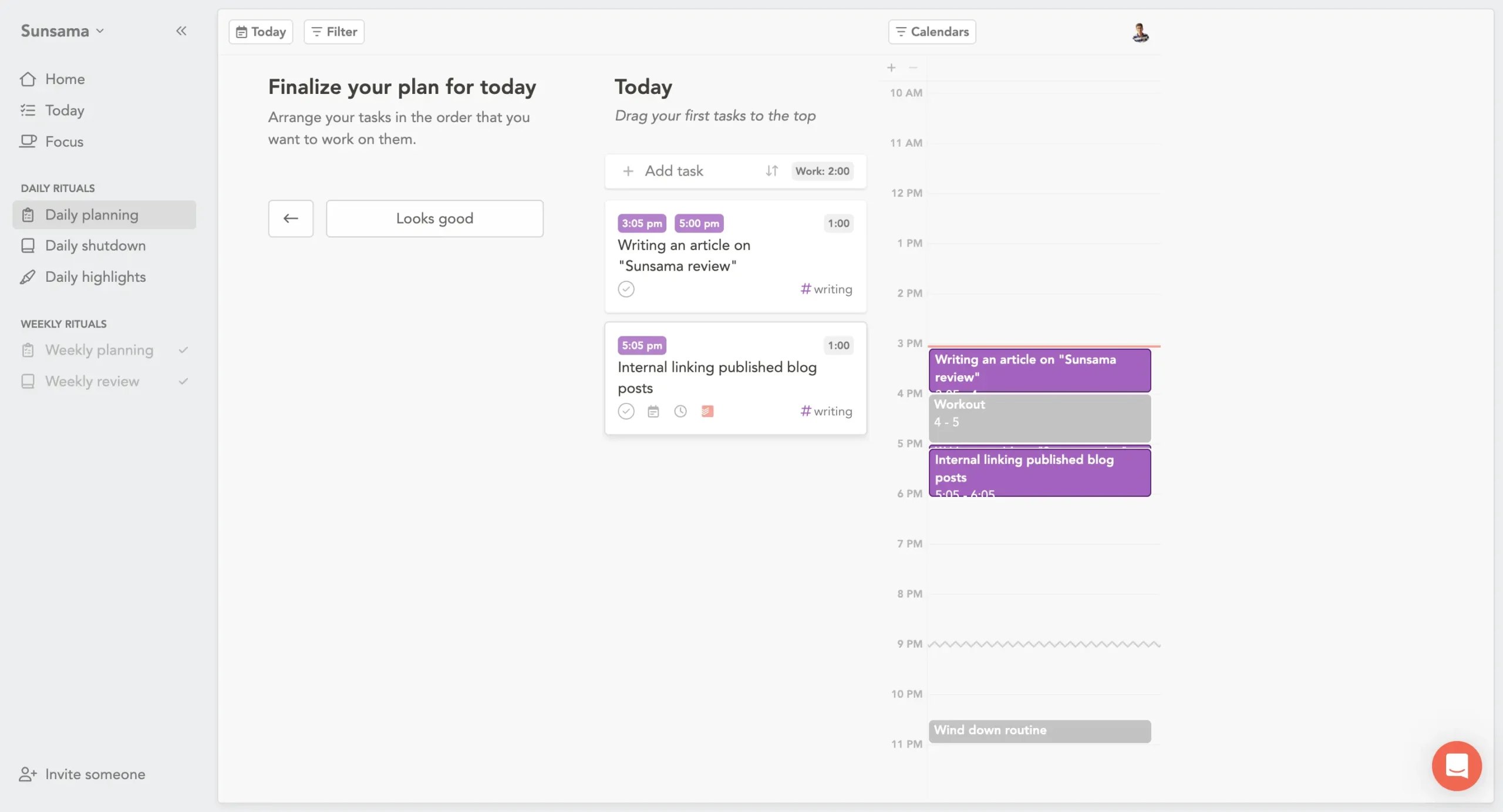
Fourth screen: finalize your plan. Arrange tasks in order. Drag them onto your calendar for specific time blocks, or leave them in a list. The calendar updates in real time showing exactly when you’ll finish.
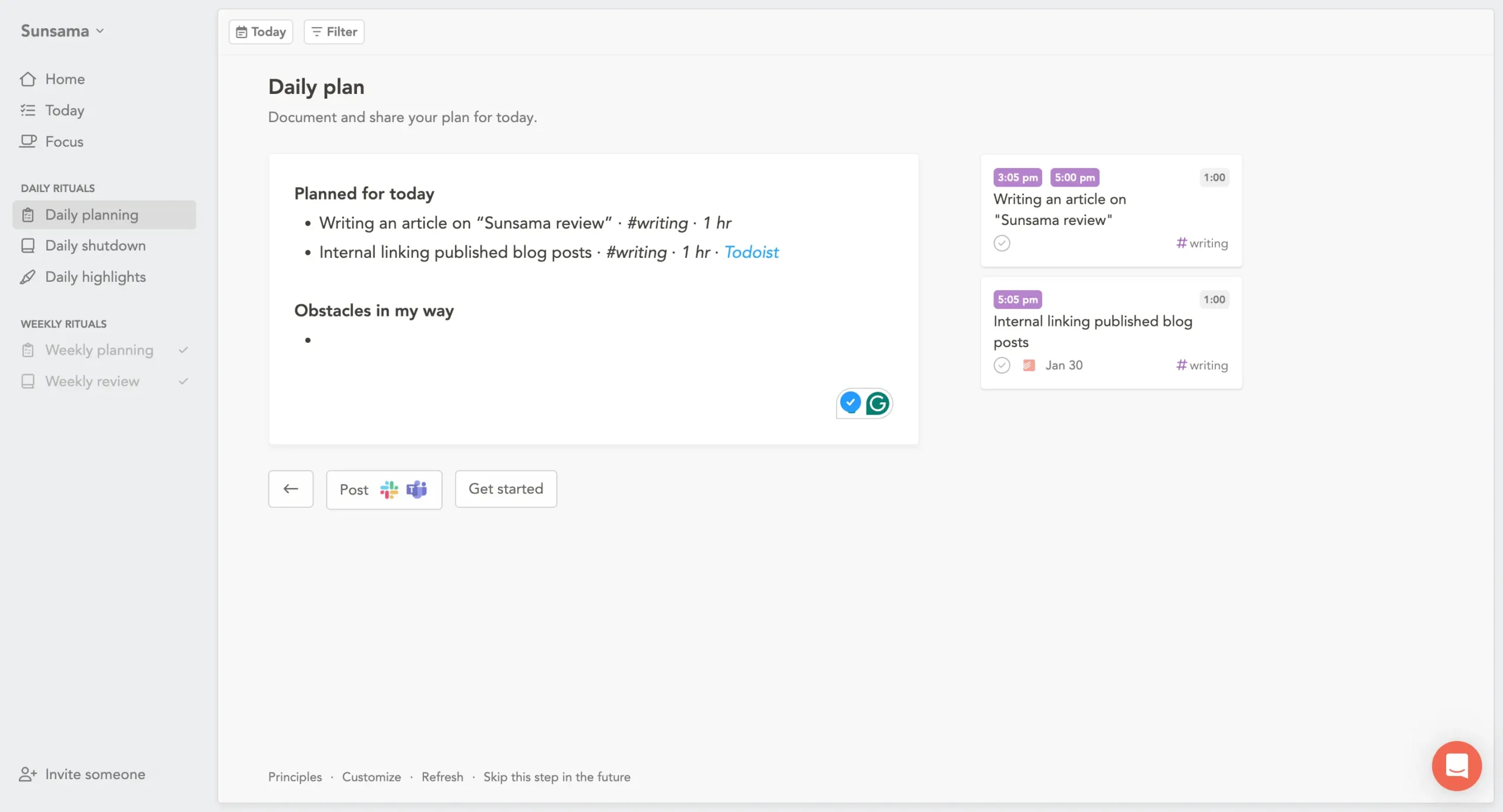
Last screen: journaling. Sunsama shows everything you planned and asks if there are any obstacles. You can write whatever you want, or nothing. Click “Get started.”
Ten to fifteen minutes total.
The difference is philosophical, not technical.
Akiflow says: here’s a workspace, plan if you want to. Sunsama says: we’re not starting until you’ve thought through your day.
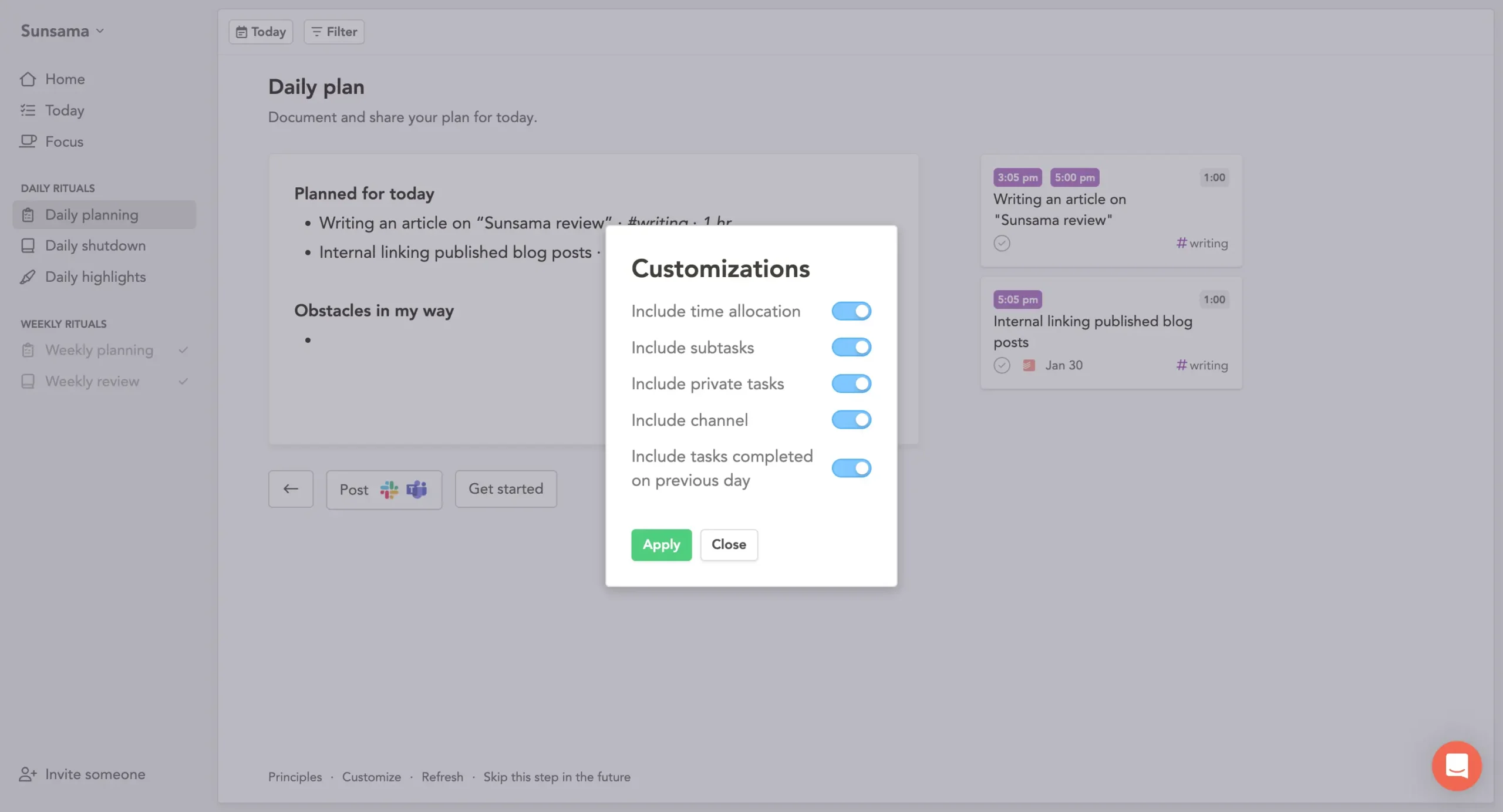
Sunsama’s journaling space is better. When you’re reflecting, there’s actual room to think through why you feel a certain way about the day.
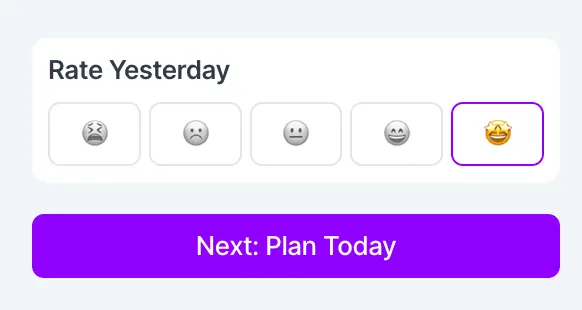
Akiflow has a reflection field, but it feels tacked on. Just a smiley-faced rating.
Sunsama also warns you more aggressively. When you’ve loaded too much work, it highlights the problem. Akiflow shows you the same numbers but trusts you to notice.
But Akiflow is objectively faster.
If you already know how to plan—you’re realistic about time, you understand your capacity—the single-screen approach just gets out of your way. Sunsama’s multiscreen flow creates overhead even when you don’t need it.
So which works?
If you’re constantly overcommitting—loading 10 hours of work into an 8-hour day, then wondering why you’re behind—Sunsama’s forced planning works.
You can’t ignore the math when it’s staring at you.
If you’re already good at planning and just need a clean workspace, Akiflow’s optional approach works better.
3. AI & automation
Most productivity tools either have no AI or AI that tries to run your life. Akiflow and Sunsama picked opposite extremes.
Akiflow’s AI assistant is called Aki. You talk to it like a person. “Reschedule my workout to Thursday morning.” It just does it.
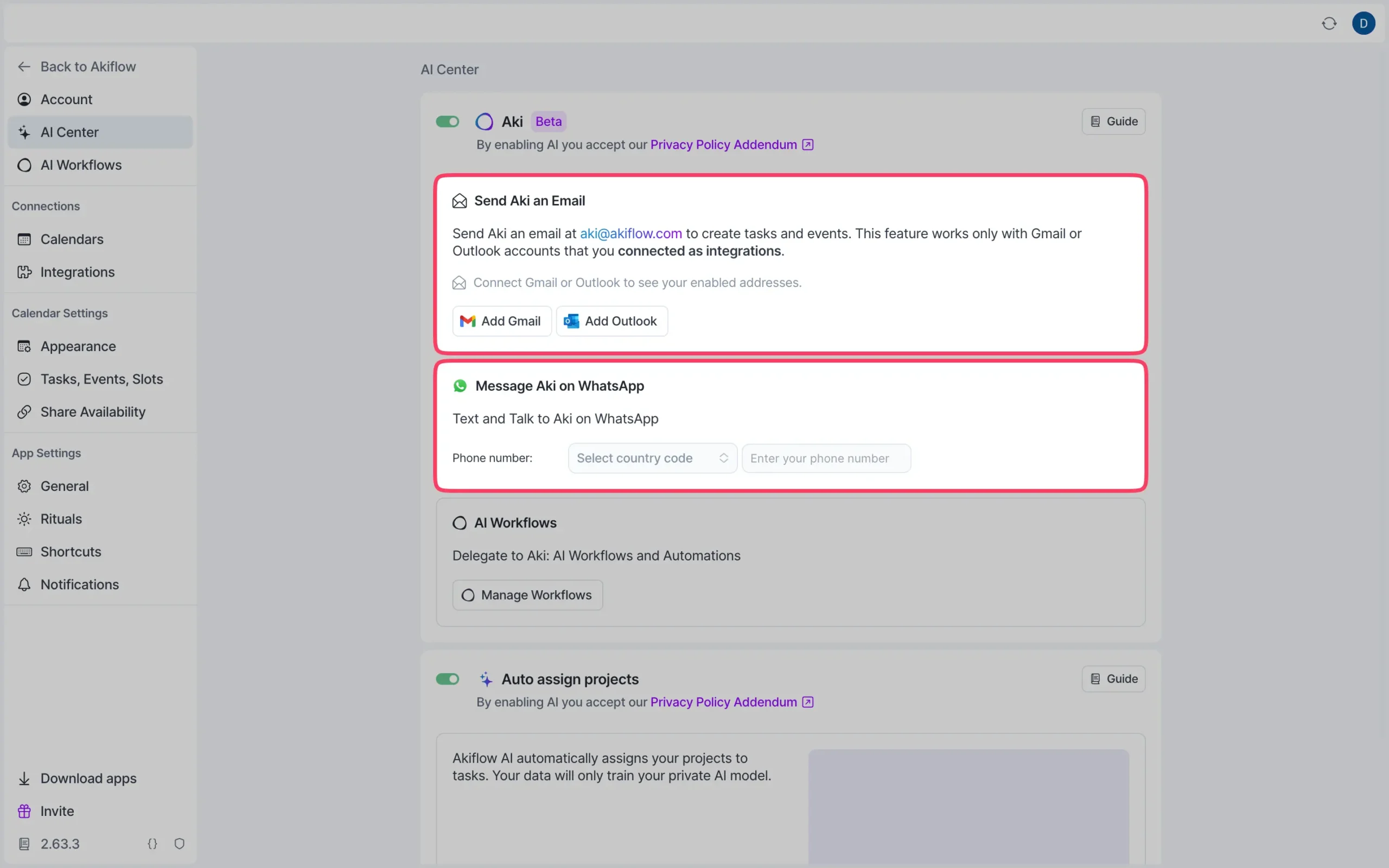
You can reach Aki anywhere. Type in the chat. Send a voice message. Hit Command+E from your computer and speak.
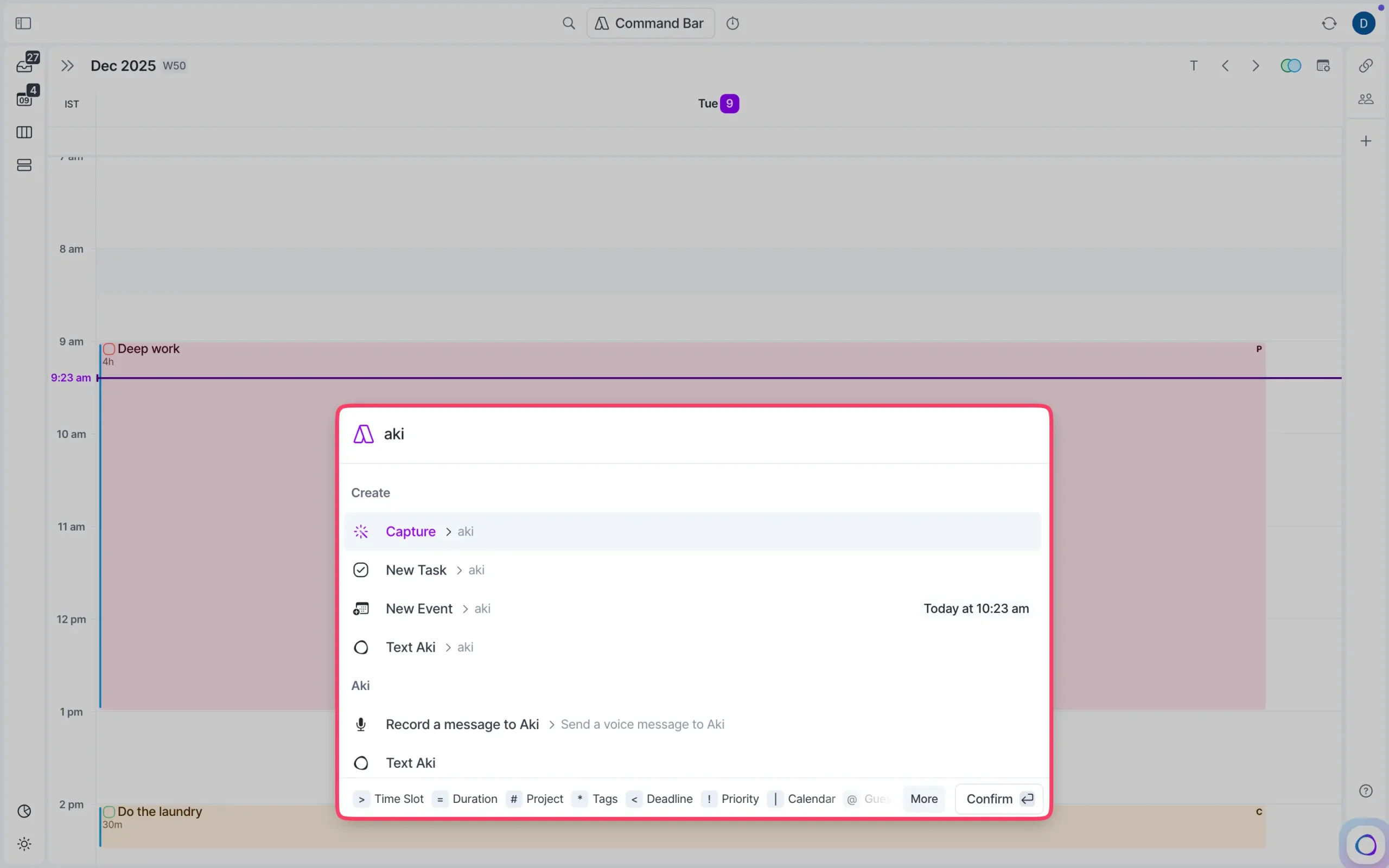
Email it. Message it on WhatsApp.
Say “when’s my next free slot on Friday?” and it tells you.
Say “create a meeting with Leslie tomorrow at 10 am,” and it creates the event, finds Leslie, and adds a call link.
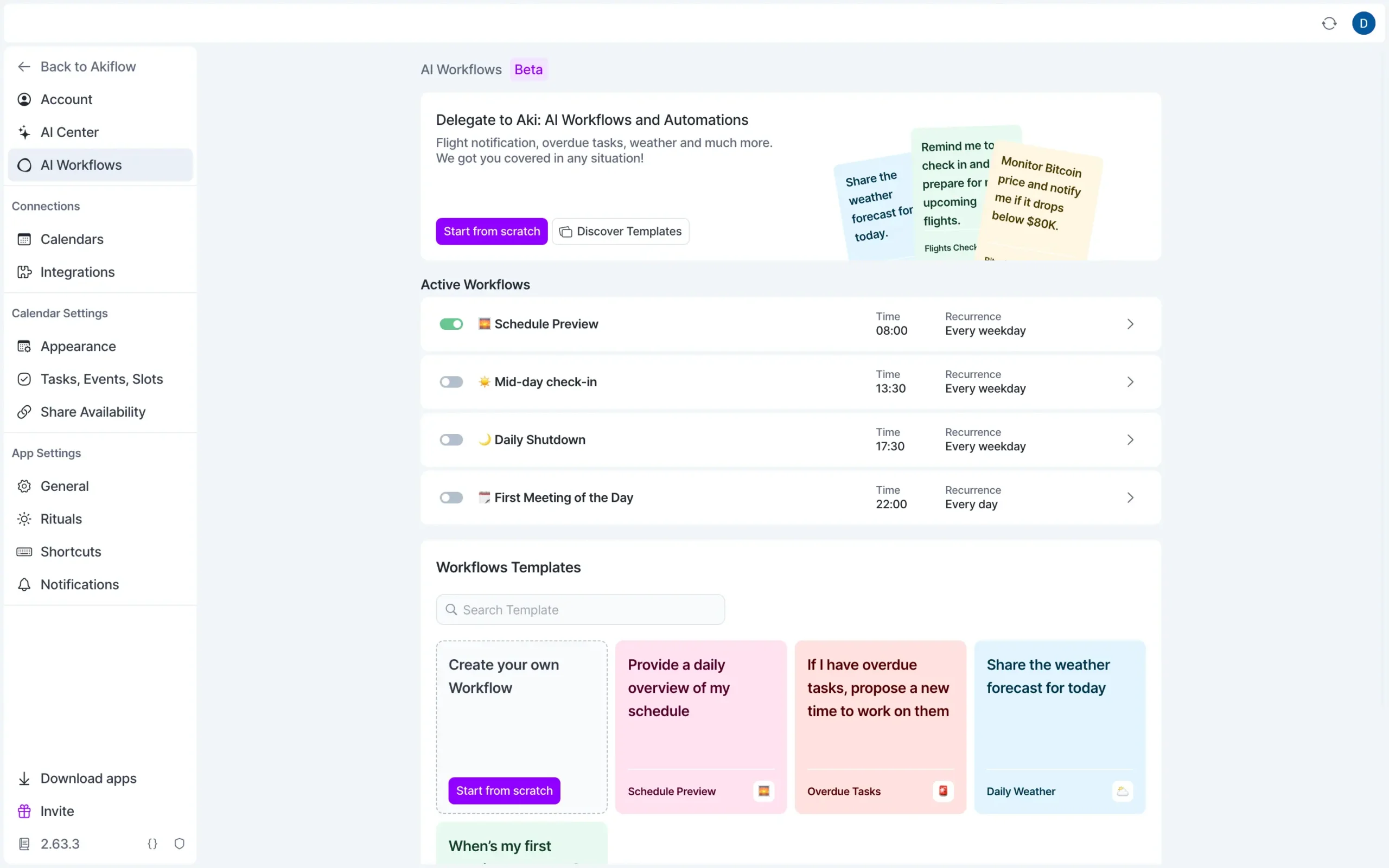
The real power is Workflows.
You set a schedule and tell Aki what to do automatically. Every morning at 7:30, check the weather. If it’s good, add a run to my calendar. Every weekday at 6 pm, review overdue tasks and suggest when to reschedule them.
Aki remembers things you tell it about yourself. Preferences, patterns, goals. This memory persists. The more you use it, the better it gets.
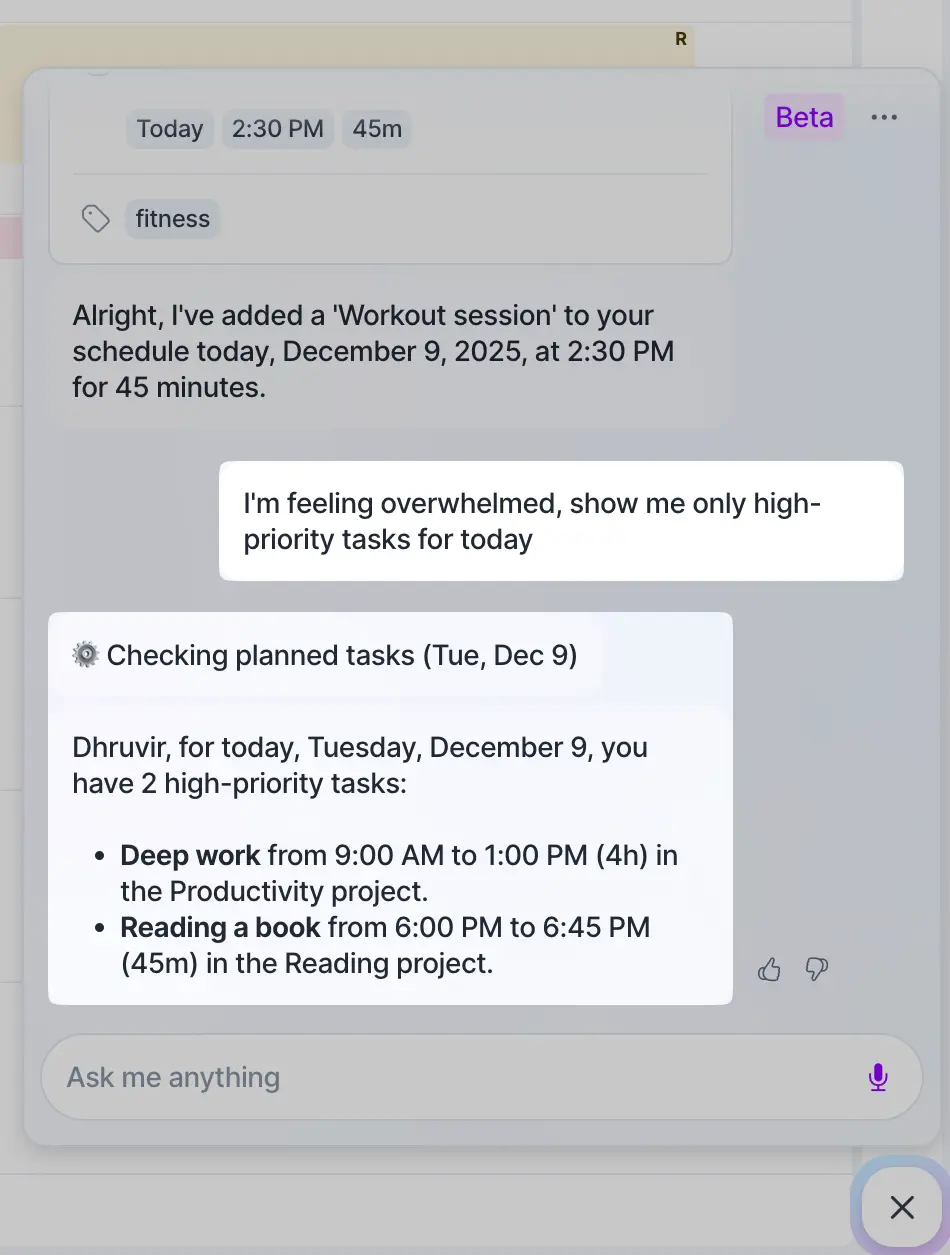
Ask “I’m feeling overwhelmed, show me only high-priority tasks,” and it filters everything else out.
But Aki is still in beta.
Sometimes it misunderstands. You might rephrase the same command three times before it gets it right. It can’t create recurring events yet, only recurring tasks. It won’t create new projects or tags, just assign existing ones.
When I tried moving my workout, it took several attempts. The more specific you are, the better it works.
Sunsama went the opposite direction. No AI decision-making. You control everything.
The only AI feature is Daily Highlights: end-of-day summaries of what you accomplished.
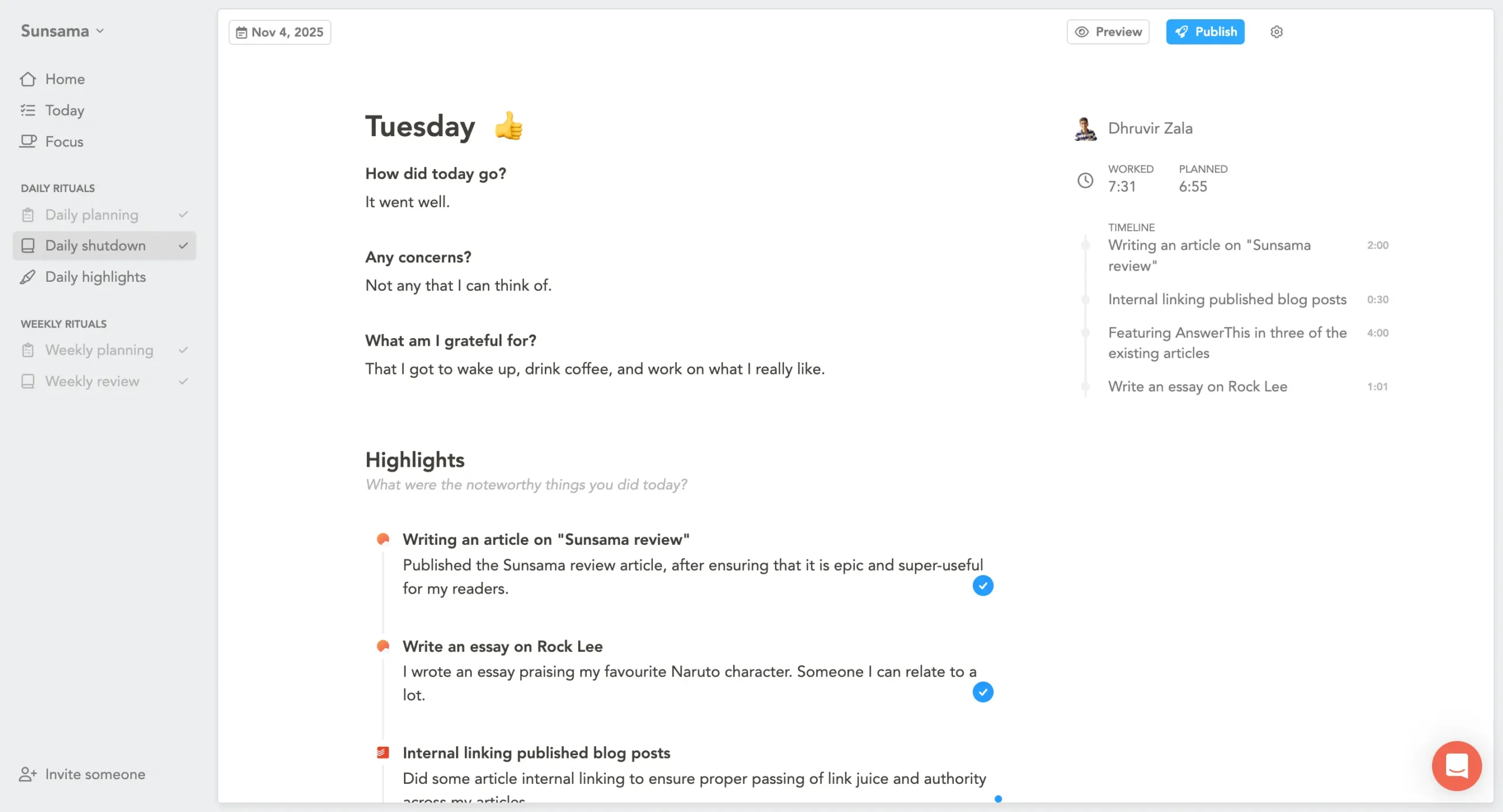
During the shutdown ritual, Sunsama’s AI pre-selects what matters based on time spent.
A task you spent an hour on becomes a highlight. A five-minute admin task doesn’t. The AI writes actual summaries based on your task notes.
Say you worked on a GitHub pull request. It writes: “Implemented user authentication flow with OAuth integration and added tests.”
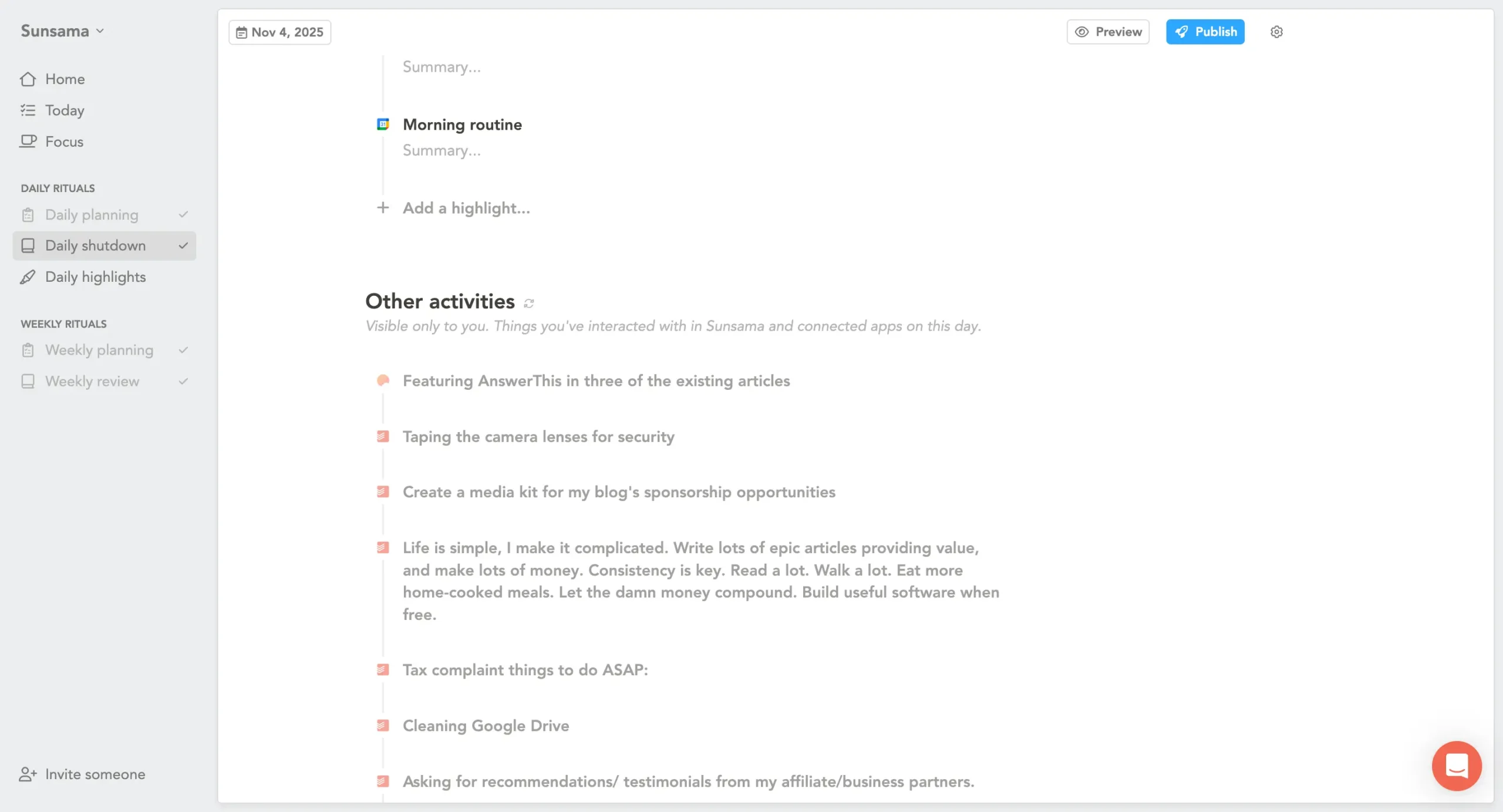
Not perfect, but good enough that you edit instead of writing from scratch.
Reorder highlights, nest them, and post to Slack. That’s it. That’s all the AI in Sunsama. No voice commands. No scheduling automation. No workflows.
The philosophy is clear: humans make decisions, AI handles documentation. Most teams do daily standups. Sunsama’s AI makes that faster. You did the work, AI wrote the update.
Power users who want automation and don’t mind occasional misunderstandings? Akiflow.
People who want control over every decision and just need help with updates? Sunsama.
4. Time blocking & calendar
Both tools put your tasks and calendar together. But they think about time blocking differently.
Akiflow is about speed
You see your calendar and task list side by side. Drag a task onto a time slot. Done. It’s on your calendar.
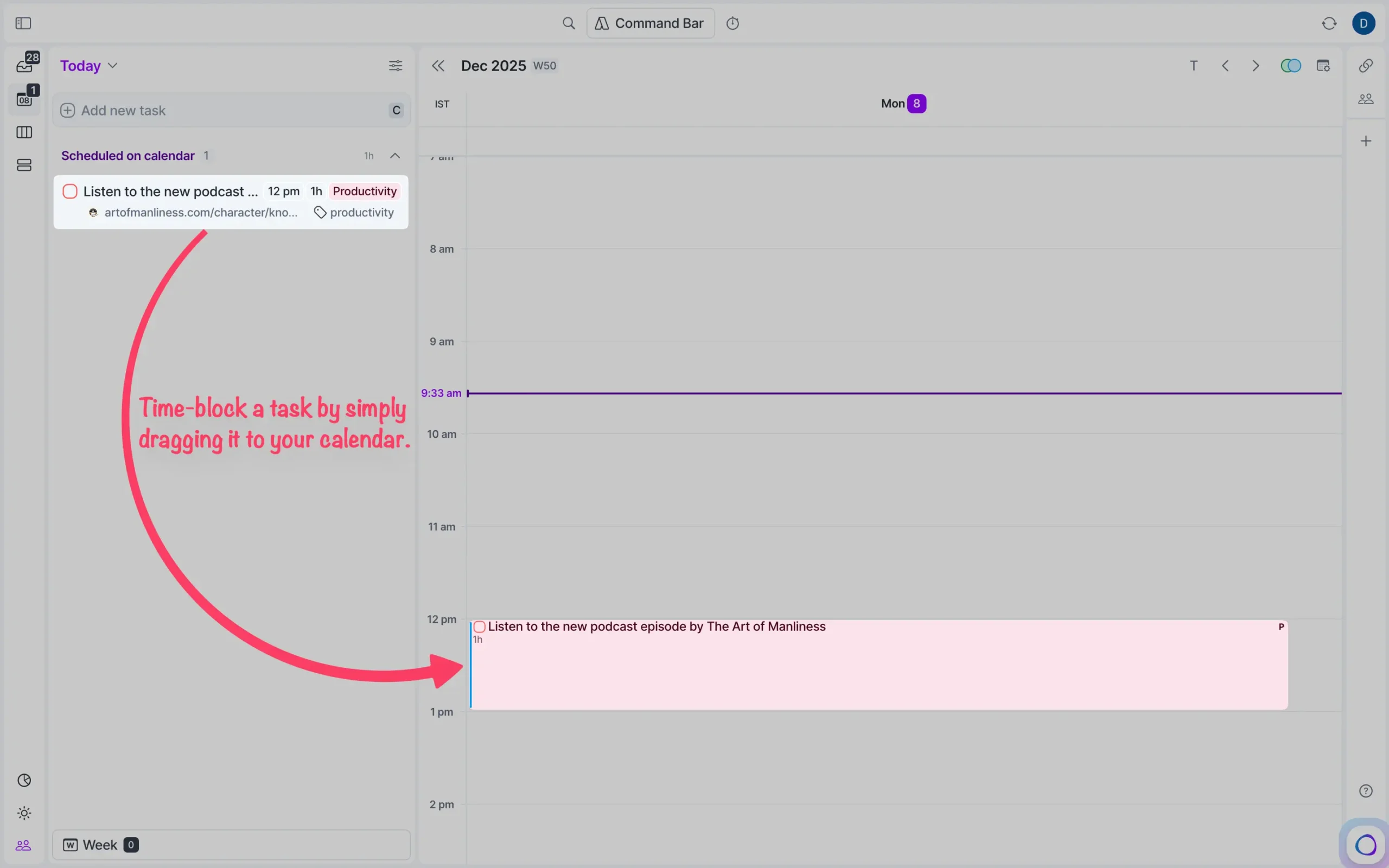
Want to change something?
Drag it to a new time. Akiflow adjusts everything else automatically. No clicking through menus. Just move things around.
The draggable focus timer runs everywhere on your computer (if you’re using Akiflow’s desktop app).
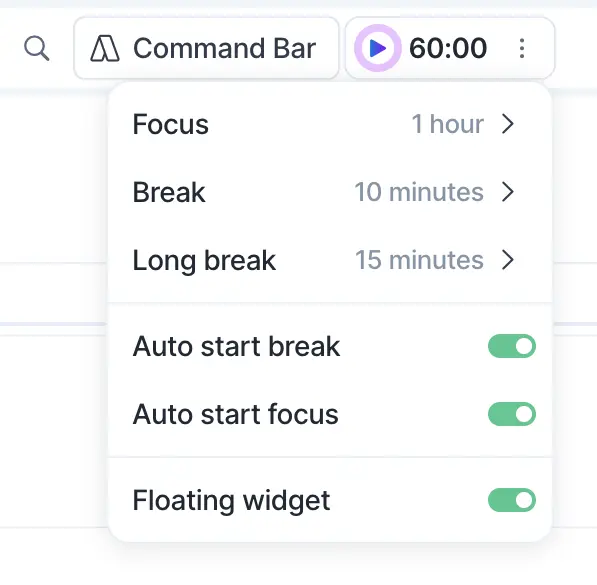
Start it on a task, and it follows you between apps.
Sunsama thinks about time differently
First question: locked commitments or flexible estimates?
Timeboxing locks tasks to specific times. Say you schedule “Write report” from 2 to 3 PM. That becomes a real calendar event on Google or Outlook.
Playlist mode is looser.
Tasks show up as projections—estimates of when you’ll probably work on them. These aren’t locked. They shift around as your day changes.
The projections do basic math.
Task order, remaining time, meetings in your way, and your work hours. Finish early, everything shifts forward. Reorder tasks, projections update instantly.
Here’s what makes Sunsama different: it catches conflicts.
When you schedule a task on top of another task, it automatically moves the overlapping one forward. When you finish early, it offers to shift remaining tasks to fill the gap.
You can disable auto-rescheduling or temporarily override it by holding Shift. But most people leave it on because it prevents the chaos that usually happens with time blocking.
Focus Mode in Sunsama hides everything except what you’re working on.
Press F on any task. One task, one timer, nothing else. The interface is bare—task name at the top, notes if you added any, calendar hidden at the edge.
Both tools track planned versus actual time. This teaches you how bad you are at estimating. You think emails take 30 minutes. They take 50. You plan an hour for writing. It needs 90 minutes.
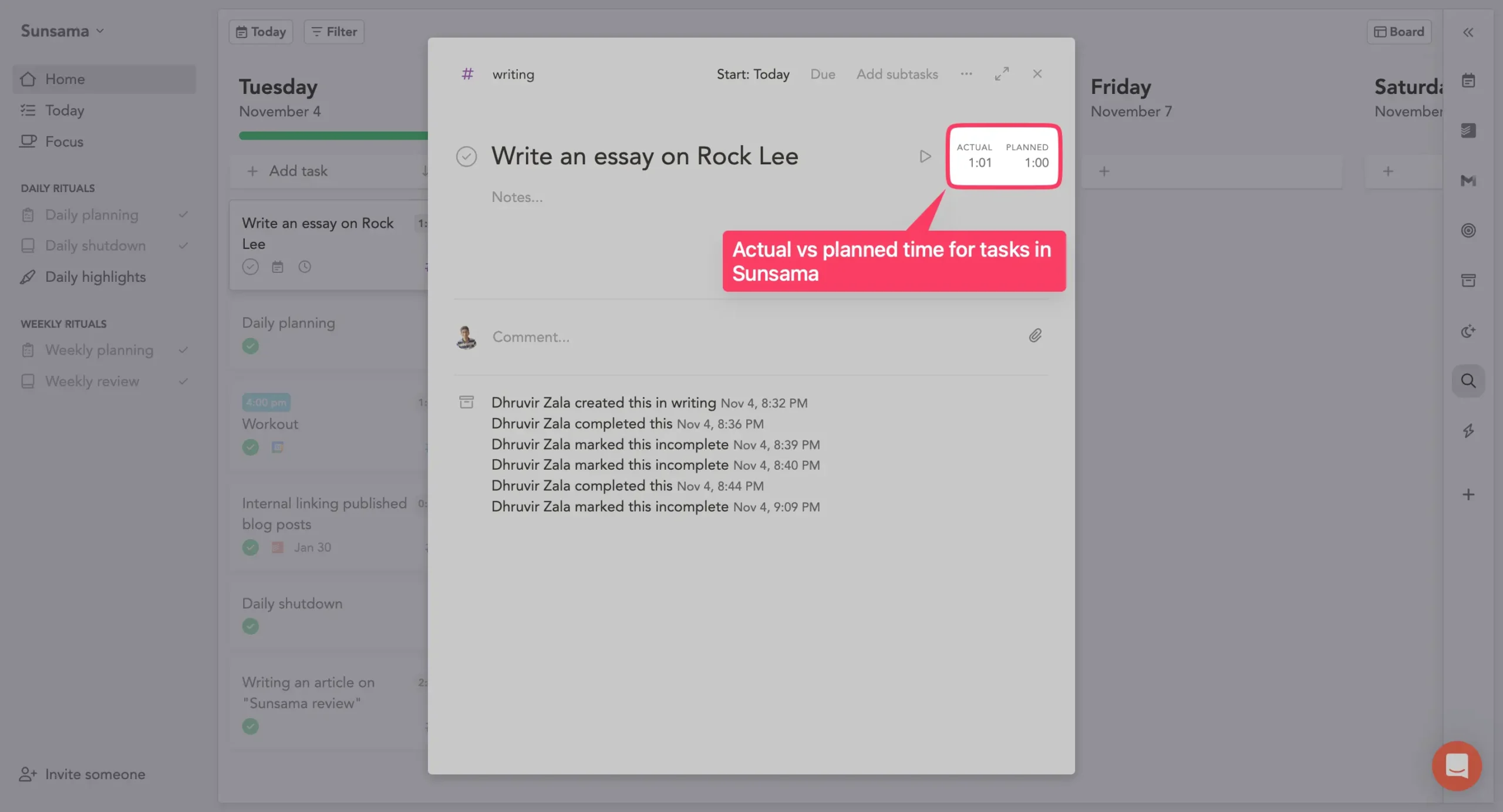
After a few weeks, you notice patterns. Then you adjust. You stop lying to yourself about how long things take.
If your day is packed with meetings, and you just need to slot tasks into gaps, Akiflow’s drag-and-drop is faster.
If you’re consistently overcommitting—loading 8 hours of tasks into a 6-hour window—Sunsama’s projections show you’ll be working until 8 PM. Before you start.
5. Command bar vs guided flow
Akiflow built everything around the keyboard.
Press Command+E (CTRL+E on Windows) from anywhere on your computer—reading an article, checking Slack, writing an email—and a capture window appears.
Type “Review proposal #work @urgent ^friday” and you’ve created a task with a project, tag, and deadline. In a few seconds.
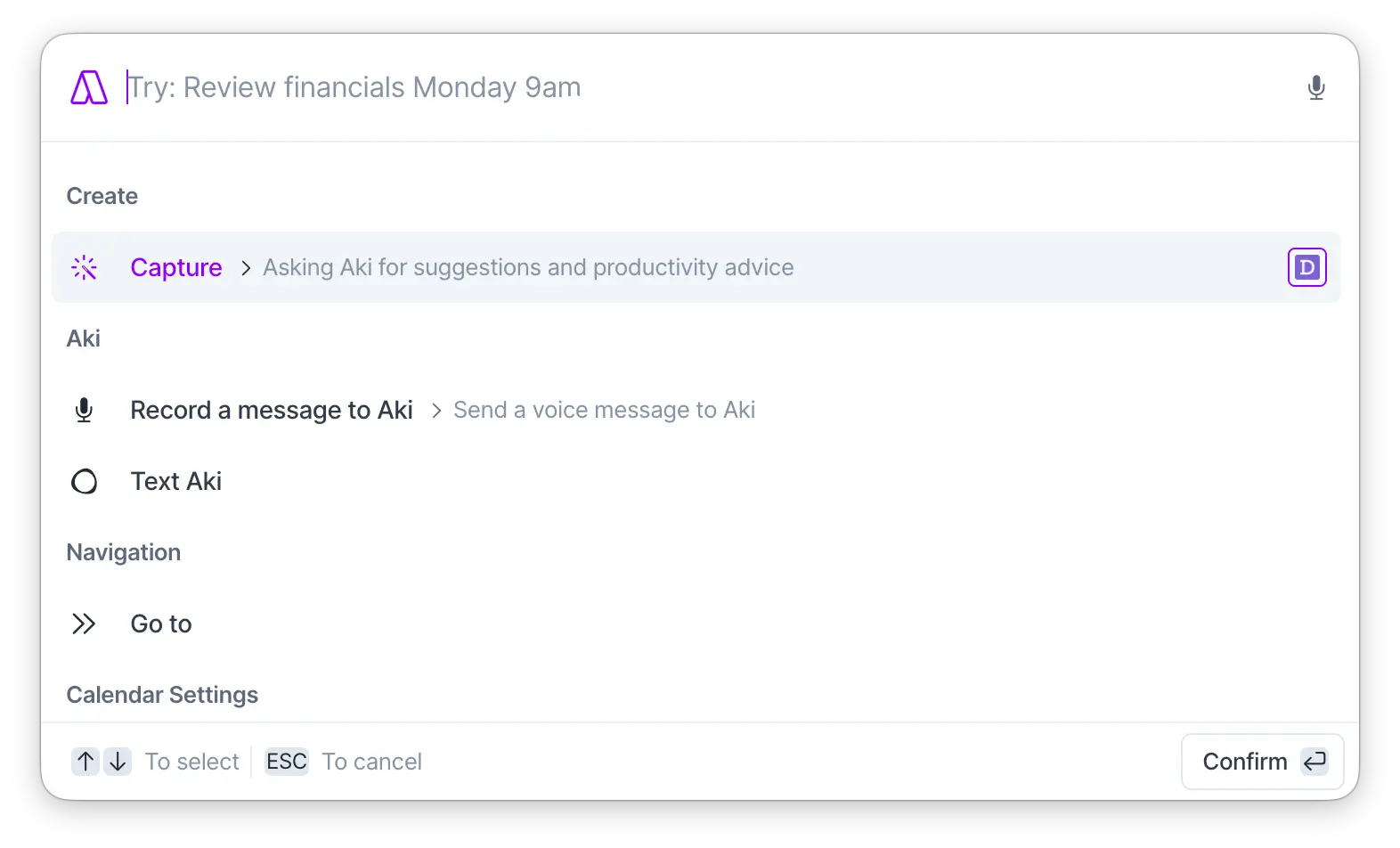
The command bar is how you’re supposed to use Akiflow. Press Command+K inside the app, and you can do anything without touching your mouse.
Create tasks. Jump to projects. Navigate to specific dates. Change task properties. Every single action has a shortcut.
Natural language works too. “Next Monday at 2 pm” becomes a scheduled task. “In 3 days” sets the date. “Friday morning” puts it on your calendar. Akiflow figures it out.
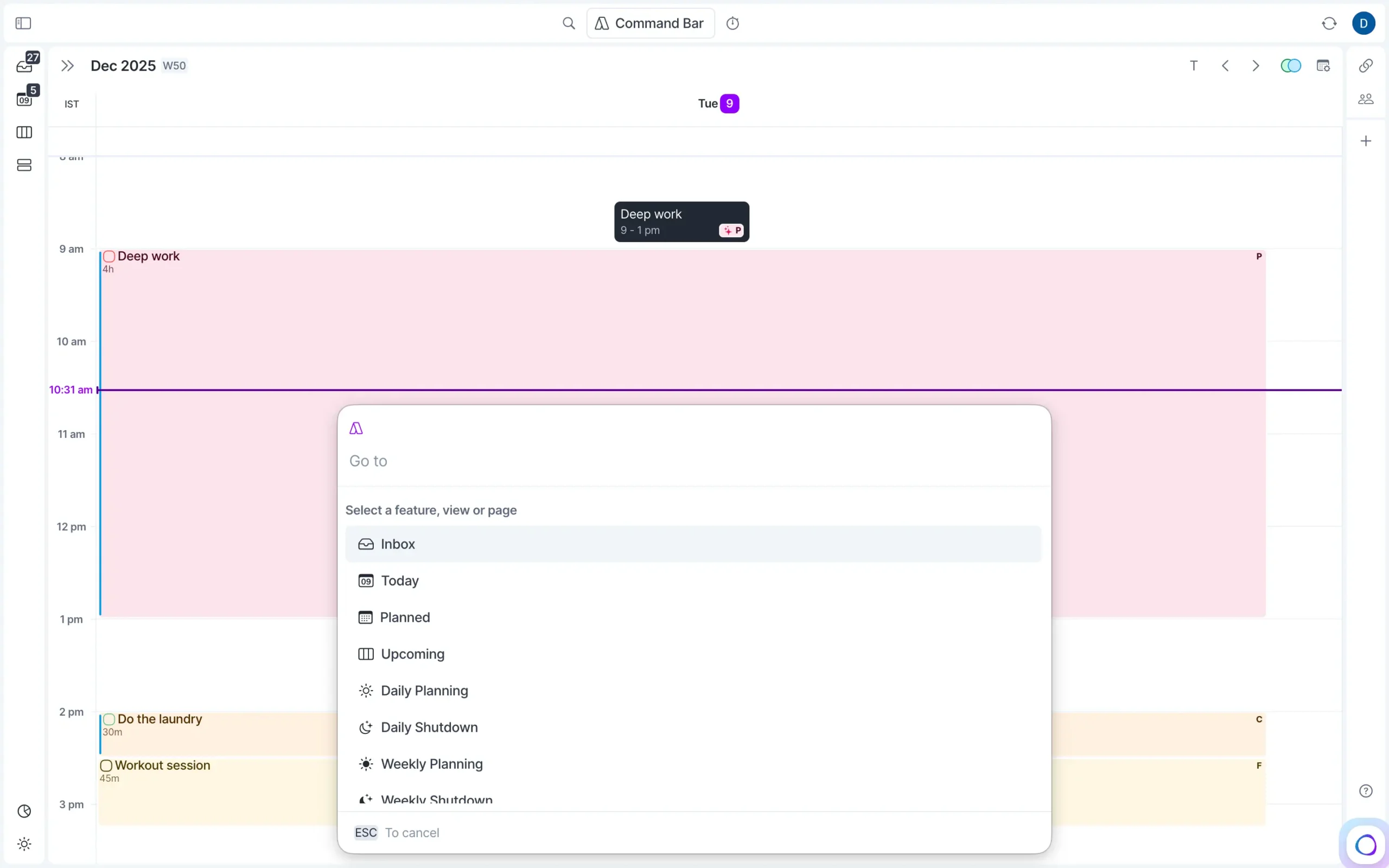
The “Go to” command is particularly useful.
Press G, type “next week,” and you’re looking at next week’s calendar. Type a project name, and you jump there. Type “inbox,” you’re in your inbox. Faster than clicking through your sidebar.
Every shortcut is customizable.
Don’t like Command+K? Change it. Want different shortcuts for planning versus completing tasks? Set them.
The entire interface assumes you’ll learn the keyboard controls.
In Sunsama, there’s a command bar, but it’s not as extensive, fast, or as powerful as Akiflow’s. Plus, the interface is primarily built around dragging and dropping things with your mouse.
This is slower by design.
The whole philosophy says: you should think before you add something.
Taking two extra seconds to move your mouse and drag a task onto a time slot forces you to consider whether you actually have time for it.
Sunsama does have keyboard shortcuts—press F for Focus Mode, press R to align a task with a weekly objective—but they’re minimal. Most actions require clicking.
6. Work-life balance features
Both tools have shutdown rituals. Both will notify you when it’s time to stop working.
The difference isn’t what features they have. It’s what they care about most.
Akiflow has all the pieces. You can set your work hours in Settings. You’ll get a notification when your shutdown time hits. The Daily Shutdown screen shows what you completed and asks how you’re feeling.
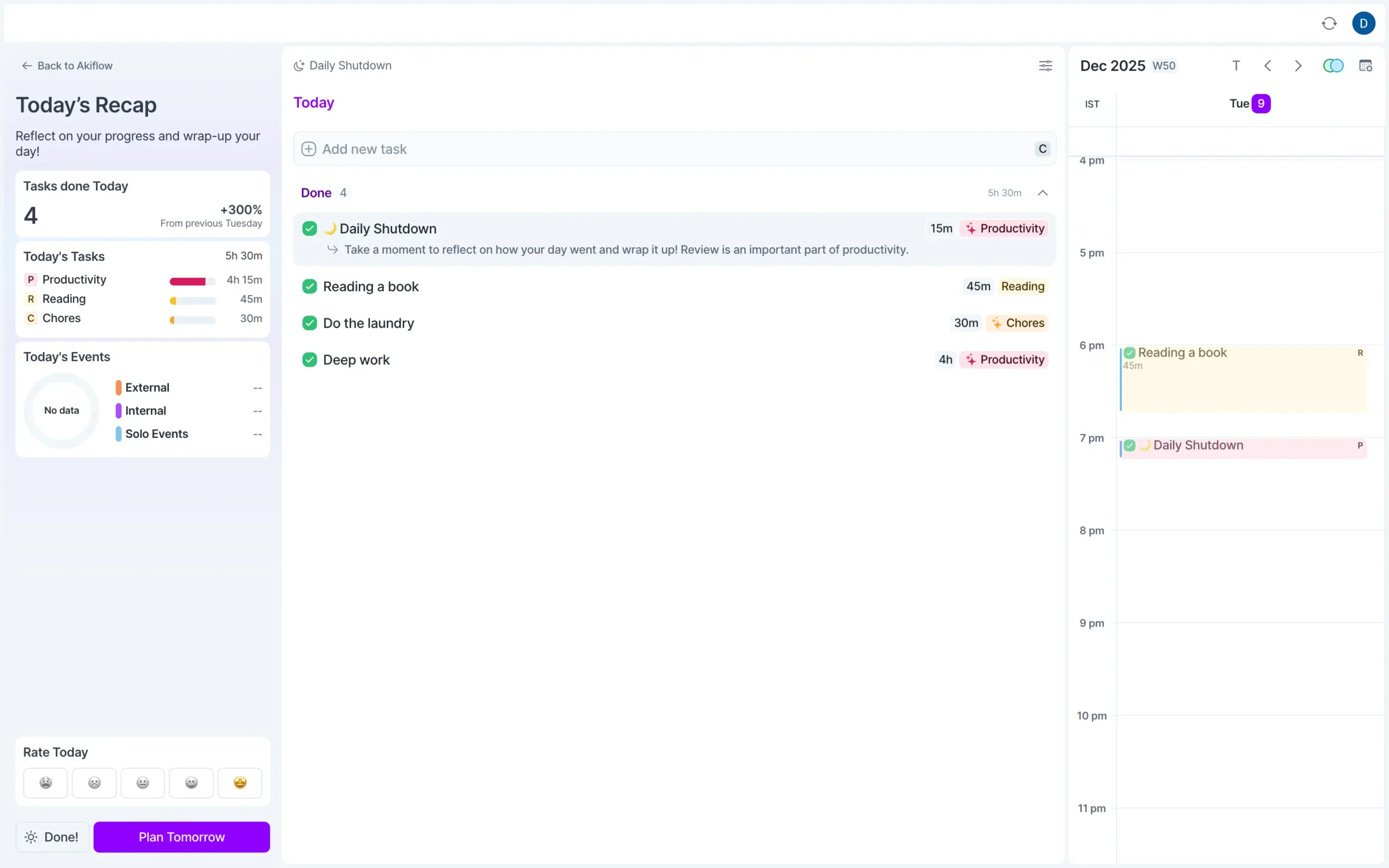
But work-life balance isn’t what Akiflow is built around.
Akiflow positions itself as an AI productivity assistant. Task consolidation is the main thing—pulling everything from 20+ tools into one screen. AI automation comes next.
The shutdown features exist, but they’re secondary to the core purpose.
When you look at how Akiflow talks about itself, it’s about speed, automation, and consolidation. “Do more, faster.” The boundaries are there if you want them.
Sunsama built the entire tool around work-life balance.
Every morning, the first question is: “When do you want to stop working today?” Not “what do you want to accomplish?” Not “how productive can you be?”
When will you be done?
Then it shows you a running total as you add tasks. Plan 8 hours of work for a 6-hour window, and it warns you before you start. The math doesn’t work. You’re going to miss your shutdown time.
At the end of the day, the shutdown ritual doesn’t feel optional. The notification appears, you see what you accomplished, the AI generates your daily summary, and there’s this sense of: the workday is over.
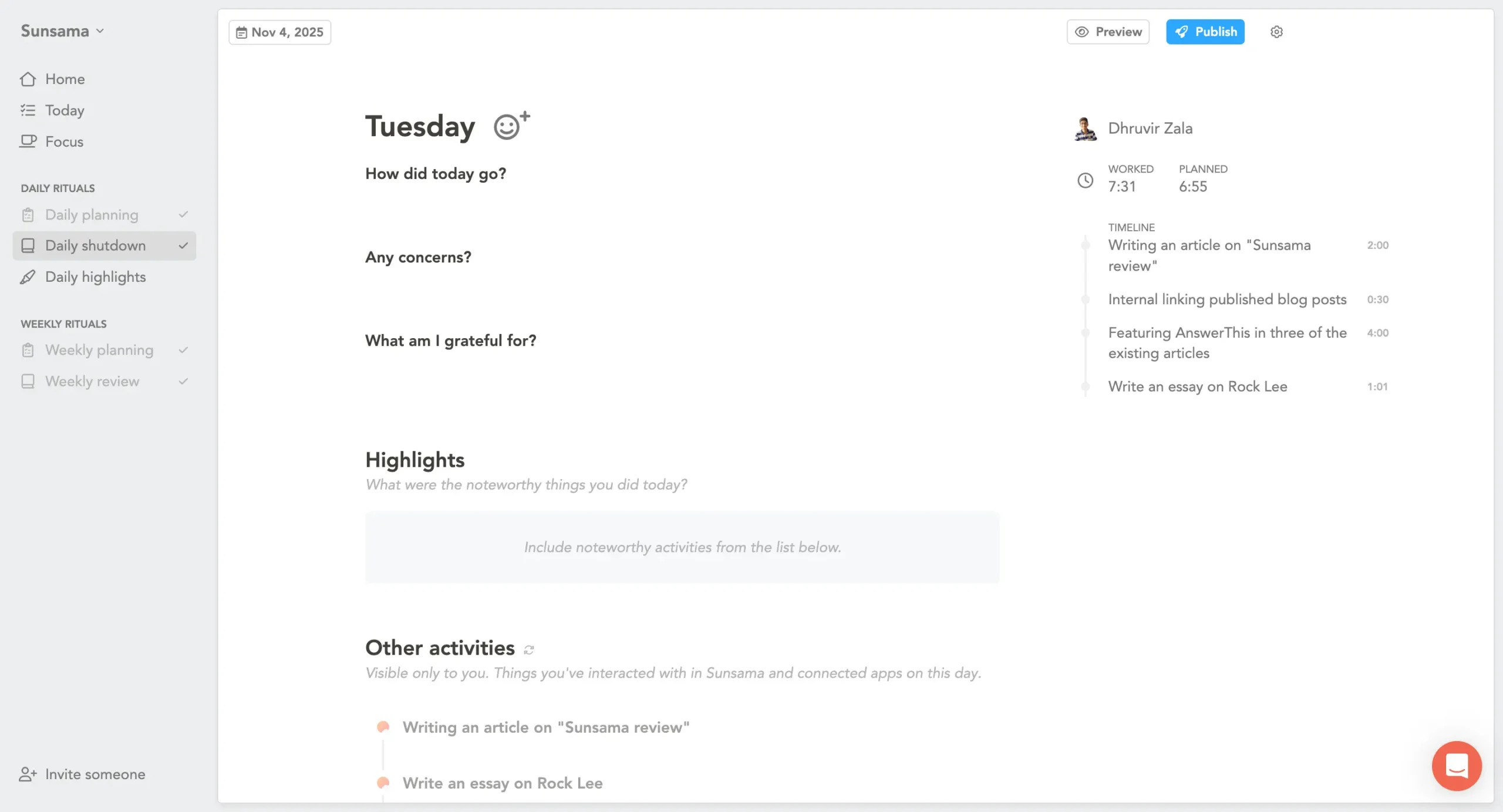
The whole design says: plan realistically, work intentionally, then stop.
Akiflow’s design says: consolidate everything, automate what you can, work efficiently. And yes, there’s a shutdown feature too.
Both approaches work.
If you’re someone who naturally stops at 6 PM, and you just need better task consolidation and AI automation, Akiflow’s shutdown features are plenty. You don’t need a tool nagging you to stop when you already know how.
But if work-life balance is your main problem—if you consistently work until 8 PM because you can’t tell when you’re done, if you feel guilty about unfinished tasks, if you require external structure to stop working—Sunsama is the better choice.
Not because it has more features. Because it has fewer.
Sunsama strips away the automation, the AI assistant, among other features. What’s left is simple: plan your day, do the work, stop at your chosen time.
7. Additional features
Both tools have features that don’t fit neatly into planning or time blocking, but matter enough to mention.
Some of these replace other tools you’re paying for. Some just make daily work smoother. None of them is the main reason to pick one tool over the other, but they add up.
Akiflow replaces your scheduling tool
You know how Calendly works—you share a link, people pick times, and meetings get booked. Akiflow does the same thing. Built in. No extra subscription.
Press S or click “Share availabilities” in the top right. Drag time slots on your calendar. Copy the booking link. Send it to whoever needs to schedule with you.
People click the link, see your available times, and pick one. The meeting appears on both calendars automatically.
The booking page is clean but basic.
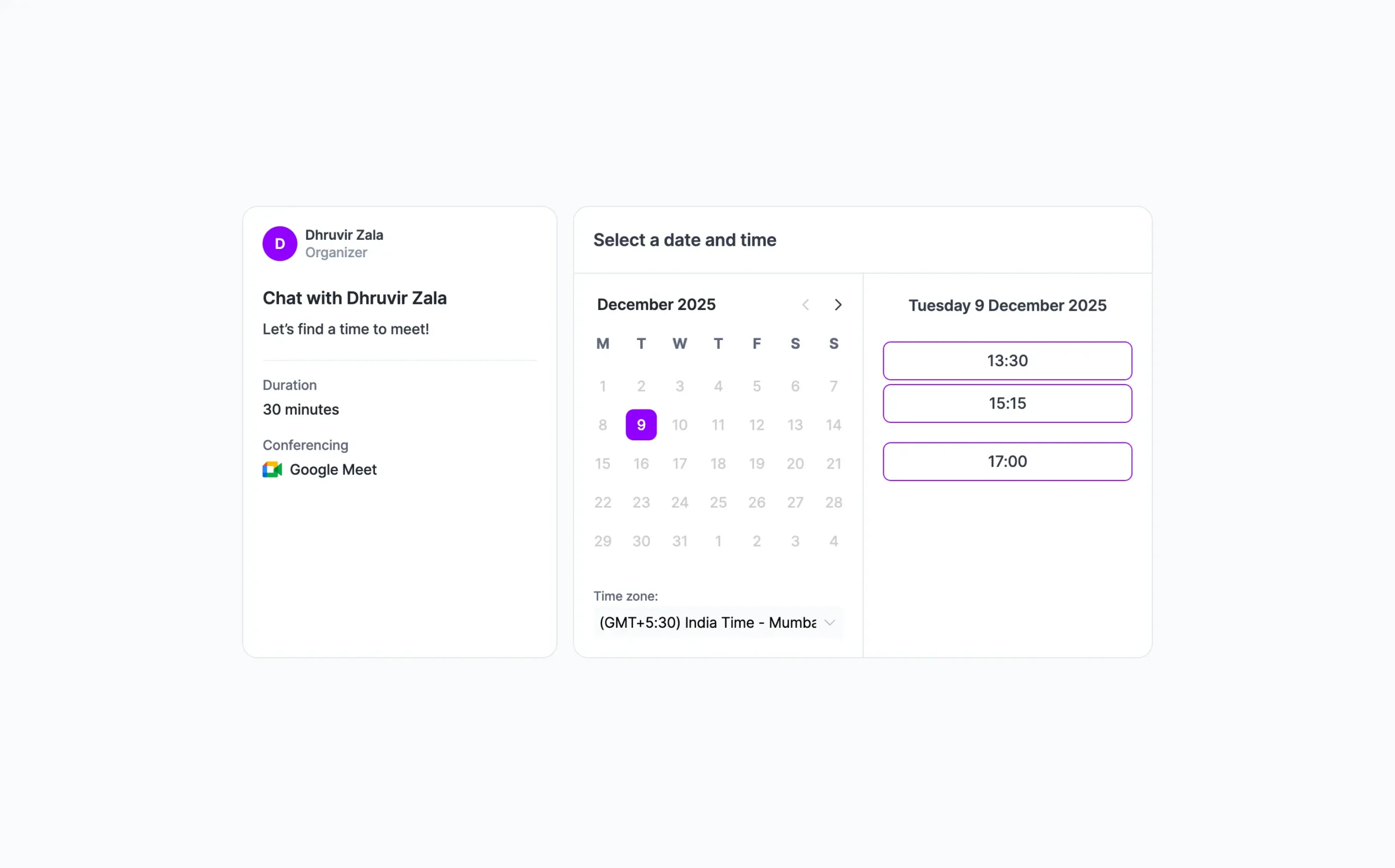
You can’t customize the design or collect payment. If you need those features, you’re still using Calendly.
But for most people—especially anyone already paying $10/month just to share their availability—Akiflow replaces it completely.
Akiflow’s desktop app has features that the mobile and web versions don’t have
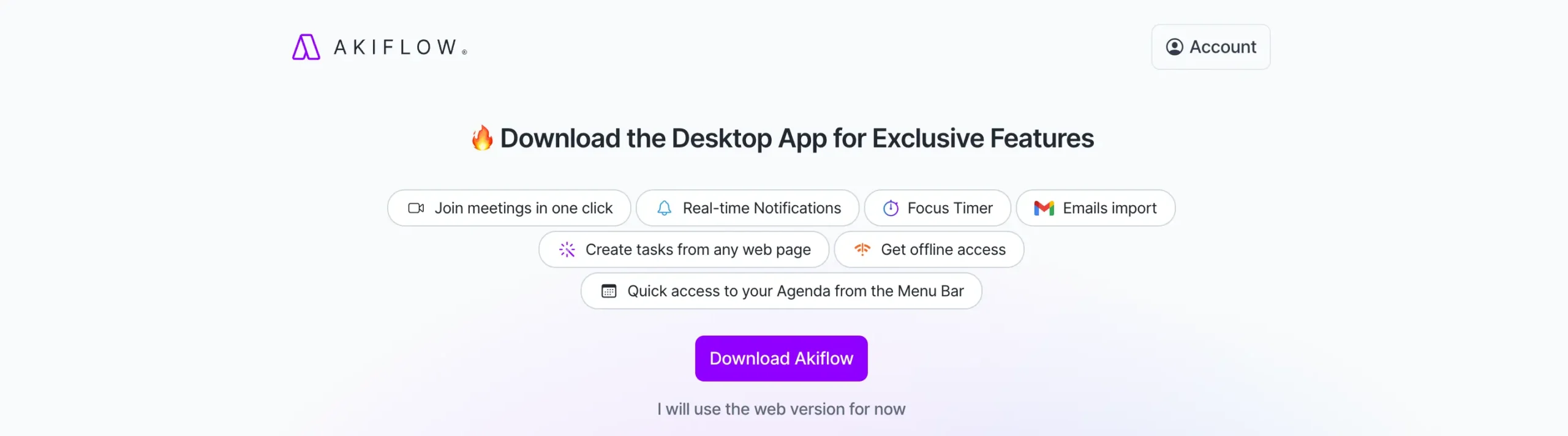
One-click meeting joins is the big one.
When a meeting is about to start, a notification appears with a “Join” button. Click it, and you’re in the call. Works with Zoom, Google Meet, and Microsoft Teams.
Small thing, but when you’re hopping between five meetings a day, not having to find the link saves time.
Sunsama’s weekly objectives connect daily work to bigger goals
Here’s the problem with task lists: you check things off, but you never know if the week mattered. You completed 47 tasks. Great.
Did any of them move something forward?
Weekly objectives are what you’re actually trying to accomplish. Not tasks—outcomes.
Say your objective is “Ship new onboarding flow.” You have tasks for copy, design, building, and testing. They span multiple days. But they all point at the same objective.
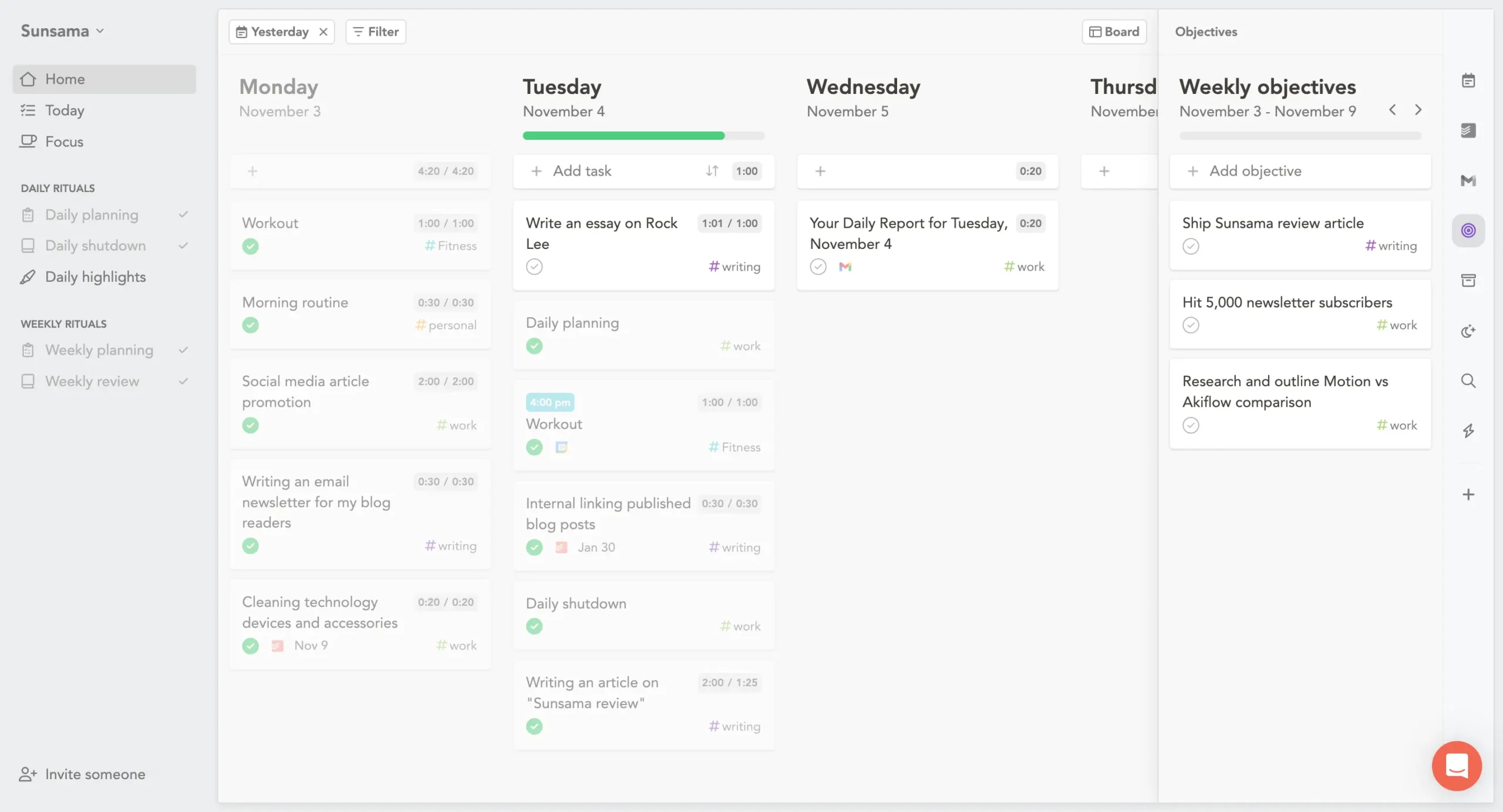
During weekly planning, you add objectives for the coming week. During daily planning, you align tasks to those objectives.
Hover over any task and press R.
A purple target icon appears.
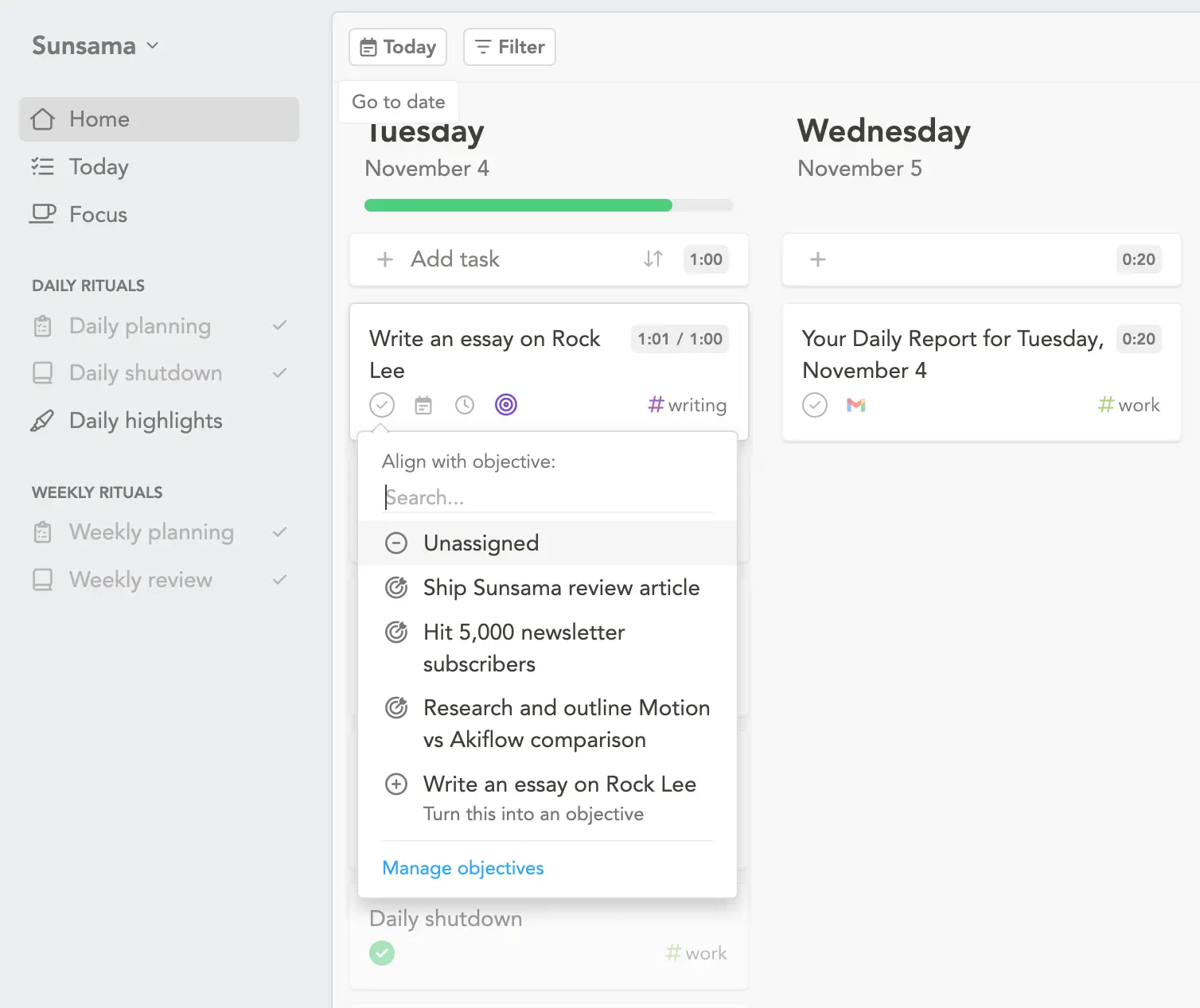
At the end of the week, Sunsama shows how much time you spent on objectives versus everything else. Most people discover they’re not working on what they said mattered.
The objectives don’t roll over. Each week starts fresh. This forces you to choose what matters now, not maintain some endless list of “someday” goals.
Sunsama’s Channels show where your time actually goes
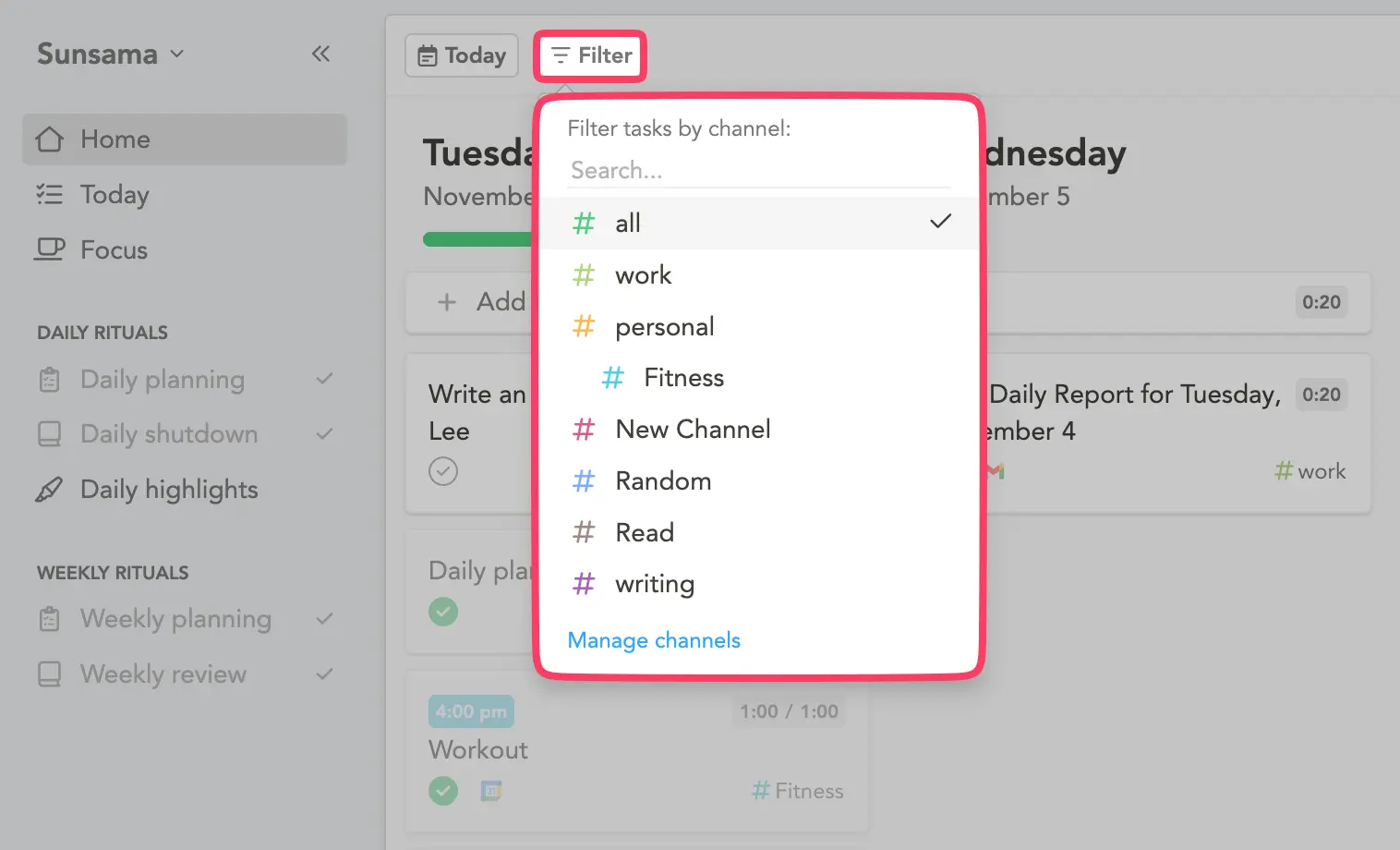
Channels are categories. #meetings, #writing, #admin, #product-work. Whatever matches how you split your time.
Every task gets assigned to a channel. At the end of the week, Sunsama shows the breakdown: 12 hours in meetings, 8 hours writing, 4 hours admin, 2 hours on product.
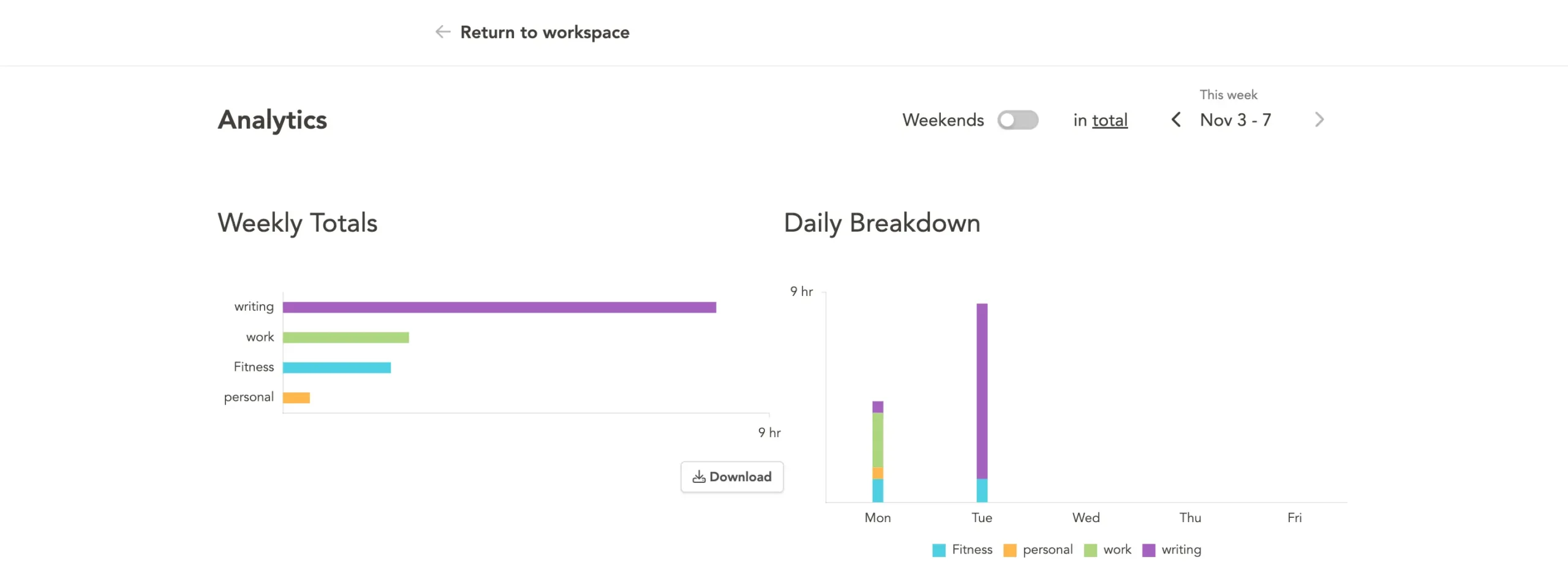
This matters because people lie to themselves about priorities. You say product work is the most important thing. Then the data shows you spent six times longer in meetings.
Contexts group channels together.
You might have #work context (containing #meetings, #product, #engineering) and #personal context (containing #errands, #health, #side-project).
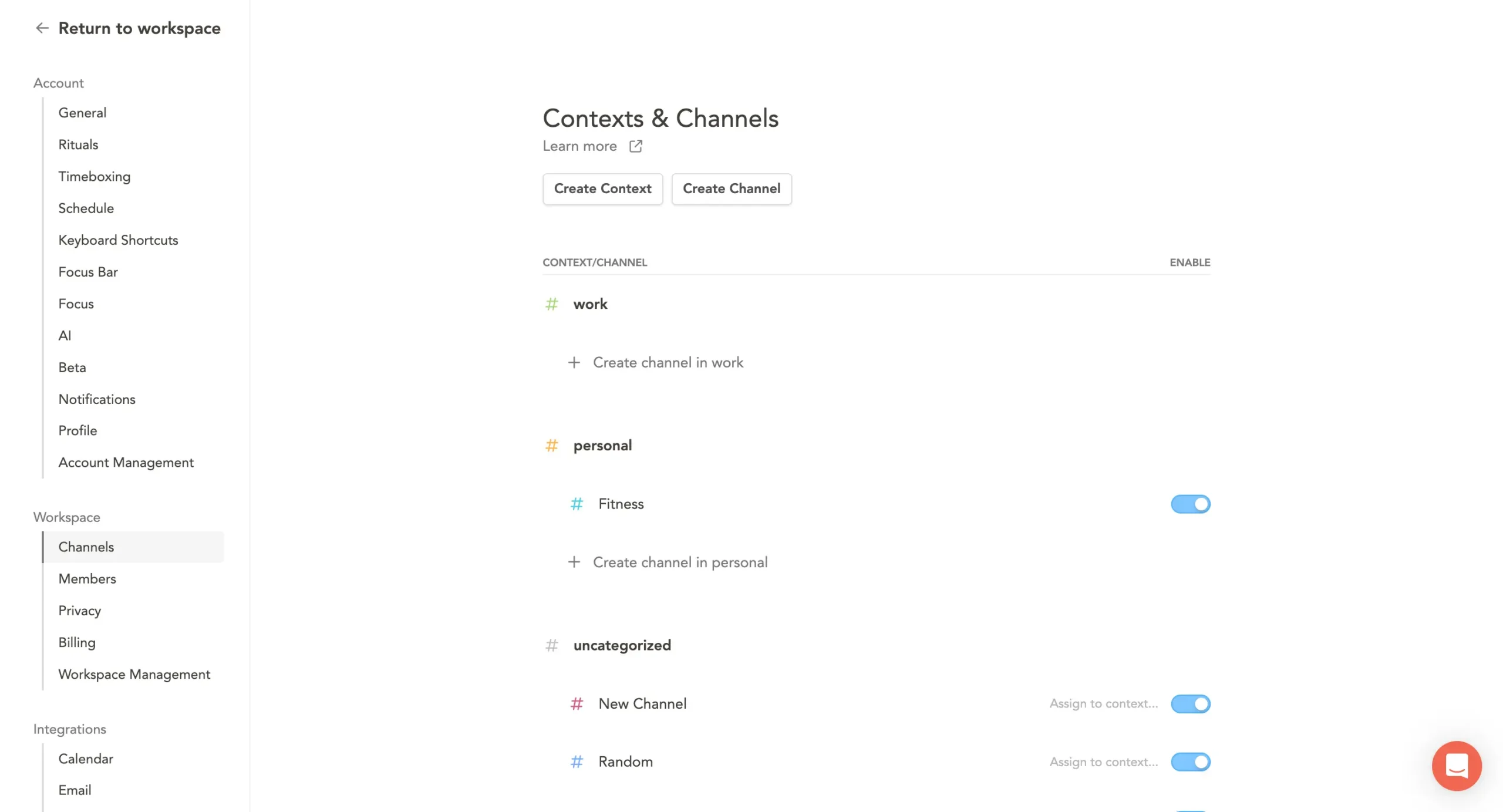
Press Shift + F to filter your workspace to one context. See only work tasks during work hours. Switch to personal after 6 PM.
You can also route channels to specific calendars.
Work tasks go to your work calendar. Personal tasks stay on a private calendar that only exists inside Sunsama. Your coworkers see your meetings. They don’t see your dentist appointment.
Which extras matter?
The scheduling links save $10-15/month if you’re paying for Calendly. The one-click meeting joins save maybe three minutes per day. Offline access matters if you travel or have spotty internet.
Weekly objectives and channels matter if you’re the type who works hard but can’t explain what you accomplished. They turn that vague feeling of “I’m busy but nothing’s moving” into actual data.
Neither set of features is the reason to pick one tool over the other. But if you’re on the fence, they might tip the balance.
Akiflow vs Sunsama: Pricing comparison
Sunsama costs more. The question is whether it’s worth it.
Akiflow: $228/year or $34/month
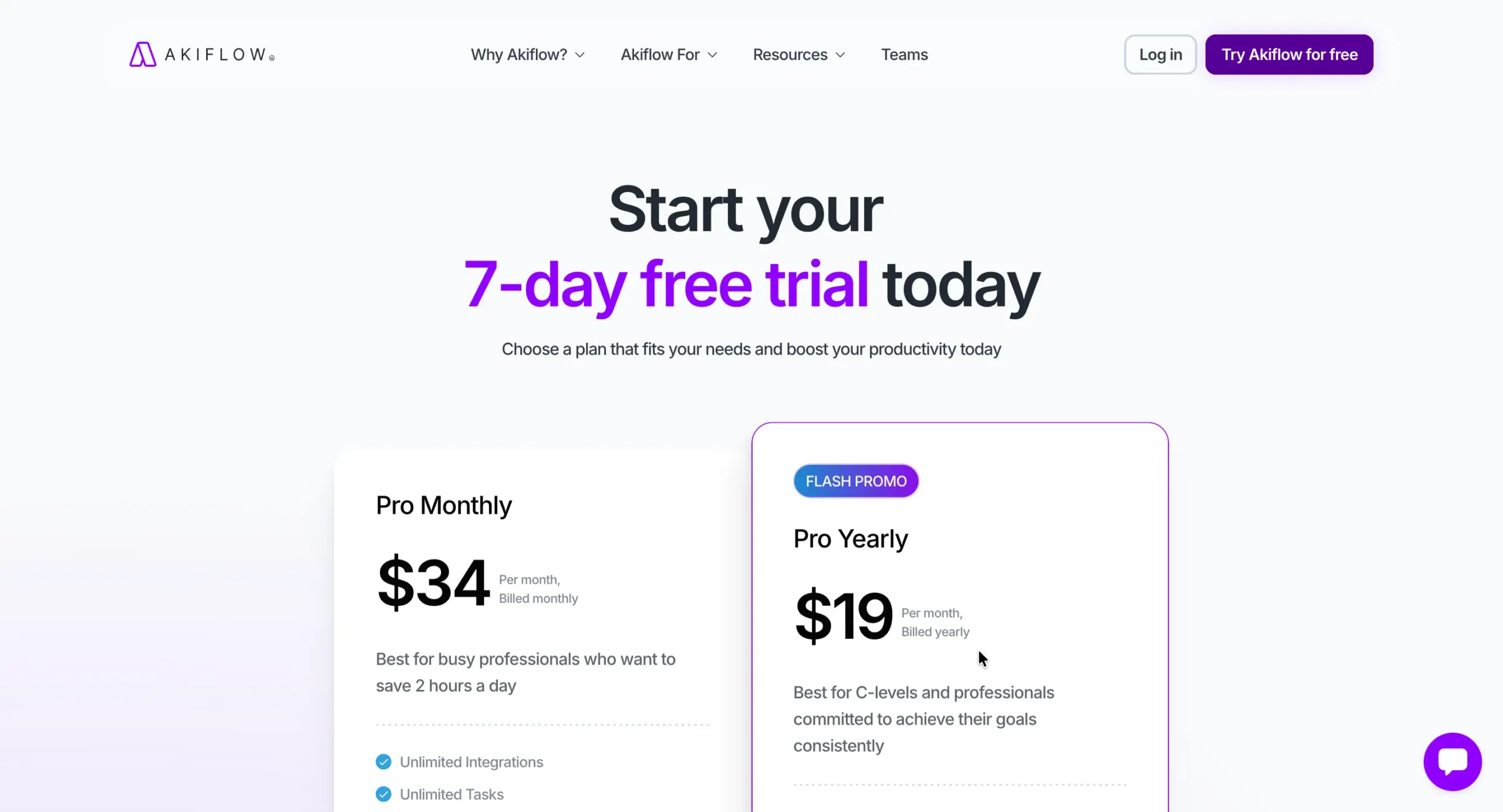
Both plans give you the same thing: unlimited tasks, unlimited integrations, Aki assistant, workflows, meeting scheduling, and a 1:1 coaching call.
The yearly plan saves you 44% compared to monthly. You get a 7-day free trial with no credit card required.
Sunsama: $240/year or $25/month
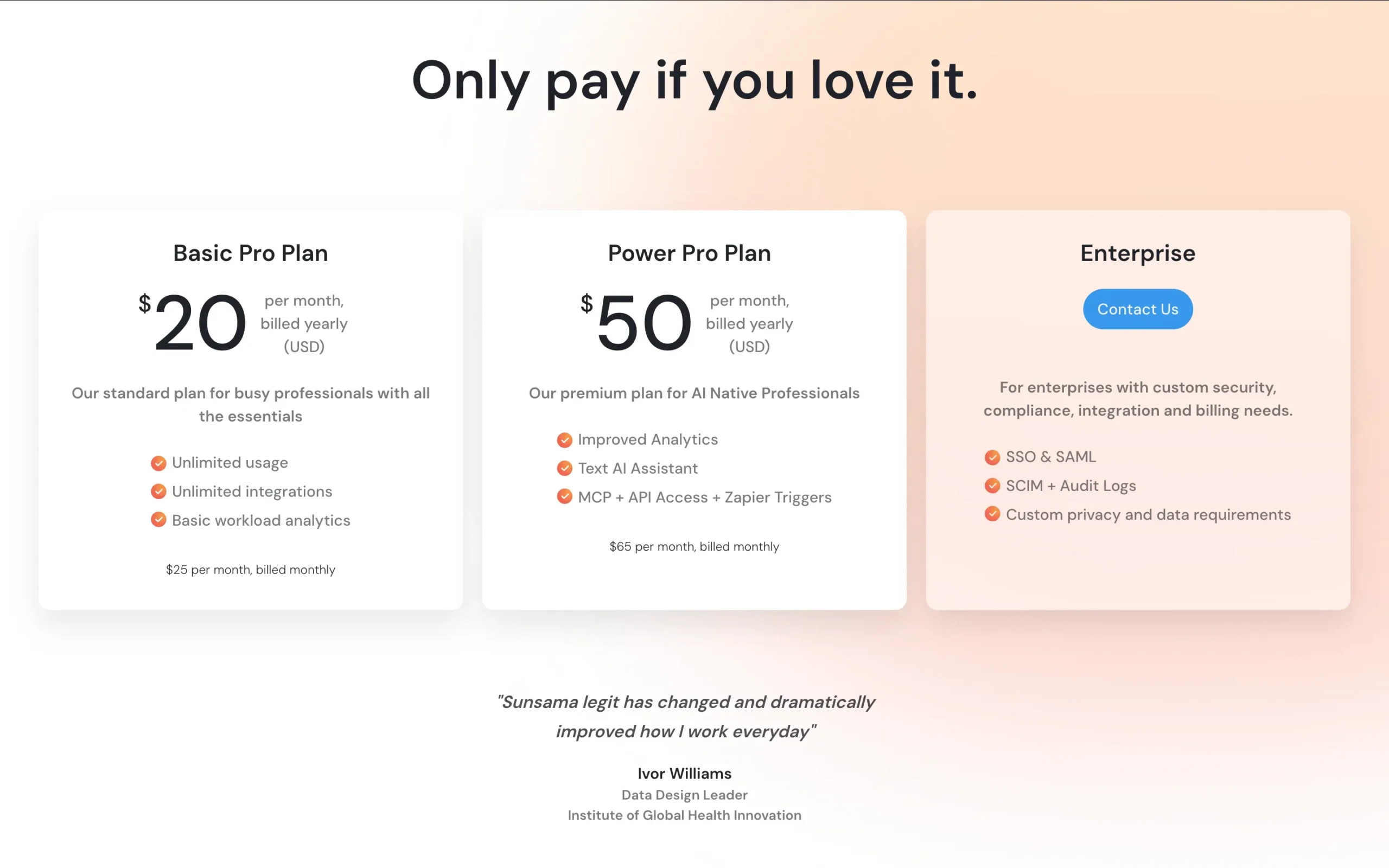
Sunsama recently introduced a new pricing plan.
Their Basic Pro plan, which was initially $20/month ($16 if billed yearly), now costs $25/month ($20 if billed yearly).
The Power Pro plan adds improved analytics, Suunny AI Voice Assistant (genuinely useful feature), and the MCP + API Access + Zapier Triggers at $65/month ($50 if billed yearly)
Sunsama normally gives you 14 days to try it, but they’re giving my readers an extended 30-day trial. Learn more here. No credit card needed.
Common Questions Answered (FAQs)
Can I use both tools together?
Technically yes, but pointless. They solve the same problem. Pick one.
Which has better integrations?
Akiflow has more (20+ native, 8,800+ via Zapier). Sunsama has enough for most people (16). Winner: Akiflow for power users.
Which is better for ADHD?
Depends on your ADHD type:
Need external structure? → Sunsama (forced rituals, shutdown warnings)
Hate being told what to do? → Akiflow (fast, flexible, optional structure)
Do I need to run timers for this to work?
Akiflow: No. Time tracking optional.
Sunsama: Yes, for analytics. But you can skip and just use planning features.
Which has a better mobile experience?
Sunsama by a small margin. But both are desktop-first. If mobile is critical, neither is ideal.
What if I choose wrong?
Both integrate with the same tools. Switching is annoying, but not catastrophic. Worst case: you wasted one month of subscription.
Which works better for teams?
Sunsama: Better for sharing updates (Daily Highlights to Slack).
Akiflow: Better for individual contributors on shared tools (Jira, Asana).
Neither is a true team tool.
Which is better: Akiflow or Sunsama?
Here’s the decision:
Akiflow, if you’re drowning in tabs. Sunsama, if you can’t stop working.
Akiflow gives you an AI that actually moves things around. You’re paying for speed and consolidation.
Sunsama forces you to face reality. You’re paying for boundaries and honesty.
If neither fixes your problem, then you don’t have the consolidation problem or the boundaries problem. Stick with what you have.
Related reading: Read my complete Sunsama vs Morgen comparison guide.
Share this article:

Want to find the right tool before you pay for the wrong one?
Every week or two, I test a productivity tool and tell you exactly what I found. I spend weeks with each tool so you don’t spend $30 finding out it isn’t for you.
Unsubscribe anytime. No hard feelings.