Sunsama vs. Morgen: Which daily planner is best? [2026]

Some links on this page are affiliate links. If you buy something, I get a small cut, at no extra cost to you. I only recommend tools I’d genuinely tell a friend to use. Learn more.
Sunsama and Morgen both put your calendar and tasks in one place. But they take opposite approaches to planning.
Sunsama makes you plan manually through daily rituals. Morgen uses AI to suggest a plan you can adjust.
I tested and compared both tools with multiple calendars, integrated task managers, and meetings that changed daily.
By the end, you’ll know which approach fits how you work.
Sunsama vs Morgen at a glance
Do you want a tool that makes you plan, or one that plans for you?
Sunsama forces discipline. Every morning, you walk through a ritual. You pick tasks, estimate time, and face reality when you’ve planned too much. It’s manual. It’s slow. But it works if you’re bad at being honest with yourself about what’s possible in a day.
Try Sunsama free for 30 days | Read my complete Sunsama review.

Morgen gives you AI suggestions. Click a button, preview the plan, adjust what doesn’t fit, and approve. Faster. Less friction. But you need to set up Frames first—teach the AI when to schedule what types of work.
Try Morgen free for 14 days | Read my complete Morgen review
Sunsama | Morgen | |
|---|---|---|
Planning approach | Manual ritual | AI suggestions |
Cost (yearly) | $20-50/month | $15/month |
AI features | Sunny voice assistant ($50/month), Daily Highlights | AI Planner, Frames system (included) |
Scheduling links | None (need Calendly) | Included |
Weekly review | Full ritual system | None |
Mobile app | Limited outside rituals | Fully functional |
Shutdown ritual | Forces you to stop | Handles incomplete tasks the next day |
Best for | People who overcommit | People with decision fatigue |
Sunsama vs Morgen feature-by-feature comparison
The overviews are useful. But they don’t answer the main question.
Which one should you use?
That depends on how you work. So I’m going to compare the features that actually matter. Eight areas where these tools differ.
Some differences are obvious from the screenshots. Others only show up after you’ve used both for a few weeks.
Let’s start with the most important one: how you plan your day.
1. Planning your day
The real difference between these tools shows up at 8 AM.
Sunsama opens a planning ritual. Morgen shows your calendar and waits for you to click a button.
That’s the fundamental split.
Sunsama believes planning should be a habit you practice every morning. Morgen thinks you should plan when you need to, not when the clock says so.
Every morning, Sunsama asks: “What do you want to get done today?”
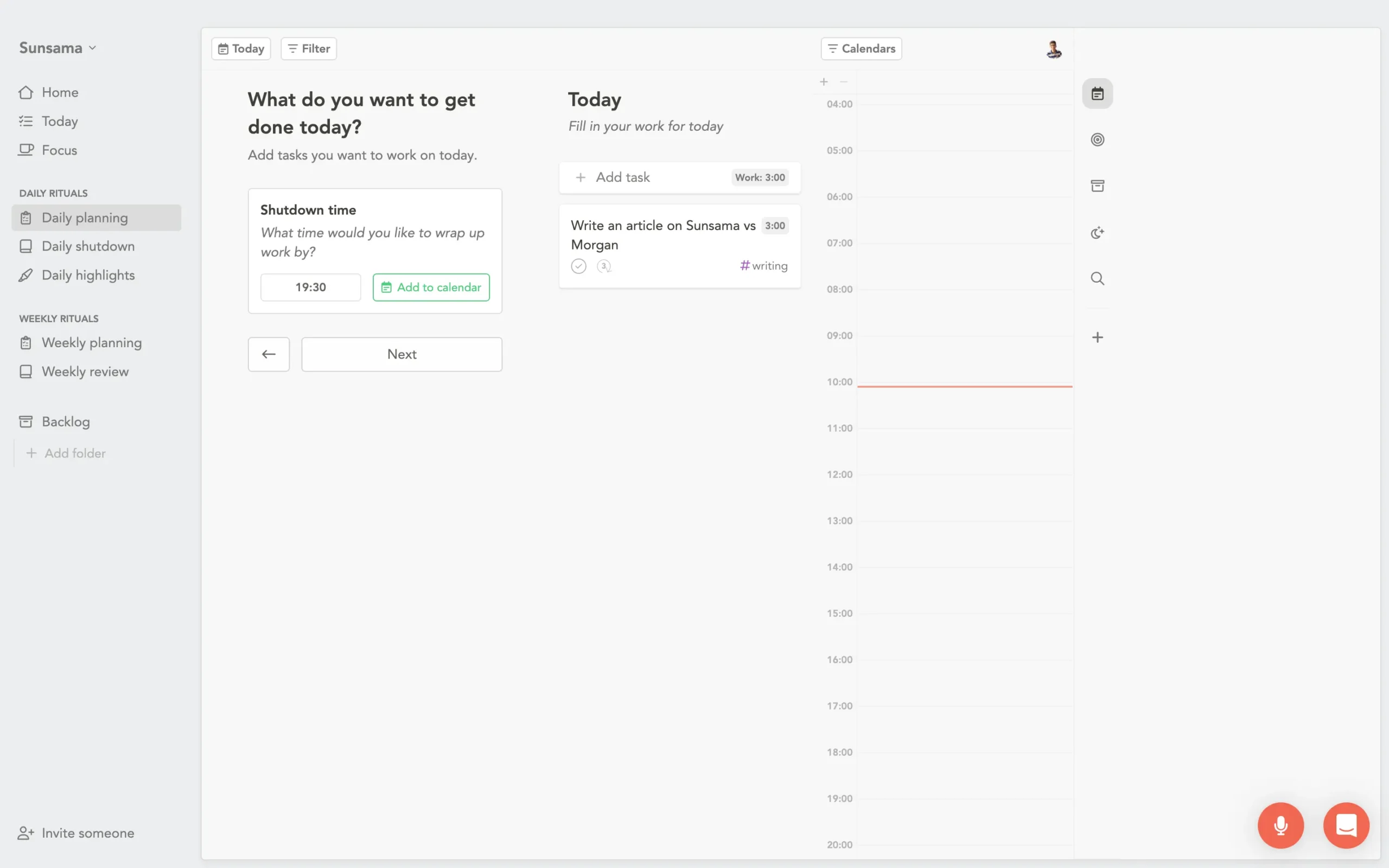
By the way, this is not a suggestion. It’s a workflow. You can’t skip past it without at least acknowledging the ritual.
Sunsama walks you through a series of screens.
First: when will you stop working today?
Pick your shutdown time. Everything else depends on this answer.
Then you add tasks.
Pull from your backlog, import from integrated tools, create new ones. Each task gets a time estimate. Sunsama shows a running total. When you’ve planned more work than available hours, it tells you.
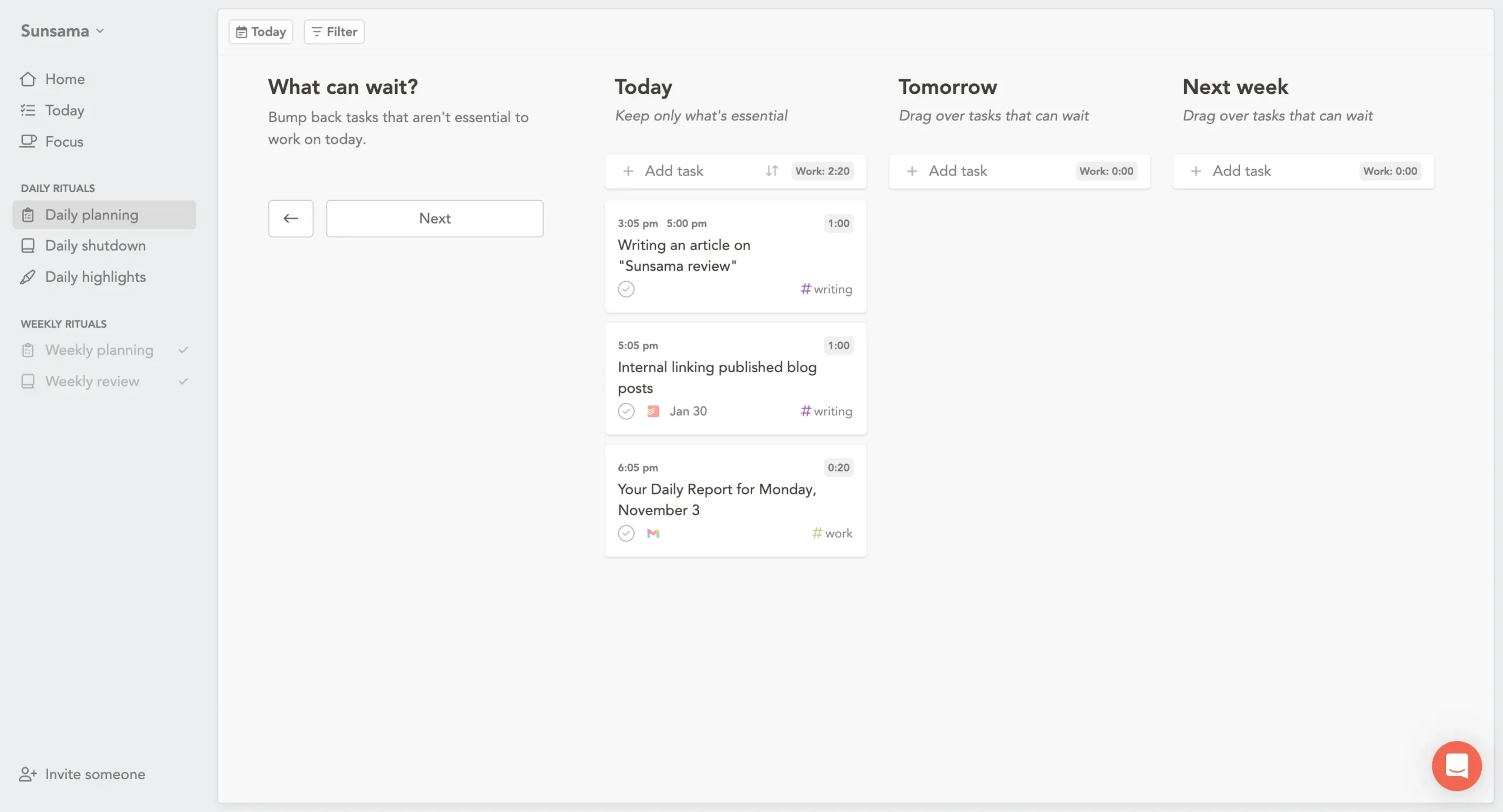
Next screen: “What can wait?”
You see three columns—Today, Tomorrow, Next Week. Drag the non-urgent stuff out of today. This is where most people realize they’ve been lying to themselves about what’s possible.
Finally, you arrange tasks in order and timebox them if you want.
The calendar updates live. If your plan says you’ll finish at 6:15 PM, but you wanted to stop at 6:00 PM, you see it immediately.
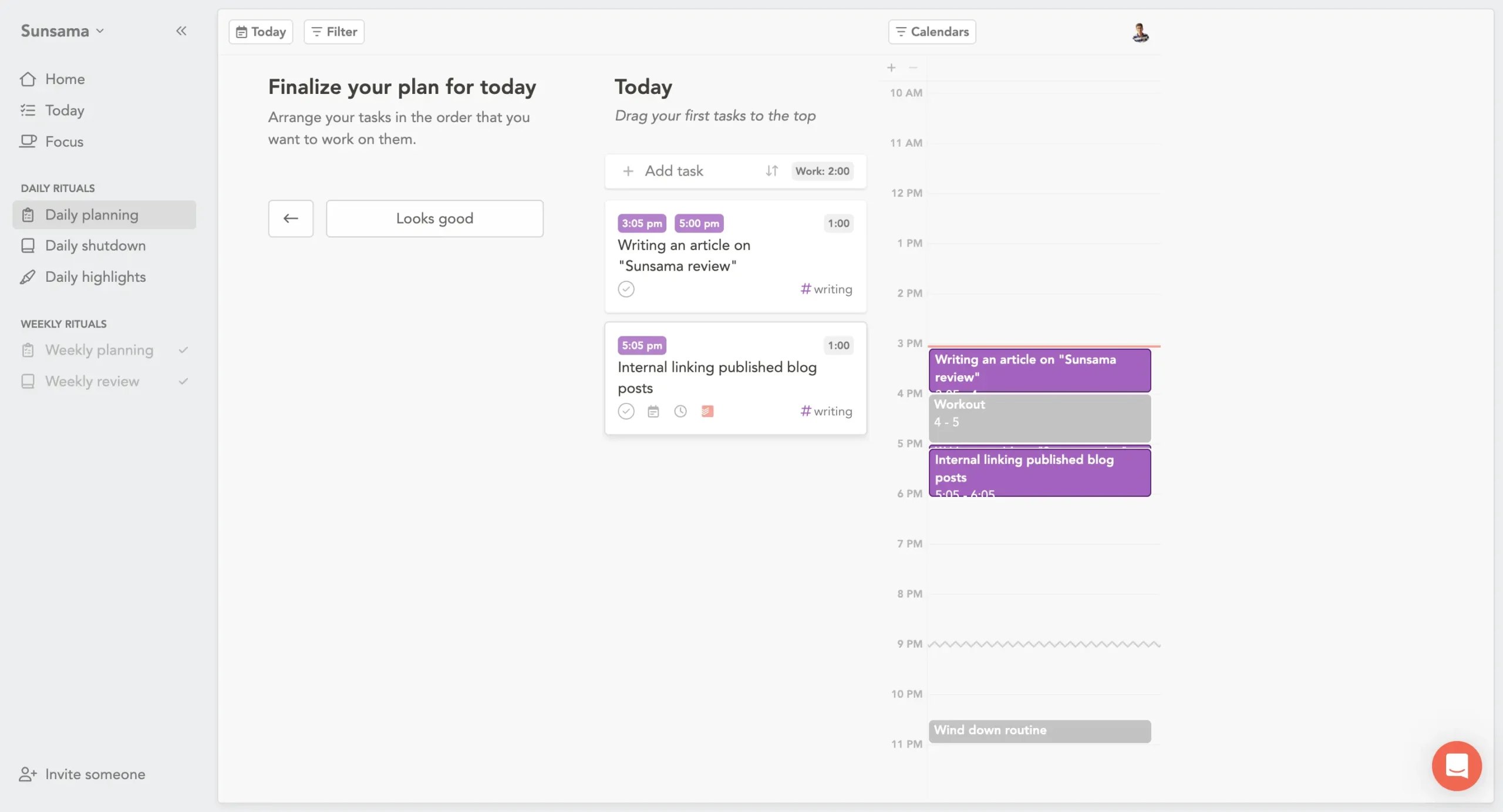
The whole thing takes 5–10 minutes.
Site note: I also like using Sunny, Sunsama’s new conversational AI voice assistant (currently in beta), to talk through planning instead of clicking (more on Sunny later). But the structure stays the same.
Why build a ritual instead of just letting people plan whenever?
Because habits compound. Do something at the same time every day, and eventually you stop fighting yourself about it. You just do it.
The ritual also forces honesty.
You can’t plan tasks without estimating time. You can’t estimate time without confronting how much you actually have.
The downside: it’s manual labor.
Every single decision is yours.
If you’re exhausted or decision-fatigued, the ritual feels like homework. Some mornings you just want someone to tell you what to do.
Morgen has no ritual. You open it, see your calendar, see your tasks, and you’re done.
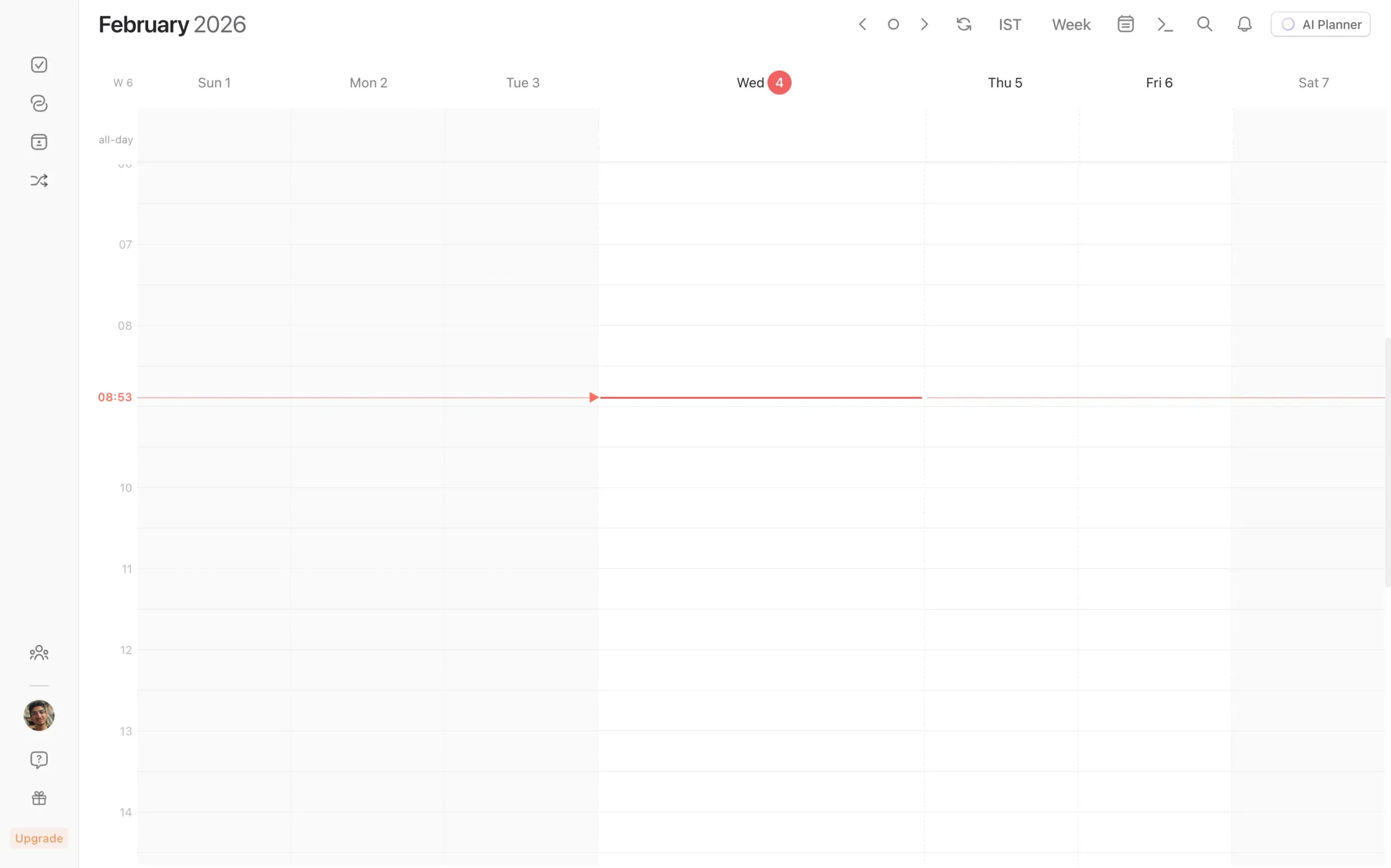
Want to plan your day?
Click the AI Planner button in the top right corner.
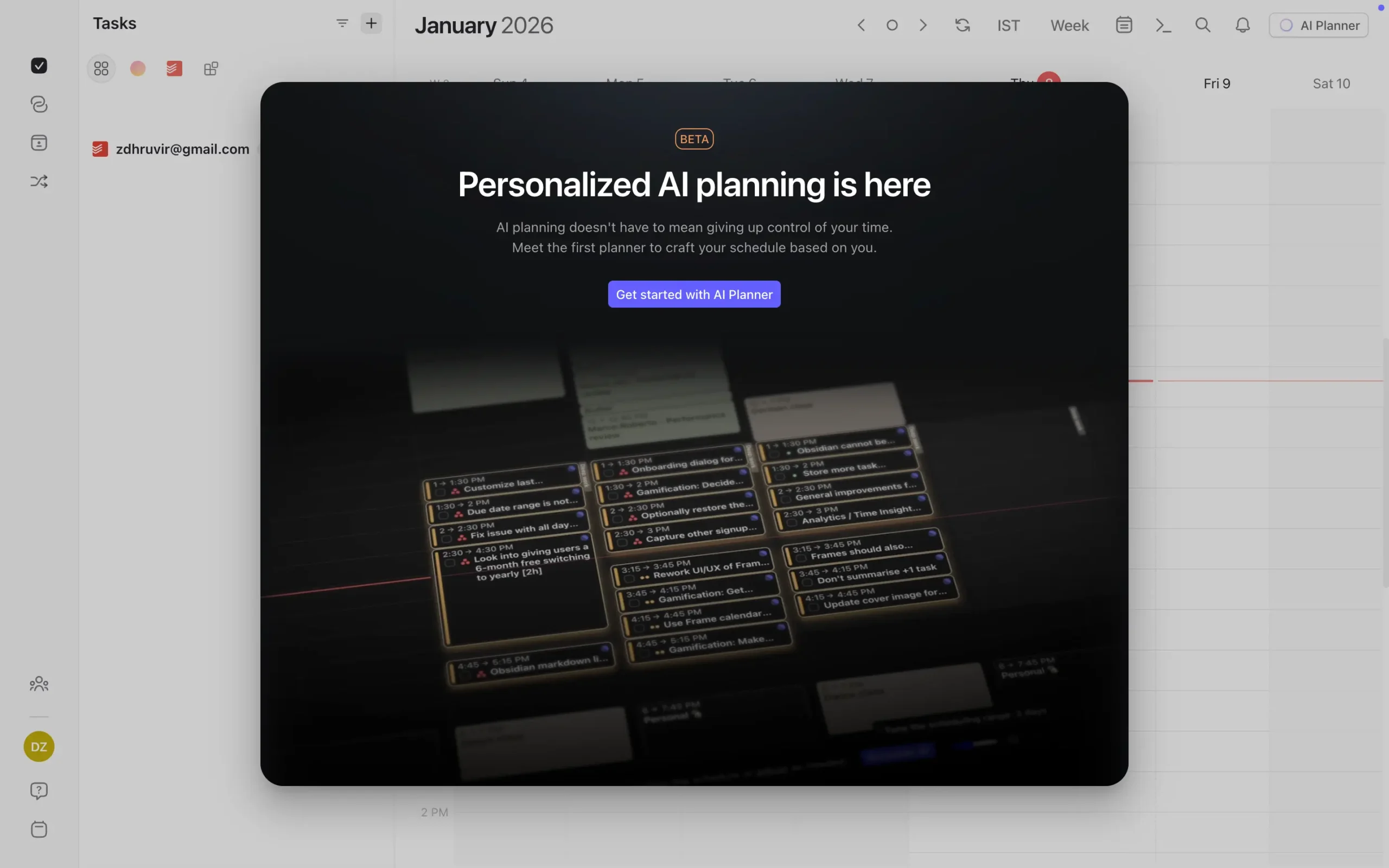
The AI looks at everything—your calendar, your tasks, their deadlines, their priorities—and suggests when to work on each one. Tasks start appearing on your calendar as pulsating blocks.
But they’re not scheduled yet. They’re suggestions.
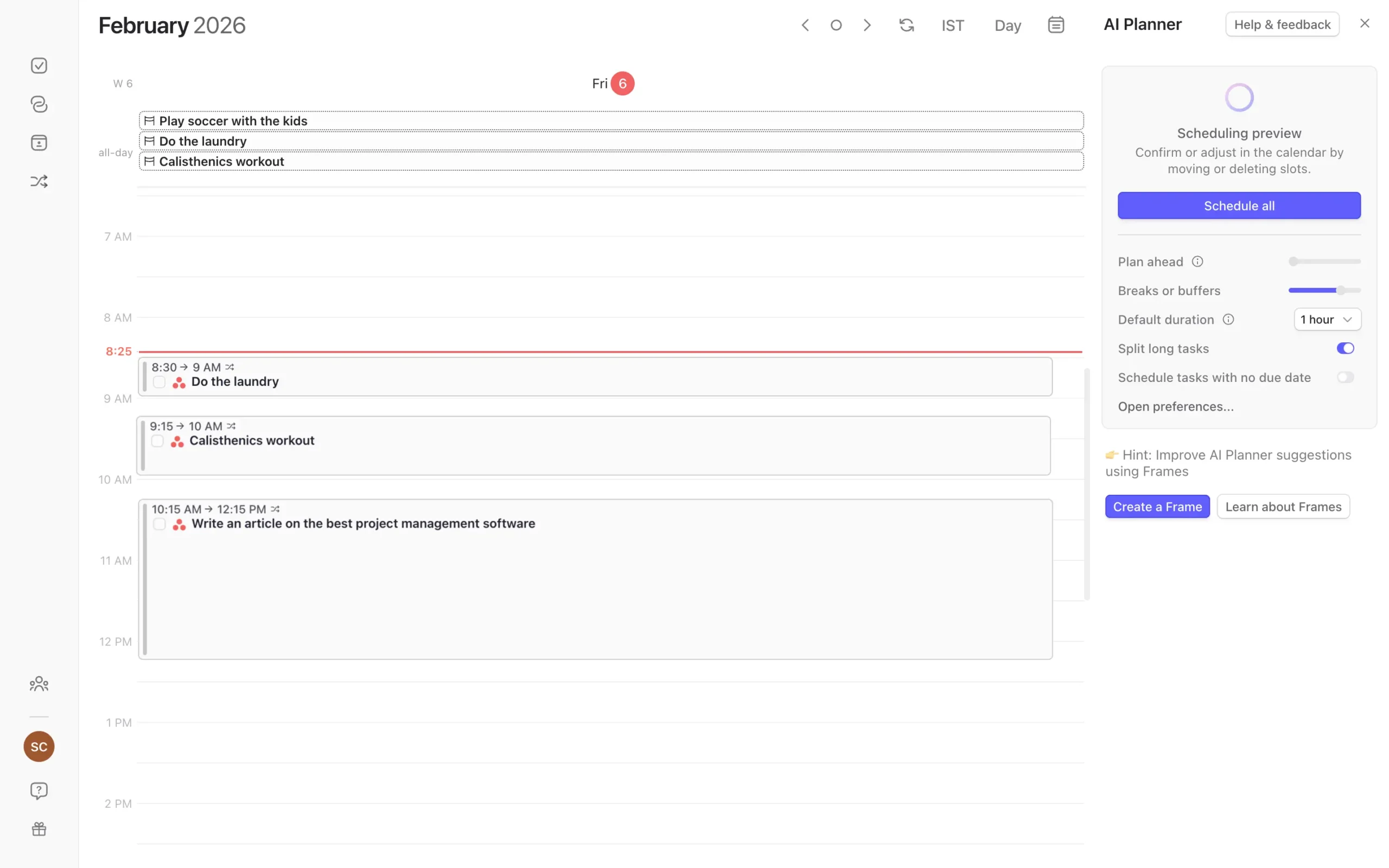
The right sidebar shows controls. You can adjust how many days to plan, whether to split long tasks, and how long breaks should be. Change something, and the plan updates instantly.
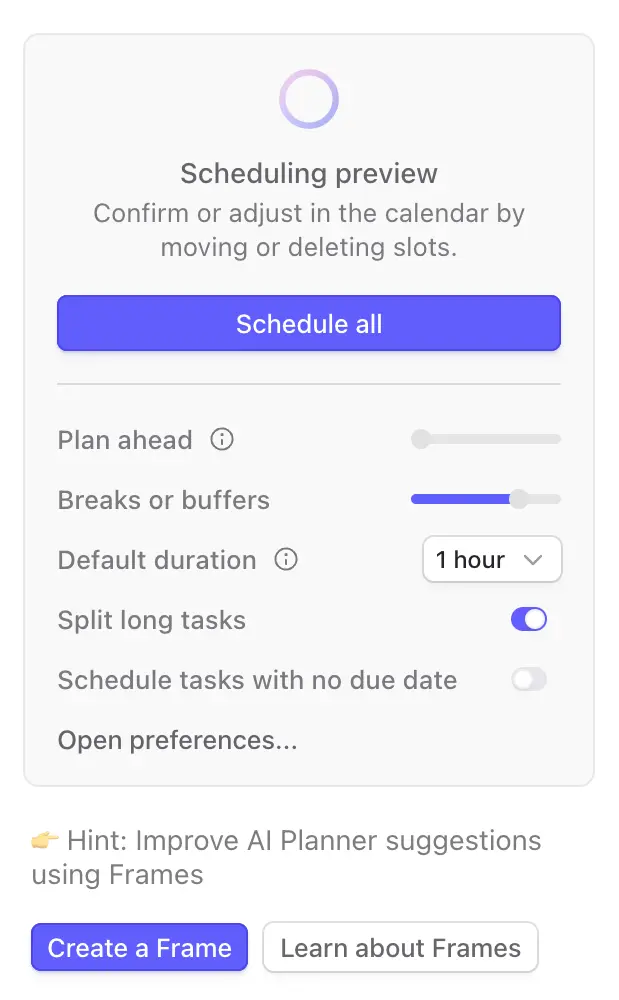
When you’re satisfied, click “Schedule all.” Done.
This is fundamentally different from Sunsama. Morgen doesn’t make you walk through screens. It doesn’t force you to estimate every task. It just shows you a possible day.
You can run AI Planner at 8 AM. Or noon. Or 4 PM when your morning plan fell apart. Morgen doesn’t care when you plan.
The real power is in Frames.
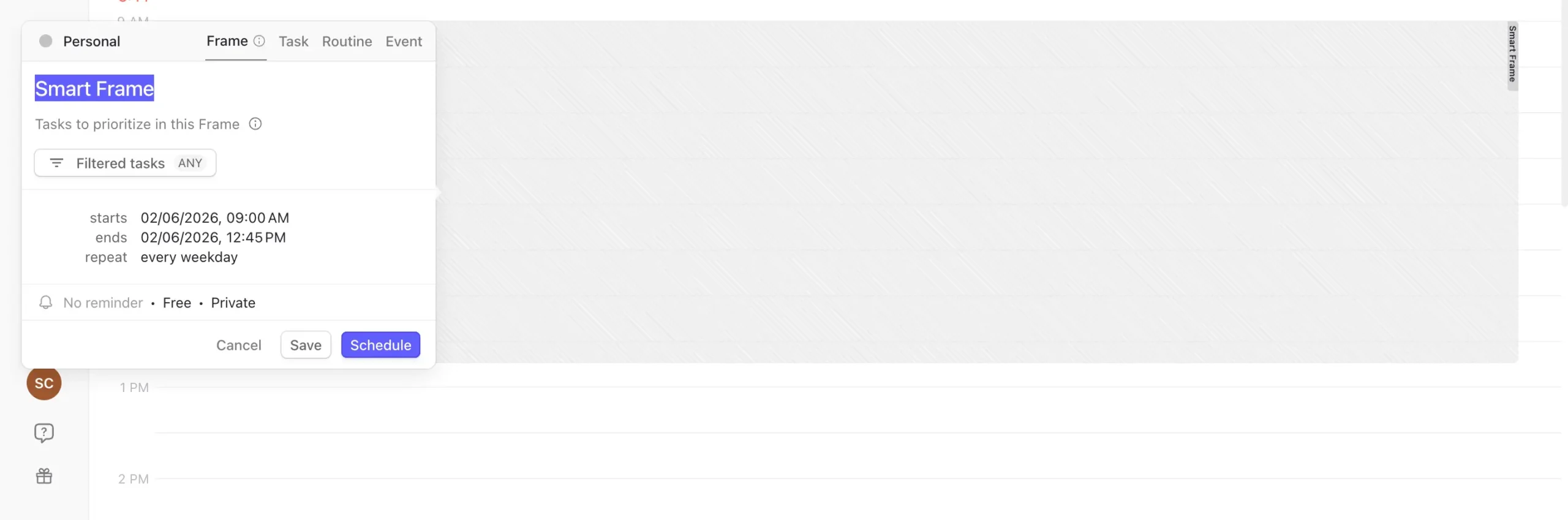
A Frame is a time block where you teach the AI what types of work belong.
You create a Frame from 8 AM to 12 PM, name it “Deep Work,” then filter it to only show high-priority tasks from specific lists.
More on Frames in the next section.
If you constantly overcommit—if you look at your day and think “I can do all this” when you clearly can’t—Sunsama’s ritual fixes that.
If you have ADHD or decision paralysis in the morning, Sunsama’s structure might help. Same reason people like morning routines. Remove decisions, just follow the steps.
But if you’re exhausted by manual planning, Morgen’s AI removes that friction. You still control the final plan, but you start with a suggestion instead of a blank calendar.
The AI differences go deeper than just planning, though. Let’s look at what each tool actually automates.
2. AI and automation
Sunsama and Morgen use AI for completely different things. Sunsama uses it to summarize your day after it’s over. Morgen uses it to plan your day before it starts.
That’s a bigger difference than it sounds.
Sunsama’s core philosophy is that you make every planning decision. The AI doesn’t touch your schedule. It shows up in two places:
- Daily Highlights
- Sunny AI voice assistant.
Daily Highlights appear during the shutdown ritual.
After you finish working, Sunsama’s AI looks at what you did—which tasks, how long, what tools you used—and writes short summaries for each one.
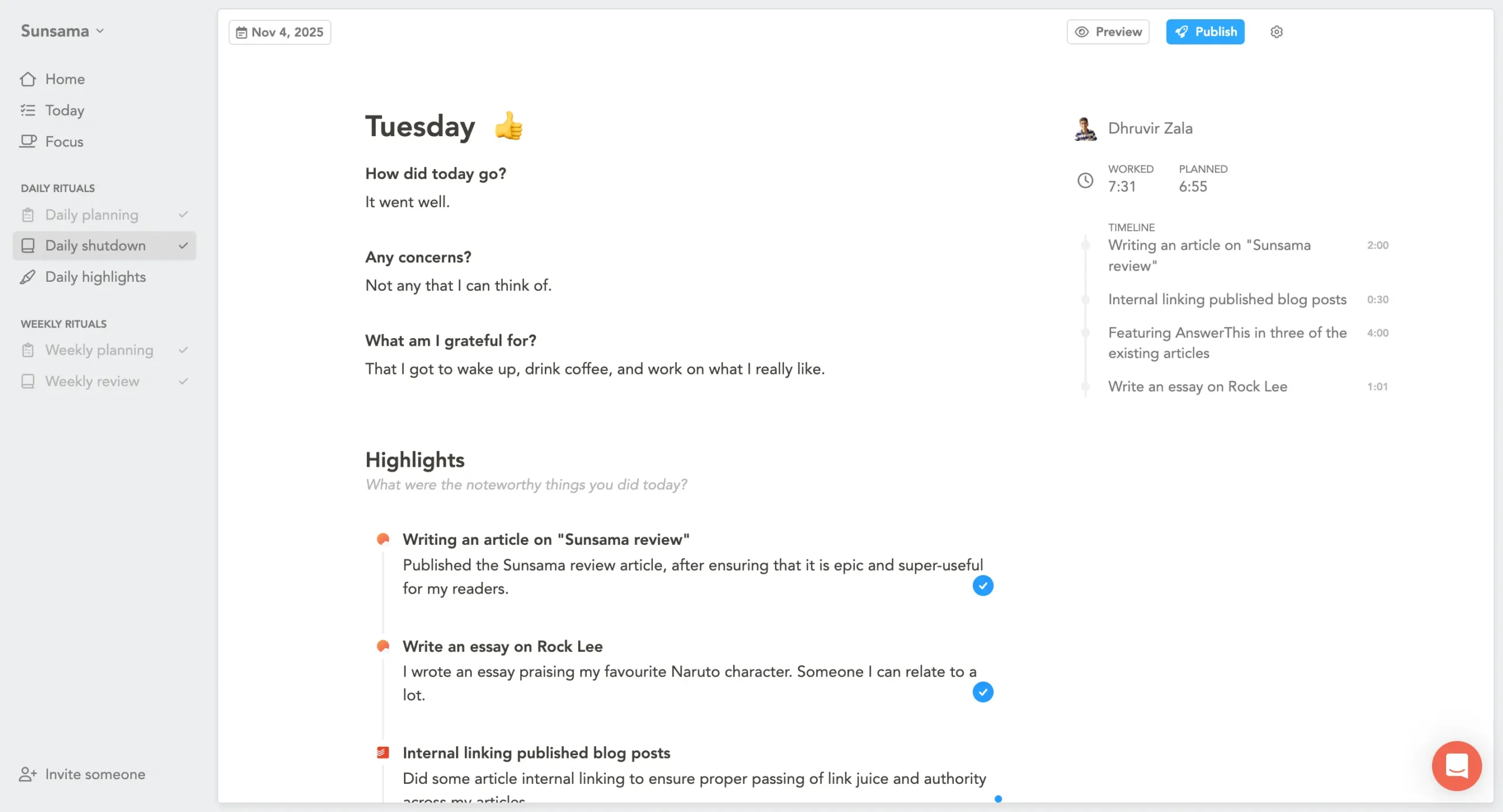
It’s useful. But it’s not planning AI. It’s reporting AI.
The bigger AI feature is Sunny, Sunsama’s built-in voice assistant.
Enable it in Settings > Integrations > Voice Assistant, and a microphone button appears in the bottom right corner of your browser or desktop app.
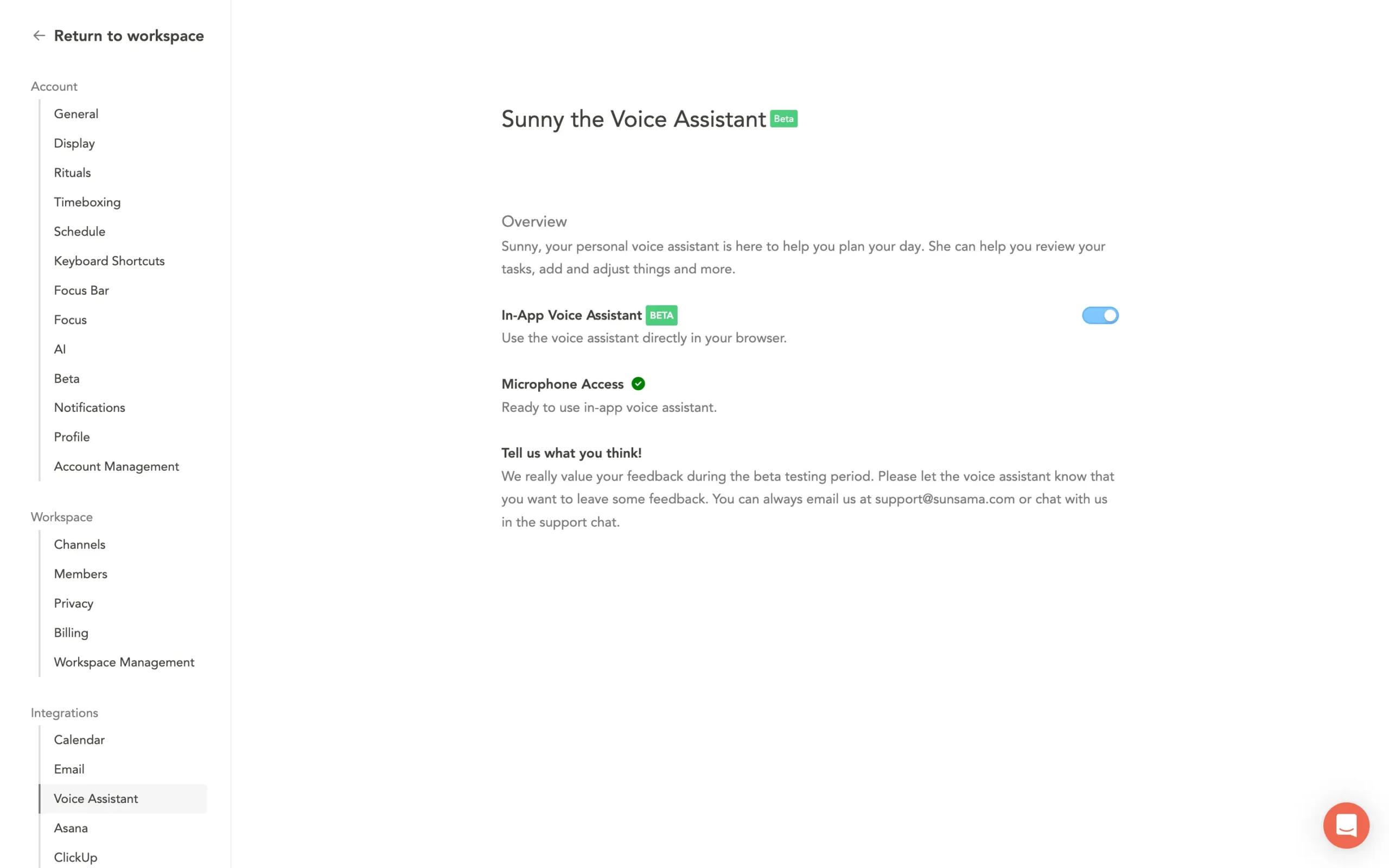
Click the mic, start talking, and Sunny executes your commands in real time.
“Move that blog post to tomorrow.” “Create a 30-minute task for reviewing the proposal.” “Plan my day.”
As soon as you stop speaking, it happens.
Sunny blew me away.
I’ve never seen anything like this in a daily planning app. The closest comparison is Akiflow’s Aki AI chatbot, but Sunny is a different beast.
She has a natural voice, speaks like a friend, responds quickly, and executes tasks at a speed that feels almost unreal.
Planning your day, creating tasks, scheduling events—it all happens instantly. If you’re not sure what Sunny can do, just ask: “Hey Sunny, what all things can you do?” She’ll walk you through it.
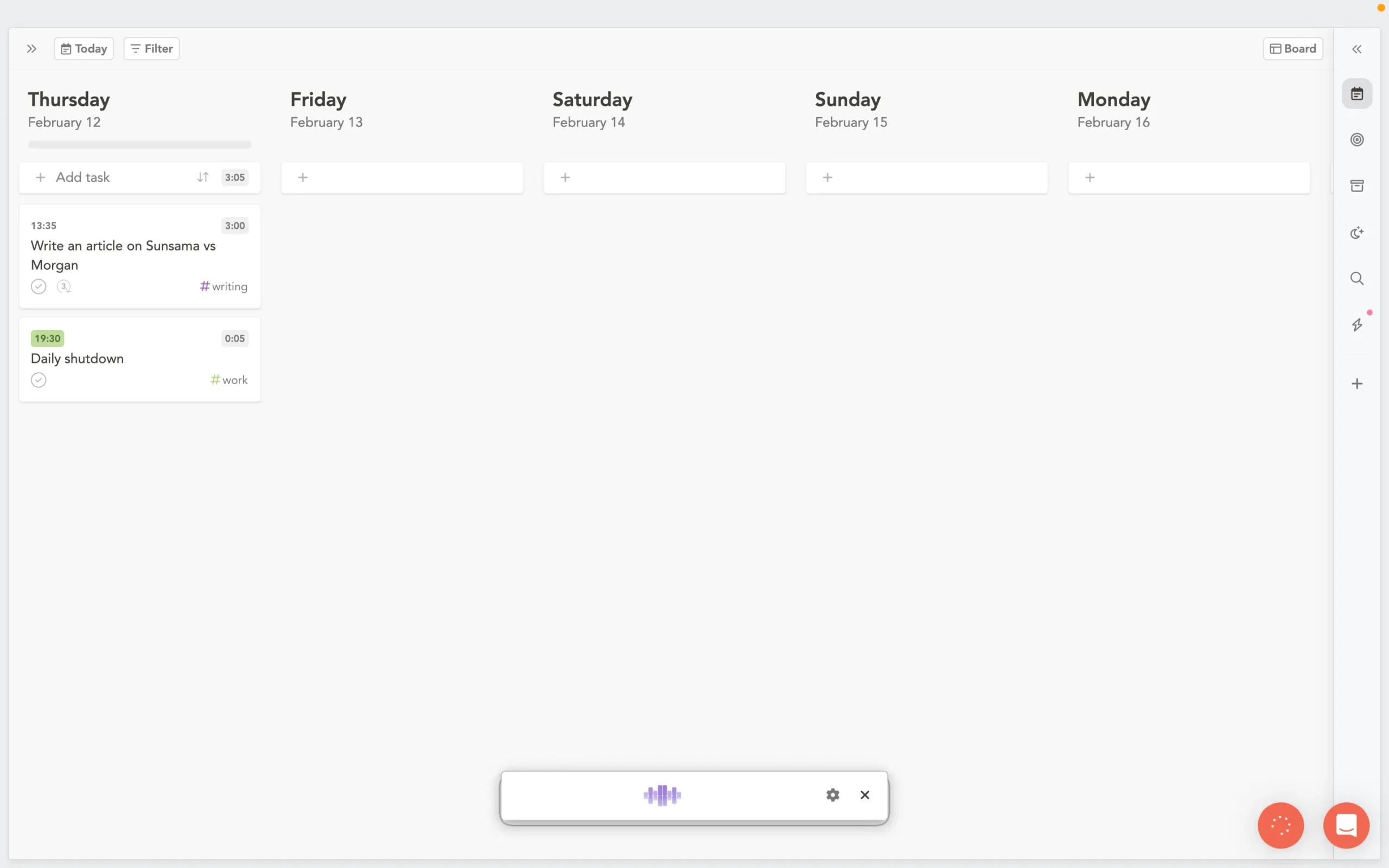
It feels like having a real VA who’s always available, always helpful, and always in a good mood. If Sunny keeps evolving at this pace, it could become Sunsama’s best feature.
But here’s the catch. Sunny is still in beta—English only for now. And it doesn’t come with the Basic Pro plan ($25/month, or $20/month yearly). You need the Power Pro plan: $65/month, or $50/month billed yearly.
That’s more than double the base price. You can try it during the free trial, though.
Morgen takes the opposite approach. The AI is the planning.
Click the AI Planner button, and Morgen looks at your tasks, their deadlines, their priorities, and your calendar availability. Then it generates a complete daily schedule.
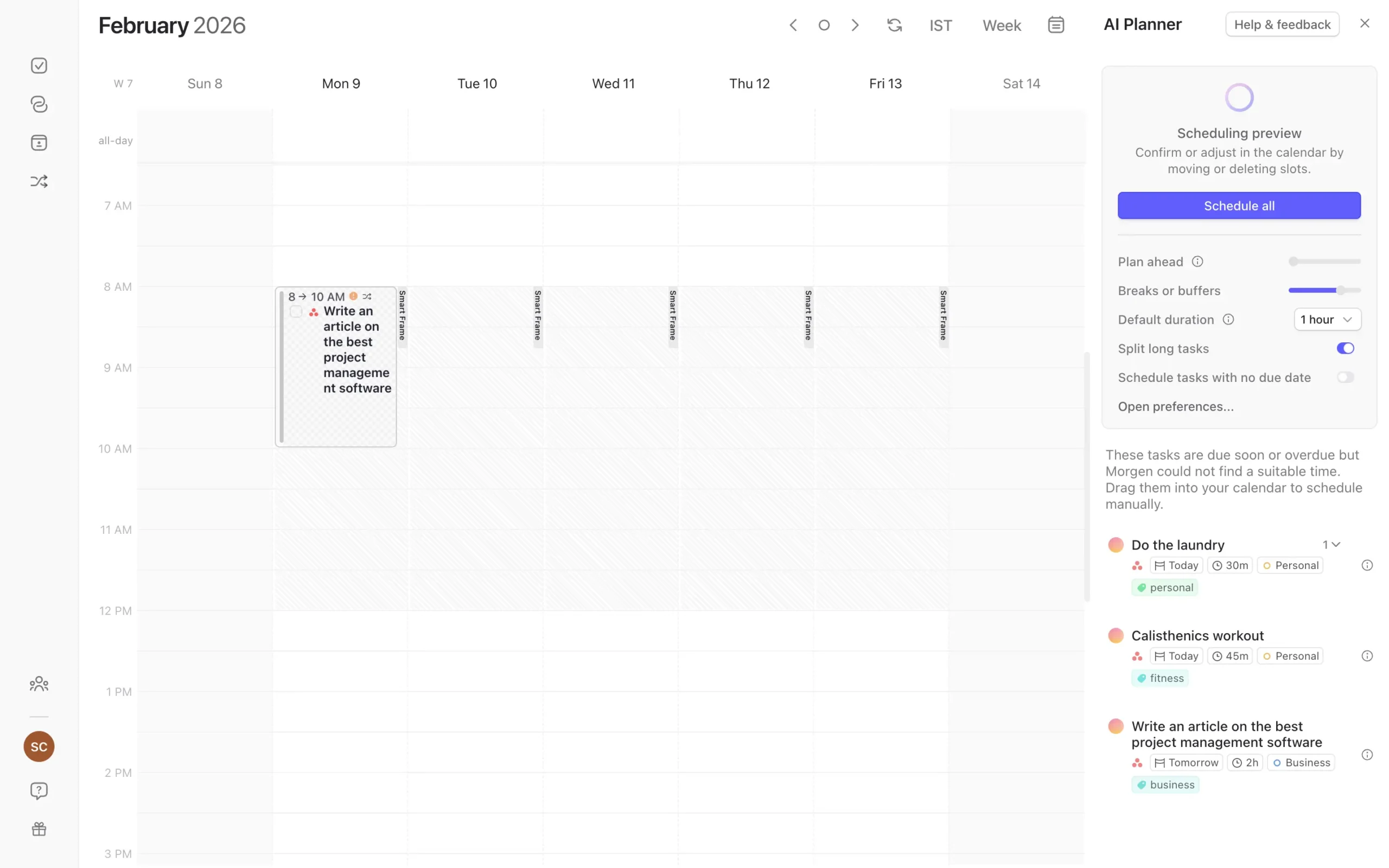
Tasks appear on your calendar as pulsating blocks—suggestions, not commitments. You see the whole plan before anything is locked in. Accept what works, reject what doesn’t, drag things around. Then click “Schedule all.”
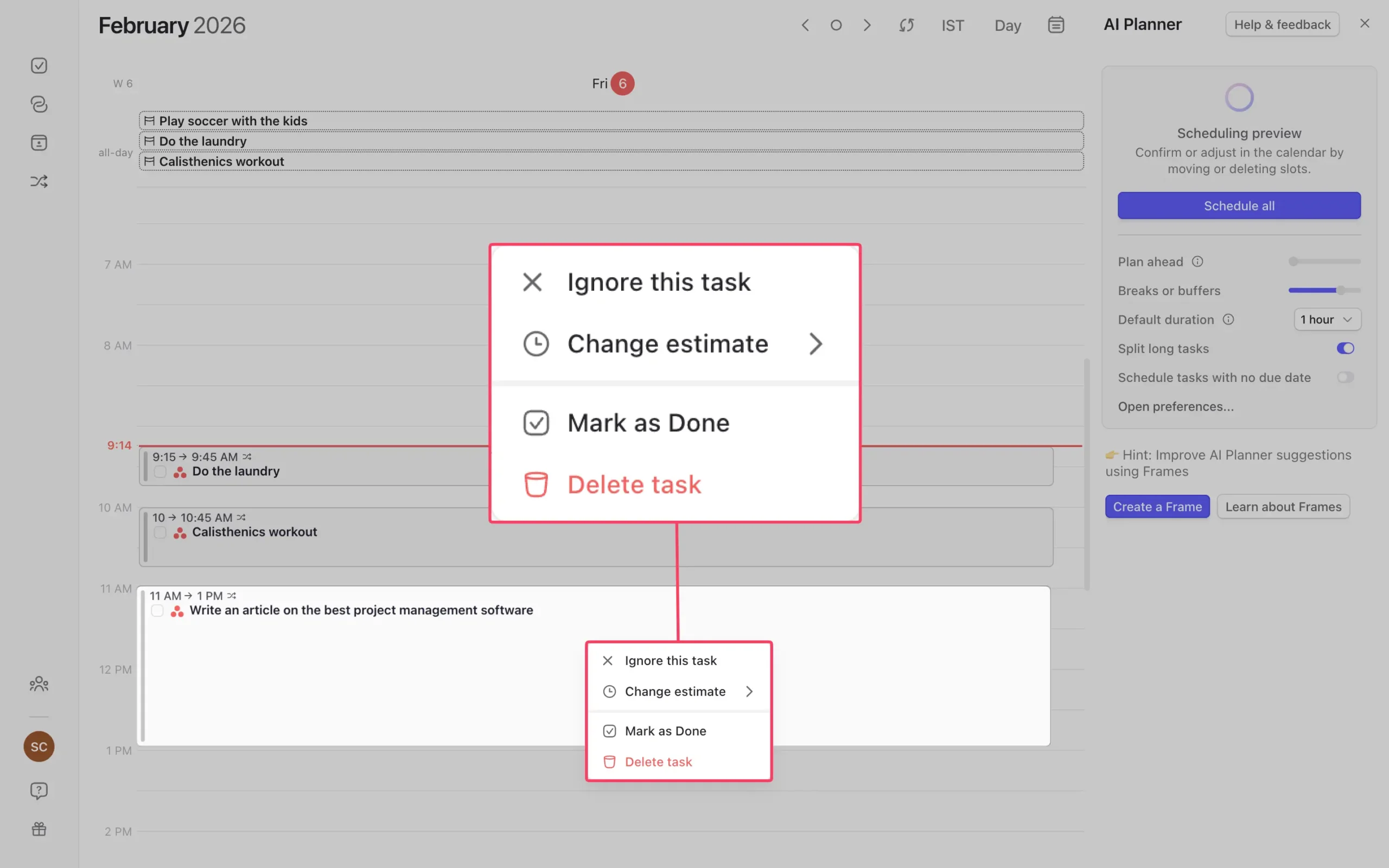
This preview-then-approve model is what makes Morgen’s AI feel safe instead of scary. You’re not surrendering control to an algorithm. You’re getting a first draft that you can edit.
But the really clever part is Frames. A Frame is a constraint you teach the AI.
You create a time block—say, 8 AM to noon every weekday—name it “Deep Work,” and tell the AI which tasks belong there.
Only high-priority tasks from specific lists. Only tasks tagged “creative.”
Whatever you want.
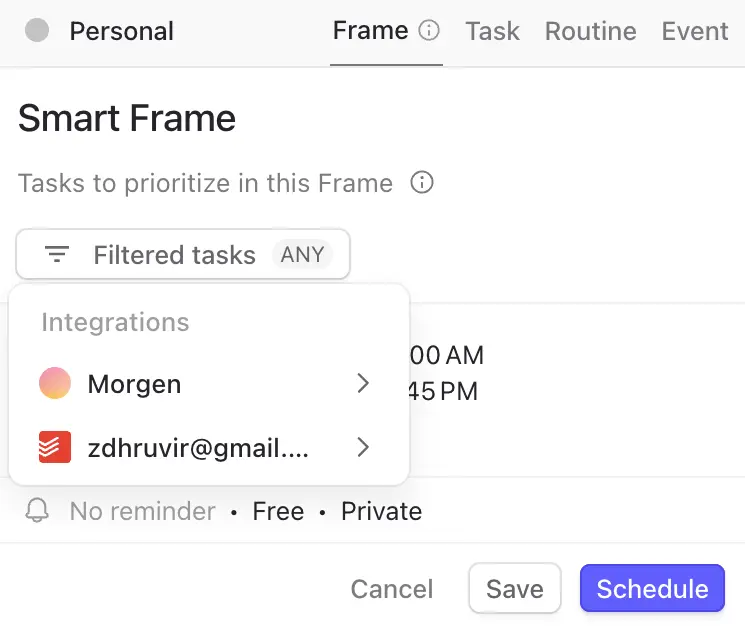
Without Frames, the AI just schedules by priority and available time. With Frames, it learns that you do deep work in the morning and admin in the afternoon. That your Fridays are for planning, not building. That weekends mean personal projects only.
The more Frames you create, the smarter the plans get. It takes maybe an hour to set up initially. After that, the AI generates plans that actually match how you work.
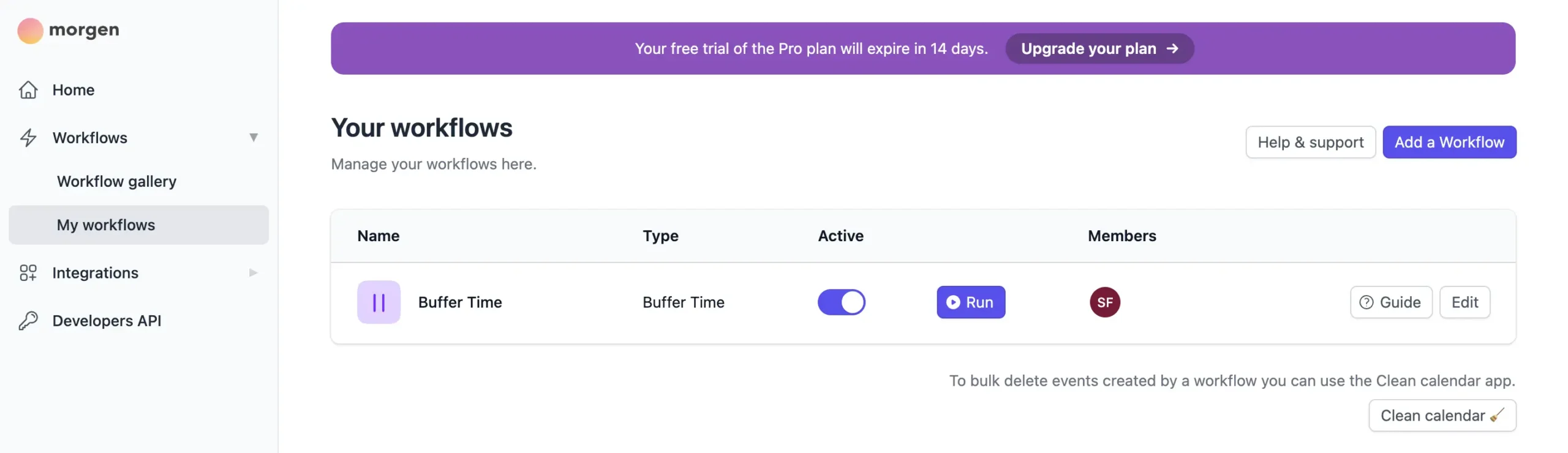
Morgen also runs three background workflows that neither tool’s manual approach can match:
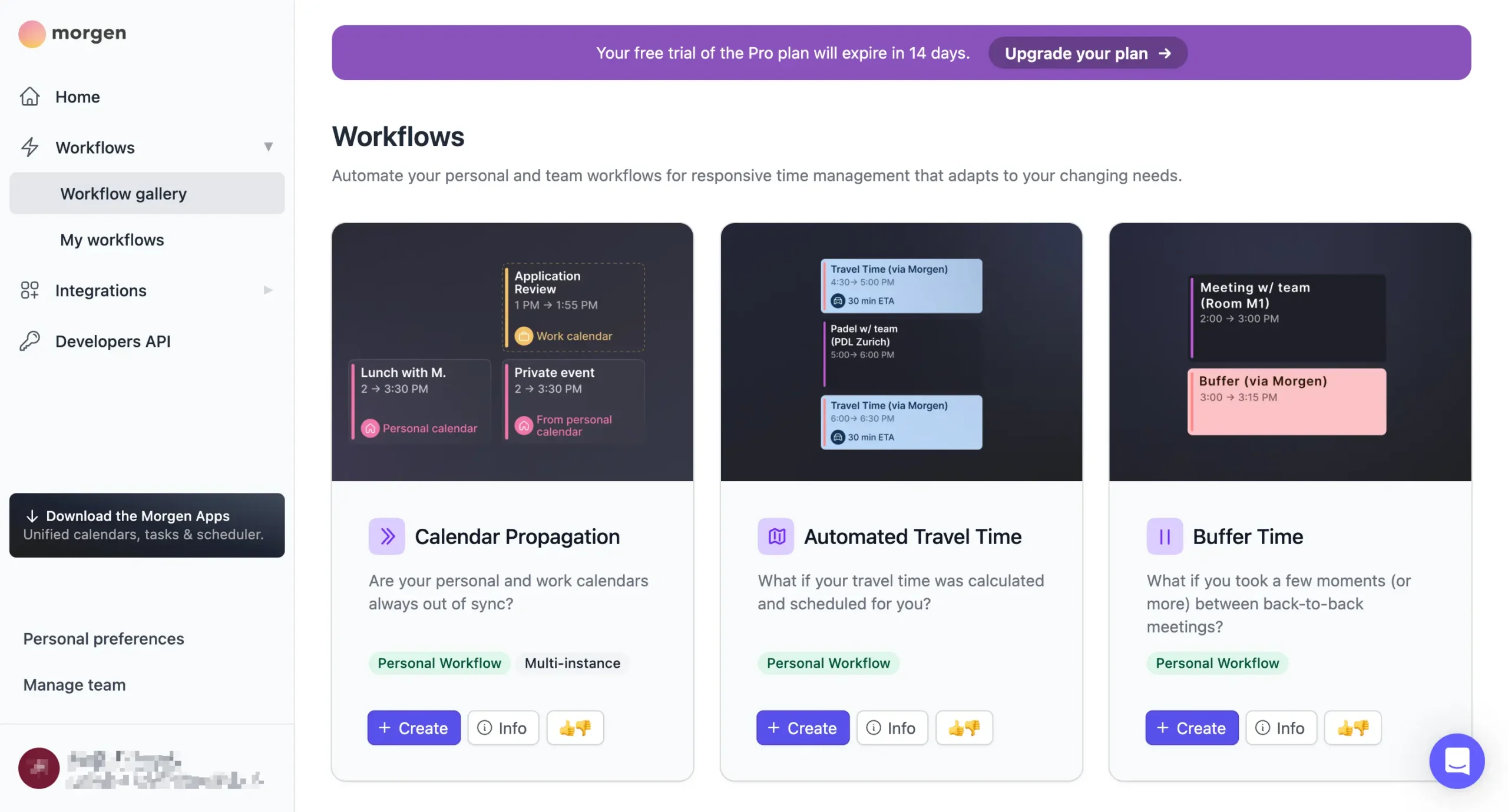
The workflows run continuously once activated—you set them up once and forget about them.
The question isn’t which tool has better AI. It’s whether you want AI doing the planning or the paperwork.
Both tools still leave you in control. They just define “control” differently.
How you actually get tasks onto your calendar matters too, and that’s where timeboxing and scheduling come in.
3. Time blocking and task scheduling
Both tools put tasks on your calendar. The difference is how much flexibility you get.
Sunsama gives you two modes.
1. Timeboxing locks a task to a specific time slot.
2. The playlist method is flexible. Your tasks sit in order, and Sunsama projects when you’ll probably get to each one based on what’s ahead of it.
You can use both on the same day, which is the right call.
The projections in playlist mode are surprisingly smart. They account for task order, remaining time, meetings in the way, and your work hours. No AI involved—just math. Reorder your tasks, and the projections update instantly.
One detail that matters: projections only live inside Sunsama. They don’t sync to your external calendar. Your coworkers won’t see them.
Where Sunsama really proves itself is in conflict handling. Schedule a task on top of another task, and it automatically bumps the overlapping one forward.
Finish something early, and the remaining tasks shift up to fill the gap. You can disable this, undo it with Cmd+Z, or hold Shift while scheduling to temporarily override it.
Morgen takes a different path. You can drag tasks onto your calendar manually—same as Sunsama—but the primary workflow is letting the AI Planner place them for you.
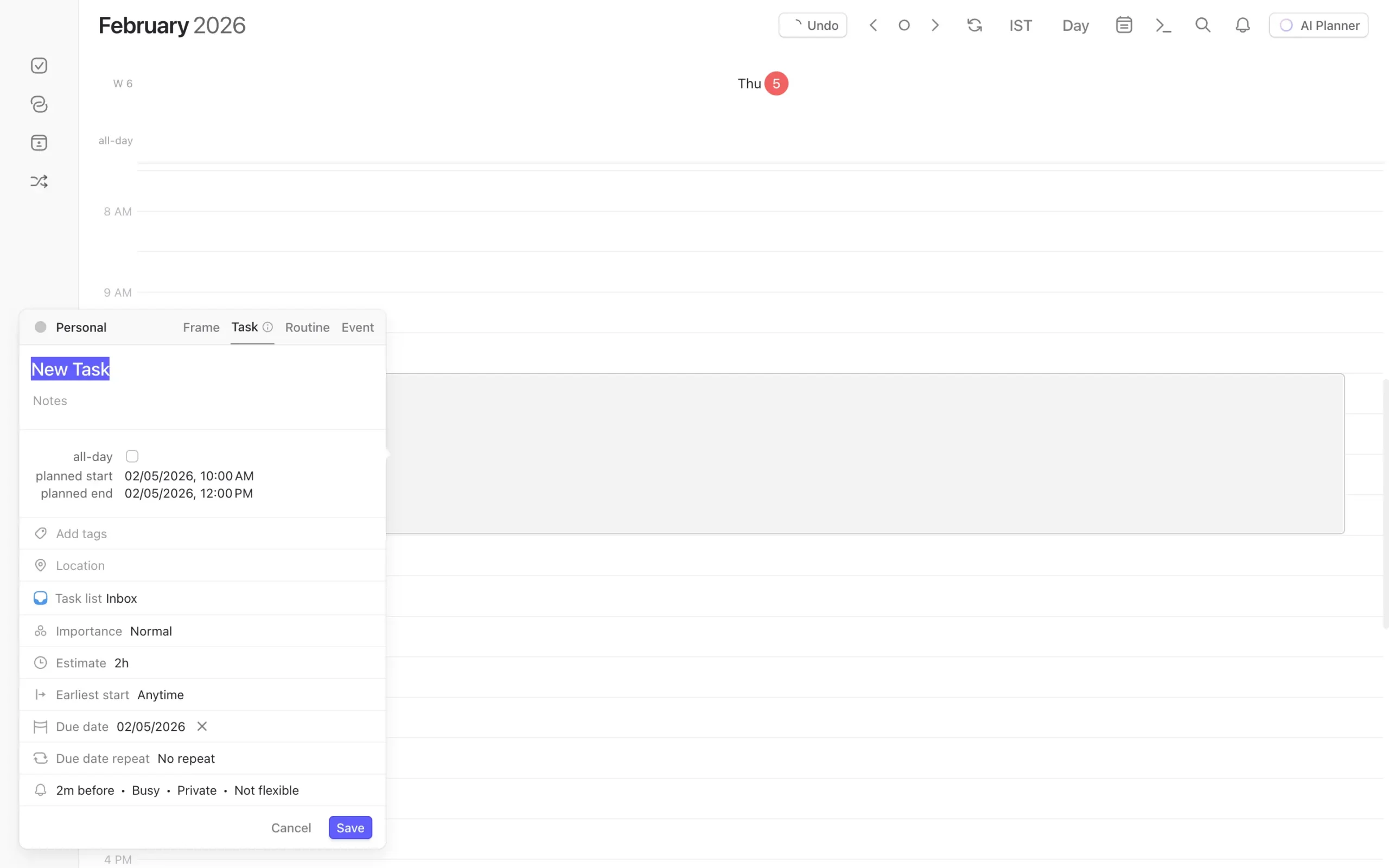
The manual drag-and-drop works well. Click the task panel, grab a task, and drop it on a time slot. Or drag directly on the calendar grid and choose “task” from the pop-up. The command bar (Cmd+K) also works if you prefer typing over clicking.
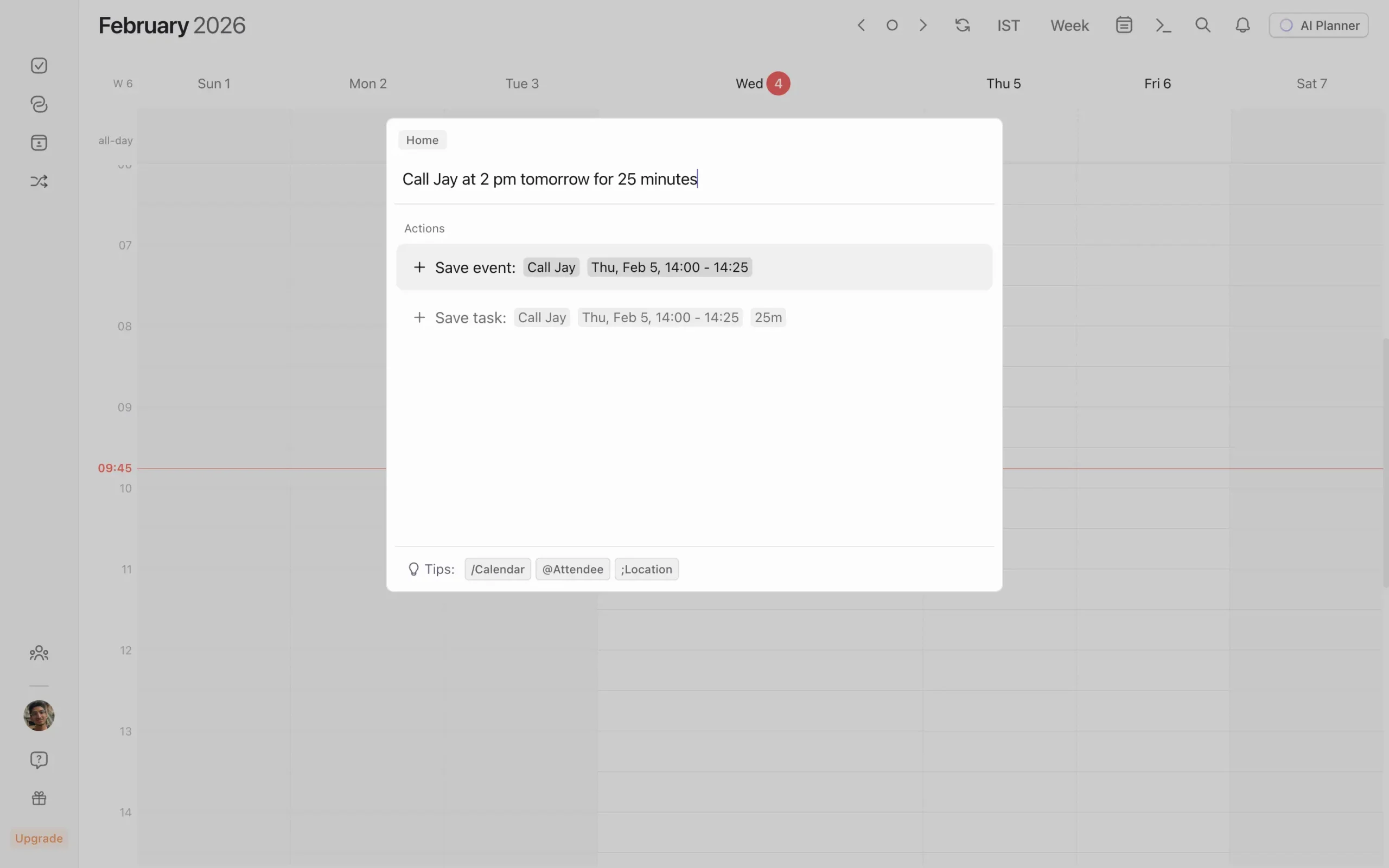
But most Morgen users won’t do it this way. They’ll click AI Planner and let it figure out where tasks fit. The AI places them, you review the suggestions, then accept or adjust.
That’s the intended workflow.
What Morgen doesn’t have is Sunsama’s playlist mode. There’s no “loose ordering” where tasks float and shift as your day changes. In Morgen, a task is either scheduled for a specific time or it’s sitting unscheduled in your task list.
Neither tool is perfect here.
Sunsama gives more flexibility within a day. Morgen gives a faster start because the AI does the initial arrangement.
4. Task and calendar integrations
Both tools connect to the apps you already use. But how deep those connections go is where things diverge.
Sunsama integrates with about 16 tools: Asana, ClickUp, GitHub, Jira, Linear, Microsoft Teams, Monday.com, Notion, Todoist, Trello, Slack, Zapier, Toggl, Apple Reminders, Google Tasks, and Microsoft Planner.
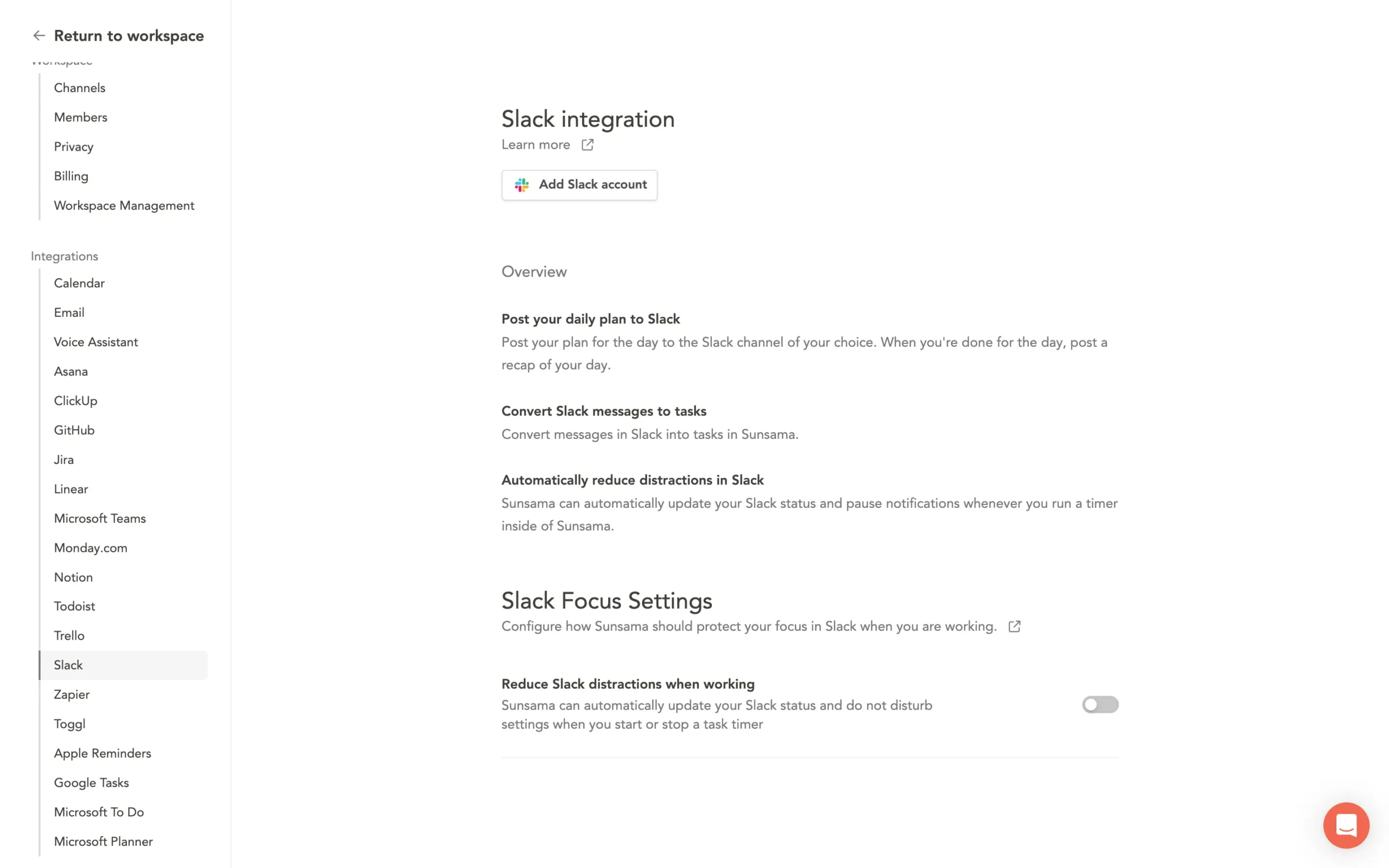
Morgen’s task integration list is shorter: Notion, ClickUp, Linear, Todoist, Microsoft To Do, Outlook Email, Google Tasks, Apple Reminders, Obsidian, and Zapier.
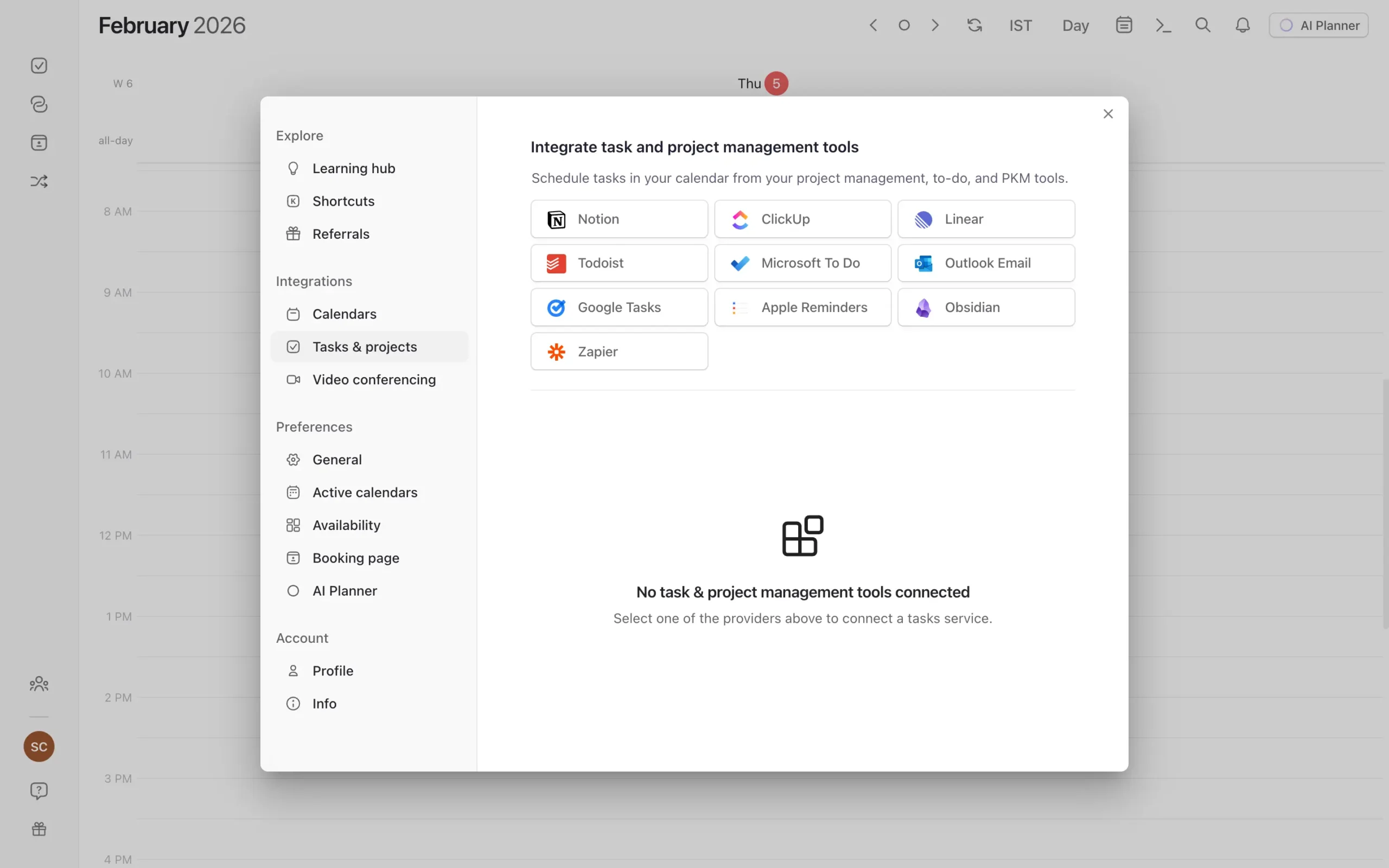
The raw numbers favor Sunsama. But what matters more is how these integrations actually work.
Most of Sunsama’s integrations are one-way imports. You pull tasks in, and completion syncs back. But you can’t create tasks in Todoist or Notion from inside Sunsama.
Morgen’s integrations are two-way for the basics—mark a Todoist task done in Morgen, and it completes in Todoist. Update a due date, and it syncs.
But Morgen doesn’t offer the deeper automation layer that Sunsama has with Jira and Asana. There’s no “when I import this task, automatically change its status” option.
Where Morgen does something smart is organization. Each integrated app gets its own tab in the sidebar.
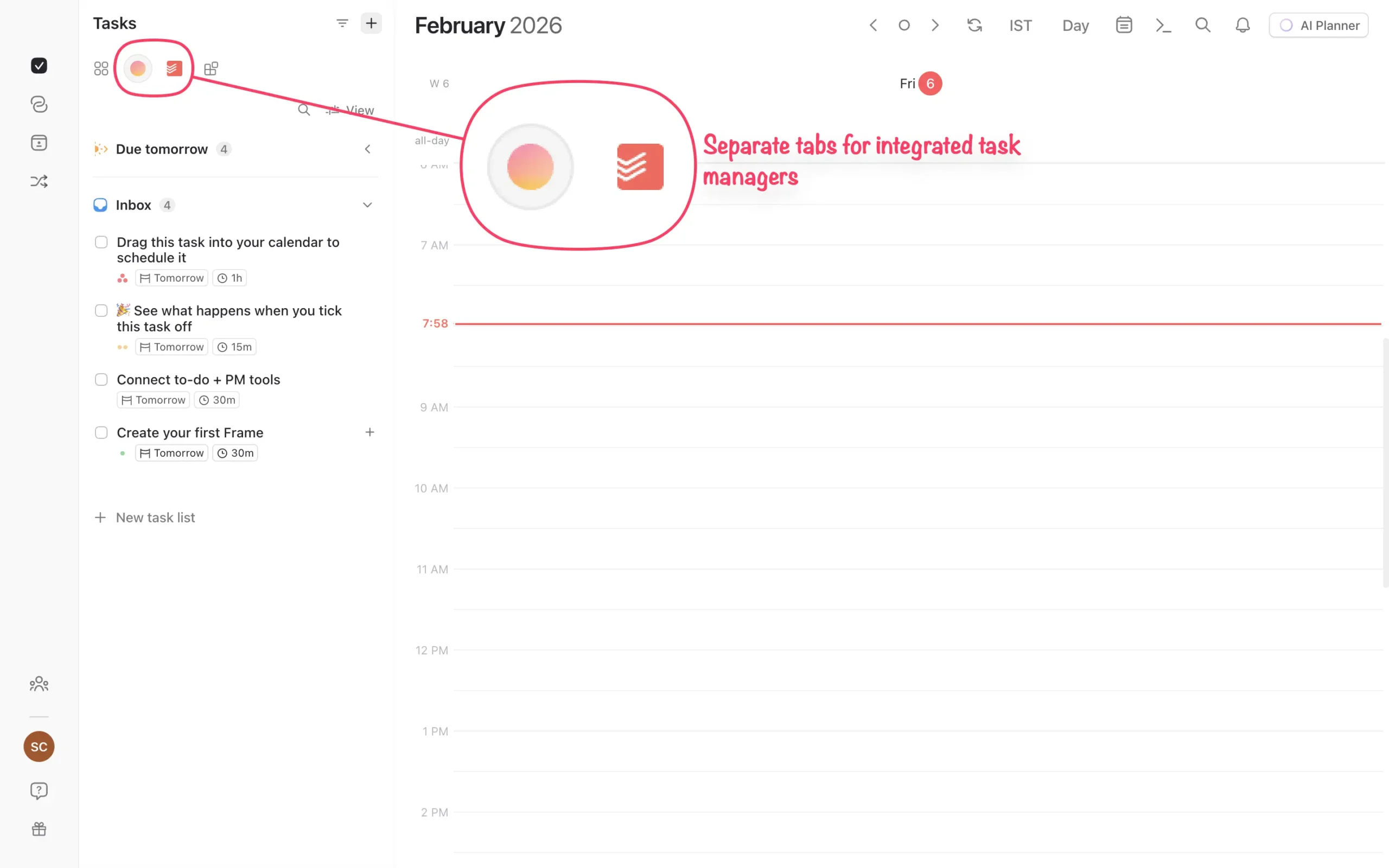
Sunsama does this too, but it matters more in Morgen because there’s no daily planning ritual pulling tasks into a unified view. You’re browsing your task sources directly, so having them separated keeps things clean.
The email story is different.
Sunsama treats email as a first-class integration. Browse your Gmail or Outlook inbox inside Sunsama, drag emails into your task list, and the full thread embeds in the task. When you complete it, you can auto-archive, trash, or mark the email unread.
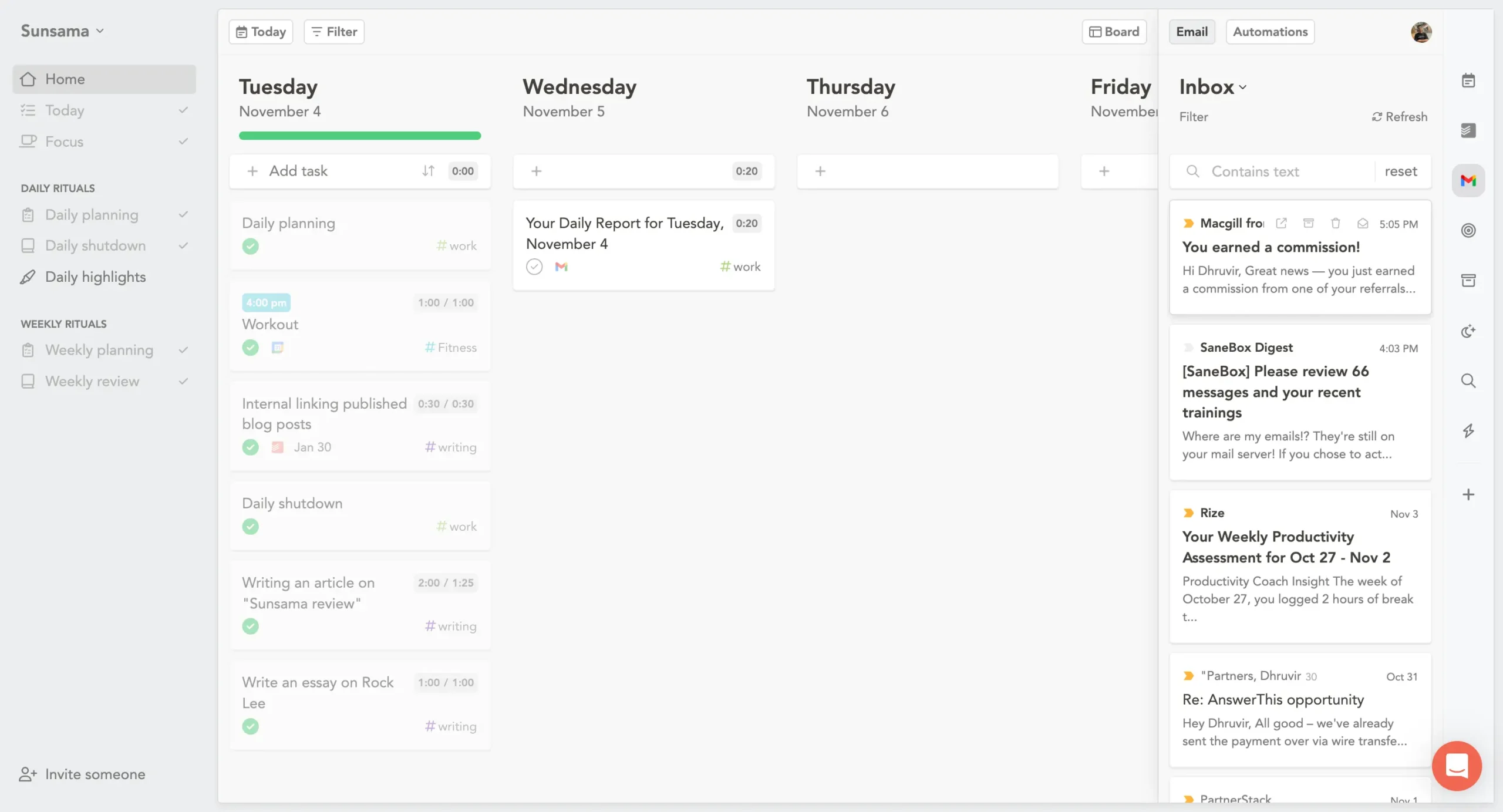
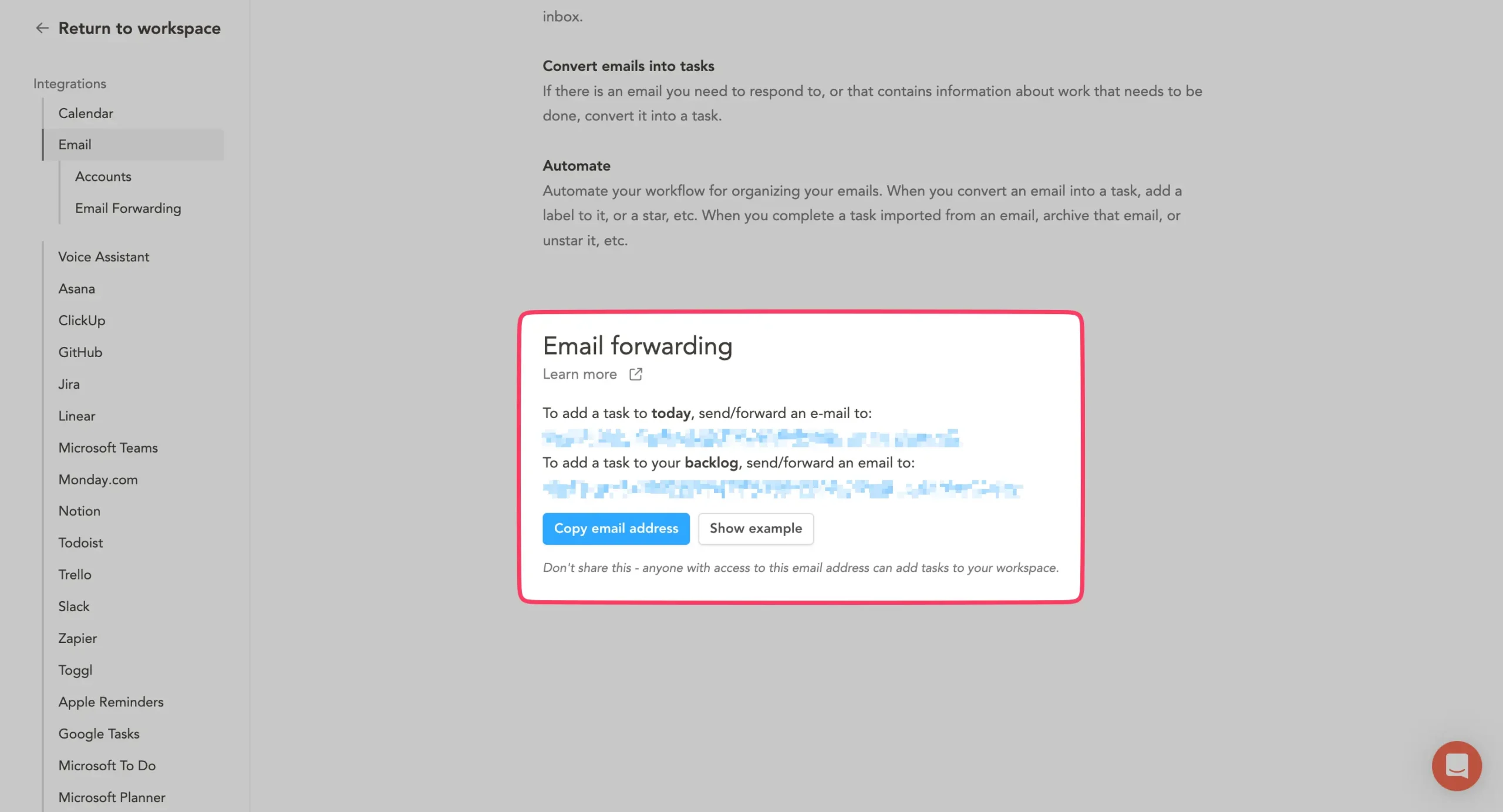
Sunsama also gives you two forwarding addresses—one for today’s tasks, one for backlog—so any email from any tool can become a task.
Morgen has Outlook Email integration, but it doesn’t match Sunsama’s email workflow depth. There’s no embedded email thread, no forwarding addresses, no inbox browsing inside the app.
If email drives a big chunk of your work, Sunsama handles it better.
Slack integration is another Sunsama advantage. You can turn any Slack message into a task directly from Slack’s message menu.
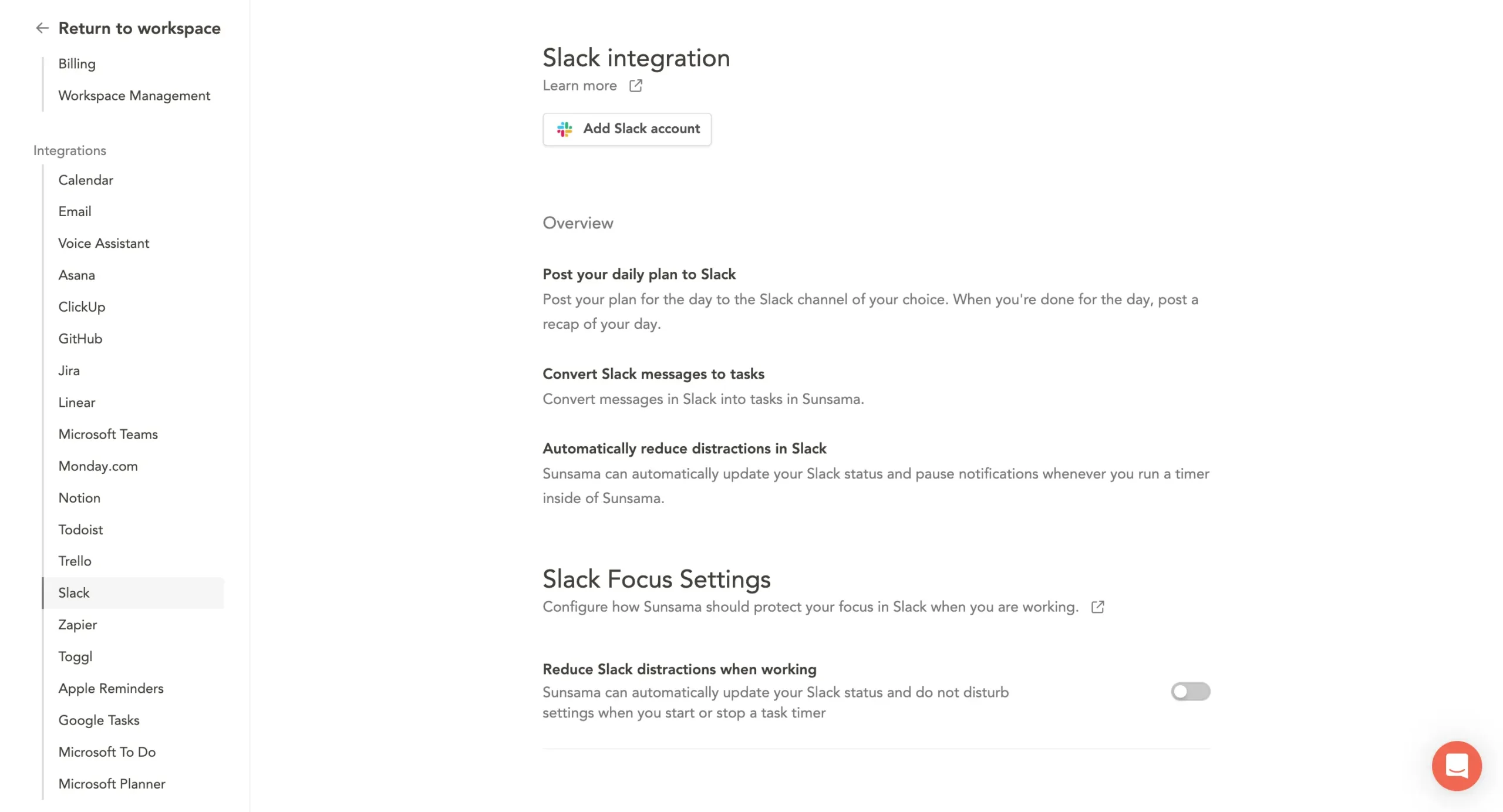
Morgen doesn’t have native Slack integration—you’d need Zapier for that.
For calendars, both tools support Google Calendar, Outlook, and iCloud. Morgen also connects to Fastmail and a few others.
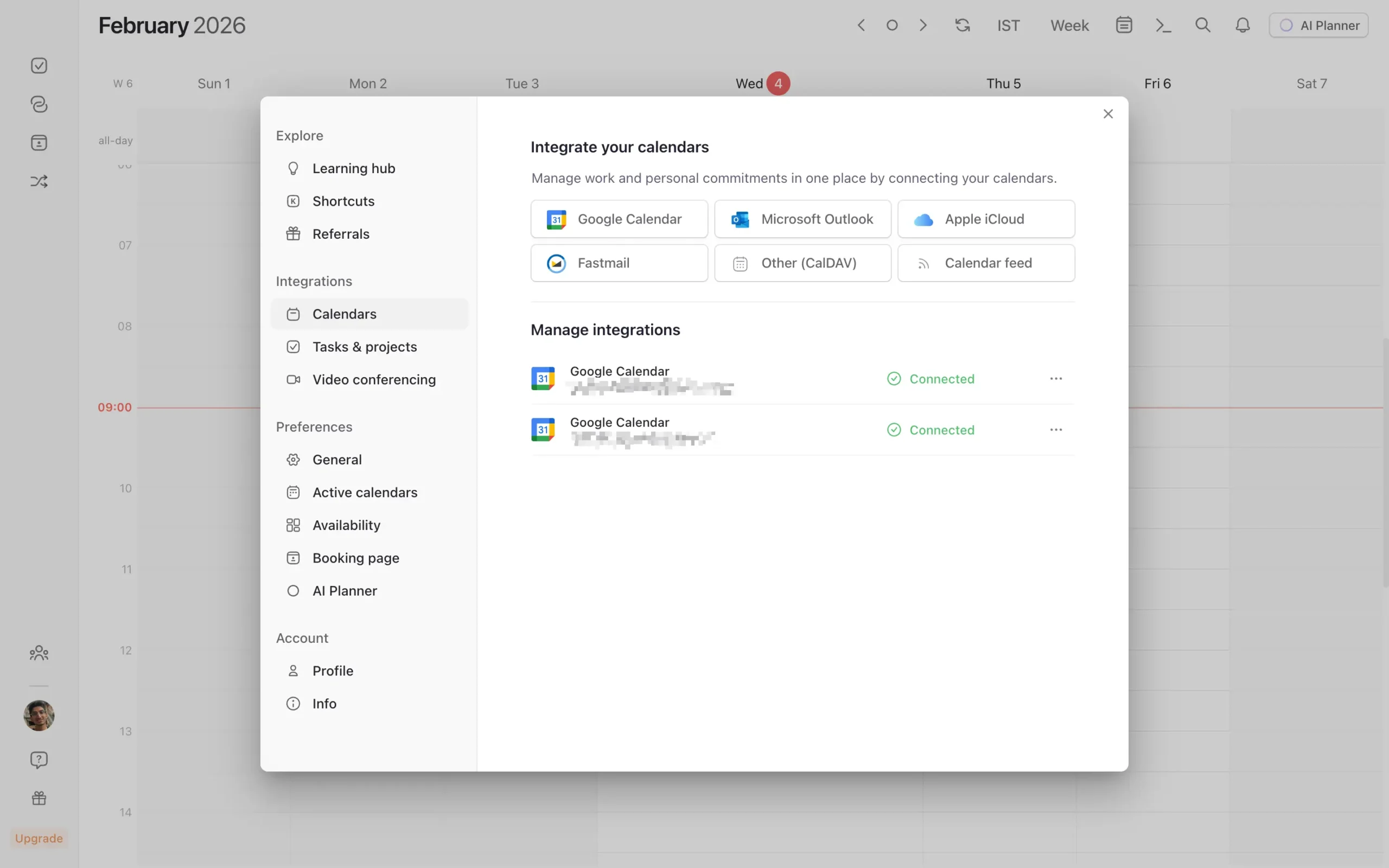
The two-way calendar sync works well in both—create an event in either tool, and it shows up in your calendar within seconds.
Both tools support Zapier as a catch-all for anything they don’t natively connect to.
Here’s the practical takeaway: if you’re a PM or team lead living in Jira, Asana, and Slack, Sunsama’s integration depth saves real time. If your stack is simpler—a task manager, a calendar, maybe a video conferencing tool—Morgen covers what you need, and the lighter integration list won’t matter.
Neither tool integrates with everything. But Sunsama’s wider net and deeper sync mean fewer workarounds for complex workflows.
Sunsama and Morgen also significantly differ in how they handle the bigger picture—weekly planning and review—which is where structured accountability comes in.
5. Weekly planning and review
This is where the gap between Sunsama and Morgen is widest.
Sunsama has a complete weekly planning and review system. Morgen doesn’t have one at all.
That sounds like a minor omission. It’s not.
Here’s why.
Daily planning answers “what should I do today?”
Weekly planning answers a harder question: “am I working on what actually matters?”
You can have perfectly planned days that add up to a wasted month. You finished every task, hit every deadline, shut down at 6 PM—and still made zero progress on anything important.
Without stepping back regularly to check direction, you’re just efficiently doing the wrong things.
Sunsama builds this check directly into the product.
Once a week, it triggers a planning ritual. You set objectives.
Big things that span multiple days.
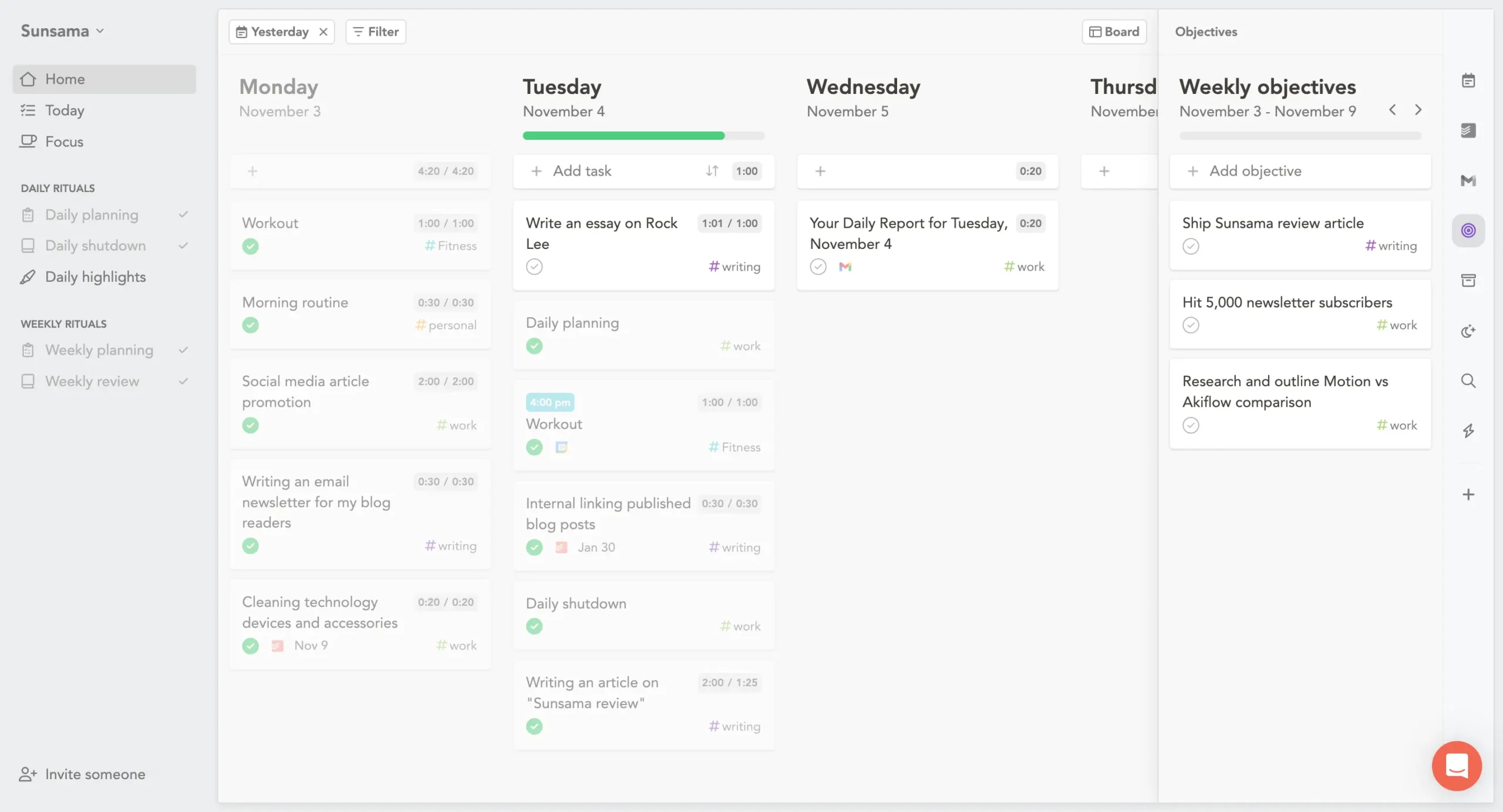
You can allocate time per day to each objective if you want. Monday 2 hours on onboarding, Tuesday 1 hour. Or just set the objective and figure out the daily details later. Both approaches work.
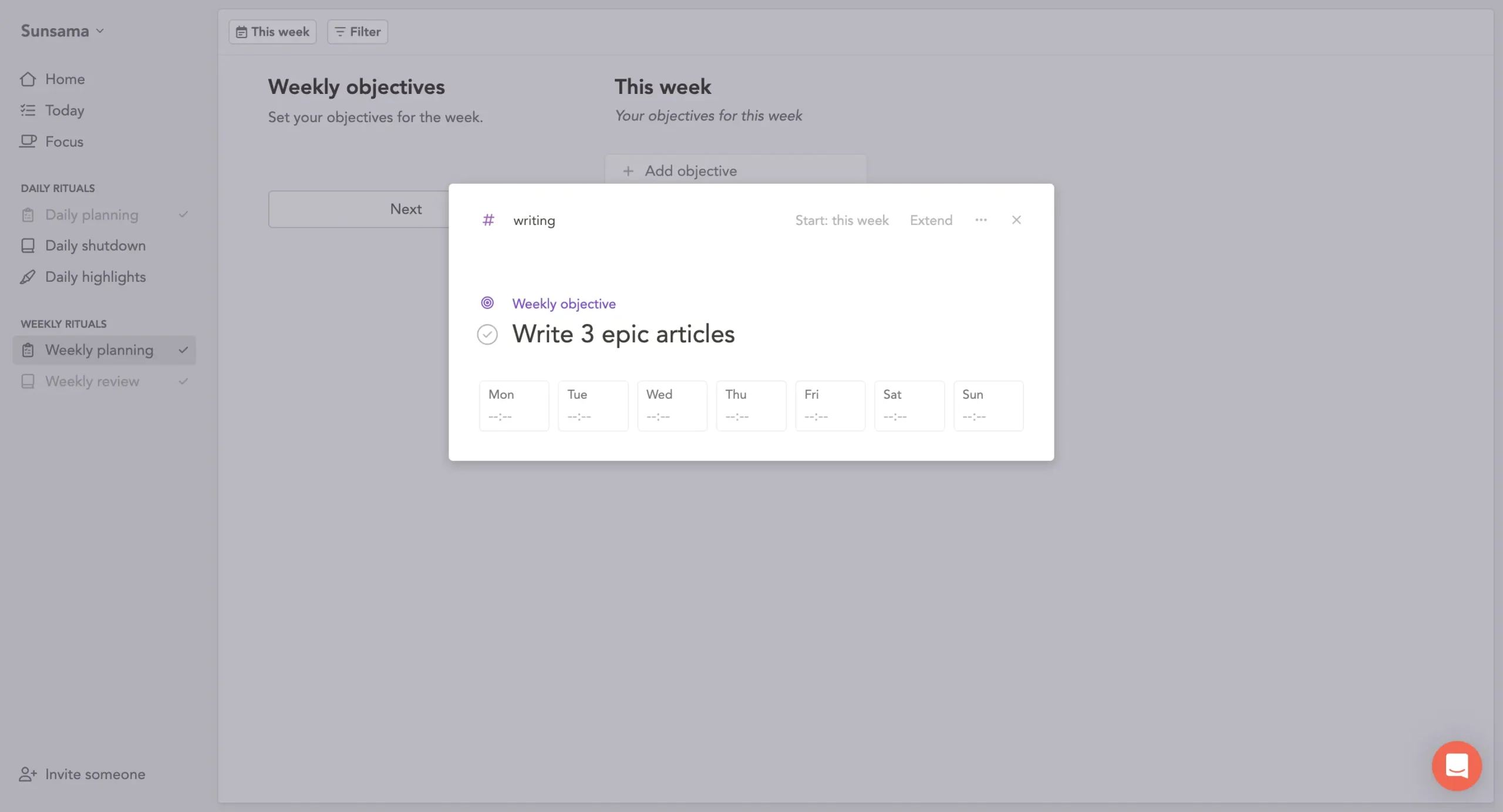
There’s a journaling step too.
Sunsama shows your objectives in a clean document and asks what you’re thinking about the week ahead. Obstacles, priorities, whatever comes to mind.
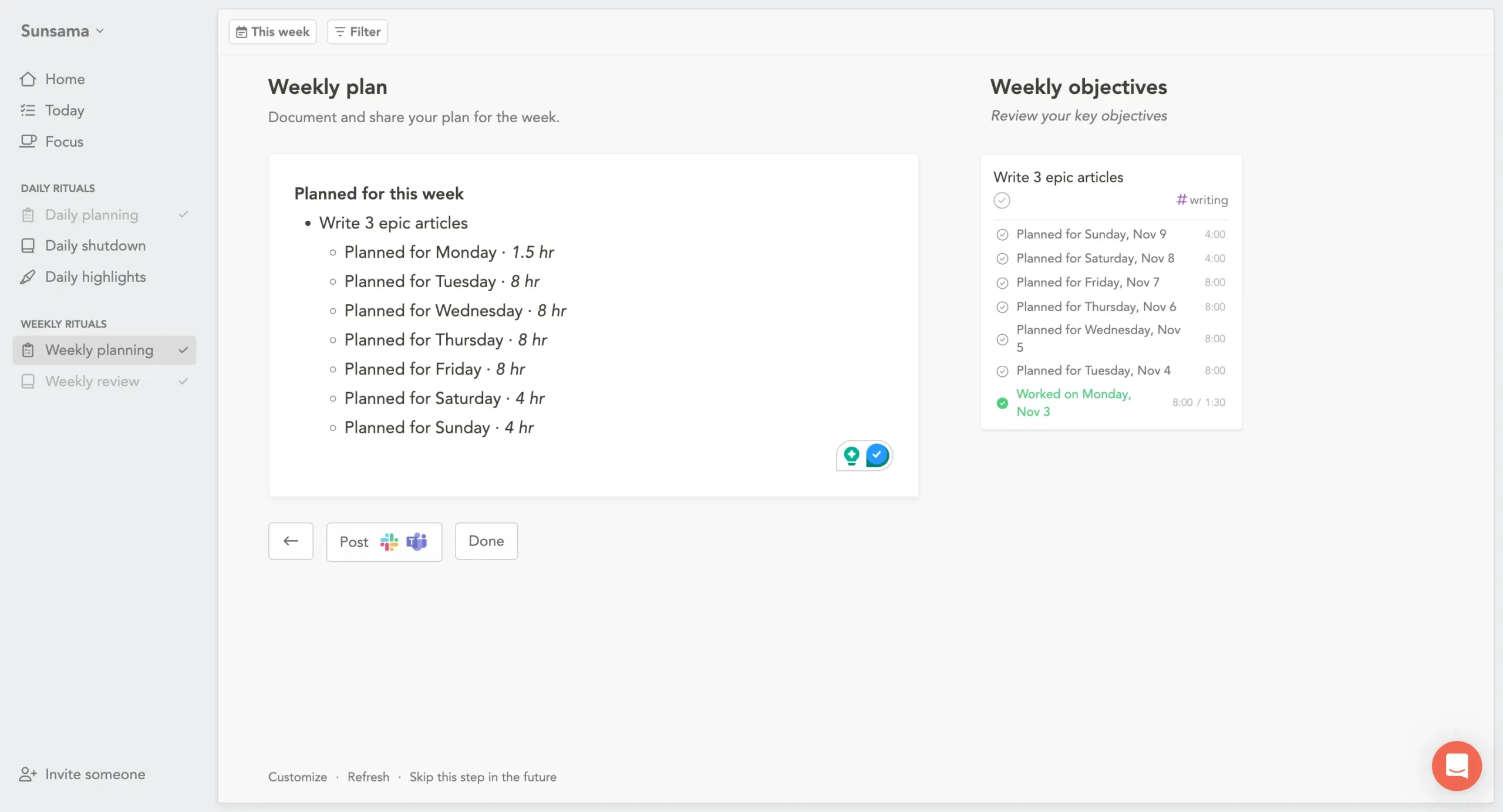
The whole planning ritual takes five minutes. Maybe ten if you haven’t thought about your week yet.
At the end of the week, the process reverses. Sunsama shows you what actually happened. A chart of time spent across different channels, your completed objectives, and space to reflect.
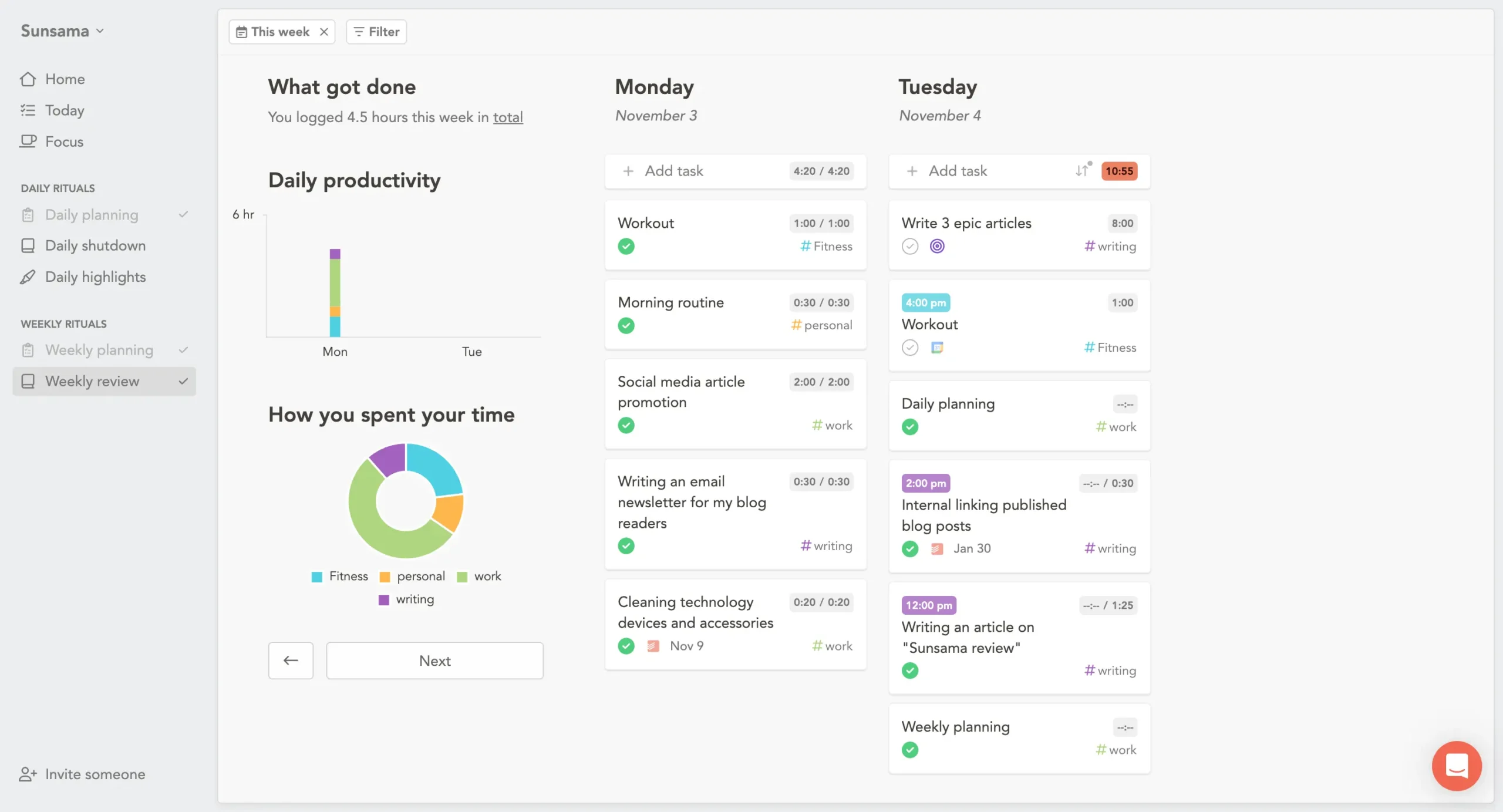
This is where the real learning happens. You set objectives on Monday. On Friday, you see whether you followed through.
You can combine weekly review and planning into a single ritual—review last week, then immediately plan next week. I do this. They feel like the same process anyway.
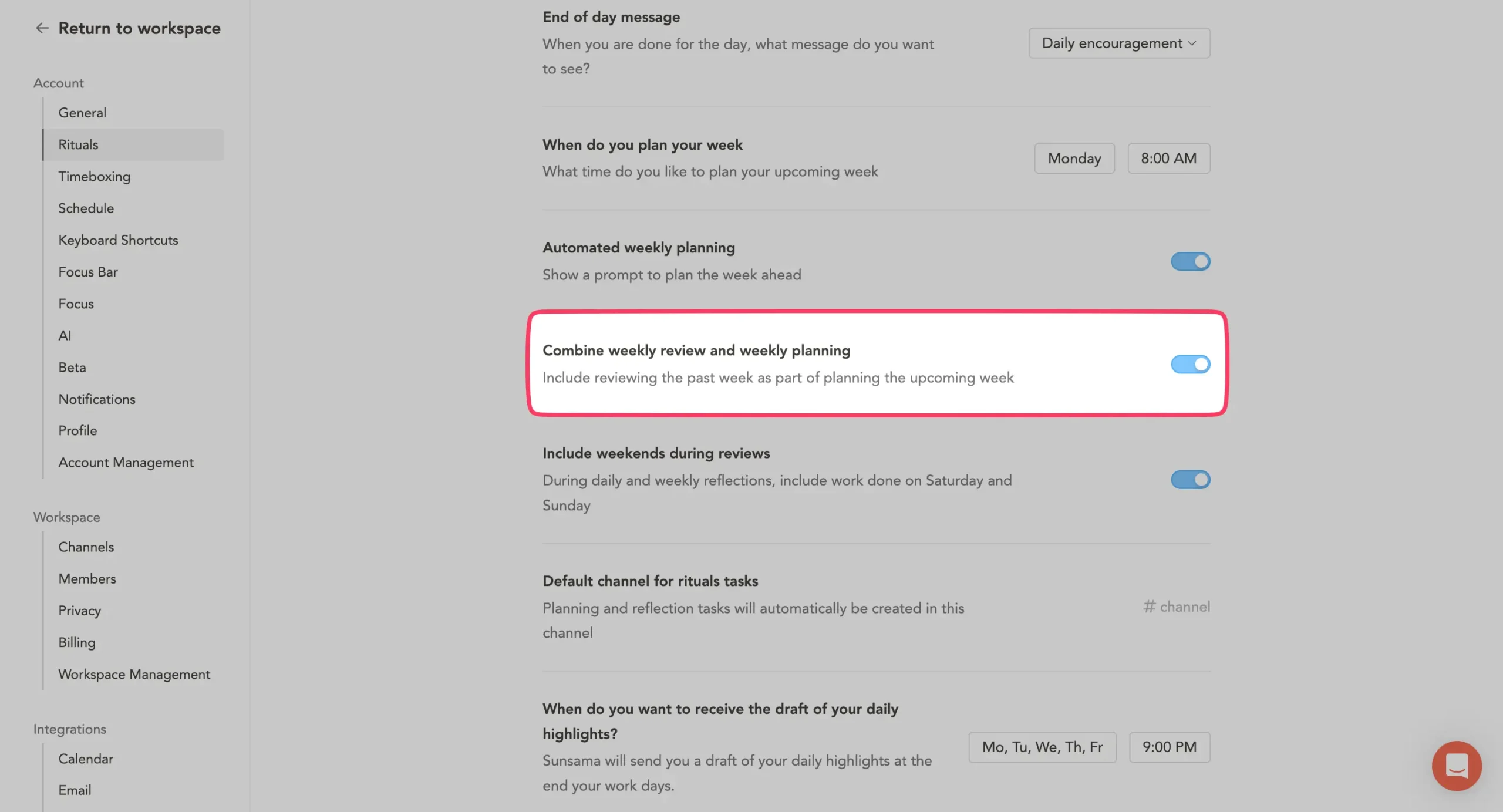
You can also share your weekly review on Slack or Teams. If your team does weekly standups or written updates, this replaces them. Review your week, click post, done.
Morgen has none of this.
No weekly planning screen. No objectives. No review ritual. No reflection step. No time-by-category breakdown at the end of the week.
You plan each day individually with the AI Planner. That’s it.
This isn’t necessarily a flaw in Morgen’s design. Morgen’s philosophy is “calendar and tasks in one view, AI helps you schedule.”
Weekly accountability isn’t part of that vision. But the absence matters if you’re the kind of person who needs structure to stay honest with yourself.
However, if you already do weekly reviews—in a notebook, in Notion, in Obsidian, wherever—Morgen’s lack of built-in review won’t bother you. You have your own system.
The difference in structure shows up at the end of each day, too. Specifically, in how each tool handles the transition from “working” to “done.”
6. Shutdown ritual and end-of-day handling
Most people end their workday by closing their laptops. Without any transition. One minute you’re working, the next you’re making dinner while half-thinking about that email you didn’t send.
Sunsama thinks this is a problem worth solving. Morgen doesn’t.
When your shutdown time hits, the time you picked during morning planning, Sunsama sends a notification.
Time to wrap up. Click it, and a guided ritual walks you through the end of your day.
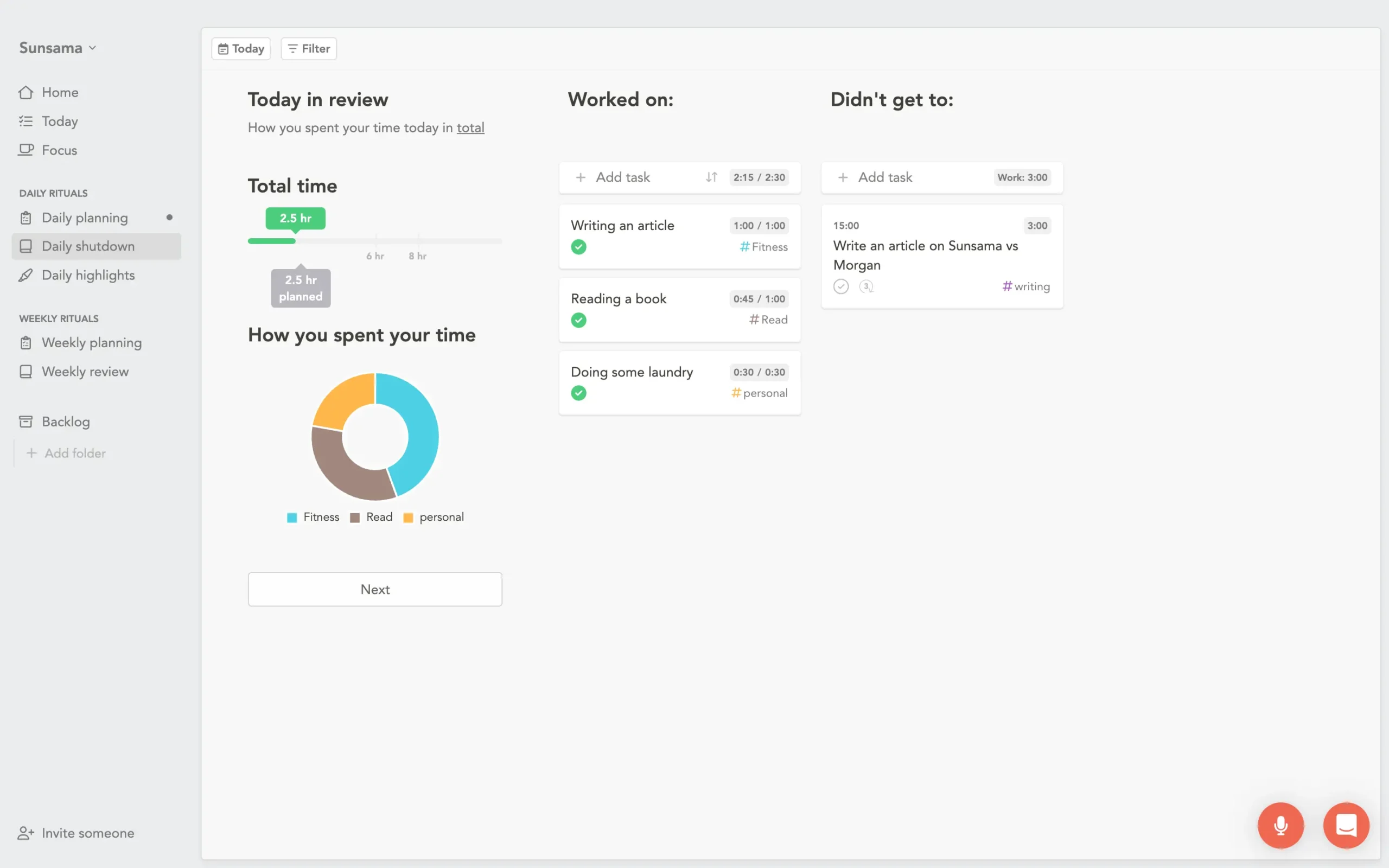
The first screen shows what you did. Tasks completed. Time spent. A pie chart breaking it down by channel. It’s a mirror held up to your day.
Then comes Daily Highlights.
Sunsama’s AI looks at your completed tasks and writes short summaries of each one. You drag things around, edit the summaries if needed, and publish.
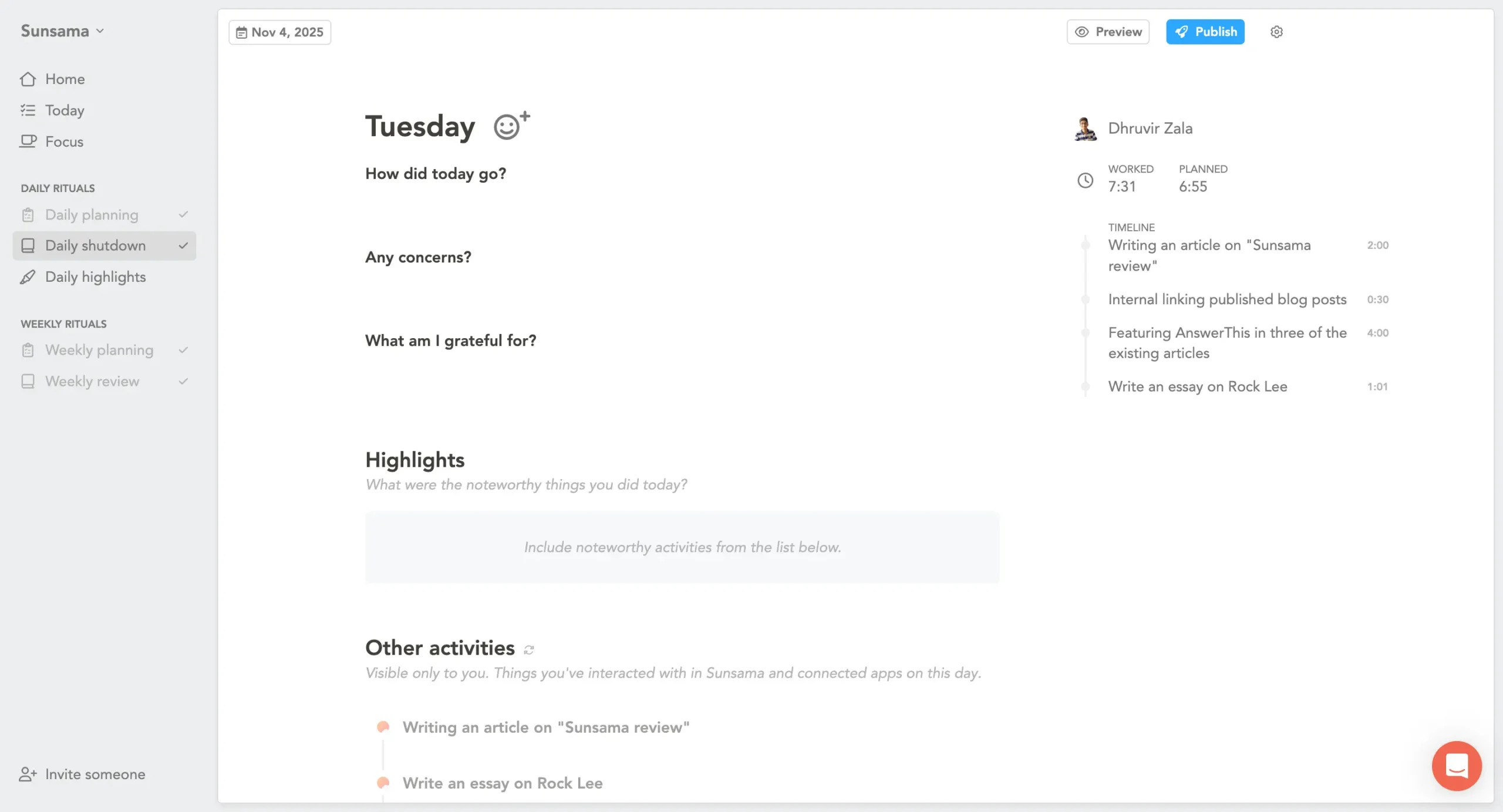
You can send highlights to yourself via email, post them to Slack or Teams, or keep them private. Review your day, click post, done.
The whole thing takes two minutes.
Here’s why it works: something about reviewing your day and clicking “done” makes it actually feel done. The workday gets a shape—beginning, middle, and end.
It’s a psychological trick, basically. But a good one.
Morgen handles end-of-day completely differently. There’s no ritual. No guided review. No notification telling you the workday is over.
What Morgen does instead is handle the morning after.
If you had tasks scheduled yesterday that you didn’t finish, Morgen notifies you the next day. You get three options:
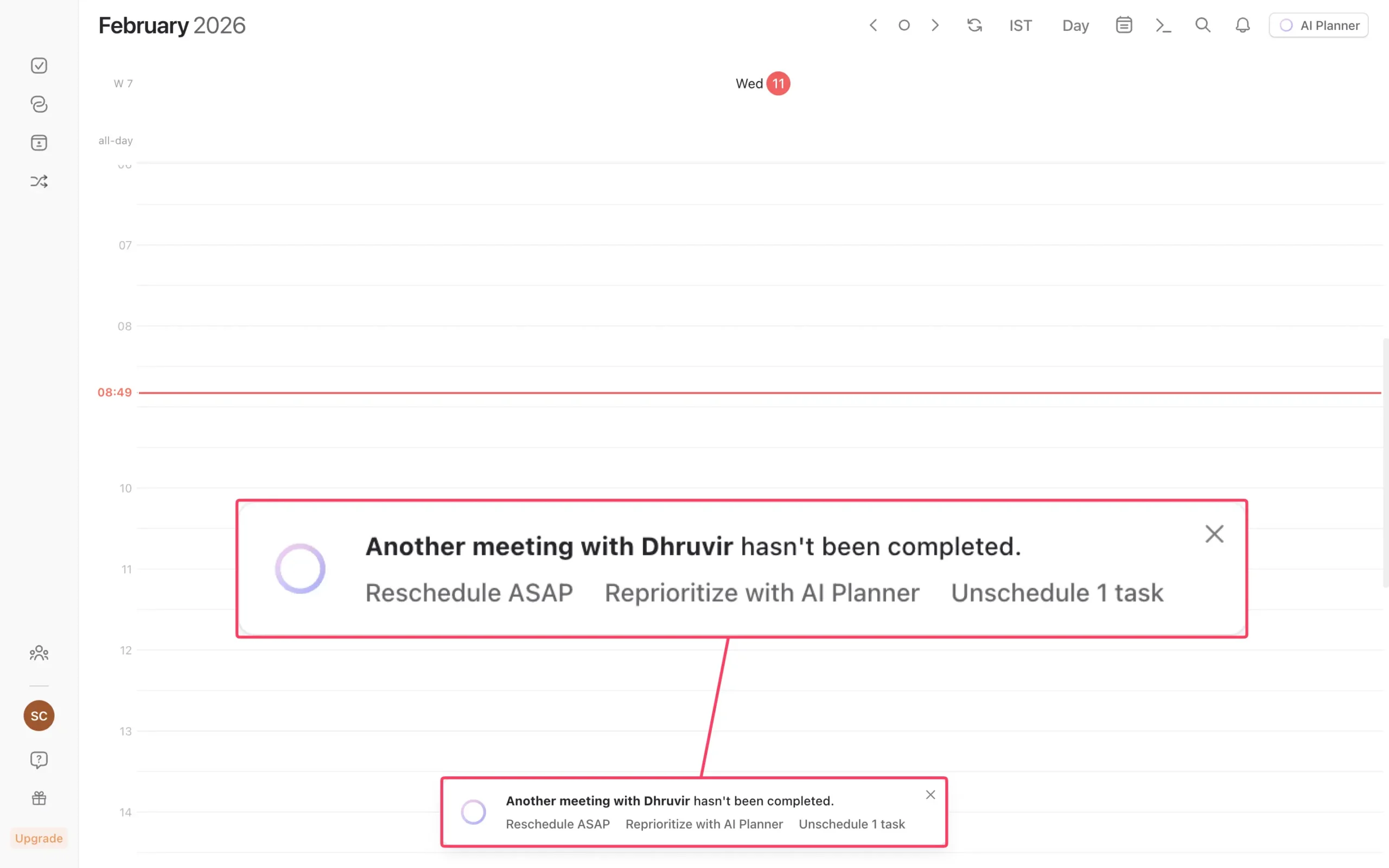
Pick one of the first two, and the AI shows you where it plans to put the incomplete task. You approve or reject.
It’s practical.
It solves the “what happened to yesterday’s unfinished work?” problem. But it doesn’t solve the “I can’t stop working” problem.
These are different problems, and they require different solutions.
Sunsama’s shutdown ritual addresses work-life balance directly. It creates a boundary between work and non-work.
For someone who regularly works until 11:45 PM because there’s no clear signal to stop, this is the feature that changes everything.
Morgen’s approach assumes you already know when to stop. It just makes sure nothing falls through the cracks when you do.
7. Mobile experience
If you do all your planning at a desk, skip this section.
But if you’ve ever been on a train, between meetings, or walking somewhere and thought “I need to reorganize my day,” mobile matters.
Both tools have mobile apps. The difference is in what you can actually do with them.
Sunsama’s mobile app is more capable than most people give it credit for. It includes the full daily planning ritual, daily highlights, and daily shutdown—all on your phone.
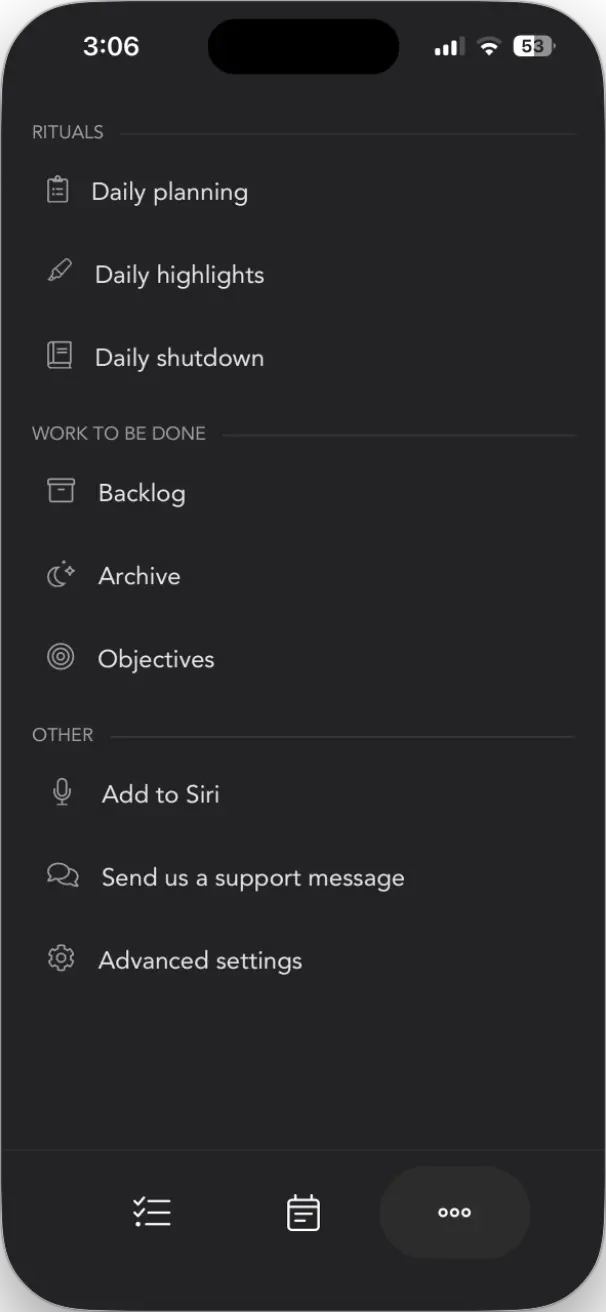
That surprised me.
The App Store description calls it a “companion to the desktop app,” which undersells it.
You can run the complete morning ritual from your phone:
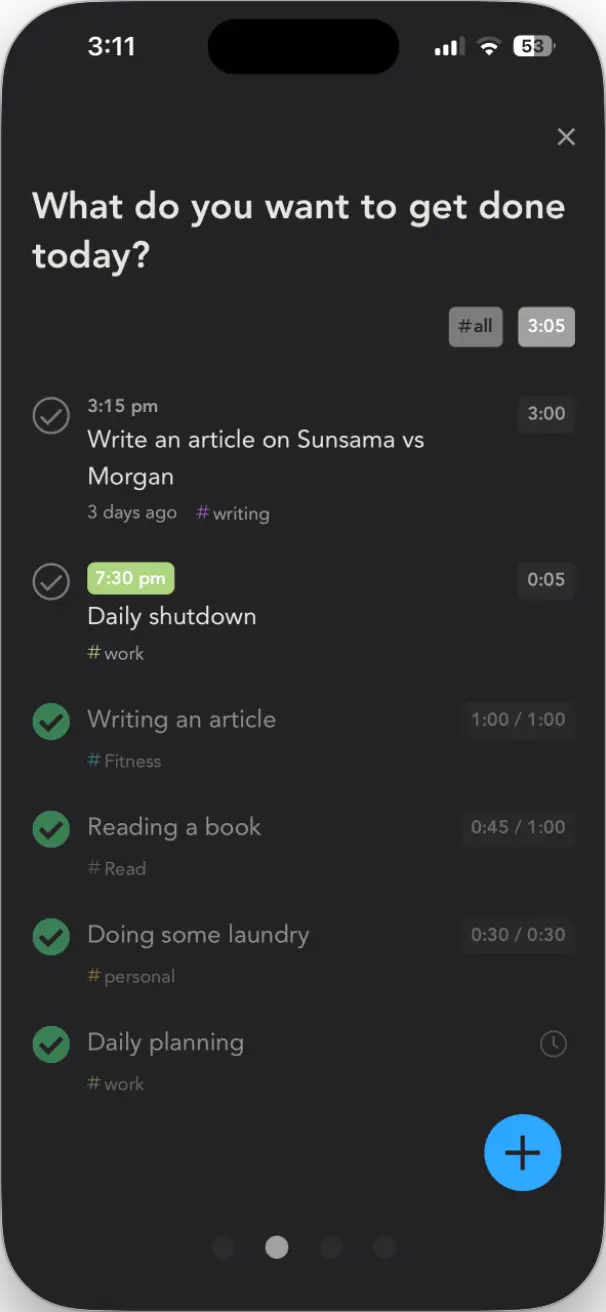
This is useful when you’re commuting on a train and need to plan your day before you reach the office. You swipe through the same guided screens, make the same decisions, and land on a plan. It works.
But outside the rituals, Sunsama’s mobile app is limited.
The task list and calendar views are basic. You can add tasks and check things off, but there’s no drag-and-drop to rearrange your day. No auto-rescheduling when you finish something early. No focus mode or timers.
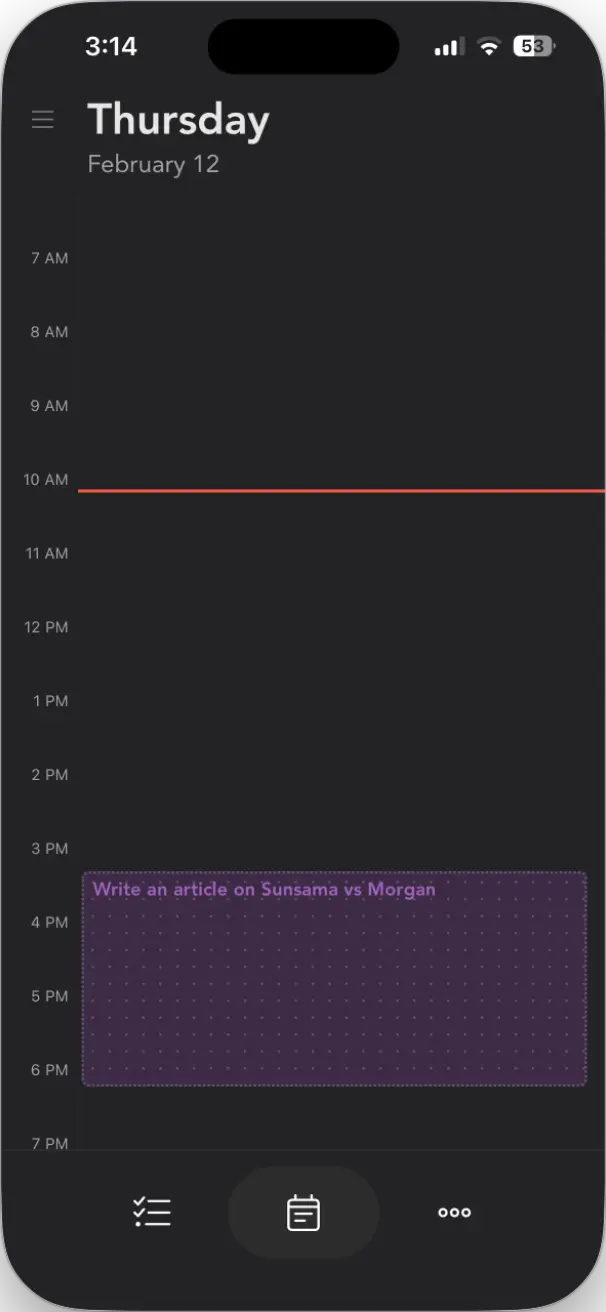
So Sunsama on mobile is good for rituals, limited for everything else.
Morgen’s mobile app takes a different approach. Instead of rituals, it gives you a functional calendar and task manager in your pocket.
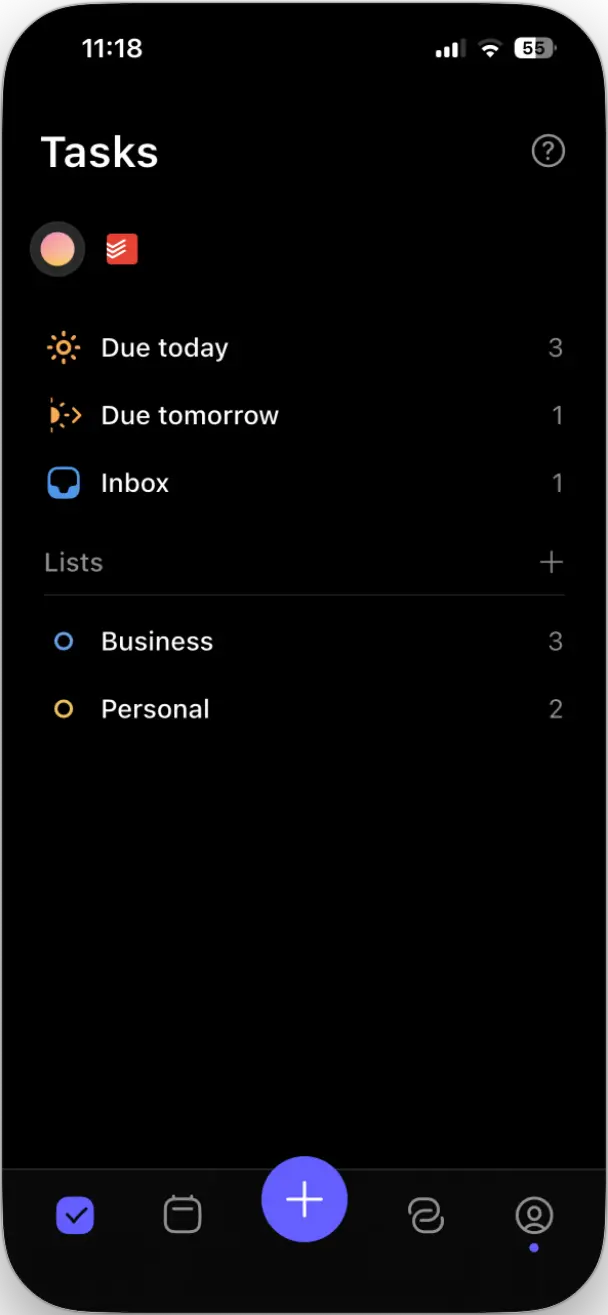
You can create tasks, events, and routines.
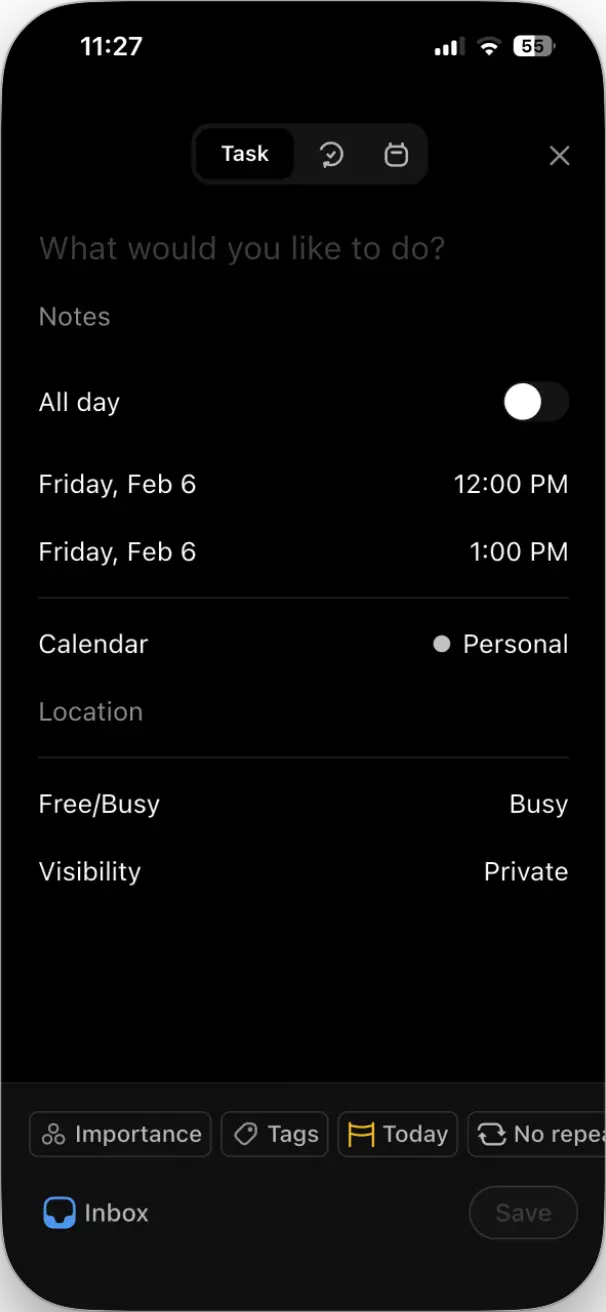
Switch between day, three-day, week, or agenda views. Toggle calendar visibility.
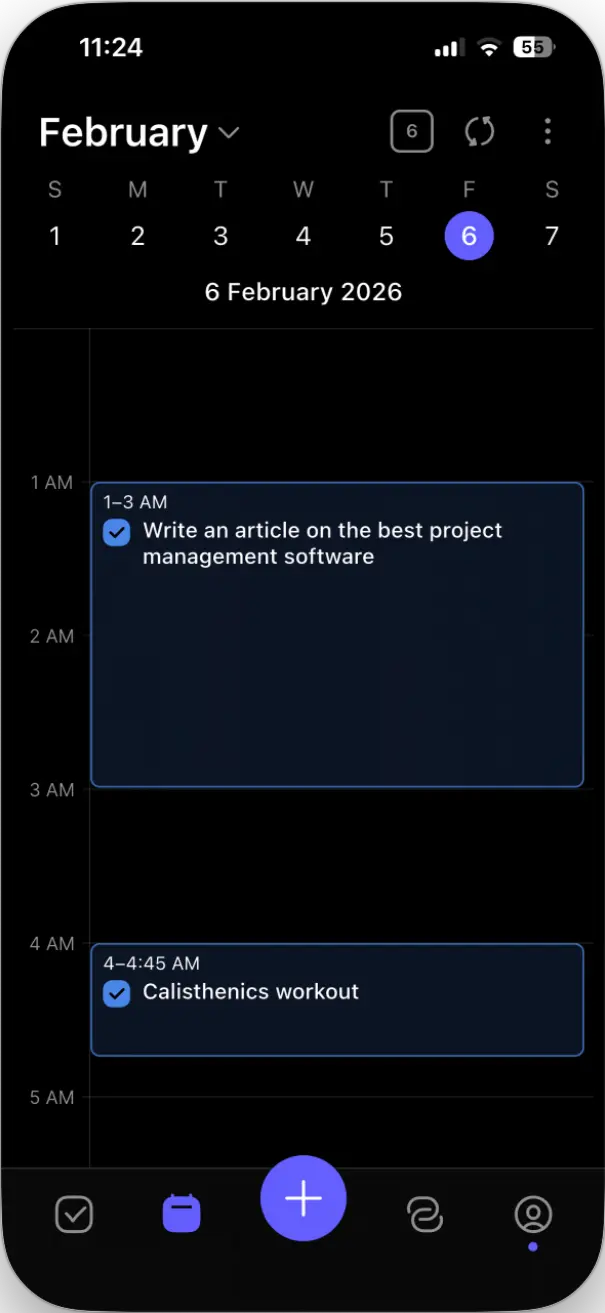
Your task integrations—Todoist, Notion, whatever you’ve connected—work on mobile too.
What Morgen doesn’t have on mobile is the AI Planner. Frames, AI scheduling, background workflows, those are desktop features. You won’t generate an AI-suggested plan from your phone.
Neither app replaces the full desktop experience.
Sunsama and Morgen also split on another practical feature: what happens when someone wants to schedule a meeting with you.
8. Scheduling links and meeting booking
Morgen includes meeting scheduling. Sunsama doesn’t.
That’s the whole comparison.
When someone wants to book time with you, a sales call, a consultation, whatever, you need a way to share your availability without the email tennis of “does Tuesday at 2 PM work? No? How about Wednesday?”
Tools like Calendly solve this. You share a link, they pick a time, and both calendars update automatically. It works well. It also costs $12-15/month for the paid version.
Morgen bundles this into their $30/month ($15/month yearly) plan. Sunsama doesn’t offer it at all.
In Morgen, you get two scheduling options.
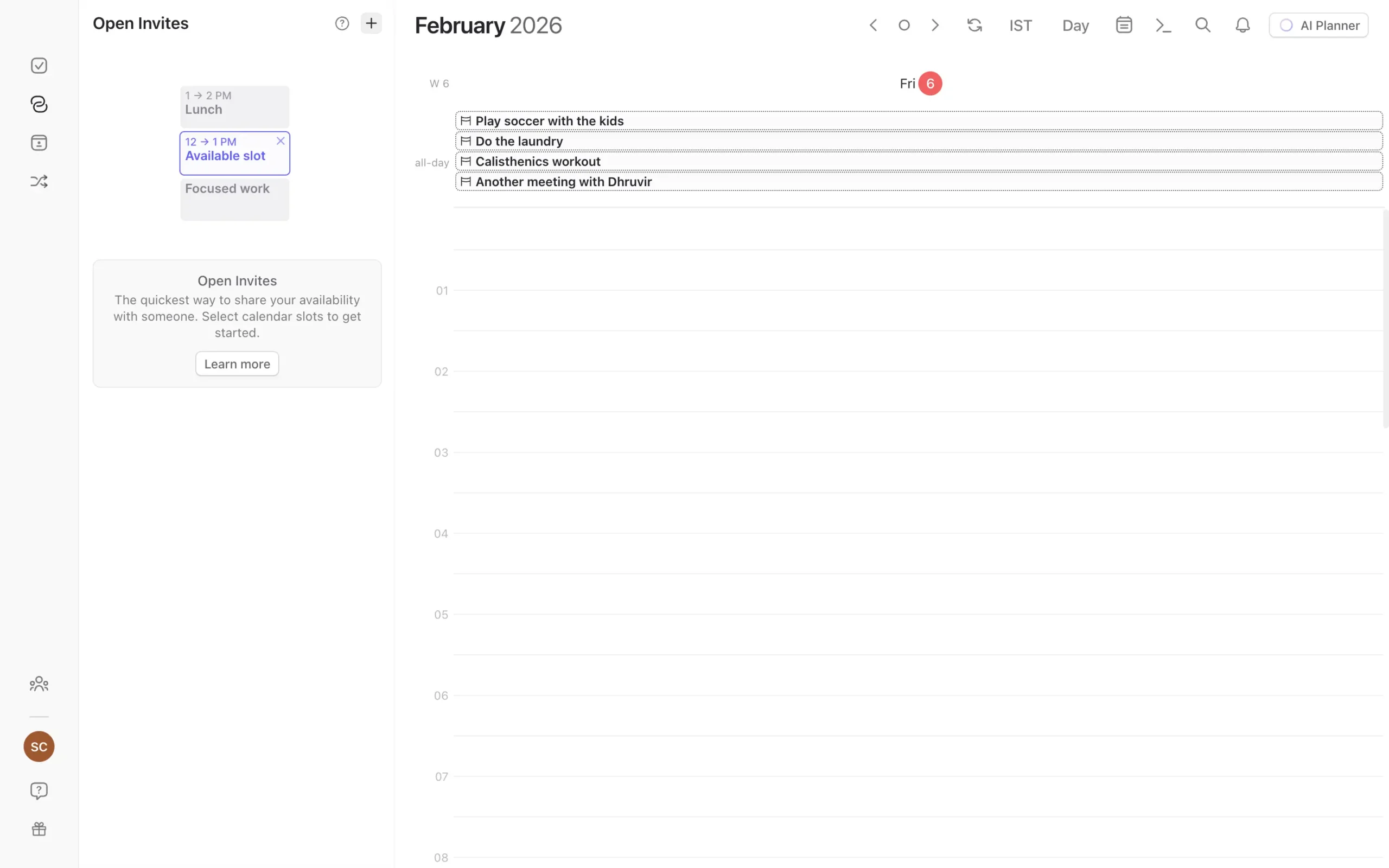
Open Invites are for one-off meetings. You’re scheduling a call with one specific person. Click any time slot on your calendar, choose “Open Invite,” highlight a few times you’re available, and Morgen generates a URL. Send it. They pick a slot. Done.
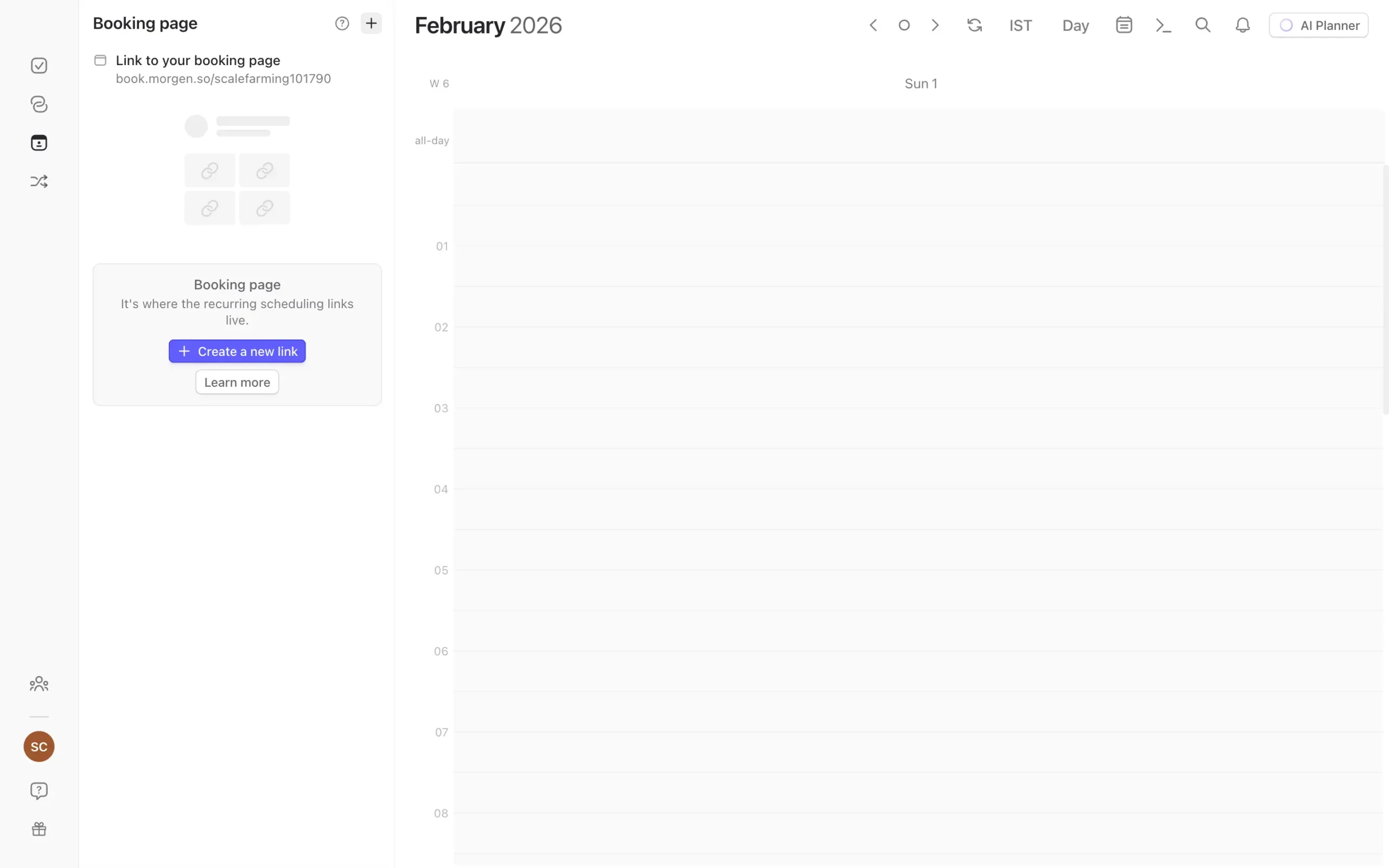
Scheduling Links are for recurring meeting types. First-round interviews. Office hours. Coffee chats with prospective clients.
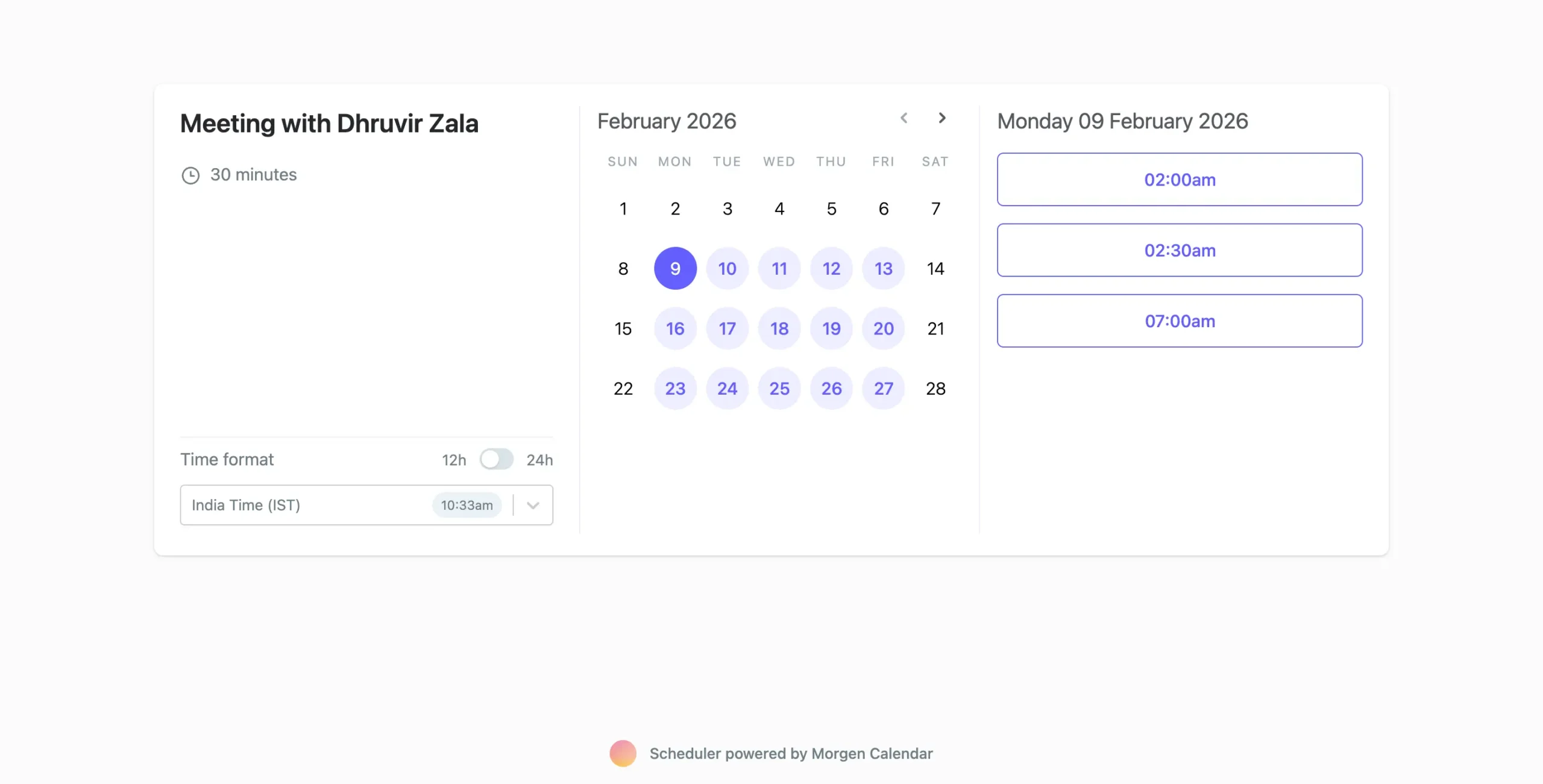
You create a template once—”30-minute intro calls, available Tuesdays 2-5 PM”—and get a permanent link you can reuse. Put it in your email signature, on your website, wherever.
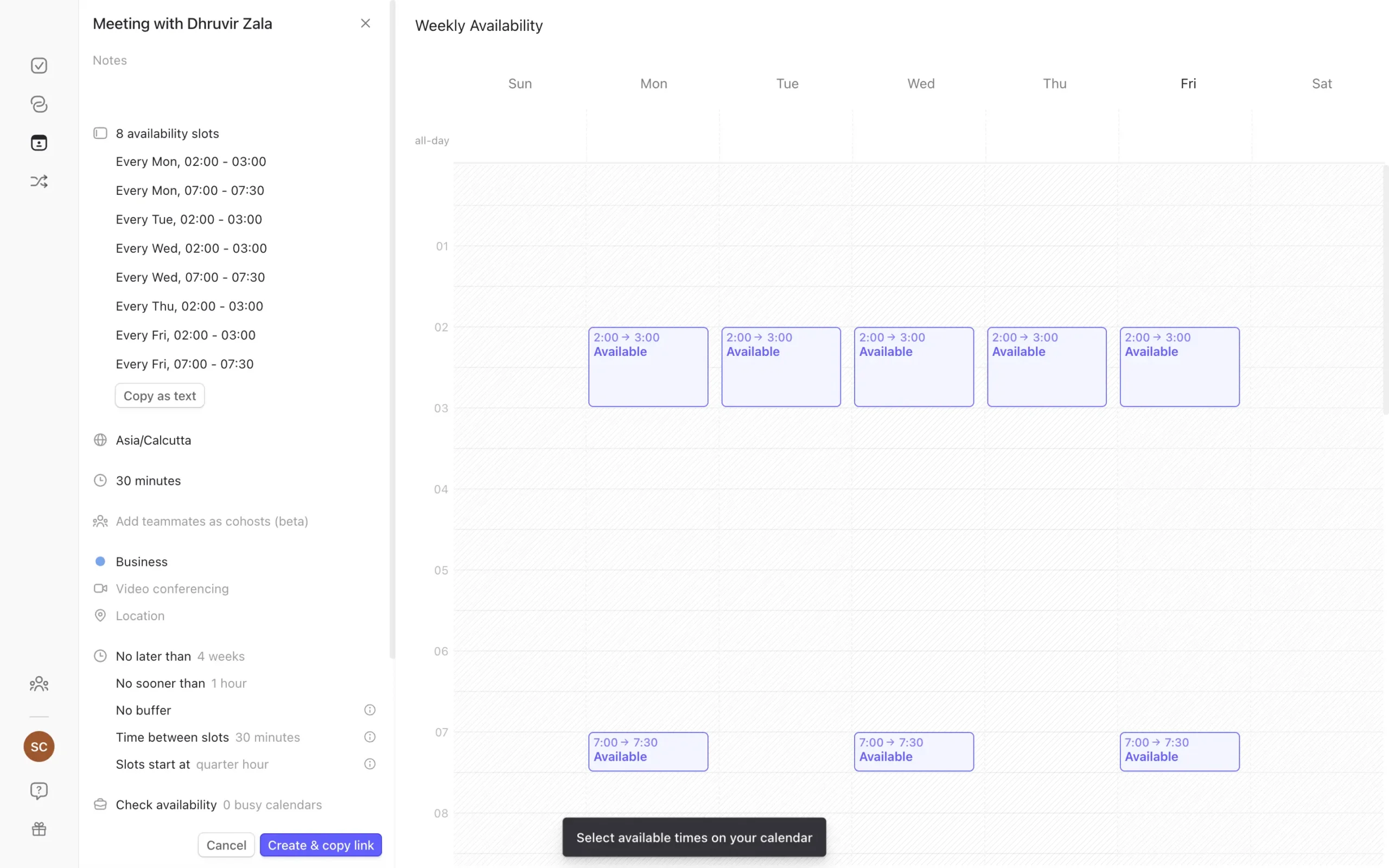
The implementation is solid. Real-time availability checking across all your calendars. Automatic timezone detection. Buffer time between meetings. Multi-person scheduling if multiple team members need to attend.
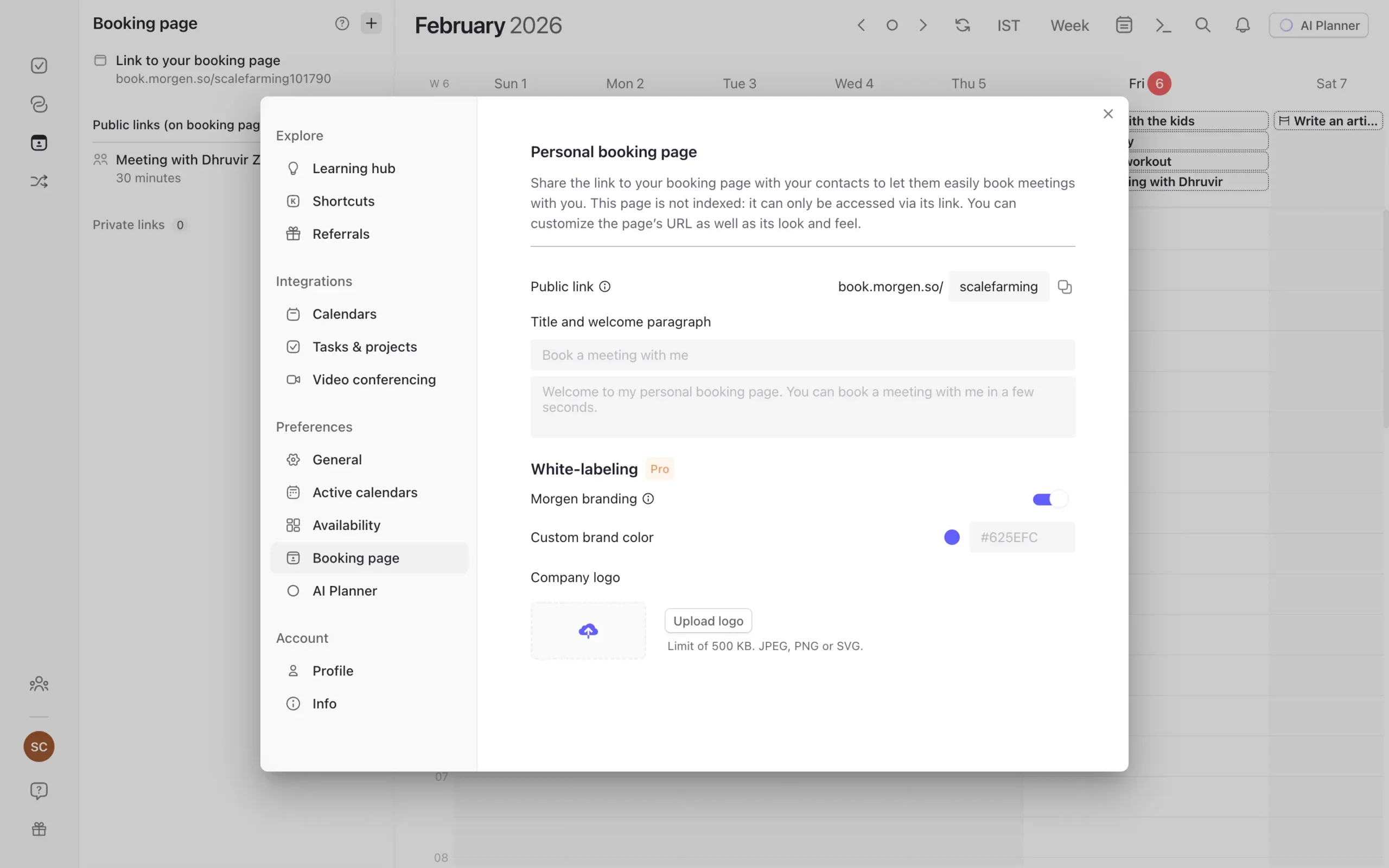
You can customize your booking page too—add your logo, change colors, remove Morgen branding.
Sunsama has no scheduling system. You’d need to pay for Calendly, Cal.com, SavvyCal, or something else separately. Add another $12-15/month to your tool stack.
This isn’t a feature Sunsama is planning to add, as far as I can tell. It’s not part of their vision. They’re a daily planning tool, not a calendar replacement.
Fair enough. But it means you’re managing one more subscription.
Speaking of subscriptions, we’ve covered what each tool does. Now let’s look at what they actually cost.
Sunsama vs Morgen price and plans
Both tools skip the freemium model. You get a trial, then you pay.
Sunsama has two paid tiers:
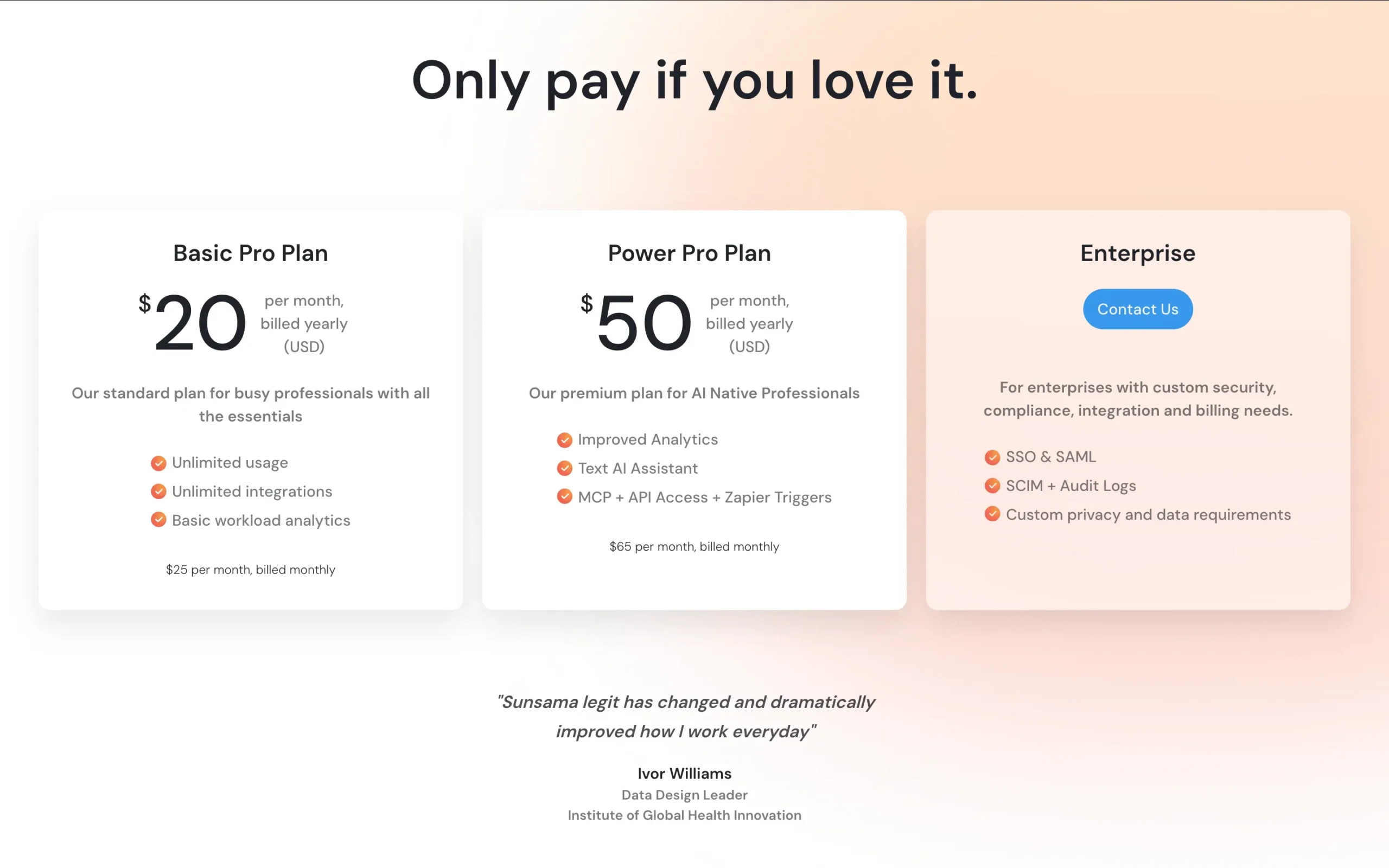
Enterprise pricing exists for teams that need custom security and compliance. You have to contact them.
Morgen has simpler pricing:
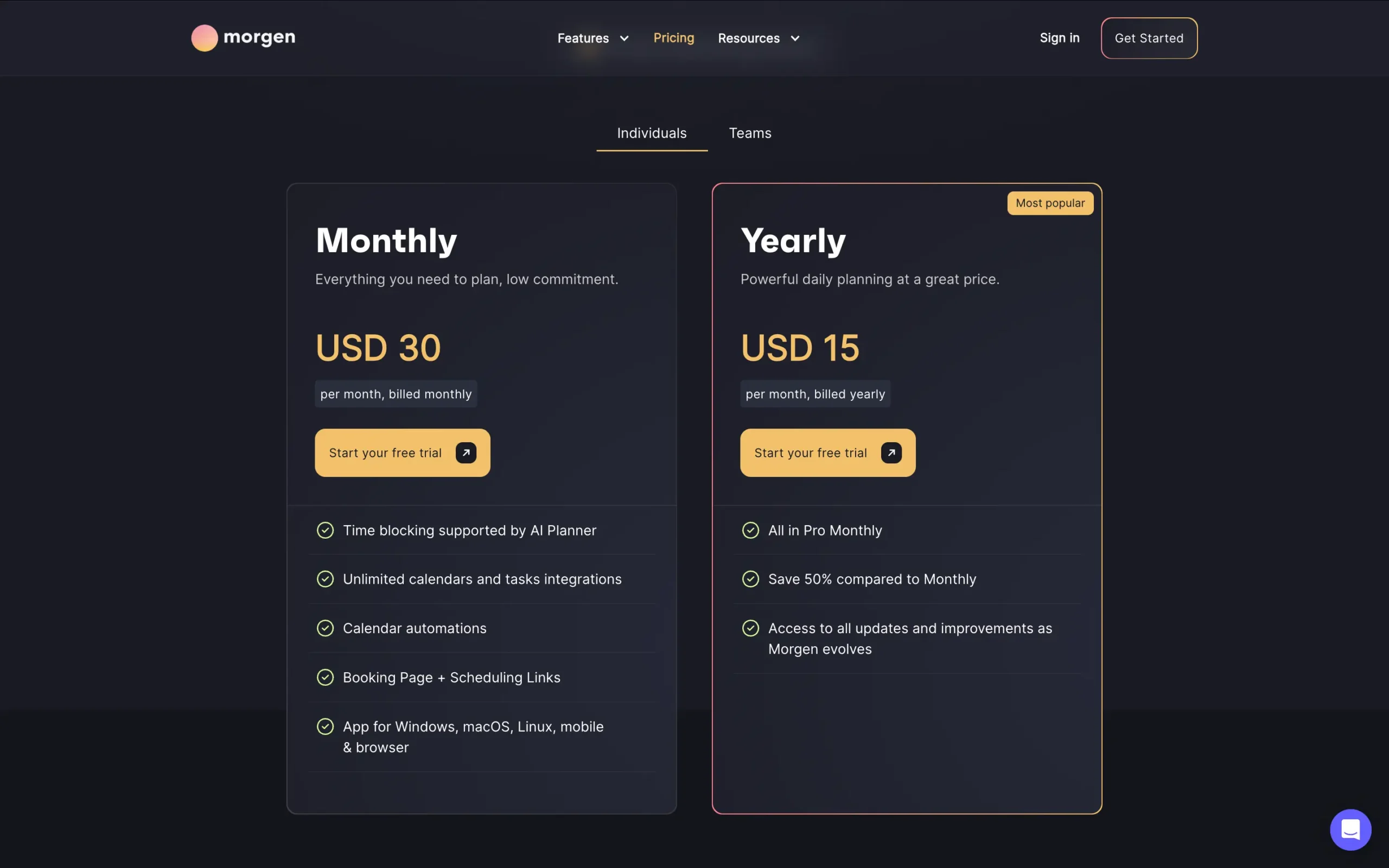
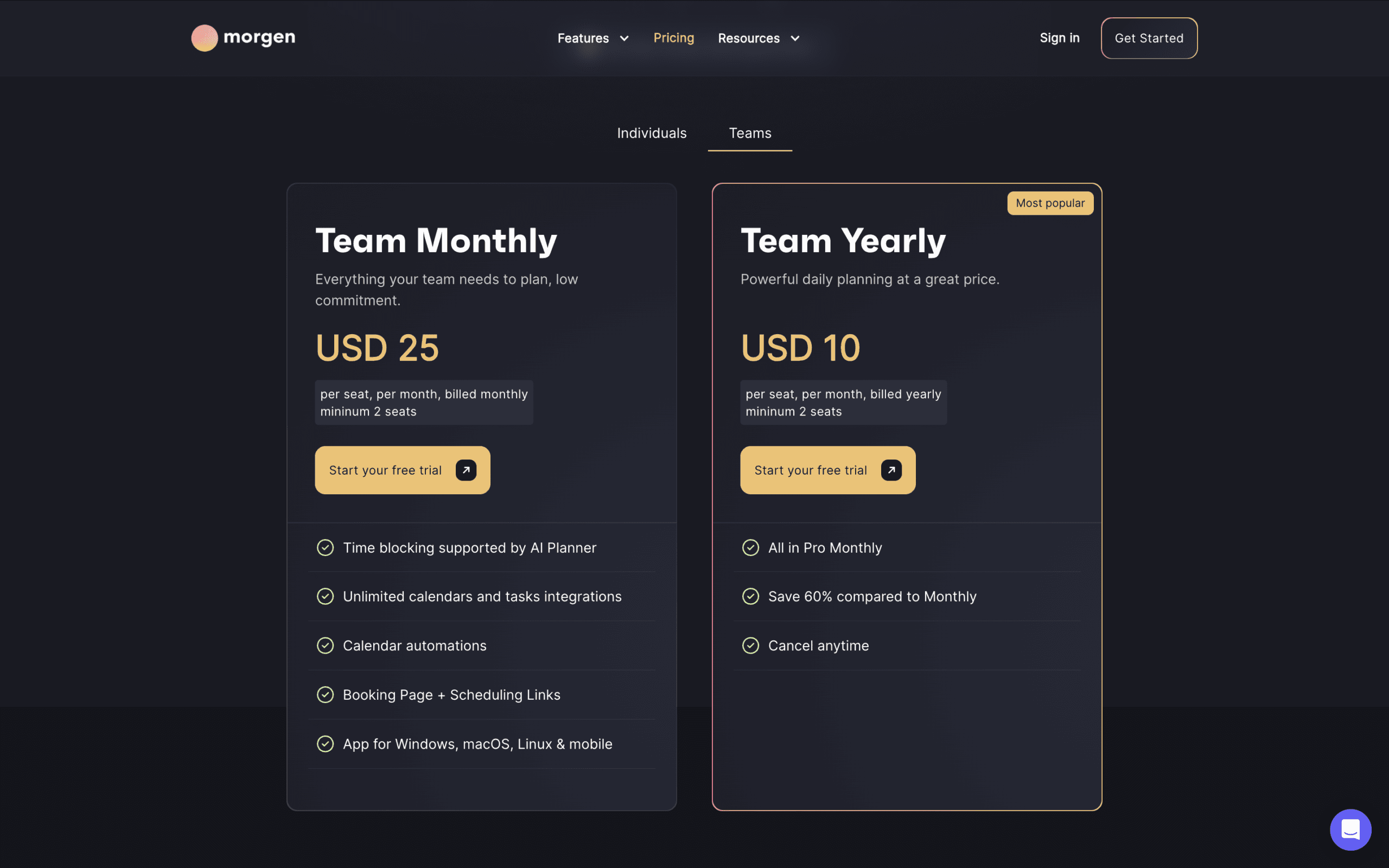
If you want AI planning, Morgen is cheaper. $15/month gets you the AI Planner. Sunsama’s AI (Sunny) costs $50/month minimum.
But Morgen’s $15/month also replaces scheduling tools like Calendly ($12-15/month). So you’re saving on two subscriptions.
Sunsama’s Basic Pro at $20/month makes sense if you don’t want AI and prefer ritual-based planning.
Share this article:

Want to find the right tool before you pay for the wrong one?
Every week or two, I test a productivity tool and tell you exactly what I found. I spend weeks with each tool so you don’t spend $30 finding out it isn’t for you.
Unsubscribe anytime. No hard feelings.