My Brain.fm review: Does it really work?
We independently review every app we recommend. When you click some of the links on this page, we may earn a commission, at no extra cost to you. Learn more.
Music has been my go-to fix for remote work for years. Struggling to focus? Put on music. Motivation gone? Put on music. Inspiration dried up? Music. The problem was it wasn’t working, not reliably, anyway.
Turns out I’d been using the wrong music for the wrong occasion. Eagles and Pink Floyd songs during deep work sessions were helping me achieve precisely nothing. Great music, completely wrong for the job. And when I switched to free focus playlists on Spotify or YouTube, I either got interrupted by ads mid-session or spent twenty minutes hunting for the right track and never really started working at all.
Brain.fm is built specifically for this: science-backed music, no ads, no curation required. I tested it for more than five days in real work. Here’s my honest verdict on whether it actually delivers.
My Brain.fm review at a glance
In a hurry? Here’s a summary of my Brain.fm review:
My verdict: If free alternatives have failed you, Brain.fm fixes the specific thing they got wrong: it makes the decision for you, plays music that was built for focus rather than labelled for it, and gets out of the way. If they haven’t failed you, save the $15.
Feature | Verdict |
|---|---|
Ease of use | Clean, distraction-free interface. One gotcha: billing details required before you access the dashboard. |
Music variety | Four modes (Focus, Relax, Sleep, Meditate) with specific sub-activities inside each. |
ADHD support | Dedicated ADHD Mode with High Neural Effect Level. The 119% claim on their site is unverified, but the mode works. |
Customisation | Genre filters, Neural Effect Level, and a built-in Pomodoro timer. Minimal but covers what matters. |
Mobile app | Good for sleep and meditation. No cross-device syncing, which is a real gap if you move between a laptop and a phone. |
Pricing | $14.99/month or $99.99/year. Expensive compared to free alternatives. Worth it if those have already failed you. |
Who Brain.fm is for
Brain.fm is not for everyone, and knowing which side you fall on saves you the trouble of a free trial.
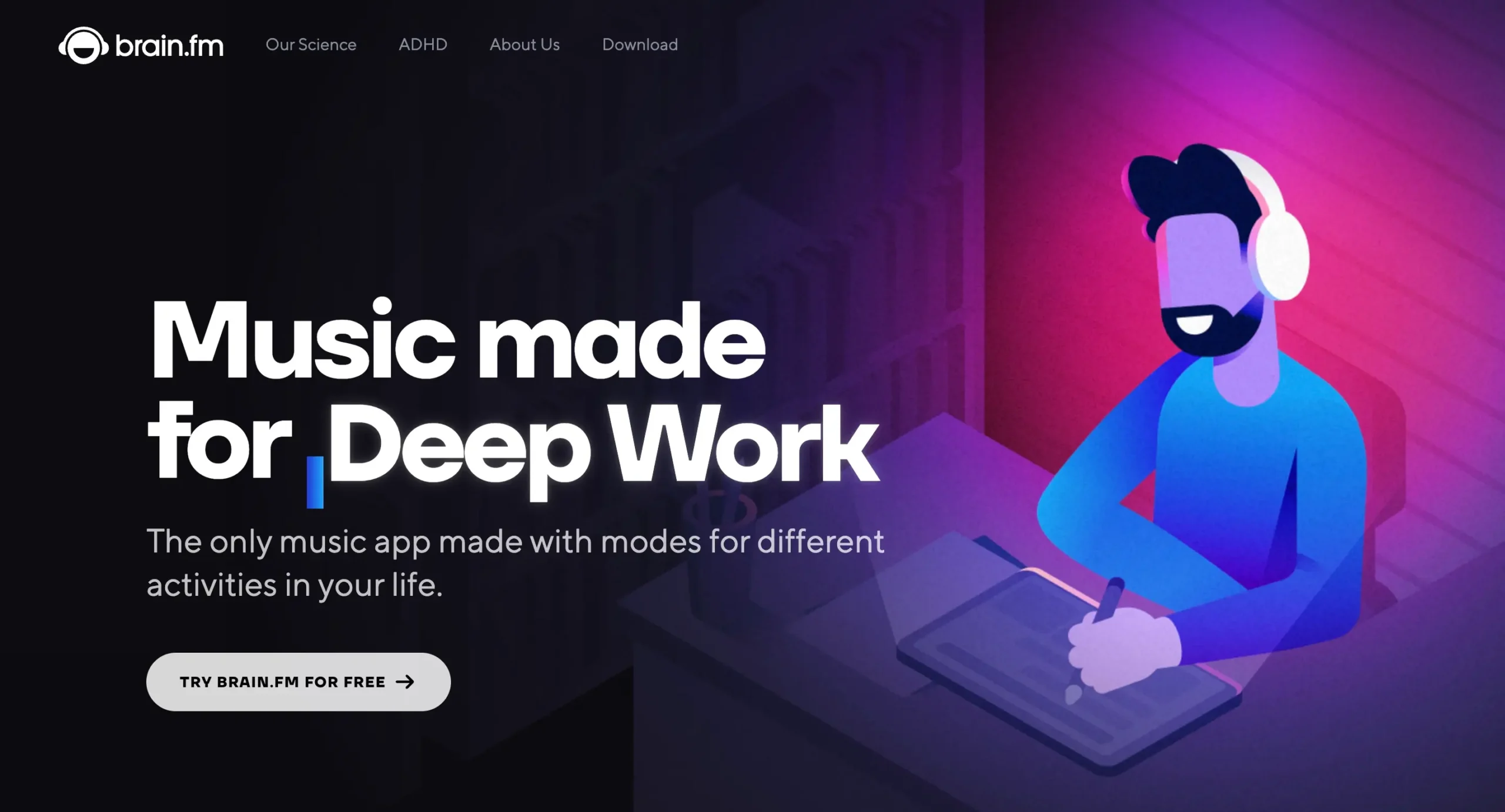
If you spend most of your workday at a desk, staring at a screen, and find yourself getting pulled away from the task in front of you more than you’d like, Brain.fm was built for you. Remote workers, knowledge workers, and people with ADHD are the core audience. The pitch is simple: science-backed music that makes it easier to stay in the zone.
That said, Brain.fm isn’t only a focus tool. There are dedicated modes for sleep, relaxation, and meditation (both guided and unguided). So if your issue isn’t distraction at work but rather winding down after it, Brain.fm has a case to make there, too.
How I tested Brain.fm
I used Brain.fm for five days straight, entirely on the web app. That’s the version most desk workers will use. It’s already a browser tab; there’s no friction, no separate download. I also used the mobile app, but mainly for ‘Relax’, ‘Sleep’, and ‘Meditate’ modes. Listening to sleep music with your laptop open at night defeats the point.
My real work during those five days was this article. By the time I hit publish, I knew whether Brain.fm actually helped.
One more thing: I’m not diagnosed with ADHD, but I recognise enough of the symptoms in myself to have leaned heavily on Brain.fm’s ‘ADHD Mode’. If that’s your situation too, diagnosed or not, I tested to see whether it made a real difference.
If you’re interested in learning more about how I select and test productivity software to feature on this blog, check out my methodology page.
Brain.fm is easy to pick up, with one onboarding gotcha
Brain.fm is as easy to use as a music streaming platform. The mechanics are identical. If you’ve used Spotify or Apple Music, you’ll feel right at home. Or at least at your friend’s home.
The onboarding took me about two minutes. Brain.fm’s quiz asks a handful of questions, your work type, whether you have ADHD, that sort of thing, to personalise your experience.
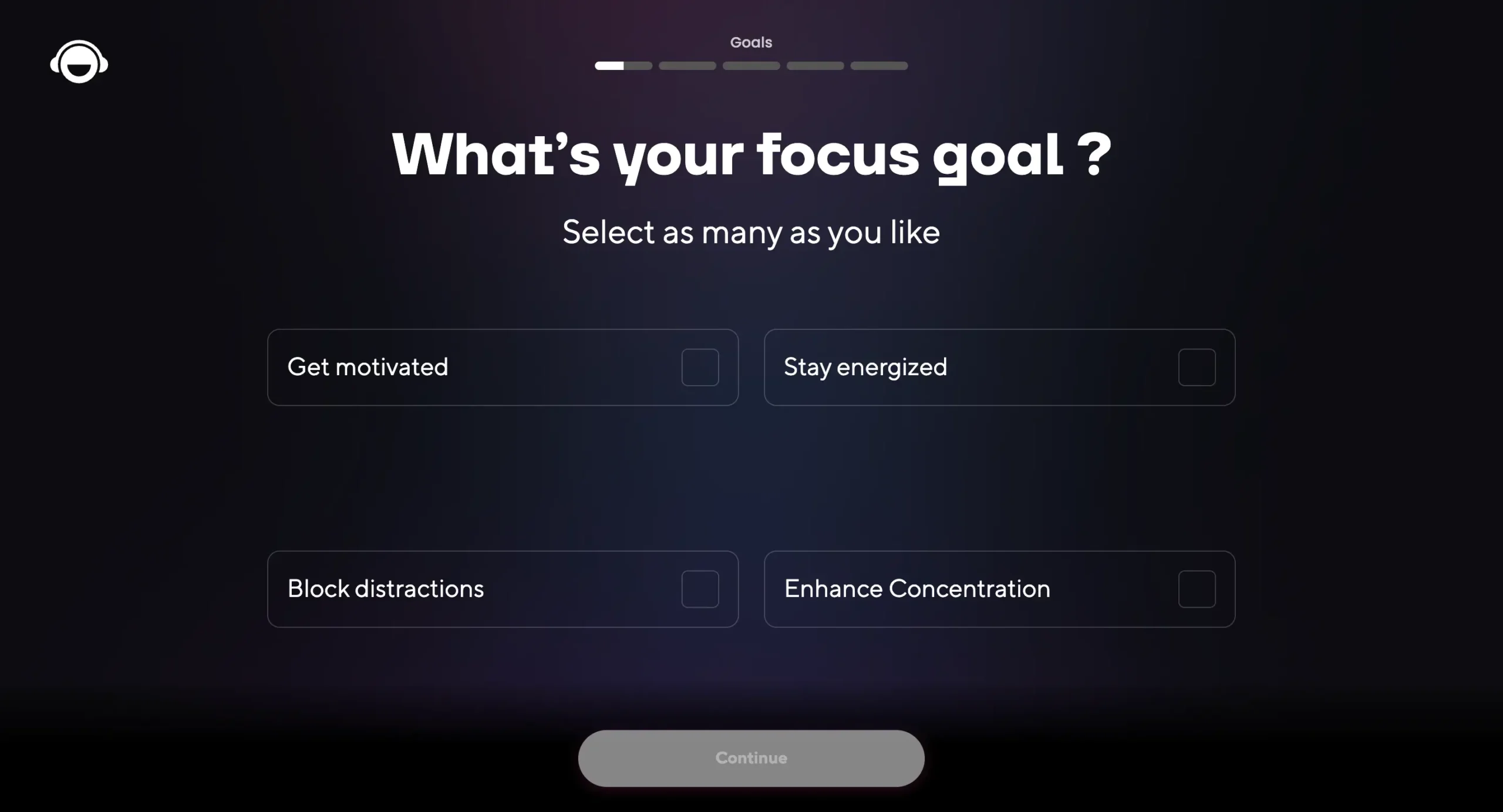
Here’s what I didn’t know going in: you’re asked for your payment details at the end of onboarding, before you can access the dashboard. The “Try Brain.fm for free” button on the homepage implies billing starts after the trial ends. It doesn’t work that way. And the “14-day free trial” isn’t universal. The monthly plan gets 7 days, the yearly plan gets 14. My signup link gets you 30 days, if that tips the scales.
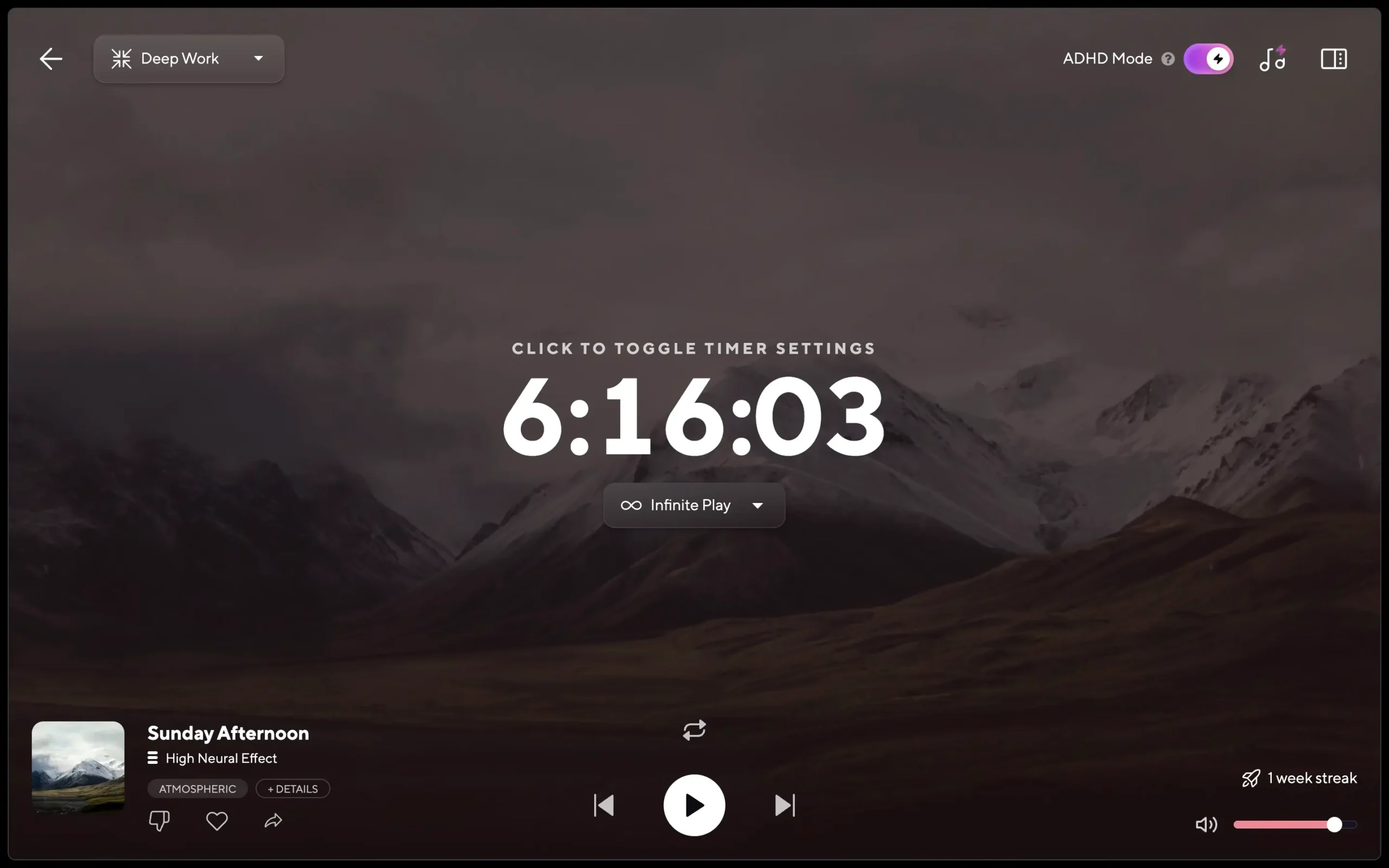
The dashboard is clean, distraction-free, and self-explanatory. For a tool whose entire pitch is helping you focus, it would be embarrassing if the interface were itself a distraction. It isn’t. One detail I appreciated was when you’re in another tab doing actual work, the session timer is still visible above Brain.fm’s tab. No need to switch back just to check it.
Brain.fm’s activity library covers every focus need, not just work
If you want one app that covers every situation where music might help, focus, sleep, relaxation, meditation, Brain.fm has the range. Including the obscure stuff, like sleep music specifically for power naps.
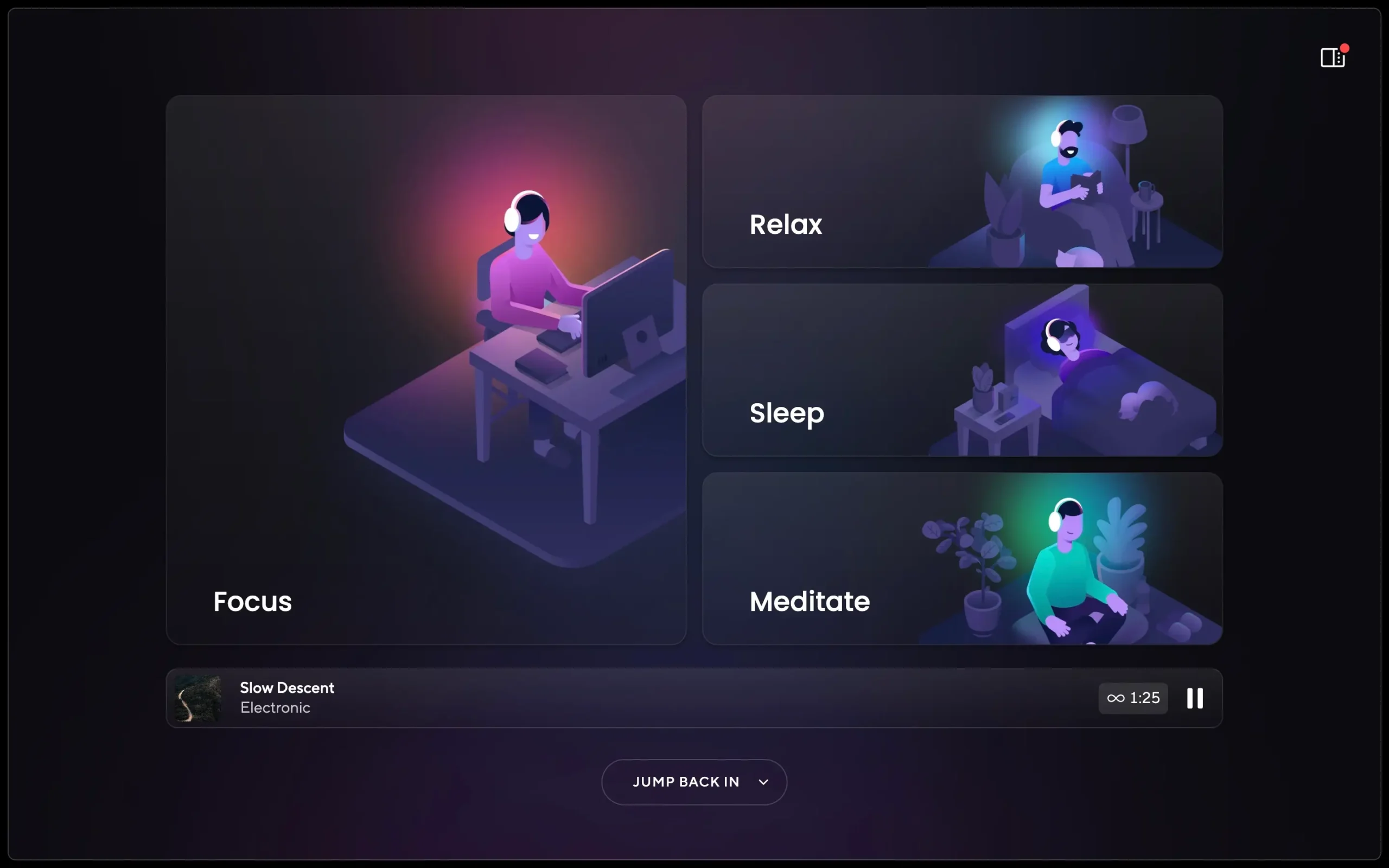
There are four modes: Focus, Sleep, Relax, and Meditate. Each has sub-categories (Brain.fm calls them Activities), specific enough to actually matter. The ‘Focus’ mode alone splits into Deep Work, Motivation, Creativity, Learning, and Light Work. That last distinction is useful: you probably don’t want the same intensity of music drafting a quick email as you do grinding through a three-hour writing session. Free alternatives like YouTube and Spotify don’t make this cut for you.
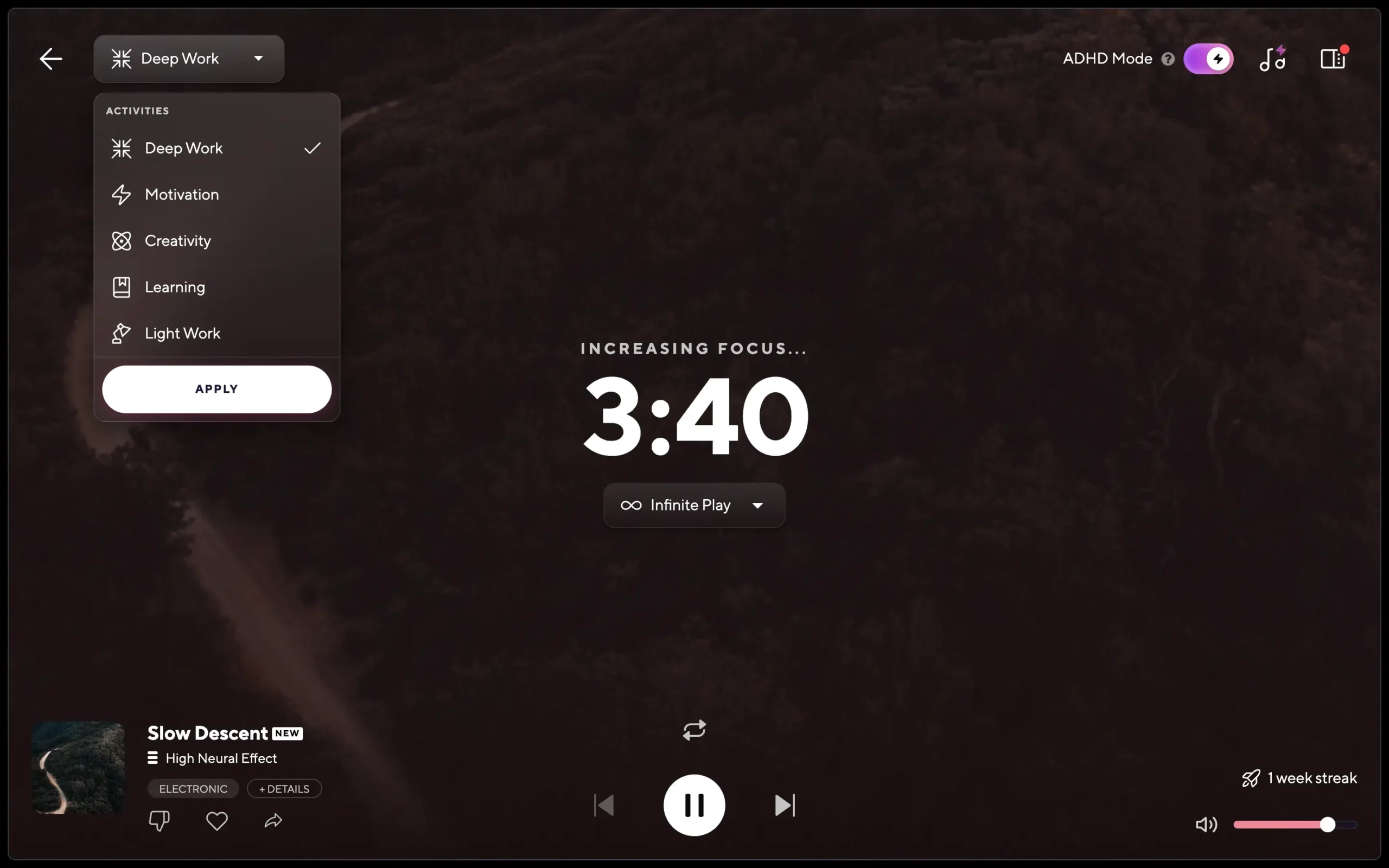
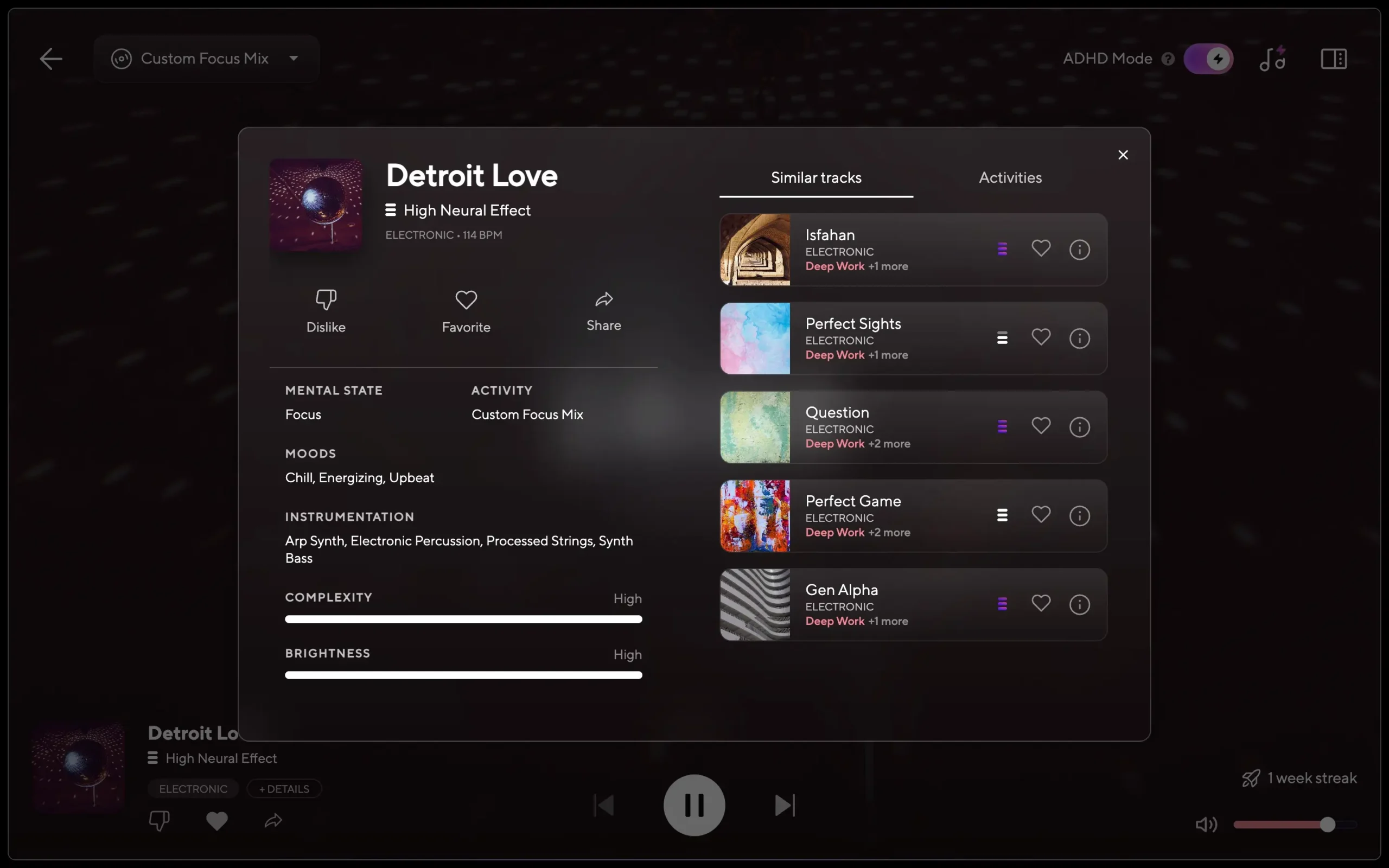
The music itself is harder to describe than you’d expect. I did most of my deep work sessions on a track called “Detroit Love”. It is filed under Focus, Deep Work, which layers arp synths, processed strings, and electronic percussion into something that, if you heard it cold, you might mistake for a decent Spotify focus playlist. That’s the honest first impression. The difference reveals itself after twenty minutes. You look up and realise you haven’t looked up. Whether that’s the neural phase locking doing its job or a particularly good placebo, the output is the same: you stayed in the work.
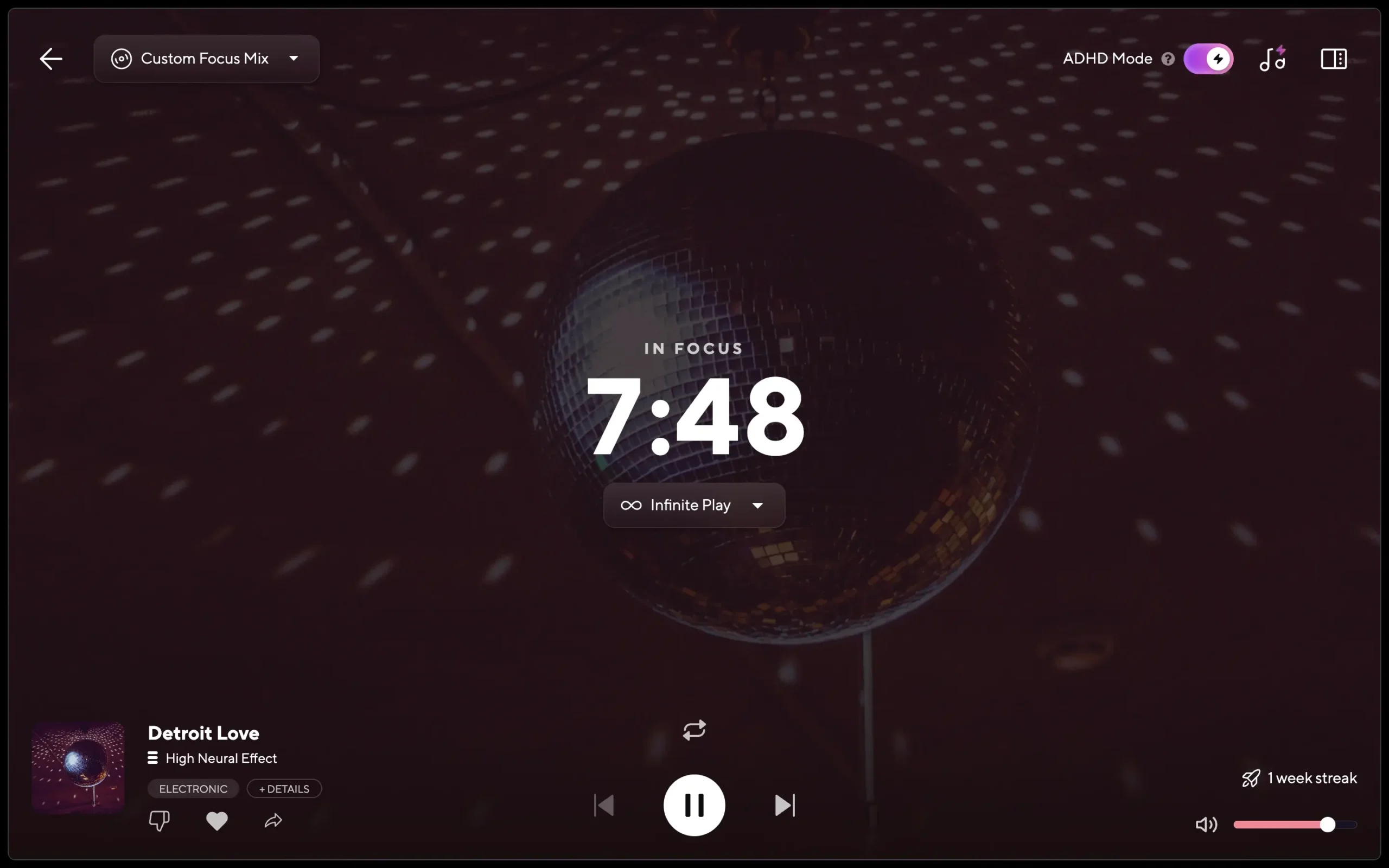
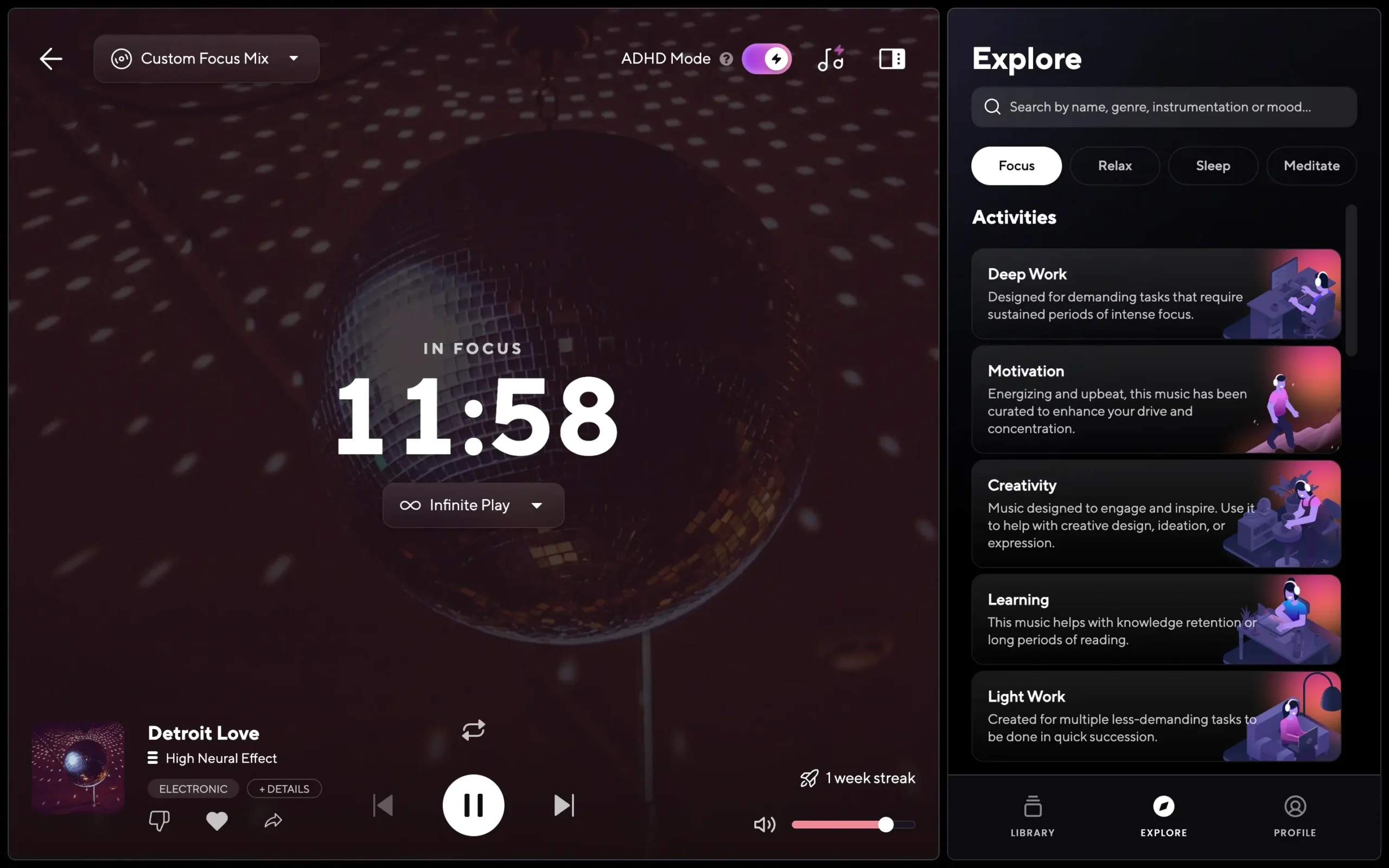
Brain.fm also lets you favourite tracks, loop them on repeat, and search through an ‘Explore’ section in the right sidebar. The Explore feature irritates me, and I think it will irritate you, too. I left Spotify and YouTube precisely because I didn’t want to actively hunt for the right track and risk landing on an Eagles song, which is great music, but completely wrong for deep work. The whole point of Brain.fm is that the decision is already made for you. The Explore feature, although optional to use, undermines that.
Each track has a details panel: mental state, mood, instrumentation, complexity, and brightness. If you’re genuinely curious about what makes a track work, why it feels the way it does, it’s a nice rabbit hole. For everyone else, it’s a distraction dressed up as information. The best version of Brain.fm is the one you forget you’re using: you start a track, switch tabs, and do the work. The details panel pulls you back in when you should already be gone. The one thing worth clicking on is ‘Similar tracks’. If you find something that locks you in, that’s how you find more of it without breaking your flow.
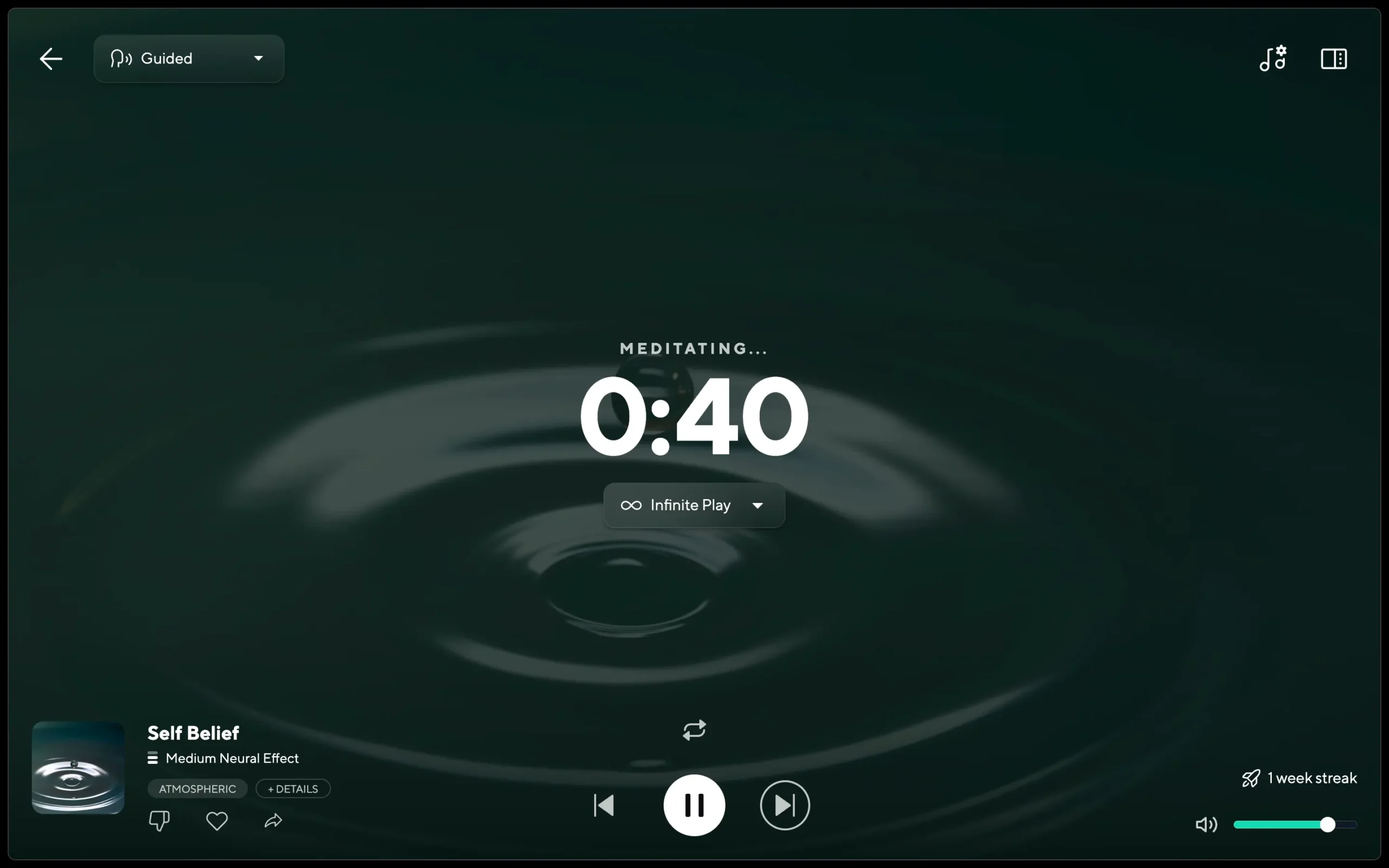
One thing Brain.fm undersells is the meditation mode. I did a 35-minute guided session, and it was genuinely good. A calm female voice, unhurried, no wellness-influencer affectations. Brain.fm markets itself as a focus tool, which is accurate, but if you came for the Deep Work playlist and left without trying the meditation mode, you missed something.
If you want music that’s already sorted for the exact thing you’re doing, not just ‘focus’, but specifically deep work versus light work, Brain.fm earns its place. If you enjoy curating your own playlists, you’ll find Brain.fm’s structure more constraining than convenient. Either way, the variety is deep enough (and constantly updated) that you won’t outgrow it.
Brain.fm’s ADHD Mode works, but the “119%” claim doesn’t hold up
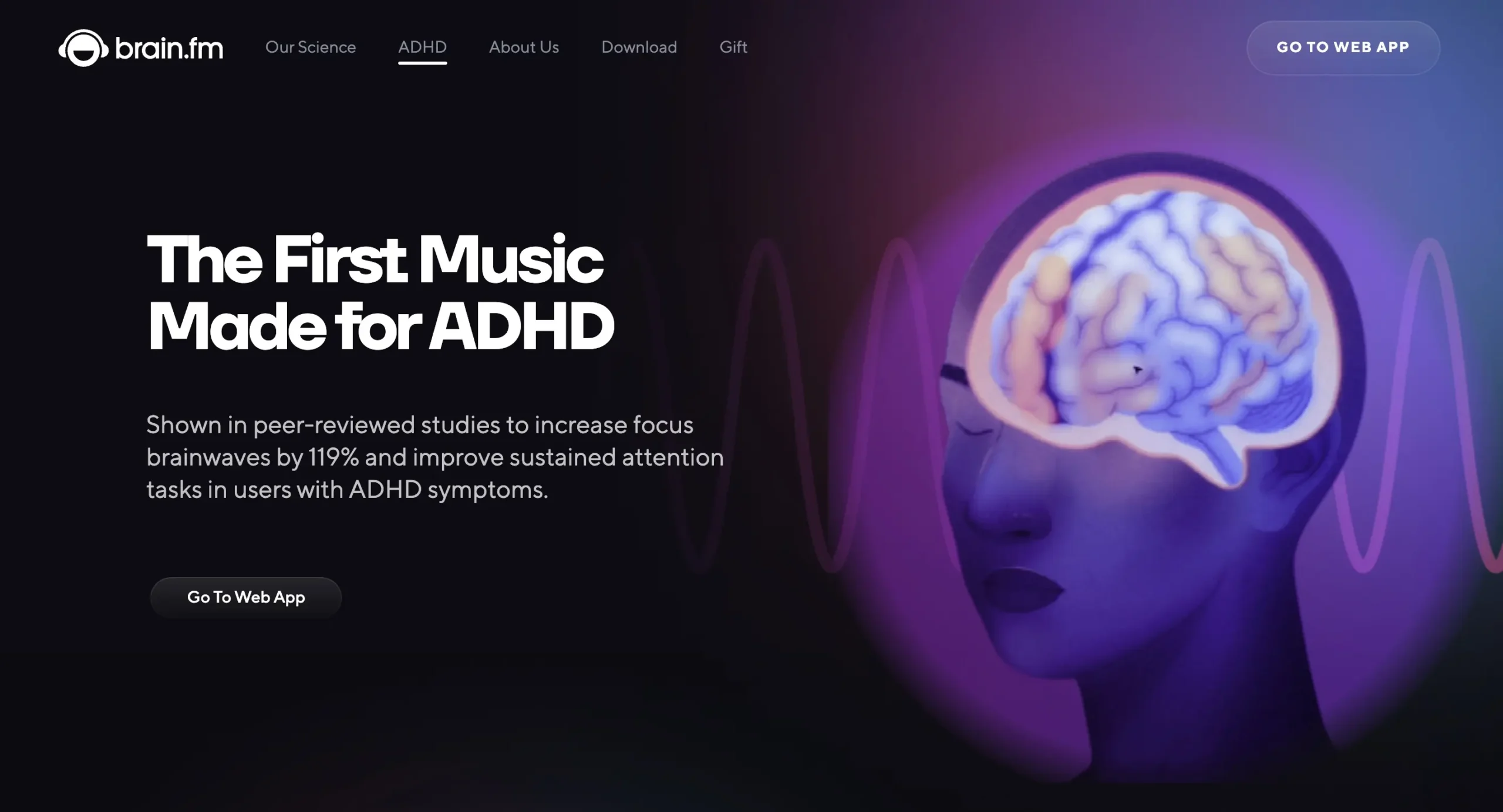
Brain.fm has a dedicated ADHD page where they claim their music “increases focus brainwaves by 119% and improves sustained attention tasks in users with ADHD symptoms.” That’s a striking number. I went looking for the source. The peer-reviewed paper published in Nature does feature Brain.fm and attention effects, but the 119% figure doesn’t appear in it. Make of that what you will.
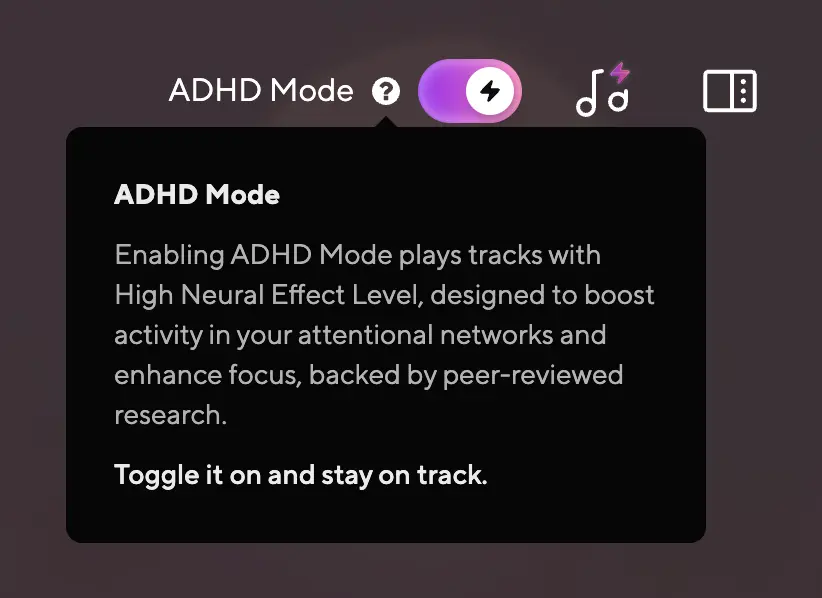
What they do have is an ‘ADHD Mode’ toggle available inside the Focus mode and all five of its Activities. I’m not diagnosed with ADHD, but I recognise enough of the symptoms to have tested it. Enabling it switches the music to ‘High Neural Effect Level’, which is Brain.fm’s strongest setting, designed to boost activity in your attentional networks. The change is subtle but noticeable. The music feels slightly more insistent, like it’s nudging rather than just playing in the background.
I went through Reddit looking for ADHD users who’d used Brain.fm long enough to have an opinion. The most honest take wasn’t a glowing testimonial or a dismissal, it was this:
“Your experience is your experience. If it works for you, for whatever reason, it works for you. Even if it’s only working due to the placebo effect, it’s still working. As long as it isn’t harming you, or anyone else, if it’s helping you: stick with it. Your experience is not reliant on everyone else’s.” (Source: Reddit)
That’s the honest answer. Whether the effect is neuroscience or placebo, ADHD Mode made me stay on task longer during my sessions. The outcome was the same either way.
The one setting worth adjusting is the Neural Effect Level
Brain.fm keeps customisation minimal. Most of it is worth your attention; one of them isn’t, so let’s kill that first. There’s a ‘Quotes’ toggle inside ‘Timer Settings’ that replaces the timer display with motivational quotes. Brain.fm’s entire pitch is that you start a track, switch tabs, and get to work. Quotes assume you’ll stay staring at the dashboard. It’s a filler feature, and the best thing you can do with it is leave it off.
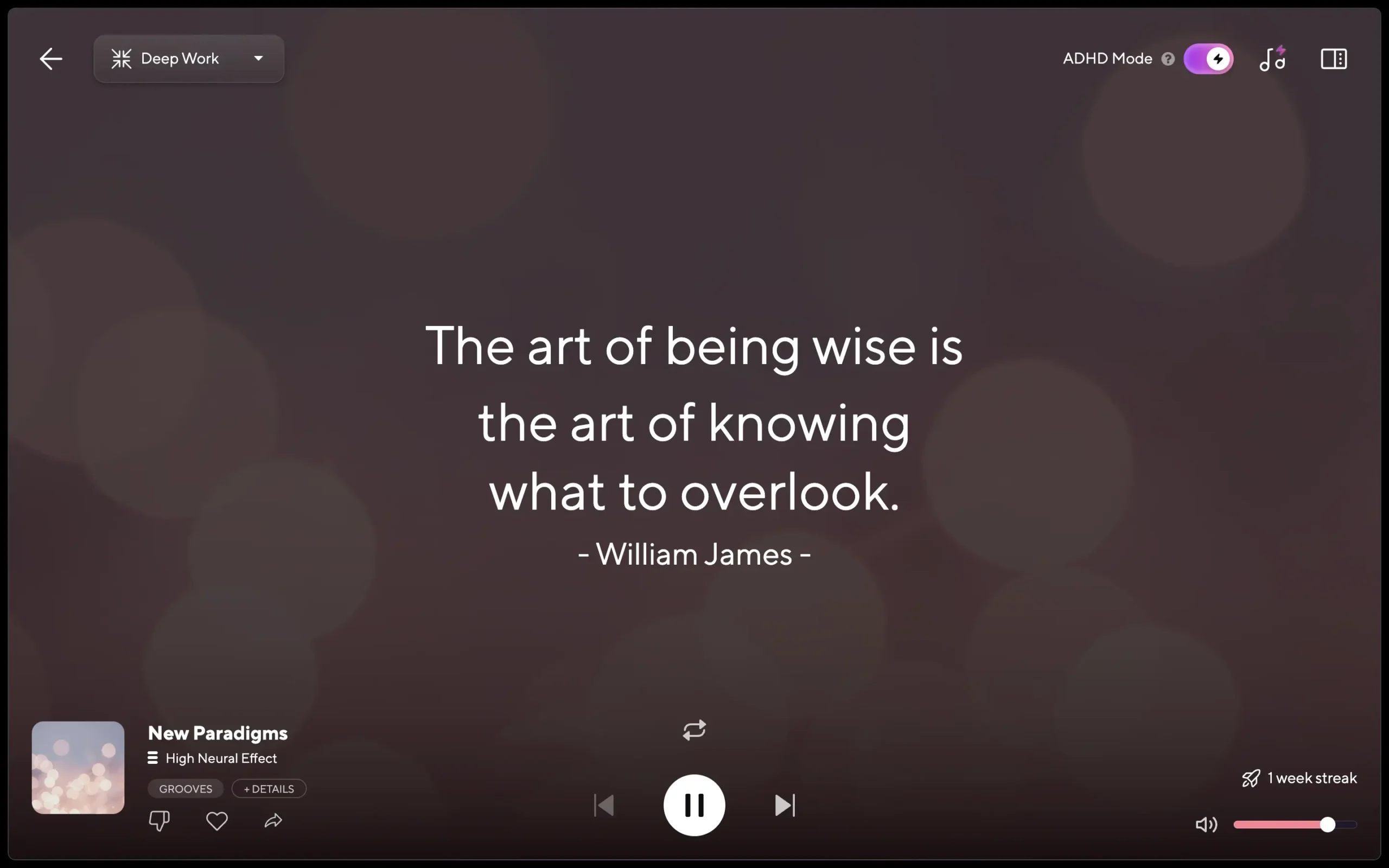
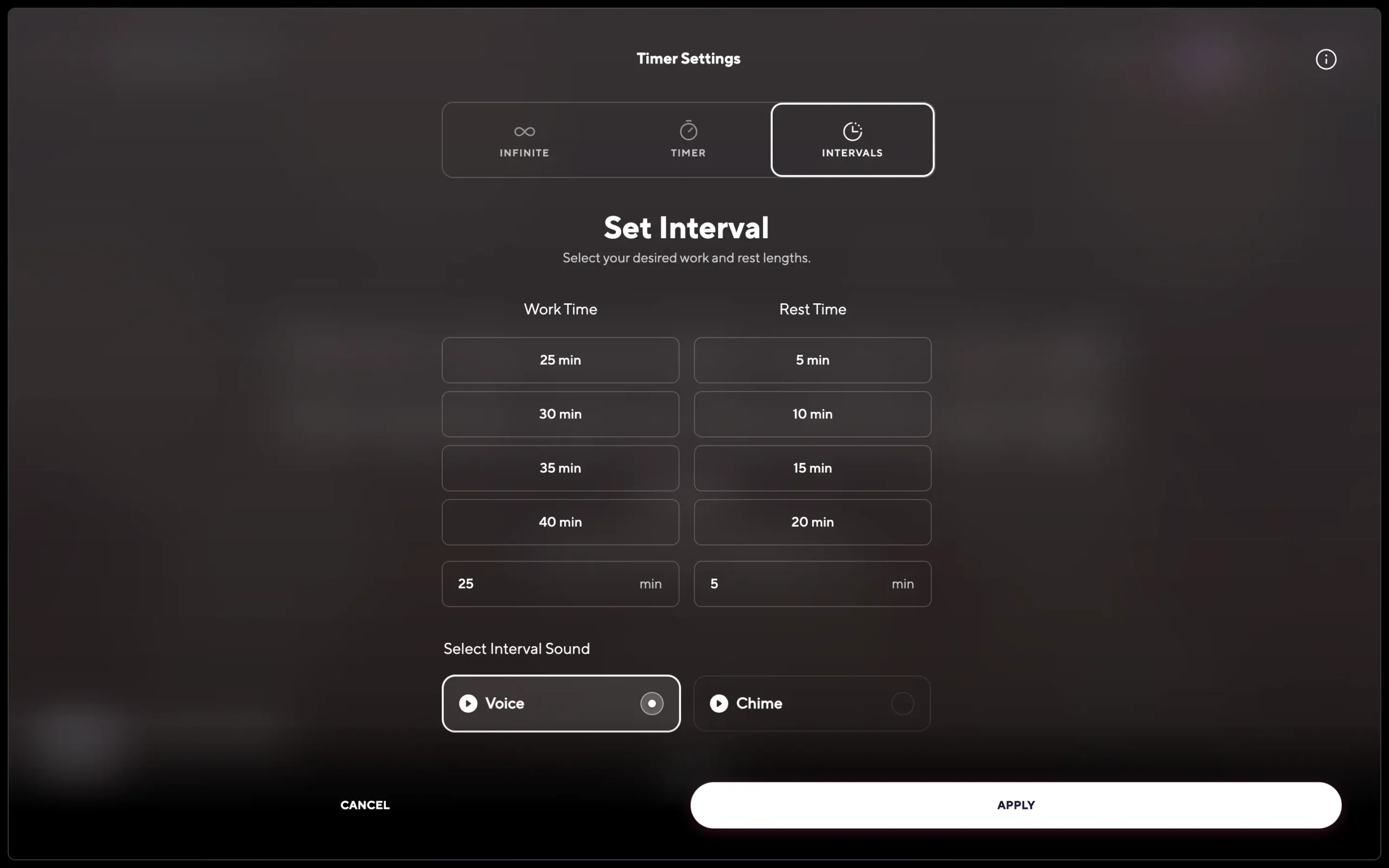
The timer options, on the other hand, are genuinely useful. ‘Infinite’ plays until you stop it. ‘Timer’ stops automatically after however long you set, which is handy for sleep music if you know you’re out within 30 minutes. ‘Intervals’ is a built-in Pomodoro timer: set a work duration and a break duration, and Brain.fm notifies you when to switch via a voice prompt or a chime.
If you want visibility into how your focus sessions are actually going beyond just the timer, my Rize review covers a tool built exactly for that.
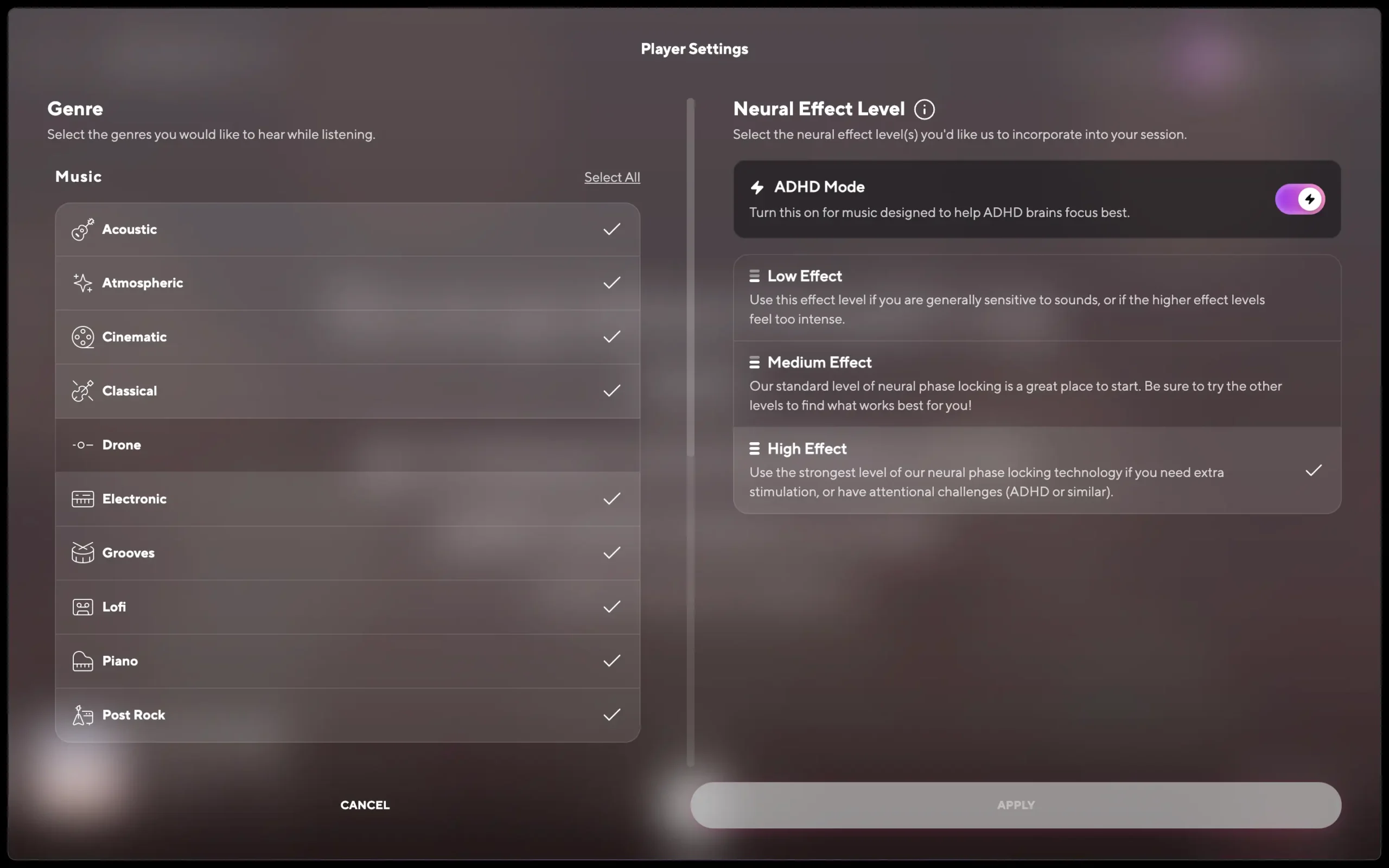
The Player Settings (the music icon next to the ADHD Mode toggle) let you filter genres and adjust the Neural Effect Level. The genre selection is worth a few minutes of your time. If the default recommendations from your onboarding quiz aren’t clicking, this is where you fix that. For the Neural Effect Level, there are three settings: Low for people sensitive to sound, Medium as the default, and High for when you need more intensity or have ADHD-like attention challenges. If you’ve been on Medium for a while and feel like it’s stopped working, try High before you write Brain.fm off. It’s a meaningful difference.
The mobile app is only worth it for sleep, relaxation, and meditation
Honestly, I didn’t use Brain.fm much on mobile, and I don’t think you should, at least not for focus. Your phone is one of the major distractions Brain.fm is trying to protect you from. Using focus mode on your phone is self-defeating.
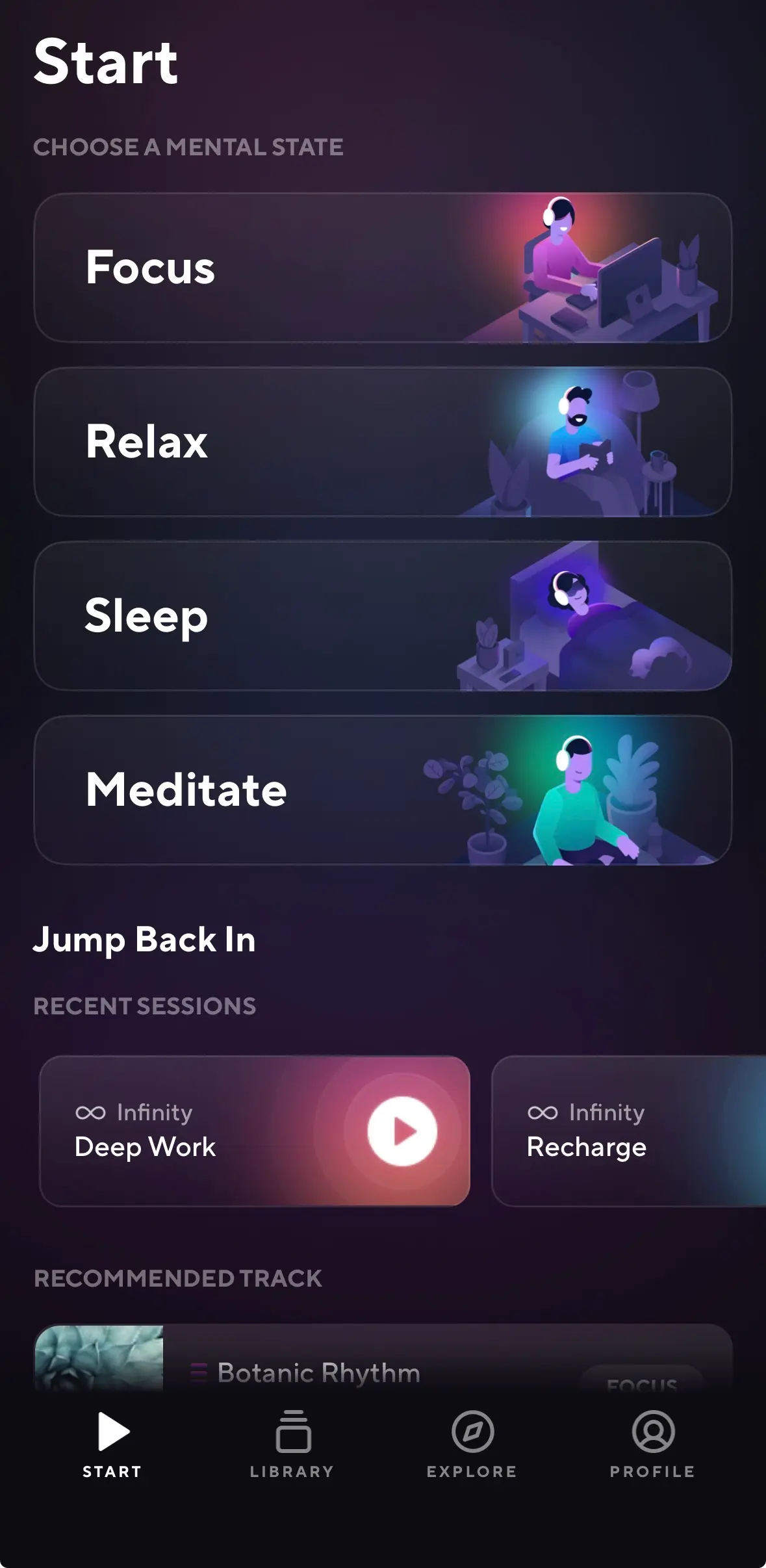
Where the mobile app earns its place is in sleep, relaxation, and meditation. Those are the modes you’re away from your laptop for anyway, and it works well there. The interface matches the web app, clean, easy to navigate, and mobile widgets let you start any mode without even opening the app.
One real gap is that there’s no cross-device syncing. If you’re mid-session on your laptop and pick up your phone, Brain.fm won’t carry over what you were listening to. Spotify does this seamlessly. Brain.fm doesn’t, and it’s a noticeable omission for anyone who moves between devices during the day.
Brain.fm pricing: is it worth the cost?
Brain.fm costs $14.99 per month or $99.99 per year. That’s more expensive than free alternatives like YouTube and Spotify, all of which have focus, sleep, and relaxation playlists.
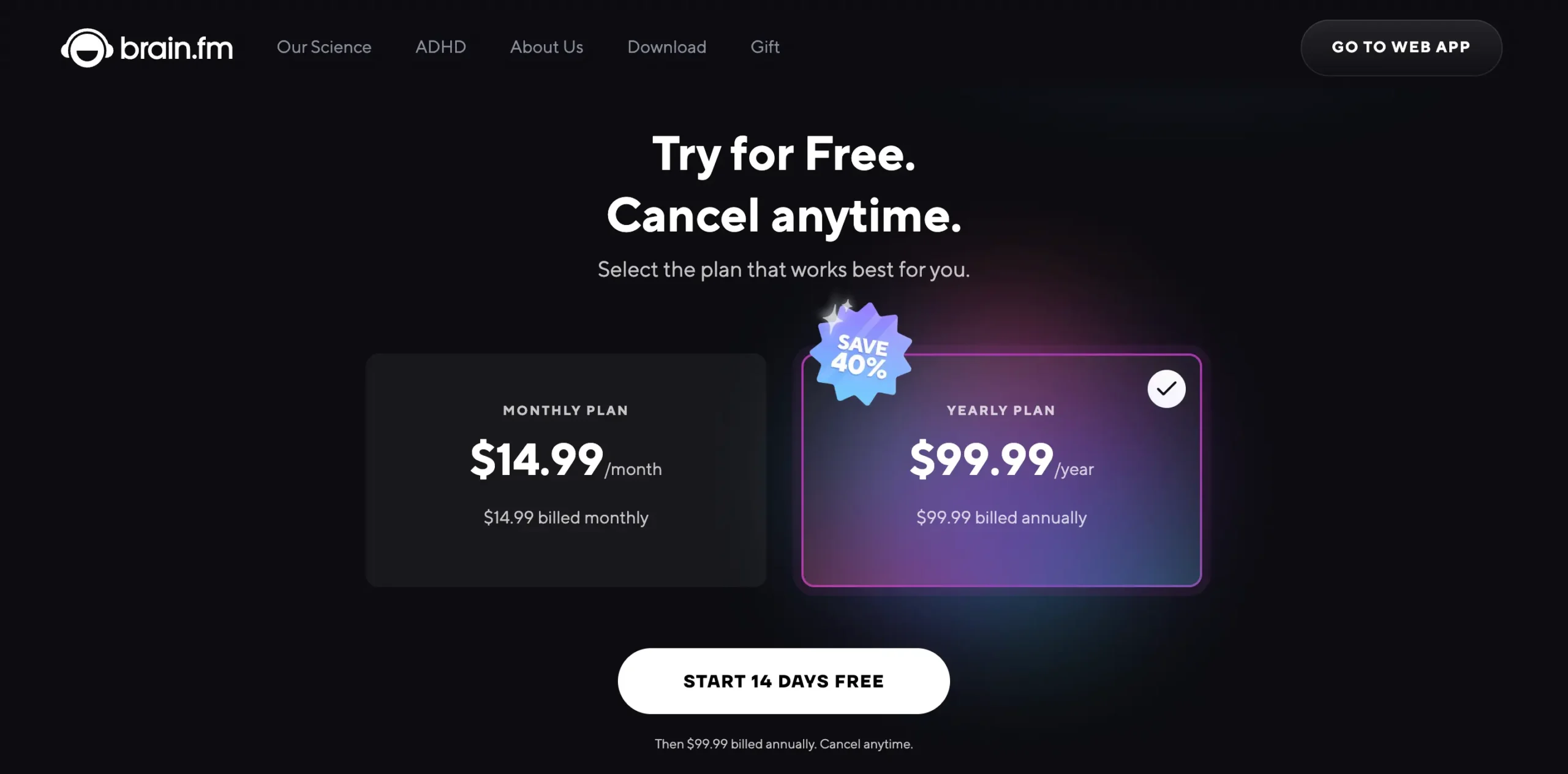
So is it worth it?
If you already pay for YouTube Premium or Spotify Premium and your playlists are working, stay there. Brain.fm won’t add anything meaningful on top of what you already have.
The real case for Brain.fm is against the free, ad-supported versions. When Spotify or YouTube drops an advertisement mid-session, it doesn’t just activate the verbally abusive inside you; it kills your flow state, which has to be one of the eight deadly sins. If you’ve been tolerating that and it’s genuinely disrupting your work, Brain.fm solves a real problem.
If you have ADHD, the calculus is different. Free alternatives weren’t built for you. Brain.fm is clinically optimised, scientifically tested, with a dedicated ADHD Mode that no Spotify playlist can replicate. For someone whose attention is already working against them, the difference between music that’s engineered for focus and a playlist that’s merely labelled “focus” is huge.
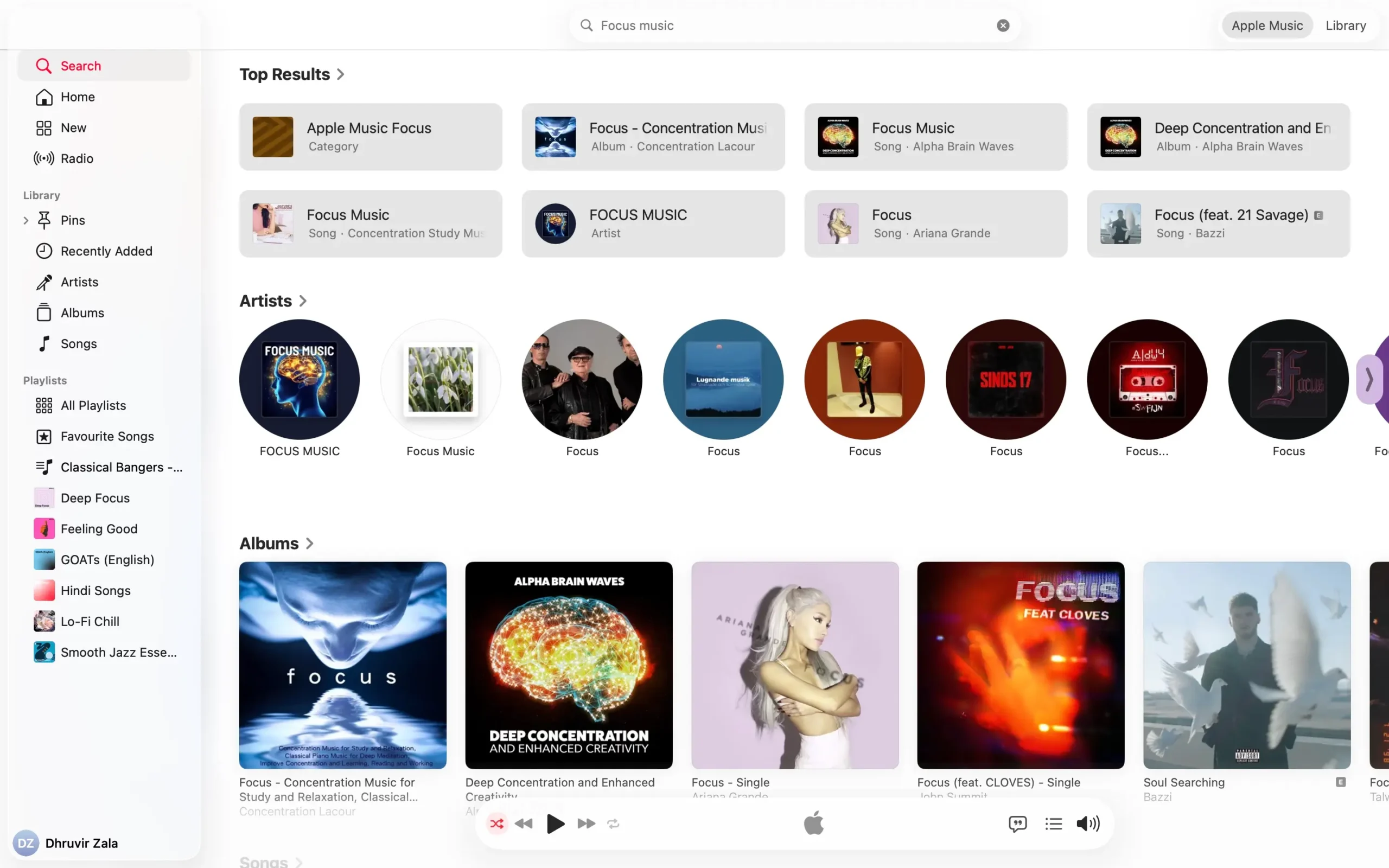
And if you’ve ever lost twenty minutes hunting for the right track on YouTube, skipping, second-guessing, landing on something that’s almost right, Brain.fm is worth it for that reason alone. You open it, it plays the right thing, and you work. That’s the entire interaction.
If nothing from the free alternatives has worked for you at all, Brain.fm is worth a proper shot. And since my link extends your free trial to 30 days instead of the standard 7 or 14, there’s no reason not to find out. Just set a reminder to cancel before the trial ends if you’re on the fence. You don’t want that deduction to be how one of your mornings starts.
If you are a student, you can get an additional 20% discount by emailing support@brain.fm from a .edu address.
My final verdict: Should you use Brain.fm?
Here’s who should stop reading and just try it: you’ve been tolerating ads, or hunting for the right track, or you have ADHD and a Spotify playlist has never once kept you in the work. Brain.fm was built specifically for that failure mode. It fixes it.
Here’s who should save their money: you already pay for Spotify or YouTube Premium, your focus playlists are working, and nothing in this review made you think “yes, that’s exactly my problem.” It isn’t for you.
For everyone in the middle, curious but not yet convinced, the honest answer is that I still have Brain.fm open in a tab as I write this sentence. I started using it to test it. I’m still using it because it works. That’s as direct as I can be.
Try Brain.fm free for 30 days and let the work sessions tell you what this review can’t.
Frequently asked questions
